

Introduction
In this article we will see events handling in Angular. In this article we will cover all types of events like input events , button events, form events, mouse events, checkbox events , radio button events etc. I hope you will find this article helpful.
In this article we will cover,
- Button Events
- Mouse Events
- Input Events
- Checkbox Events
- Radio Button Events
- Form Event
Create new project
For creating a new Angular project open Visual Studio code or you can use any IDE as per your choice then open folder where you want to save your project and open terminal from terminal menu or you can use short cut key ctrl+shift+~ .
Now enter thebelow command in your terminal. Here EventsInAngular is my project name
- ng new EventsInAngular
Now Angular cli asks you some questions for adding something in this project which are.
First one is for users in your app
Do you want to enforce a more strict type checking and bundle budgets in the workspace?
This setting helps improve maintainability and catch bugs ahead of time.
For more information, see https://angular.io/strict (y/N)
Enabling this flag initializes your new workspace or application with a few new settings that improve maintainability, and helps you catch bugs ahead of time. Additionally, applications that use these stricter settings are easier to statically analyze, which can help the ng update command refactor code more safely and precisely when you are updating to future versions of Angular.
If you want to add this press Y or for not adding press N.
Second one is routing
If you want to add routing in project then enter Y otherwise N. In this project as of now we does not need routing so I press n.
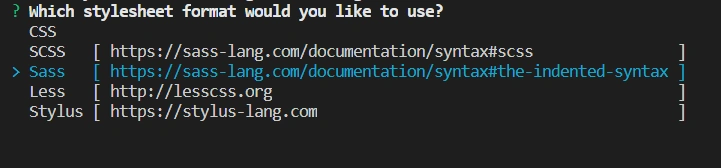
Third one is style sheet format
Here you need to choose your style sheet from css, scss , sass , less , stylus . Choose as per your need.
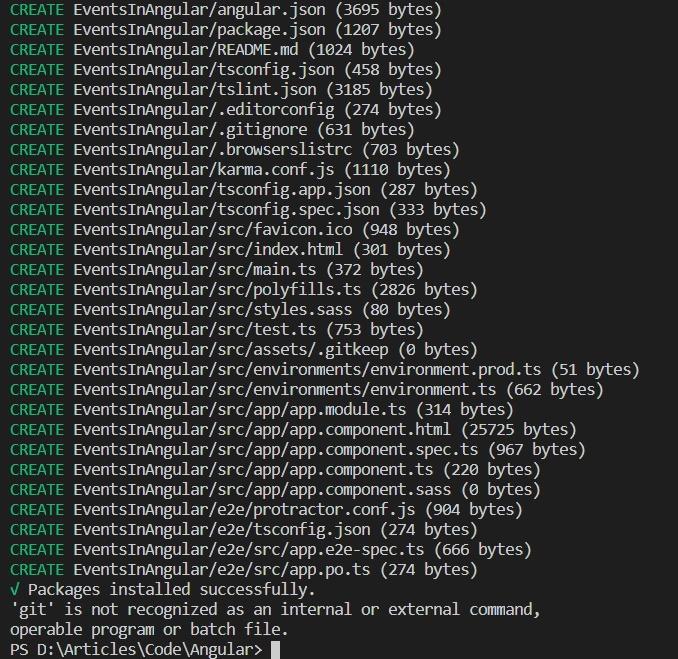
Now installnAngular cli install node module.
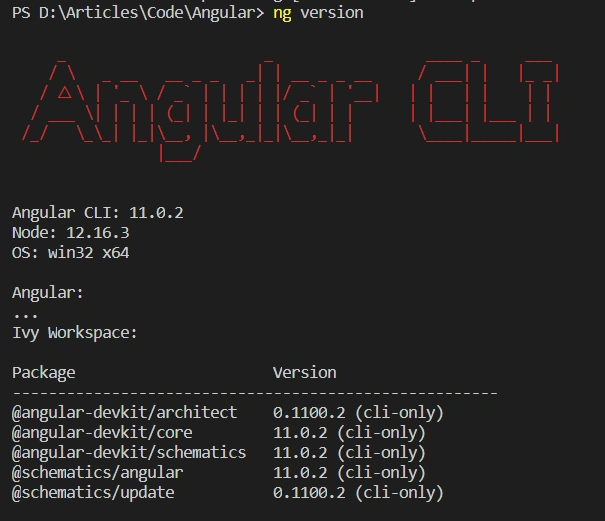
In this project we are using Angular 11.
Events In Angular
Here I create a function in ts file which takes one parameter event name and then console event name. We will call this function on different events.
- import { Component } from '@angular/core';
- @Component({
- selector: 'app-root',
- templateUrl: './app.component.html',
- styleUrls: ['./app.component.sass']
- })
- export class AppComponent {
- title = 'EventsInAngular';
- eventCallFunction(eventName){
- console.log(eventName +" is called ...")
- }
- }
Button Events
- Click Event
- Double Click Event
Button Click Event
ing
As we learn in JavaScript or JQuery click event is fired when user clicks on button. This event is used when we want to call something when button is clicked. For define click event in angular we need to define it as (click)=”yourfunction()”.
Button Double Click Event
This event fires when user double clicks on button. This event is used when we want to take any action or show user something when they double click on any button. For defining double click event in angular we need to define it as (dblclick)=”yourfunction()”.
- <h2 style="color: green;">Button Events</h2>
- <button (click)="eventCallFunction('Button Click ')">Button Click Event</button>
- <br><br>
- <button (dblclick)="eventCallFunction('Button Double Click ')">Button Double Click Event</button>
Mouse Events
- Mouse enter event
- Mouse leave event
- Mouse down event
- Mouse up event
Mouse Enter Event
This event fires user’s mouse enter on any element. We can call this event on any element. For defining a mouse enter event in Angular we need to define it as (mouseenter)=”yourfunction()”
Mouse Leave Event
This event fires user’s mouse leave event from any element. We can call this event on any element. For defining mouse leave event in angular we need to define it as (mouseleave)=”yourfunction()”
Mouse Down Event
This event fires user’s mouse press on any element. We can call this event on any element. For defining mouse down event in angular we need to define it as (mousedown)=”yourfunction()”
Mouse Up Event
This event fires user’s click on any element and after that when mouse button goes up. We can call this event on any element. For defining mouse up event in Angular we need to define its as (mouseup)=”yourfunction()”
- <h2 style="color: green;">Mouse Events</h2>
- <button (mouseenter)="eventCallFunction('Mouse Enter ')">Mouse Enter Event</button>
- <br><br>
- <button (mouseleave)="eventCallFunction('Mouse Leave')">Mouse Leave Event</button>
- <br><br>
- <button (mouseup)="eventCallFunction('Mouse UP')">Mouse Up Event</button>
- <br><br>
- <button (mousedown)="eventCallFunction('Mouse Down')">Mouse Down Event</button>
Input Events
- Key Down Event
- Key up Event
- Key Press Event
- Cut Event
- Copy Event
- Paste Event
- Focus Event
- Blur Event
- Input Event
- Select Event
Key Down Event
This event is fired when theuser presses any key in that input and when user first starts pressing key then first it goes down. For defining Key Down event in angular we need to define it as (keydown)=”yourfunction()”.
Key Up Event
This event is fired when user presses any key in that input. When user presses key then key comes up when that event fires. For defineingKey Up event in angular we need to define it as (keyup)=”yourfunction()”.
Cut Event
This event is fired when user cuts something from input. For defining this event in Angular we need to define it as (cut)=”yourfunction()”.
Copy Event
This event is fire when user copy something from input. For define this event in angular we need to define it as (copy)=”yourfunction()”.
Paste Event
This event is fired when user pastes something in input. For defining Key Down event in Angular we need to define it as (paste)=”yourfunction()”.
Focus Event
This event fires when focus comes to input, which means when user's cursor comes into input area then this this event fires. For this event in Angular we need to define it as (focus)=”yourfunction()”.
Blur Event
This event fires when focus leaves from input which means when user's cursor leaves from input area then this this event fires. For defining this event in Angular we need to define it as (blur)=”yourfunction()”.
Input Event
This event fires when user inputs/writes something in input area. For defining this event in Angular we need to define it as (input)=”yourfunction()”.
Select Event
This event fires when user selects some text or whole text from input. For defining this event in Angular we need to define it as (select)=”yourfunction()”.
- <h2 style="color: green;">Input Events</h2>
- This is keyup event
- <input (keyup)="eventCallFunction('Key Up Event')" />
- <br><br>
- This is key down event
- <input (keydown)="eventCallFunction('Key down Event')" value=""/>
- <br><br>
- This is key press event
- <input (keypress)="eventCallFunction('Key press Event')" value=""/>
- <br><br>
- This is cut event
- <input (cut)="eventCallFunction('Cut Event')" value=""/>
- <br><br>
- This is copy event
- <input (copy)="eventCallFunction('Copy Event')" value=""/>
- <br><br>
- This is paste event
- <input (paste)="eventCallFunction('Past Event')" value=""/>
- <br><br>
- This is focus event
- <input (focus)="eventCallFunction('Focus Event')" value=""/>
- <br><br>
- This is Blur event
- <input (blur)="eventCallFunction('Blur Event')" value=""/>
- <br><br>
- This is input event
- <input (input)="eventCallFunction('input Event')" value=""/>
- <br><br>
- This is input select event
- <input (select)="eventCallFunction('select Event')" value=""/>
Radio Button and Checkbox Event
- Change
Change Event
This event fires on radio button or checkbox state change. When user checks or unchecks checkbox or when user clicks on radio button then this event fires. For defining this event in Angular we need to define it as (change)=”yourfunction()”.
- <h2 style="color: green;">Check box event Events</h2>
- <input type="checkbox" (change)="eventCallFunction('checkbox change Event')" value="1"/> This is checkbox change event
- <br><br>
- <h2 style="color: green;">Radio Button Events</h2>
- <input type="radio" (change)="eventCallFunction('Radio Button 1 change Event')" value="1" name="radioButton"/> This is radio button 1 change event
- <input type="radio" (change)="eventCallFunction('Radio Button 2 change Event')" value="2" name="radioButton"/> This is radio button 2 change event
Form Events
- Submit
For using forms in our app we need to import FormModule in our module file.
- import { BrowserModule } from '@angular/platform-browser';
- import { NgModule } from '@angular/core';
- import { AppComponent } from './app.component';
- import { FormsModule } from '@angular/forms';
- @NgModule({
- declarations: [
- AppComponent,
- ],
- imports: [
- BrowserModule,
- FormsModule //import this module for use form
- ],
- providers: [],
- bootstrap: [AppComponent]
- })
- export class AppModule { }
Form Submit Event
This event fires when user submits form. This event can fire two ways, when button type is submitted and user clicks on that button or button type is not submitted and on that button click user calls submit function. For defining this event in Angular we need to define it as (submit)=”yourfunction()”.
- <h2 style="color: green;">Form Submit Events</h2> <br>
- <form (submit)="eventCallFunction('Form Submit Event')">
- <input value=""/>
- <br><br>
- <input value=""/>
- <br><br>
- <button type="submit">Submit Form</button>
- </form>
View this whole project on StackBitz
So these are some events in Angular. If you like this article kindly like and share with your friends.
Hamid KhanPosted Mar 8, 2021, 2:35 PM
Good collection.. Nice article