

Here are the steps:
- Create a blank app in visual studio and create a grid either using toolbox or by coding in xaml.
- <Grid Background="{ThemeResource ApplicationPageBackgroundThemeBrush}">
- <Grid Height="500" Width="500" Background="Gray" />
- </Grid>
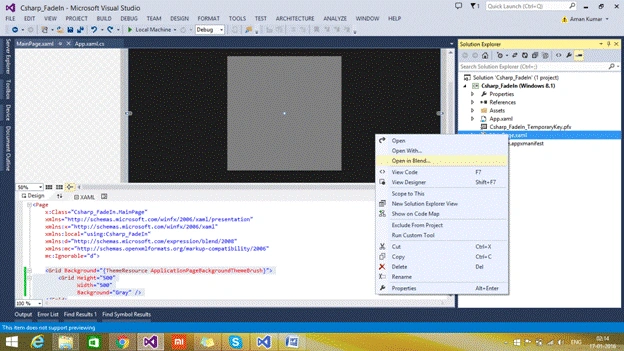
- Save your file and see on xaml page from solution explorer and select 'Open in Blend'.
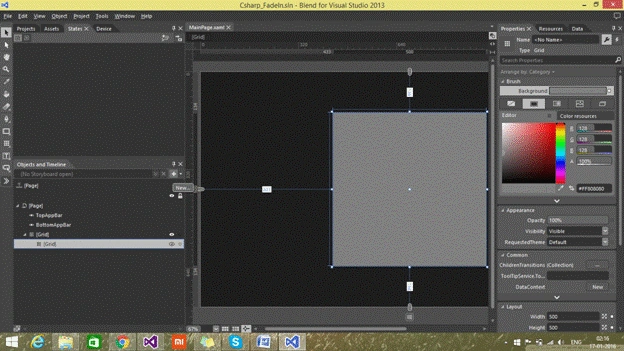
- Create new story board.
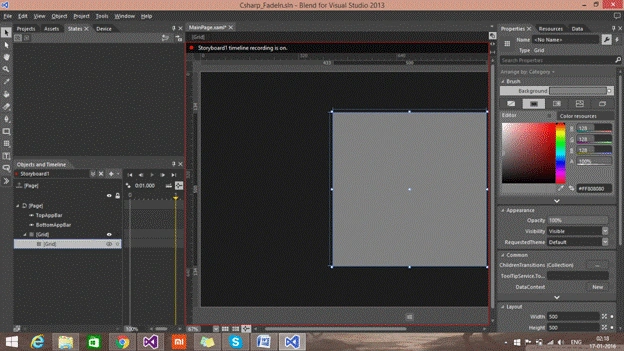
- Select time key frame on for storyboard. For example, a: 1 (fade out and fade in appears in 1 sec.).
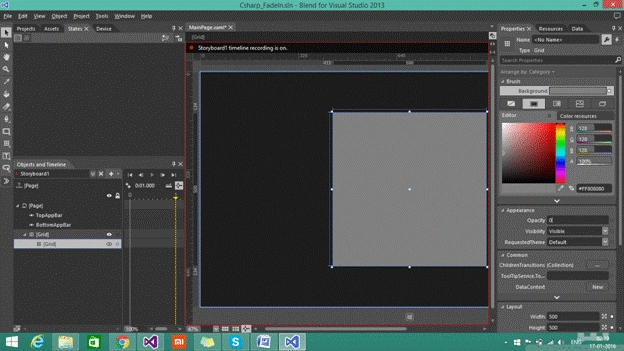
- Change opacity of gray grid to 0%.
- To run it forever and in auto reverse mode select story board and change the repeat behavior.
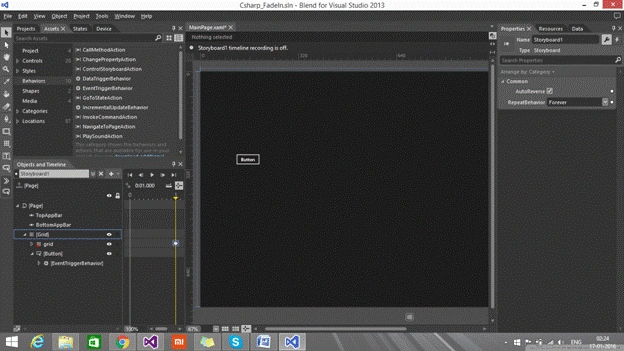
- Story board can begin by any event trigger using Storyboard.Begin().
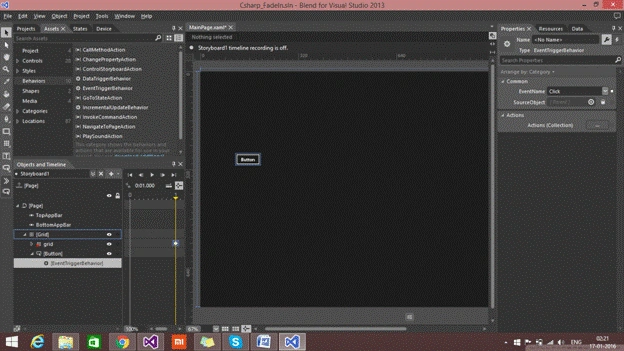
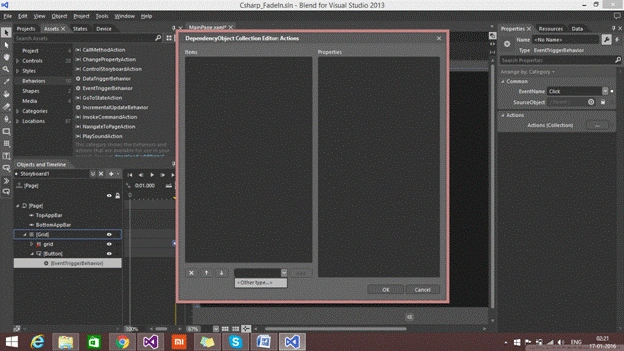
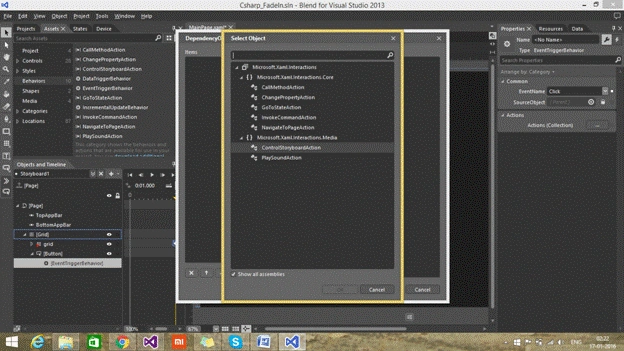
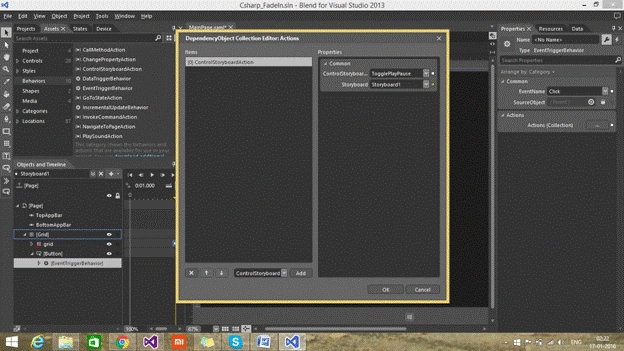
Example: Button to begin storyboard animation using event trigger and adding actions on click event of button only through xaml.
Ankit BansalPosted Jan 18, 2016, 12:34 AM
Really helpful..
Aman KumarPosted Jan 17, 2016, 10:38 PM
Thnx
Santhakumar MunuswamyPosted Jan 17, 2016, 2:03 PM
Thanks for nice share
Nanddeep NachanPosted Jan 17, 2016, 9:40 AM
Nice share