

In this article I describe the PHP FileSystem functions popen, readfile, readlink, realpath and rename. To learn some other FileSystem functions, go to:
- FileSystem Function in PHP: PART 1
- FileSystem Function in PHP: PART 2
- FileSystem Function in PHP: PART 3
- FileSystem Function in PHP: PART 4
- FileSystem Function in PHP: PART 5
- FileSystem Function in PHP: PART 6
- FileSystem Function in PHP: PART 7
- FileSystem Function in PHP: PART 8
- FileSystem Function in PHP: PART 9
- FileSystem Function in PHP: PART 10
- FileSystem Function in PHP: PART 11
- FileSystem Function in PHP: PART 12
- FileSystem Function in PHP: PART 13
- FileSystem Function in PHP: PART 14
- FileSystem Function in PHP: PART 15
PHP popen() Function
The PHP FileSystem popen function opens a process's file pointer; in other words it returns a file pointer, identical to that returned by fopen or returns false if an error occurs.
Syntax
| popen(comman,mode) |
Parameter in popen function
The parameters of the function are:
| Parameter | Description |
| command | It specifies the command to execute. |
| mode | It specifies the connection mode and the possible values are:
|
Example
An example of the function is:
<?php
$file=popen('/bin/ls','r');
pclose($file);
?>
PHP readfile() Function
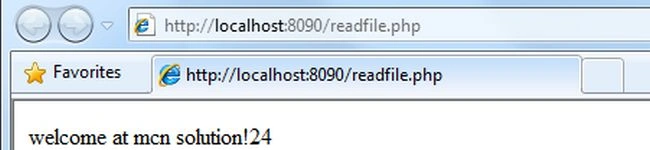
The PHP FileSystem readfile function is used to read a file and places the data in a buffer and it returns the number of bytes read from the file or false if an error occurs.
Syntax
| readfile(filename,includepath,context) |
Parameter in popen function
The parameters of the function are:
| Parameter | Description |
| file | It specifies the file to read. |
| includePath | It is an optional parameter; it is is set to 1 (one) to search for the file in the include path. |
| context | It specifies the context of the file handle. |
Example
An example of the function is:
<?php
echo readfile("test.txt");
?>
Output
PHP readlink() Function
The PHP FileSystem readfile function returns the target of a symbolic link or say this function returns the target on success or false on failure.
Syntax
| readlink(linkPtah) |
Parameter in readlink function
The parameter of the function is:
| Parameter | Description |
| linkPath | It specifies the link path to check. |
Example
An example of the function is:
<?php
echo readlink("/wamp/test");
?>
PHP realpath() Function
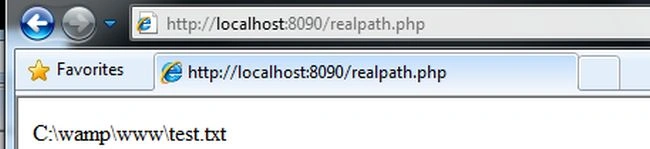
The PHP FileSystem realpath function returns the absolute path name, in other words it returns the absolute pathname on success or returns false on failure.
Syntax
| realpath(path) |
Parameter in realpath function
The parameter of the function is:
| Parameter | Description |
| path | It specifies the path to check. |
Example
An example of the function is:
<?php
echo realpath("test.txt");
?>
Output
PHP reaname() Function
The PHP FileSystem rename function renames a file or directory and it returns true on success or false on failure.
Syntax
| rename(oldname,newname,context) |
Parameter in rename function
The parameter of the function is:
| Parameter | Description |
| oldname | It specifies the file or directory to be renamed. |
| newname | It specifies the new name of the file or directory . |
| context | It specifies the context of the file handle. |
Example
An example of the function is:
<?php
rename("xyz.jpg","abc.jpg");
if(file_exists("abc.jpg"))
{
echo "File has been renamed";
}
else
{
echo "File has not been renamed";
}
?>
Output

Join the conversation! Your thoughts help the community grow.