

Introduction
In this article I describe the PHP FileSystem functions tempnam, tempfile, touch, unmask and unlink. To learn some other FileSystem functions, go to:
- FileSystem Function in PHP: PART 1
- FileSystem Function in PHP: PART 2
- FileSystem Function in PHP: PART 3
- FileSystem Function in PHP: PART 4
- FileSystem Function in PHP: PART 5
- FileSystem Function in PHP: PART 6
- FileSystem Function in PHP: PART 7
- FileSystem Function in PHP: PART 8
- FileSystem Function in PHP: PART 9
- FileSystem Function in PHP: PART 10
- FileSystem Function in PHP: PART 11
- FileSystem Function in PHP: PART 12
- FileSystem Function in PHP: PART 13
- FileSystem Function in PHP: PART 14
- FileSystem Function in PHP: PART 15
- FileSystem Function in PHP: PART 16
- FileSystem Function in PHP: PART 17
The PHP FileSystem tempnam function is used to create file with unique file name and returns the new temporary file on success or false on failure.
Syntax
| tempnam(dir,prefix) |
Parameters in the tempnam function
The parameters of the function are:
| Parameter | Description |
| dir | It specifies the directory of where to create the temp file. |
| prefix | It specifies the start of the file name. |
Example
An example of the function is:
<?php
echo tempnam("C:\www\wamp","TempFile");
?>
Output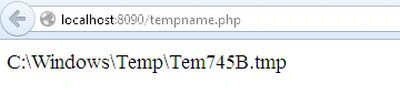
PHP tempfile() function
The PHP FileSystem tempfile function creates a temporary file and it returns a file handle or false on failure.
Syntax
| tmpfile() |
Example
An example of the function is:
<?php
$temp = tmpfile();
fwrite($temp, "Testing.............");
fseek($temp, 0);
echo fread($temp, 1024);
fclose($temp);
?>
Output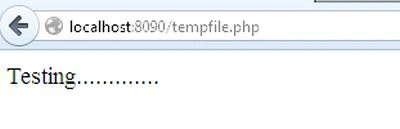
PHP touch() function
The PHP FileSystem touch function sets the access and modification time of a file and it returns true on success and false on failure.
Syntax
| touch(filename,time,atime) |
Parameter in touch function
The parameters of the function are:
| Parameter | Description |
| filename | It specifies the file to touch |
| time | It is used to set the time. |
| atime | It sets the access time. |
Example
An example of the function is:
<?php
if (!touch('text.txt')) {
echo 'Whoops, something went wrong...';
} else {
echo 'Touched file with success';
}
?>
Output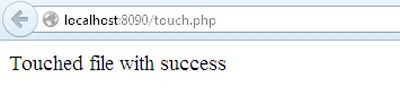
PHP unmask() function
The PHP FileSystem unmask function is used to change the current unmask; it simply returns the current unmask on success otherwise the old unmask is returned.
Syntax
| unmask(mask) |
Parameter in unmask function
The parameters of the function is:
| Parameter | Description |
| mask | It specifies the new permission and the default value is 007, and its mode parameter contains four numbers. |
Example
An example of the function is:
<?php
$old = umask(0755);
chmod("text.txt", 0777);
$result=umask($old);
echo "The result is:" .$result;
if ($old != umask())
{
die('An error occured !');
}
?>
Output
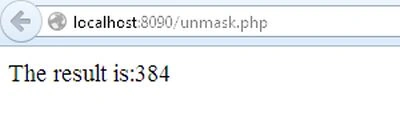
PHP unlink() function
The PHP FileSystem unlink function is used to delete a file and it returns true on success or false on failure.
Syntax
| unlink(filaname,context) |
Parameter in unlink function
The parameters of the function are:
| Parameter | Description |
| filename | It specifies the file to delete. |
| context | It specifies the context of the file handle. |
Example
An example of the function is:
<?php
if (!unlink("text.txt"))
{
echo ("Error deleting text.txt");
}
else
{
echo ("Deleted your 'text.txt' file");
}
?>
Output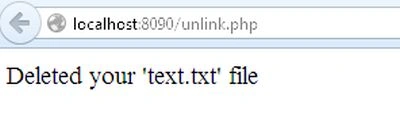
Join the conversation! Your thoughts help the community grow.