

Introduction
In this article, I explain how to find the hypotenuse. A Hypotenuse of a number is the square root of the sum of two square numbers. For example, suppose there are two numbers say a and b. The addition of the squares of these numbers is a*a + b*b. Now the Hypotenuse of the number c is represented as:
c*c = a*a + b*b
So the value of c will be the square root of a*a + b*b number. To see how it works, use the following instructions:
Let's create a TypeScript app in Visual Studio and write our code.
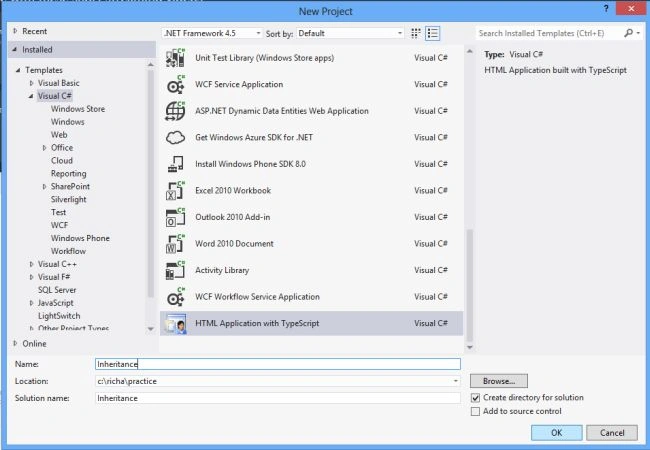
Step 1. Open Visual Studio 2012 and click on "File" -> "New" -> "Project...". A window is shown. In that window select HTML application with TypeScript under the Visual C# template and then give the name of your application and then click OK.
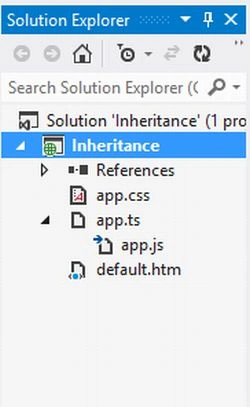
Step 2. The TypeScript application contains a file, "app.ts", which is the TypeScript file, "app.js" which is the JavaScript file, "app.css" which is the StyleSheet and "default.html" which is the HTML file.
Step 3. Now open the app.ts TypeScript file and write the code as:
- class Point {
- x: number;
- y: number;
- constructor(x: number, y: number) {
- this.x = x;
- this.y = y;
- }
- hypotenuse() {
- return Math.sqrt(this.x * this.x + this.y * this.y);
- }
- }
- var p = new Point(3,4);
- var dist = p.hypotenuse();
- alert("Hypotenuse of 3 and 4 is: " + dist);
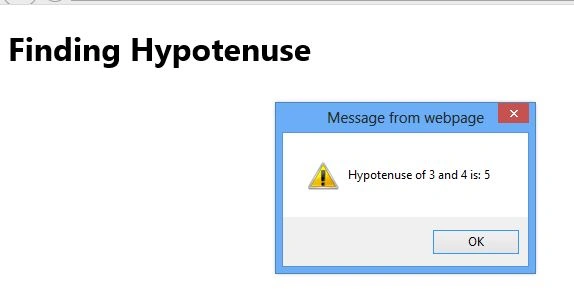
In this file, I create a class name Point which takes two parameters x and y of number type, these two parameters are passed to the constructor, to be processed in the function. Now a function named Hypotenuse is declared which returns the Square root of the sum of these squares of numbers. All this work is done in the class. Now outside of the class an object of this class p is created in which I passed the two parameters values that are 3 and 4. Now the function of the object is called which returns the result and is displayed in the alert box.
Step 4. Open the app.js file and write the code as:
Pankajkumar PatelPosted Sep 9, 2019, 1:25 AM
Nice article
Nitin BhardwajPosted Oct 15, 2012, 6:47 AM
Thank You so much richa
Richa GargPosted Oct 14, 2012, 11:19 PM
Hi nitin I give the link url in the explanation part of the js file, so that we can generate this js file.I mention this code bez it is generated by the ts code through the link that I provided.Now Hope so you will understand.....
Nitin BhardwajPosted Oct 12, 2012, 7:23 AM
Hi, Why are you mention js file.
Richa GargPosted Oct 11, 2012, 11:23 PM
In visual Studio 2012 when we write the TypeScript it does not automatically convert it in JavaScript file, I have provide the link In step4 's explanation here the javascript code generate automatically when we write TypeScript. Then we can copy that JavaScript code in our visual studio JavaScipt file In my example the JavaScript file is app.js and run our application.Now I hope you understand what I want to explain.In step 4 I write the javascript code which is automatically generated by the link that I provided not by Visual Studio 2012.
Sam HobbsPosted Oct 11, 2012, 2:28 PM
I had assumed that VS 2012 does the conversion from TypeScript to JavaScript automatically, so that Step 4 is unnecessary. Am I wrong?