Introduction
This article shows how to convert a plain password to a hashed password using the MD5 algorithm on the client side and save it to the database.
For the demonstration, I will do,
- Create a table in the database to store the login credentials of the user.
- Create a website and add an MD5 conversion file of JavaScript.
- Add a page on the website with 2 textboxes for User ID and Password and a save button.
- Add a reference to the MD5 conversion file on the page and create a JavaScript function to convert the plain password to the hashed password.
- Add the code on the page load for adding JavaScript function via an attribute add of the save button and on the button click event save the data.
Step 1. Create a table named "LoginTable" in the database to store the login credentials of the user.
CREATE TABLE LoginTable
(
    UserID varchar(10) primary key,
    pwd varchar(50)
)
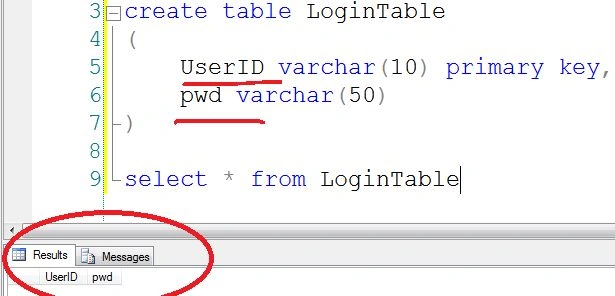
Step 2. Create a website and add an MD5 conversion file of JavaScript.
- Create an empty website named "LoginCredentials".

- Add a new folder in the root and name it "Scripts". Add the "md5.js" into the "Scripts" folder.
Note. You can find the "md5.js" in the attached file.
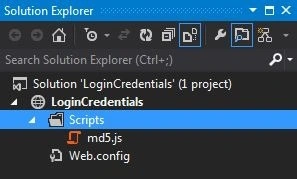
Step 3. Add a page on the website with 2 textboxes for User ID and Password and a save button.
- Add a page named "SaveData.aspx".
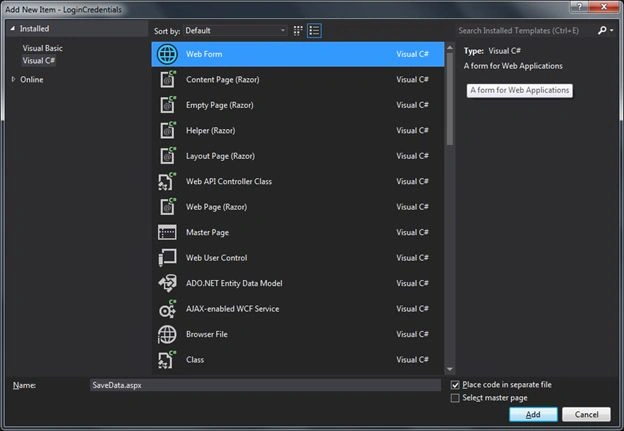
- Add some controls on the page like:
- A text box for user id is named "txtUserID".
- A text box for password named "txtpwd" with TextMode="Password".
- Button for saving the data named "btn_save" with "onclick" event.
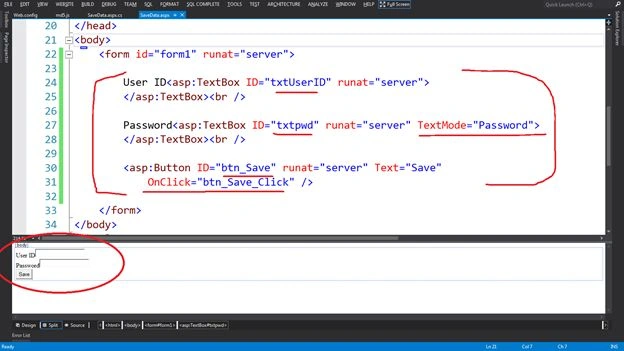
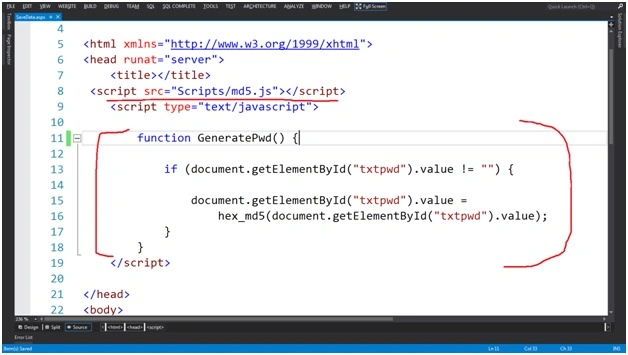
Step 4. Add a reference to the MD5 conversion file on the page and create a JavaScript function to convert the plain password to the hashed password.
- Add the reference of the MD5 conversion file on the page.
<script src="Scripts/md5.js"></script>
- Create a JavaScript function to convert the plain password to the hashed password in the "head" section of the page.
<script type="text/javascript">
    function GeneratePwd() {
        if (document.getElementById("txtpwd").value != "") {
            document.getElementById("txtpwd").value = hex_md5(document.getElementById("txtpwd").value);
        }
    }
</script>
Note. The "hex_md5" function exists in the "md5.js" file.
Step 5. Add the code on the page load for adding JavaScript function via an attribute add of the save button and on the button click event to save the data.
- Add the JavaScript function via an attribute add of the save button.
protected void Page_Load(object sender, EventArgs e)
{
    if (!IsPostBack)
    {
        // Add the JS function call to button with a parameter
        btn_Save.Attributes.Add("onclick", "return GeneratePwd();");
    }
}
- Save the data into the database on the save button click event.
protected void btn_Save_Click(object sender, EventArgs e)
{
    if (txtUserID.Text != "" && txtpwd.Text != "")
    {
        // Insert the Data in the Table
        using (SqlConnection connection = new SqlConnection())
        {
            connection.ConnectionString = ConfigurationManager.ConnectionStrings["constr"].ToString();
            connection.Open();
            SqlCommand cmd = new SqlCommand();
            cmd.Connection = connection;
            string commandText = "Insert into LoginTable values ('" + txtUserID.Text + "','" + txtpwd.Text + "')";
            cmd.CommandText = commandText;
            cmd.CommandType = CommandType.Text;
            cmd.ExecuteNonQuery();
            cmd.Dispose();
            connection.Close();
            Response.Write("Data has been Added");
        }
    }
}
At Run Time
After running the page, type the user ID and password.
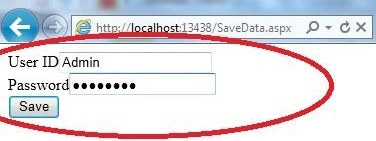
Note. Here User ID is "Admin" and the password is "abcd1234".
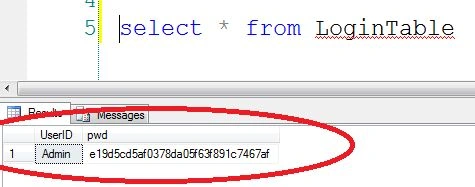
Result
Now the output in the database is as you can see.


chandru bPosted Feb 9, 2023, 7:05 AM
How to decrypt in C#...?
Devi PriyaPosted Mar 8, 2022, 11:51 AM
How can we get the same thing using Master & Content Page
Anisha AntonyPosted Dec 15, 2015, 9:56 AM
How can v de-crypt the encrypted value?
Abad HameedPosted Mar 31, 2015, 2:18 AM
I followed your instructions above and everything is perfect except my password is showing as plaintext in database. However, my column type for password is 'bytea' - does that make a difference?
Vithal WadjePosted Sep 25, 2014, 2:27 PM
good one
Raghav MehraPosted Aug 27, 2014, 3:18 AM
Good Post Rahul. As the hash on client side works this way.This is also not secure as if you are hashing the passwords on the client side and using that token instead of password, then an attacker can easily find out the password. On the server: 1. generate a few bits of random 2. send these bits (in clear text) to the client On the client: 1. generate a few random bits 2. concatenate password, the server's random bits and the client random bits 3. generate hash of the above 4. submit random data (in clear text) and hash to the server And the attacker doesn't need to find out what the password is, because your server isn't expecting the password any more - it's expecting the token. And the attacker does know the token because it's being sent over un-encrypted HTTP!
Rahul BansalPosted Aug 27, 2014, 3:04 AM
I think client side is safe because if you create hash on server side then password will go as plain text to server from the client side and any hacker can steal your password.
Guest UserPosted Aug 27, 2014, 2:56 AM
another thing I'm wondering is it safe to hash passwords using client side script? i always do using server side?
Guest UserPosted Aug 27, 2014, 2:55 AM
good to know about "Scripts/md5.js" I never generated password at client side