
In Part 3: Generic Data Access Layer for WCF we saw how to build our generic entities.
In this article, I will create the WCF Business Layer and add its methods.
WCF Service Application
Let's create a new project using Visual Studio and select the WCF Service Application project type.
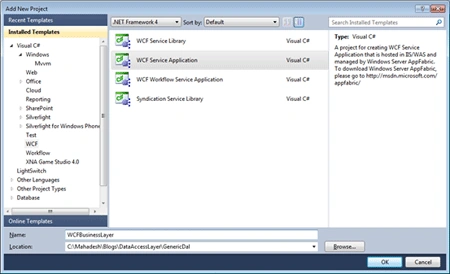
First step, I always clean the default code generated by Visual Studio and clean up our WCF service code.
Add Data Access Layer Reference
Do you remember that we created a class library in our previous articles of this series? Now, it is time to use that class library (DAL).
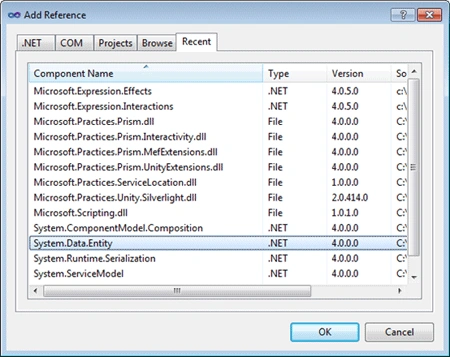
Add a reference to that class library by using Add Reference option in the Solution Explorer. Once the reference is added, let's add the System.Data.Entity Reference to the project as well.
Created the Service Methods as shown below.
- public class Service1 : IService1
- {
- public void Add(TEntity entity)
- {
- PublishingCompanyEntities context = new PublishingCompanyEntities();
- ObjectSet<TEntity> _ObjectSet = context.CreateObjectSet<TEntity>();
- _ObjectSet.AddObject(entity);
- }
- public TEntity Get(TEntity entity)
- {
- PublishingCompanyEntities context = new PublishingCompanyEntities();
- ObjectSet<TEntity> _ObjectSet = context.CreateObjectSet<TEntity>();
- TEntity company = _ObjectSet.First();
- return company;
- }
- }
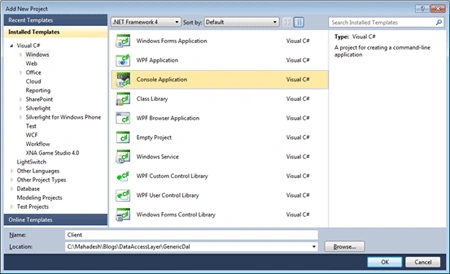
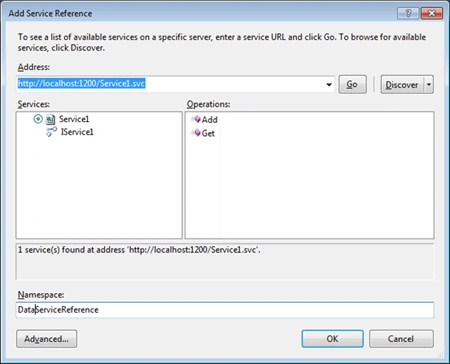
gkvnadh viswanadheditedPosted Feb 13, 2013, 3:27 AMEdited Feb 13, 2013, 3:28 AM
I require your email id... urgently build my service sir
gkvnadh viswanadhPosted Feb 13, 2013, 3:27 AM
Hi Mahadesh Mahalingappa i followed your Generic WCF Services Service is created Succefully. and proxy is also generated at client. but i want to upload data to service(using Add(TEntity entity)); but at client which is generated as public void Add(ConsoleApplication1.ServiceReference1.TEntity entity) { base.Channel.Add(entity); } signatures are different so unable upload data from client. plz give me your email: i can able explore it more clearly... waiting for your reply...sir