
Introduction
In this article you will see how to get the field type in SharePoint 2010 using ECMAScript. I have a list named "List Request" which has the following fields (Navigate to the list, click on List tab in the ribbon interface. Click on List Settings button).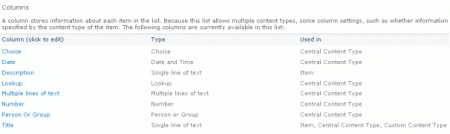
I am going to find the field type for the column named "Choice" using ECMAScript.
Steps Involved
Step 1 : Navigate to the SharePoint site (I have a site page created in my site where I am going to add the content editor web part).
Step 2 : Go to Site Actions, click on Edit Page.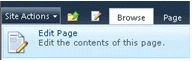
Step 3 : Click on Insert tab in the ribbon interface and then click on Web Part button.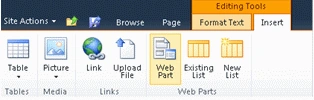
Step 4 : Select Media and Content in the Categories section and then click on Content Editor.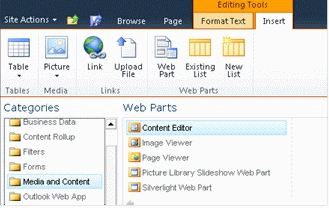
Step 5 : Click on Add.
Step 6 : The Content Editor web part will be added to the site page.
Step 7 : Click on the down arrow and then click on Edit Web Part.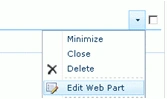
Step 8 : Click on "Click here to add new content".
Step 9 : Click on Format Text tab in the ribbon interface and then click on HTML drop down.
Step 10 : Click on Edit HTML source.
Step 11 : HTML source window will pop up.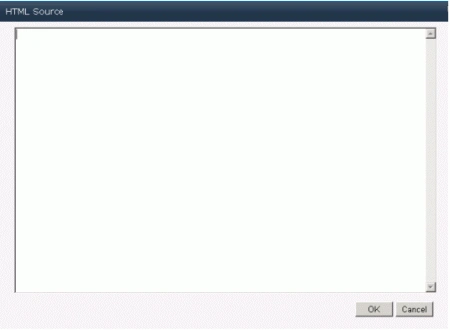
Step 12 : Copy and paste the following script.
<script language="ecmascript" type="text/ecmascript">
var fieldCollection;
var field;
var list;
function getFieldType() {
var clientContext = SP.ClientContext.get_current();
if (clientContext != undefined && clientContext != null) {
var webSite = clientContext.get_web();
this.list = webSite.get_lists().getByTitle("List Request");
this.fieldCollection = list.get_fields();
this.field = fieldCollection.getByTitle("Choice");
clientContext.load(this.field);
clientContext.executeQueryAsync(Function.createDelegate(this, this.OnLoadSuccess),
Function.createDelegate(this, this.OnLoadFailed));
}
}
function OnLoadSuccess(sender, args) {
alert(field.get_typeAsString());
}
function OnLoadFailed(sender, args) {
alert('Request failed. ' + args.get_message() + '\n' + args.get_stackTrace());
}
</script>
<input id="btnGetFieldType" onclick="getFieldType()" type="button" value="Get Field Type" />
Step 13 : Click on Ok.
Step 14 : In the ribbon interface click on Save & Close button.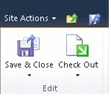
Step 15 : In the content editor web part you could find a button named "Get Field type", click on that button.
Steps 16 : An alert will pop up which displays the field type.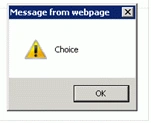
Reference
SP.Field.get_typeAsString() Property - http://msdn.microsoft.com/en-us/library/ee553500.aspx
Summary
Thus in this article you have seen how to get the field type in SharePoint 2010 using ECMAScript.

Get The Field Type in SharePoint 2010 Using ECMAScript
Join the conversation! Your thoughts help the community grow.
Sign in to leave a comment
It is the same account you read, post and publish with — and you will come straight back to this page.
Rakshith RoyPosted Oct 20, 2015, 12:11 AM
Really I like this blog ..very much informative<a href="http://staygreenacademy.com/sharepoint-online-training/">SharePoint Training Online</a>
Monika AroraPosted Jan 24, 2012, 11:14 PM
The concept of your article is nice. I will try to implement this.
Emmy DickensPosted Jan 24, 2012, 11:09 PM
Very comprehensive....
Alok PandeyPosted Jan 24, 2012, 11:08 PM
Good work.
Arjun PanwareditedPosted Jan 24, 2012, 5:03 PMEdited Jan 24, 2012, 5:05 PM
Thanks ,Really it is Considerable