
I have used three different ways.
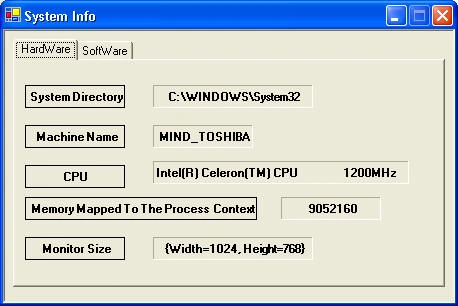
The first way is using the SystemInformation class. Which you can find in the System.Windows.Forms namespace. This class provides information about the operating system. This class has properties. You simply call the property. For example, this code gives the primary monitor size.
SystemInformation.PrimaryMonitorSize.ToString ();
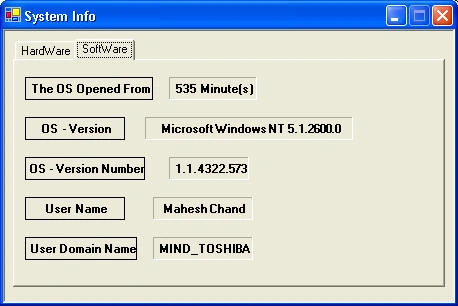
The second way is to use the Environment class, which you can find in the System namespace. This Important class provides information about the current environment and platform. For example, the following code gives you the user domain name, and operating system version.
System.Environment.UserDomainName;
System.Environment.OSVersion.ToString ();
The third way is using the Registry class, which you can find in the Microsoft.Win32 namespace. This very important class helps you to access values and subkeys in Windows registry.
See the attached code for more details.
Yakhtar AliPosted Apr 3, 2013, 3:47 AM
thanks for sharing
Quang Trung PhamPosted Mar 28, 2013, 10:59 PM
This is an application that's what I was looking for, thank you so much!
antvitePosted Nov 4, 2012, 9:42 PM
thanks a lot
Anthony SalazarPosted Jun 4, 2012, 9:14 PM
muchas gracias me ha servido mucho !
hung phamPosted Dec 7, 2011, 10:18 AM
thank you
Sagarax TippePosted Jan 12, 2011, 1:38 AM
its nice sir..... thnk u so much....
yu huiPosted Dec 14, 2010, 10:21 PM
but how to retrieve the windows user group info? and the relationship between user and user group ? use Win32?
pooja butalePosted Jul 28, 2010, 1:46 AM
your application is really good
amin ghasemazarPosted Jan 14, 2010, 4:30 PM
So cool ,Tnx alot.
RaviPosted Jul 20, 2009, 1:06 AM
Is their any unique identity of the OS installed on the same system twice.
Shrikant KamblePosted Jul 15, 2009, 1:43 AM
i like it very much! thanks!
efefe fefefPosted Jul 6, 2009, 4:51 AM
Just what I needed, thanks !
bolta teshaPosted May 6, 2009, 4:51 AM
Thank