

I am going to start a new article for users who want to learn Microsoft Windows Azure from the scratch. Let's start with a step by step approach.

Firstly, go to http://azure.microsoft.com/ and create a free Microsoft Windows Azure Account.

When you log in Windows Azure with any Microsoft Account like Outlook, Live or other, you will get an Account. After that go to https://manage.windowsazure.com/ and login, then click on portal link.
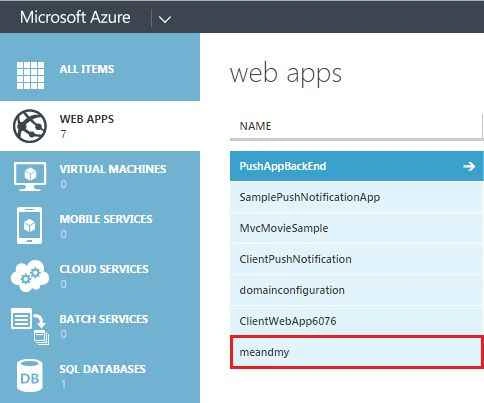
You can see the image in the following portal.
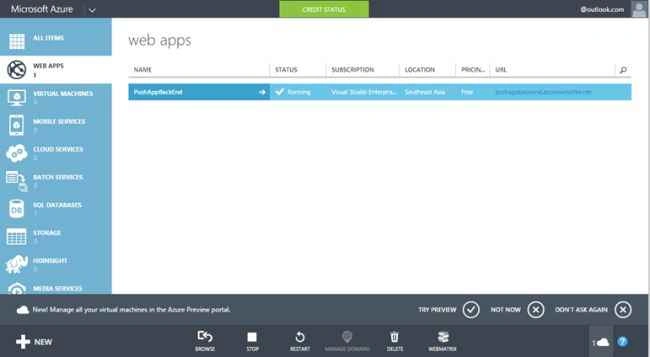
Now you can manage your Azure portal from web account or directly from your Visual Studio using Azure SDK. If you are using VS2012, download Azure SDK first.
And after installing Azure SDK, your Visual Studio Server Explorer will be visible.
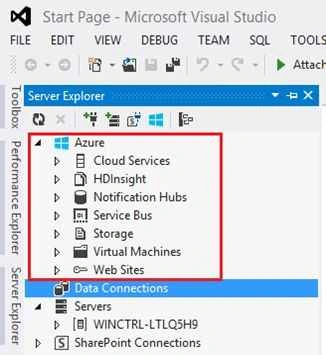
Right Click on SDK and click “Connect to Microsoft Azure Subscription...”.
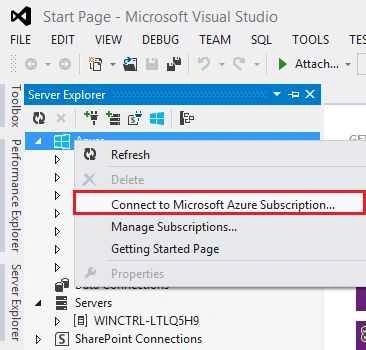
It will open a window to log in Windows Azure Account.

Enter your Microsoft Account Id on which you have Azure Subscription, then password details and press enter to login.

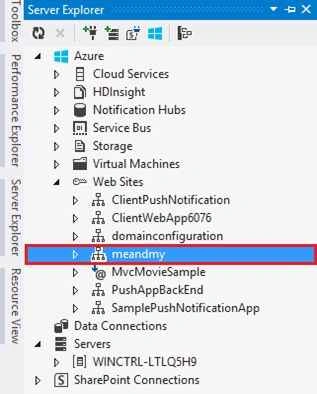
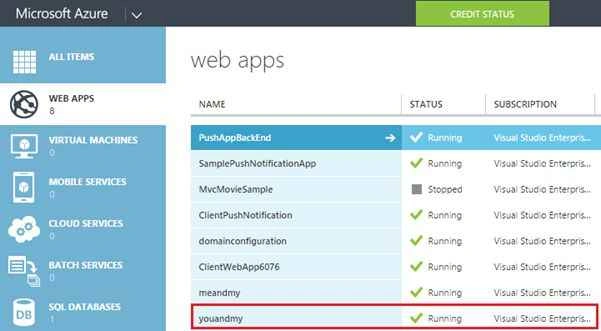
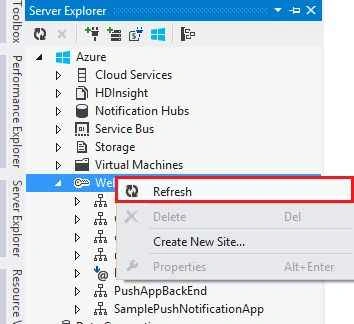
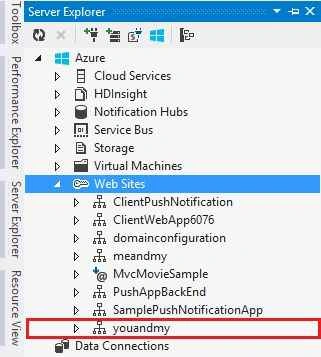
Now go to Azure SDK in Visual Studio Server Explorer and open Web Sites. Now you can see all the web sites created in your Azure Account.
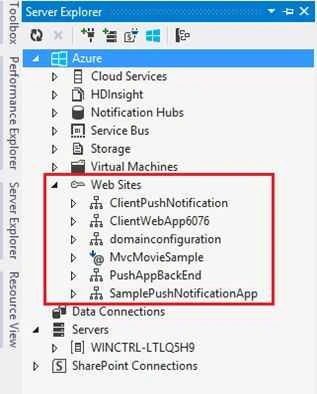
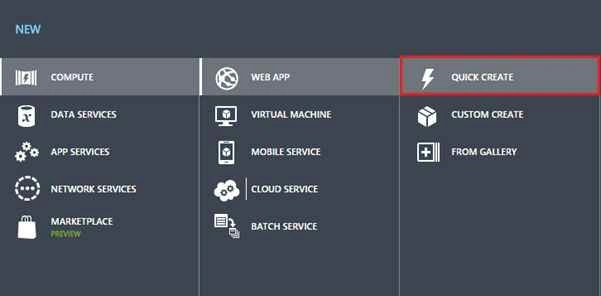
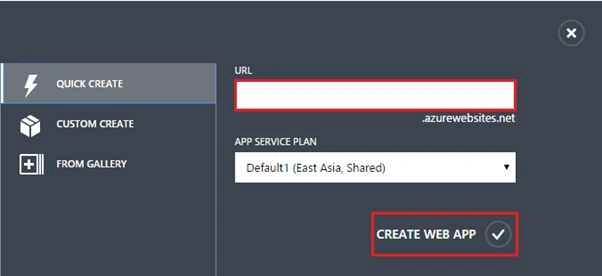
If you need to add or create a new website in your Azure Account, we have the following two ways:
- By Windows Azure SDK in Visual Studio.
- By Windows Azure Web Portal.
So let’s see both one by one and step by step.
By Windows Azure SDK in Visual Studio
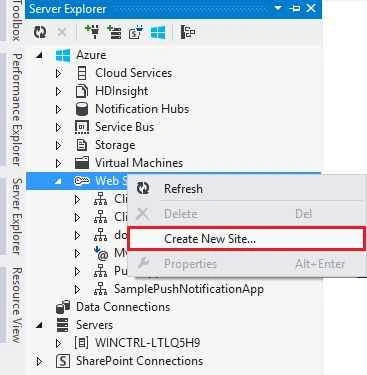
Step 1. Go to Azure SDK in Server Explorer and right click on Web Sites and find the link “Create New Site”.
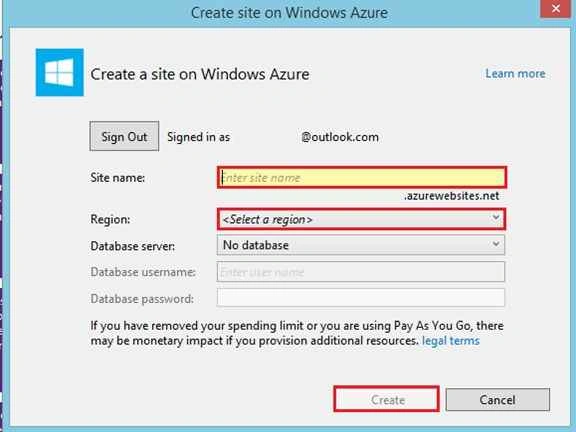
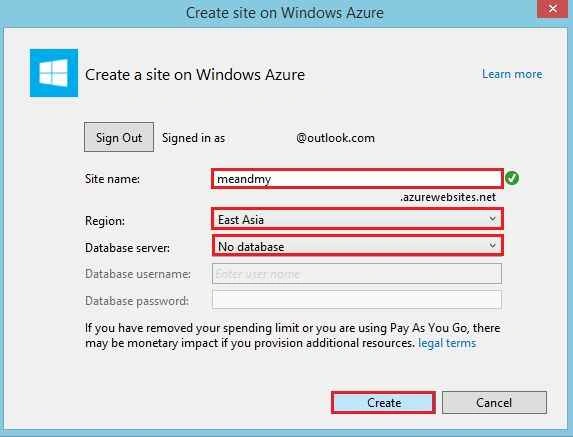
Now you’ll see a window where you have to enter the following details:
- Site Name.
- Select Region.
- Database Server (if you have).


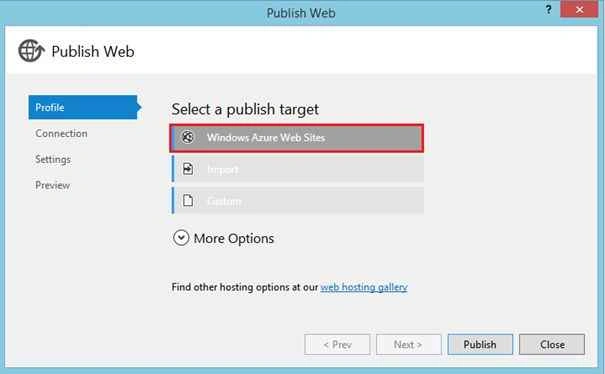


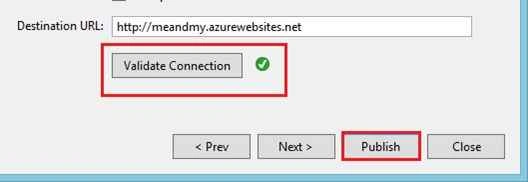
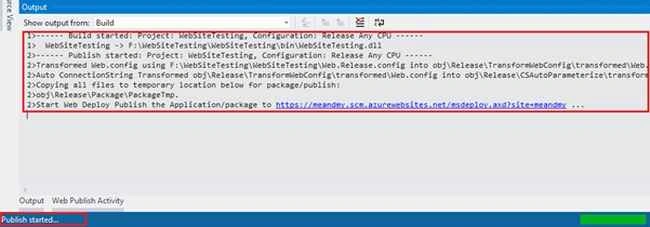

Rupali ShindePosted Oct 15, 2015, 12:20 AM
excellent work :)
Nitin PanditPosted Sep 21, 2015, 12:07 AM
:)
Pankaj Kumar ChoudharyPosted Sep 20, 2015, 8:56 PM
Great Article Sir..........
Ankit BansalPosted Sep 20, 2015, 4:34 AM
nice one..thanks for sharing...
Saineshwar BageriPosted Sep 20, 2015, 12:57 AM
nice one
Pankaj BajajPosted Sep 19, 2015, 5:48 AM
Gud One Nitin..
Yashwant VishwakarmaPosted Sep 19, 2015, 4:20 AM
Nice article , thanks for sharing !!!
Abhishek KumarPosted Sep 19, 2015, 1:24 AM
Thanks for share sir..
Nilesh JadavPosted Sep 19, 2015, 1:23 AM
Nice one sir !!
Karthikeyan KPosted Sep 19, 2015, 12:00 AM
Awesome one sir...Thanks for sharing
Mohammed IbrahimPosted Sep 18, 2015, 1:02 PM
nice
Sibeesh VenuPosted Sep 18, 2015, 7:18 AM
Nice Share.
Shakti SaxenaPosted Sep 18, 2015, 7:02 AM
good one
Santhakumar MunuswamyPosted Sep 18, 2015, 4:53 AM
Good Article. Thanks for sharing us
Harshad PansuriyaPosted Sep 18, 2015, 3:44 AM
NIce One
Rahul Kumar SaxenaPosted Sep 18, 2015, 2:55 AM
Wow... Awesome One.. What an Explanation .... Step by Step very easy to understand.. Love it
Ajeet MishraPosted Sep 18, 2015, 2:14 AM
nice
Syed ShanuPosted Sep 18, 2015, 2:12 AM
Nice one Nitin Pandit :)