

Microsoft Power BI is Microsoft’s Business Intelligence tool to build and generate reports, dashboard and analytics. If you’re new to Power BI, check out this introduction article: Introduction to Power BI.
Power BI has the following three products: Power BI Web, Power BI Mobile and Power BI Desktop. This article explains how to get started with the Power BI Desktop.
Introduction
Power BI Desktop is a Windows desktop application that is used to create reports and dashboards from various data sources that can easily be shared with others.
How to install
Click the URL https://powerbi.microsoft.com/desktop.
Select Power BI Desktop as shown in Figure 1.
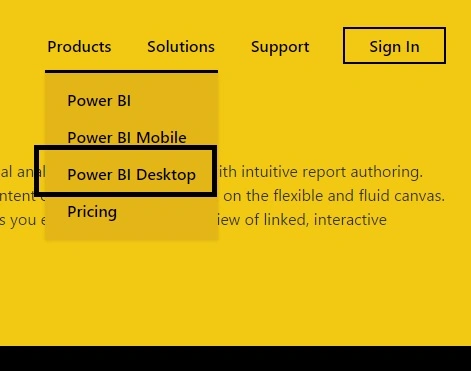
Figure 1
Click on the Download button.
Now double-click on the downloaded .msi file and select the Run button as shown in Figure 2.
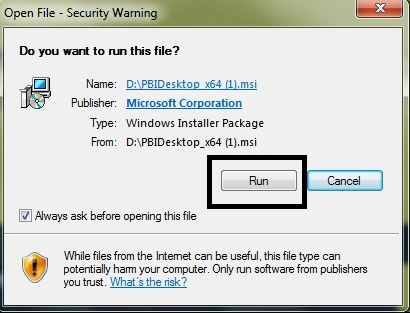
Figure 2
It will install the product. Just follow the wizard actions to continue. For example, click the Next button as in Figure 3.
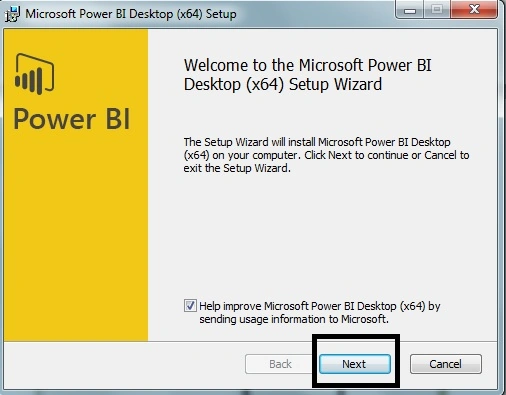
Figure 3
Now check the terms and agreements check box and click the Next button as shown in Figure 4.
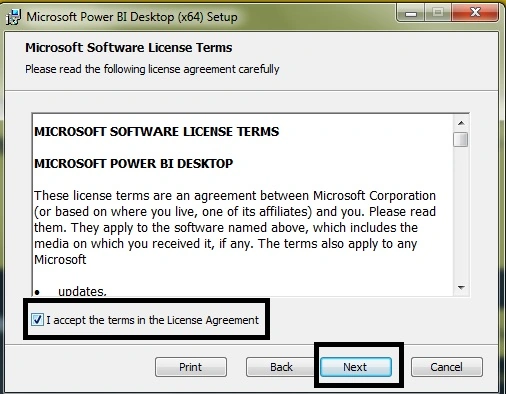
Figure 4
Now select the location to install to and click Next as shown in Figure 5.
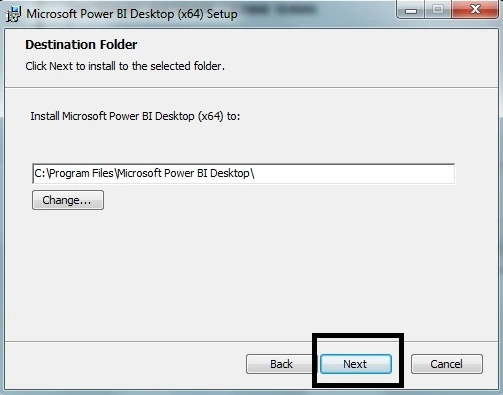
Figure 5
Now click on the Install button as shown in Figure 6.
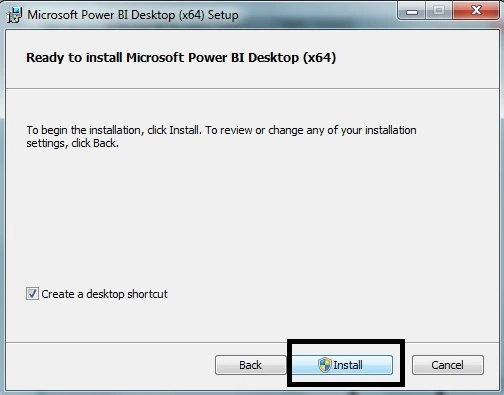
Figure 6
Once finished, you are all done installing Microsoft Power BI Desktop. Be sure to select the Launch Microsoft Power BI Desktop check box to launch the product immediately in Figure 7.
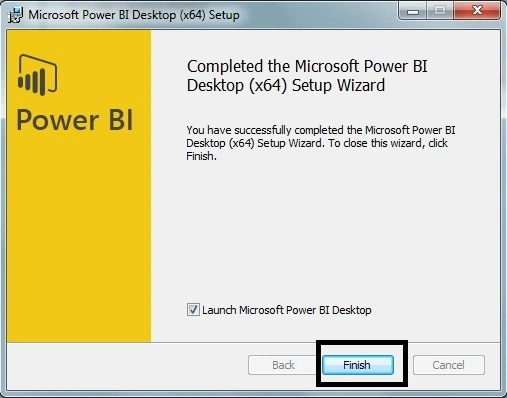
Figure 7
All set now, as you can see there are two options: Get Data and Recent Sources in Figure 8.
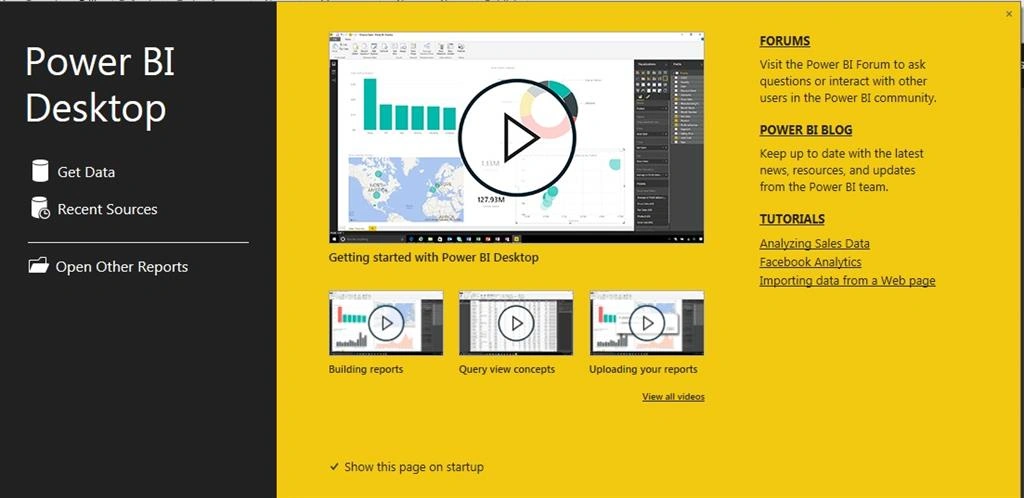
Figure 8
In the next article we will learn how to get data and display it in charts using Power BI Desktop.
Kuppurasu NagarajPosted Apr 11, 2016, 1:38 PM
Nice Sharing
Santhakumar MunuswamyPosted Aug 22, 2015, 7:51 AM
Good Article. Thanks for sharing
Ankit BansalPosted Aug 20, 2015, 1:44 AM
good one...
Raj KumarPosted Aug 19, 2015, 5:18 PM
Thank you guys, more articles coming soon.
RakeshPosted Aug 19, 2015, 1:27 PM
Nice share sir
Nilesh JadavPosted Aug 19, 2015, 7:26 AM
Good share sir
Sibeesh VenuPosted Aug 19, 2015, 6:53 AM
Nice Share
Gopi ChandPosted Aug 19, 2015, 6:00 AM
Its Great :)
Gowtham KPosted Aug 19, 2015, 5:41 AM
Good One
Karthikeyan KPosted Aug 19, 2015, 4:30 AM
Good one sir
Rajeesh MenothPosted Aug 19, 2015, 4:22 AM
Nice Share..
Vaikesh K PPosted Aug 19, 2015, 4:10 AM
Good One
Mohammed IbrahimPosted Aug 19, 2015, 4:09 AM
nice