

Introduction
Unity is a cross-platform game engine with a built-in IDE developed by Unity Technologies. It is used to create video games for web plugins, desktop platforms, consoles, and mobile devices.
This article explains Unity, its uses for application development, and prerequisites and environment setup for development. It will also provide insight into how to get started with game development with an example demo.
This article will cover the followings,
- Unity and its use cases for application Development
- what are the prerequisites you need to have for Unity game development
- how to get and make your environment for Unity development
- getting started with Unity game development with an example and demonstration
What is Unity?
Unity is a versatile game development engine. It is primarily known for game development that offers various tools and features for developing 2D and 3D games. Additionally, we can use it for various types of application development purposes, such as,
- Augmented reality (AR) and Virtual Reality (VR) application development
- Interactive Multimedia Applications such as interactive storytelling experiences, interactive exhibitions of museums, and interactive marketing presentations.
- Unity is suitable for creating interactive multimedia applications, such as interactive art installations, Interactive simulations for education, healthcare, and training. For example, virtual laboratories, physics simulations, medical training scenarios, and virtual tours.
- Beyond the entertainment games, we can develop Games for education, healthcare, and corporate training.
- Furthermore, we can use Unity for 3D Visualizations such as architectural, product showcases, interior design previews, and data visualizations.
- Additionally, we can use it for mobile application development and cross-platform application development, such as we can build applications that can run on multiple platforms, including desktops (Windows, macOS, Linux), mobile devices, consoles, and web browsers.
Now, let’s go for prerequisites and development environment setup.
What do you need to have for Unity Development?
Unity Hub
Download and install Unity hub from here https://unity.com/download
Once you install, you need to agree to licensing terms that you do using your account. If you don’t have a Unity account, create a free personal account.
You can check different licensing for unity use; for personal use, it is free; however, we will discuss some criteria for personal use later. Once installed, you can open the Unity Hub and sign in to your Unity account.
At this write-up, Unity can’t be installed on tablets or Chrome OS.
Install Unity Editor
Once you are verified for your account, it will ask you to install Unity Editor, as shown below. If you are installing for the first time, click Install Unity editor. If you have already installed the editor, you can locate the existing one.
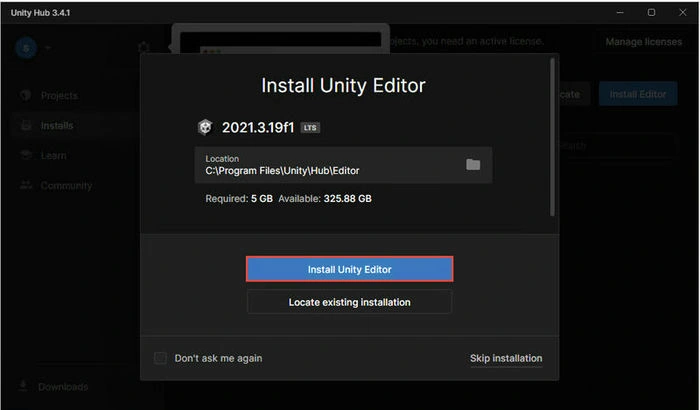
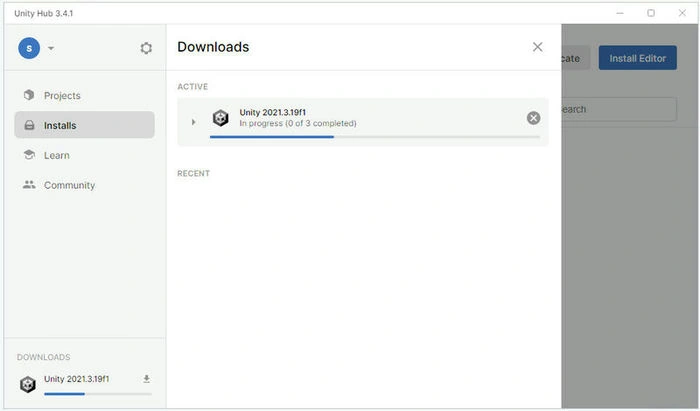
Once you click install, it will start downloading first and then installing it.
Manage License
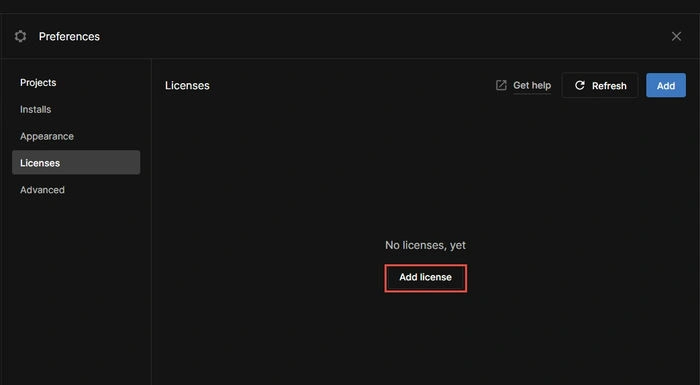
Once installed, then you need to manage your licenses. You can go to the Manage License option, as depicted below.

Then click on Add License option to add your License.
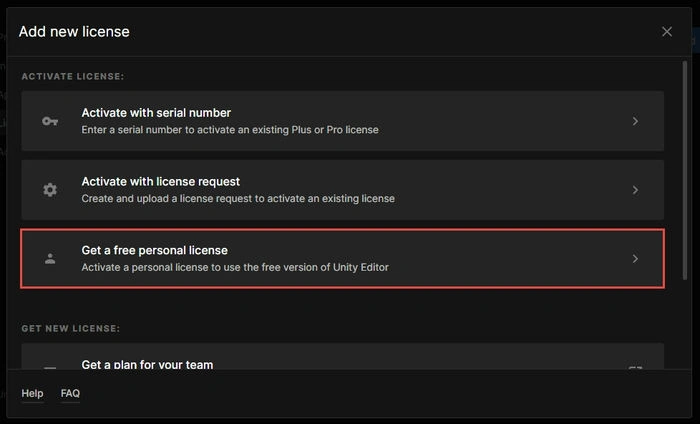
You can select a license option based on the License that you have, such as you can Active with serial number, active with license request, or Get a free personal license.
To use Unity with a Personal license, you must meet the following highlighted requirements.
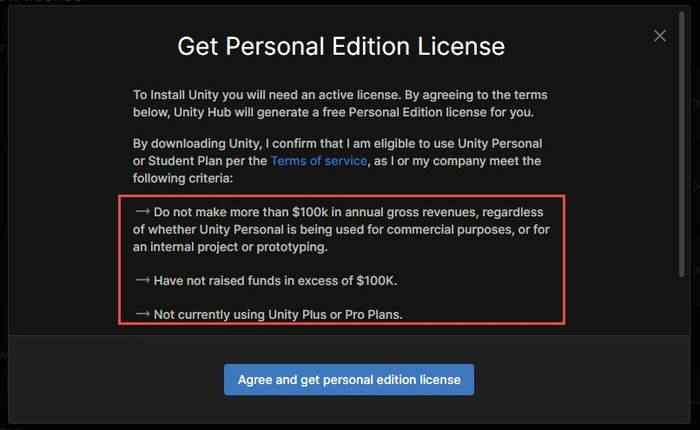
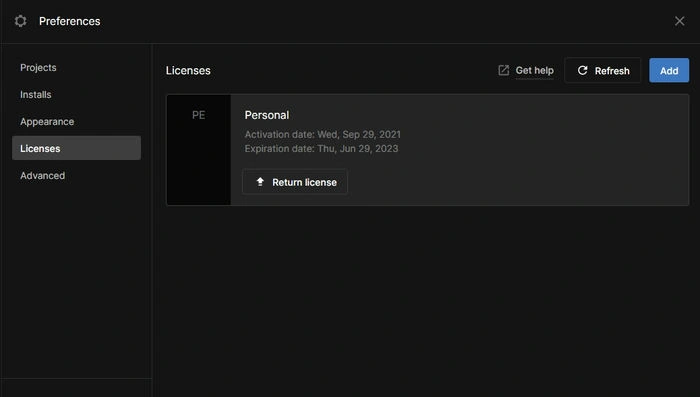
Then click on Agree and get License. Once complete, your License will be active for the duration you can see on the screen.
Creating First Game in Unity
This section provides insight into creating the first project in Unity with an example of Runner Game. Once Unity is installed and your machine is ready, you can open and create different projects using the templates.
Step 1. Open Unity Hub and click on the New Project option, as shown below.

Once installed, you can open Unity and create different projects using the templates as depicted below. You can create 2D, 3D, Runner games, 3D mobile, 2D mobile, VR, AR, etc.
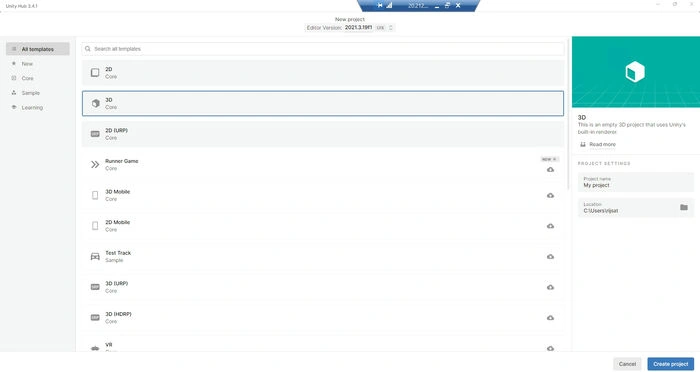
Step 2. Let’s create our first project.
Select the template of your choice, give the project name and directory of the project, and click on Next, as portrayed below.
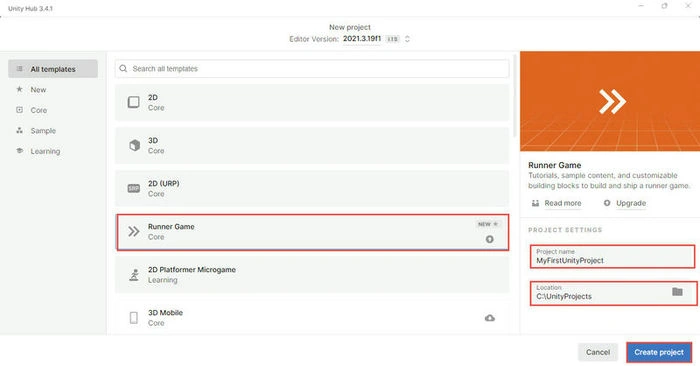
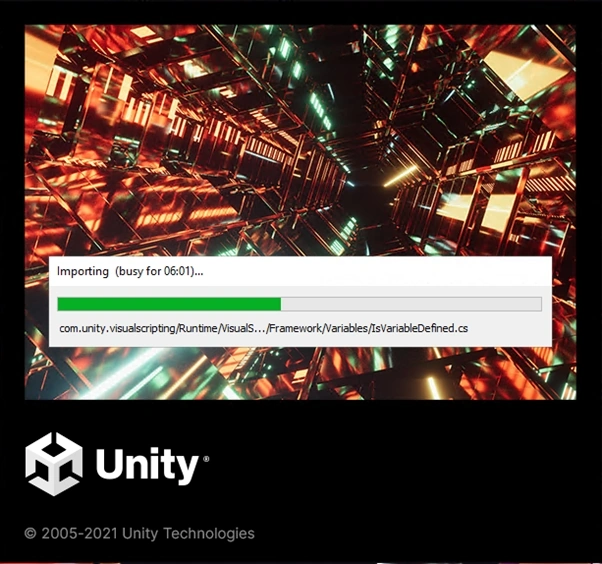
It will take some time to install the necessary packages and create a project for you, so wait for that.
Step 3. Once the Runner game is created, you will see the screen on whether to Start Tutorials and continue My Own. If you are new to the Runner Game, you may choose the Start Tutorials option, or if you know Runner Game, then you can Continue on Your Own.
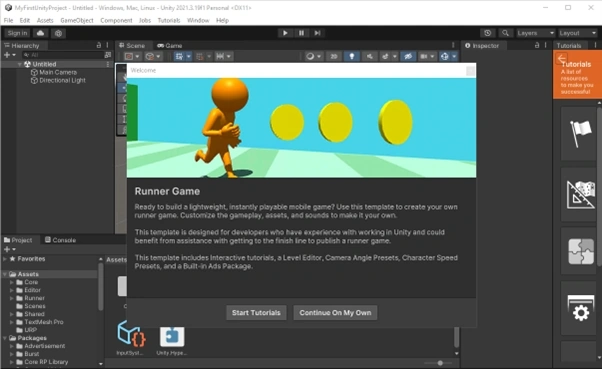
You can go without a tutorial by selecting Continue on My option. However, if you are completely new to Unity better go with the Start Tutorials option to get familiar with Unity. Below is an example of Starting with a tutorial.
Demo of Start Tutorials
Step 1. Start
For demo purposes, I have selected the Tutorial option. Let’s move on with selecting Tutorial.
It displays to Start the game as below.
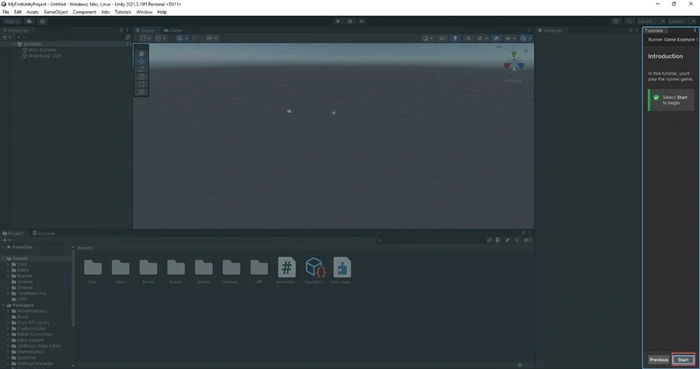
Step 2. Open the Boot Scene
Then the tutorial will instruct you to click Boot Scene to open the scene. Then we can start the game. Alternatively, you can go to the Assets/Scenes location and open the Boot scene.
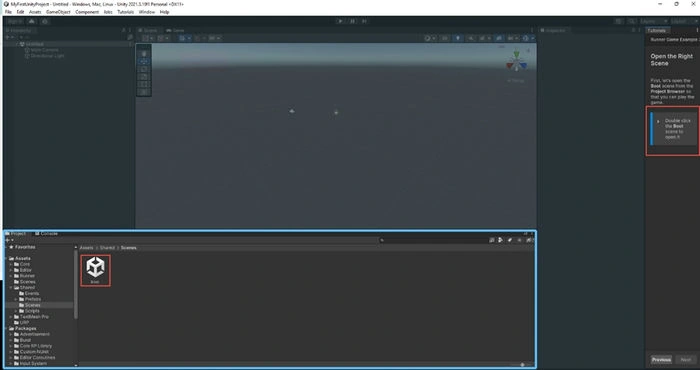
As instructed by the tutorial, click on Boot Scene to open it. It will display like the one below, the default scene view. You can customize the scene and the whole Game as well.
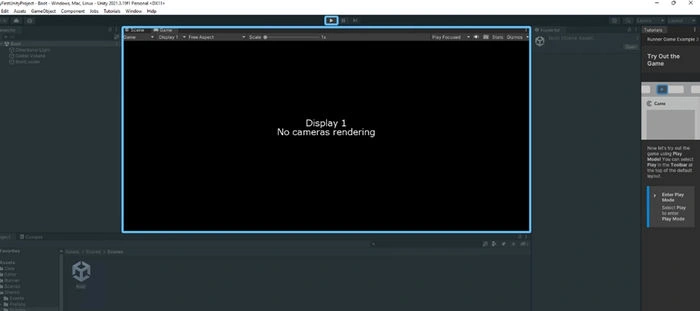
Step 3. Run Game
Click on Play mode. Now, you will hear music, and you can click on the Start button displayed on the screen and play the game. Before that, you can do setting up the game, or you can exit the play mode by clicking on the Play button again.
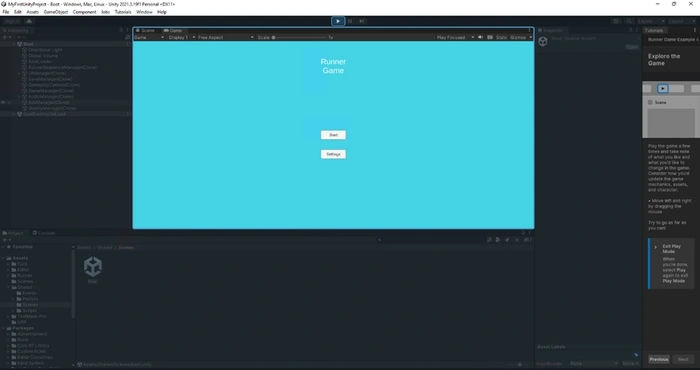
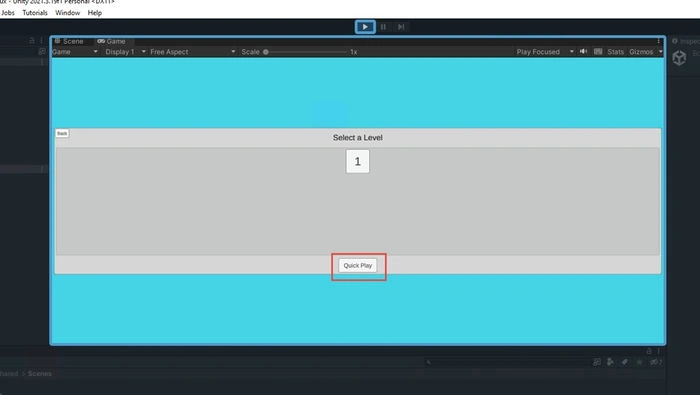
You can select the level and click on Quick Play.
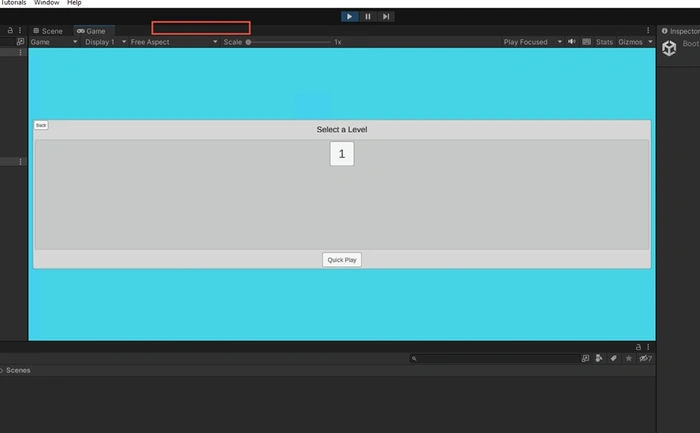
You can double-click on the bar to maximize the game.
Conclusion
This article has provided insight into what Unity is, what things you need on your machine, and how to set up the Unity development environment. The article provided all the necessary steps to create a game in Unity. Furthermore, it has provided a guide for beginners to get started with Runner Game in Unity with an example and demonstration. I hope you find it helpful to get started with your Unity learning.
Join the conversation! Your thoughts help the community grow.