

Basic Requirements
- Visual Studio 2015
- Windows 10
Click here to set up for UWP development.
Launch Visual Studio and select New Project.

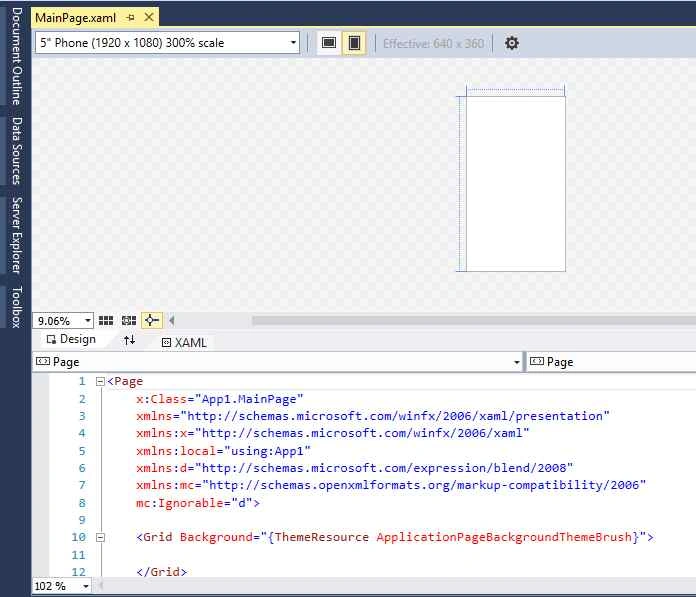
Add a Button and a TextBlock to your view through the toolbar or by adding this XAML code in the Grid tag. Don’t forget to add a Name attribute to them.
- <Button Name="ClickMeButton" Content="Click Me" Margin="10,10,0,598" />
- <TextBlock x:Name="MessageTextBlock"
- HorizontalAlignment="Left"
- Margin="10,150,0,0"
- TextWrapping="Wrap"
- Text=""
- VerticalAlignment="Top"
- FontSize="48"/>

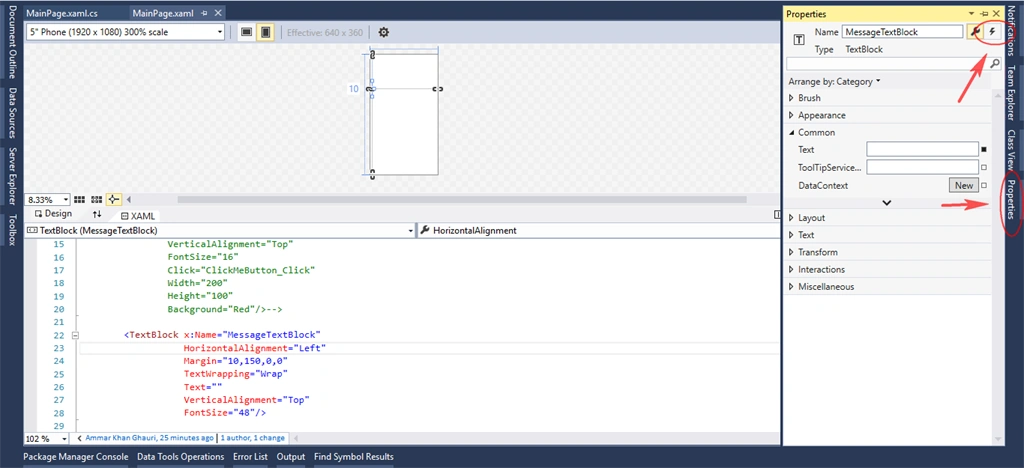

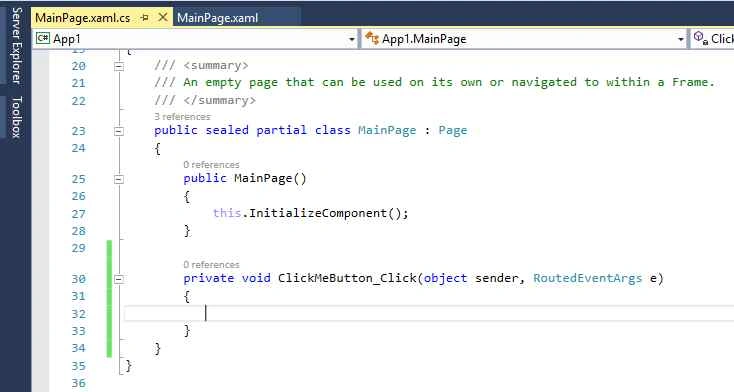
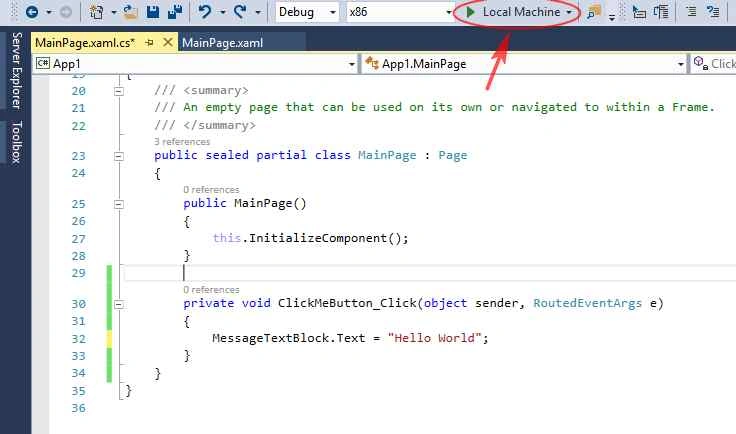
- MessageTextBlock.Text = "Hello World";
Summary
In this article, we learned about Hello World In the Universal Windows Platform.
Joe WilsonPosted Dec 26, 2015, 3:39 AM
Fine Article.
Banketeshvar NarayanPosted Dec 22, 2015, 10:57 AM
Nice article
Santhakumar MunuswamyPosted Dec 22, 2015, 8:30 AM
Thanks for sharing
Raja TPosted Dec 22, 2015, 3:02 AM
Nice, thanks for sharing
Humayun Kabir MamunPosted Dec 22, 2015, 2:14 AM
Nice...