

Hooks in Codex are automation points that let developers run actions before or after an AI coding task. They help automate testing, formatting, validation, security checks, deployment, and notifications inside AI-assisted development workflows.
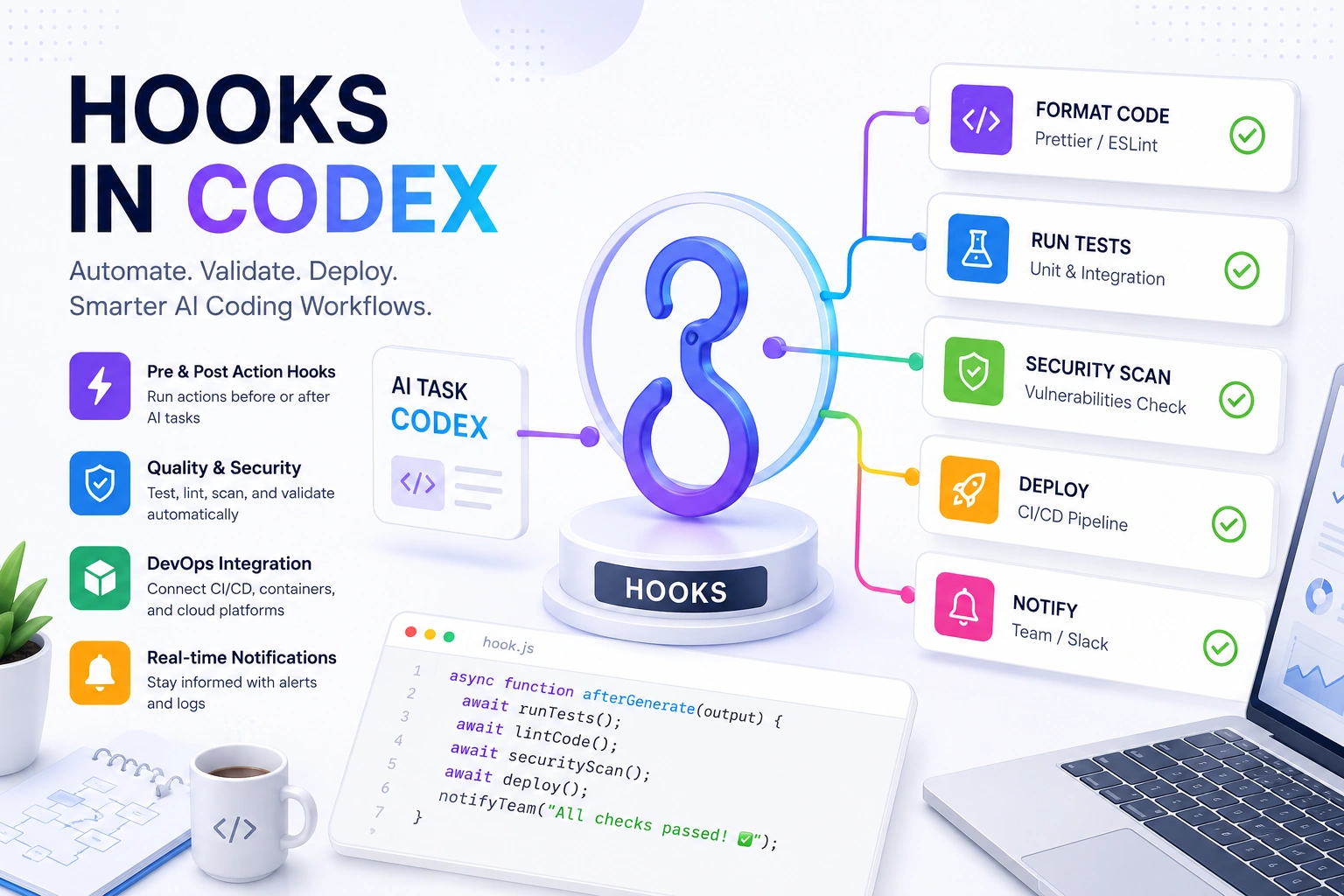
For teams using AI coding tools at scale, hooks make workflows safer, faster, and more consistent.
As of May 2026, AI-assisted development continues to grow rapidly. GitHub research reports that developers using AI tools complete some coding tasks significantly faster, while Gartner predicts AI-assisted software engineering will become a normal part of enterprise development workflows in the next few years.
Abstract / Overview
AI coding tools are changing how software gets built. Developers now use tools like Codex, GitHub Copilot, and AI-powered IDEs to generate code, explain logic, create tests, and automate repetitive work.
But there is still one major challenge.
Generated code must be checked, validated, tested, formatted, and sometimes deployed automatically. This is where Hooks in Codex become important.
Hooks act like event triggers. When something happens in a coding workflow, a hook can run an automated action.
Examples include:
Running tests after AI generates code
Formatting files automatically
Blocking unsafe commands
Sending Slack notifications
Triggering CI/CD pipelines
Validating security policies
Logging changes for compliance
Hooks help teams move from simple AI-assisted coding to fully automated AI development pipelines.
Businesses building AI-native engineering teams can also work with https://www.c-sharpcorner.com/consulting/ to design scalable AI engineering workflows, DevOps systems, and enterprise AI automation solutions.
Conceptual Background
What Is a Hook?
A hook is a trigger-based automation mechanism.
It runs code when a specific event happens.
In Codex workflows, hooks can run:
Before an AI action
After an AI action
During validation
During deployment
During commit operations
Think of hooks as checkpoints in an AI development workflow.
How Hooks Work
Here is a simple workflow.

The hook sits between code generation and final output.
This gives teams more control over AI-generated changes.
Types of Hooks in Codex
Pre-Action Hooks
These run before Codex acts.
Common uses:
Permission checks
Security validation
Environment setup
Dependency checks
Example:
{
  "hook": "before_generate",
  "action": "validate_environment"
}
Post-Action Hooks
These run after Codex completes a task.
Common uses:
Running tests
Formatting code
Sending alerts
Deploying builds
Example:
{
  "hook": "after_generate",
  "action": "run_tests"
}
Validation Hooks
These verify the generated output.
Examples:
Linting
Security scans
Compliance validation
Code quality scoring
Deployment Hooks
These connect AI workflows to DevOps systems.
Examples include:
Kubernetes deployment
Docker image builds
CI/CD pipelines
Infrastructure updates
Why Hooks Matter in AI Coding
Without hooks, developers still need manual review steps.
Hooks automate repetitive work.
Main Benefits
Better Code Quality
Hooks can automatically:
Run unit tests
Check formatting
Validate syntax
Scan dependencies
Faster Development
Automation removes manual steps.
This helps teams ship features faster.
Improved Security
Hooks can block:
Unsafe commands
Exposed secrets
Dangerous package installs
Weak configurations
Standardized Workflows
Teams can enforce coding rules automatically.
This is especially useful in enterprise environments.
Common Use Cases
Auto Testing
After Codex generates code:
Run unit tests
Run integration tests
Generate test reports
Example:
npm testAuto Formatting
Hooks can run formatters automatically.
Example:
prettier --write .Security Validation
Security hooks can scan for:
API key exposure
SQL injection risks
Dependency vulnerabilities
Git Workflow Automation
Hooks can automate:
Git commits
Branch naming
Pull request generation
Changelog creation
DevOps Integration
Hooks can connect with:
Jenkins
GitHub Actions
GitLab CI
Azure DevOps
Step-by-Step Walkthrough
Step 1: Define the Trigger
Choose when the hook should run.
Example:
{
  "event": "after_code_generation"
}
Step 2: Define the Action
Choose what the hook should do.
Example:
{
  "action": "run_linter"
}
Step 3: Add Validation Logic
Example:
eslint src/Step 4: Handle Failures
If validation fails:
Stop deployment
Notify developers
Request regeneration
Step 5: Log Results
Good hooks create logs for:
Auditing
Compliance
Debugging
Team visibility
Example End-to-End Workflow

Join the conversation! Your thoughts help the community grow.