

Hooks in Codex are automation points that let developers run actions before or after an AI coding task. They help automate testing, formatting, validation, security checks, deployment, and notifications inside AI-assisted development workflows.
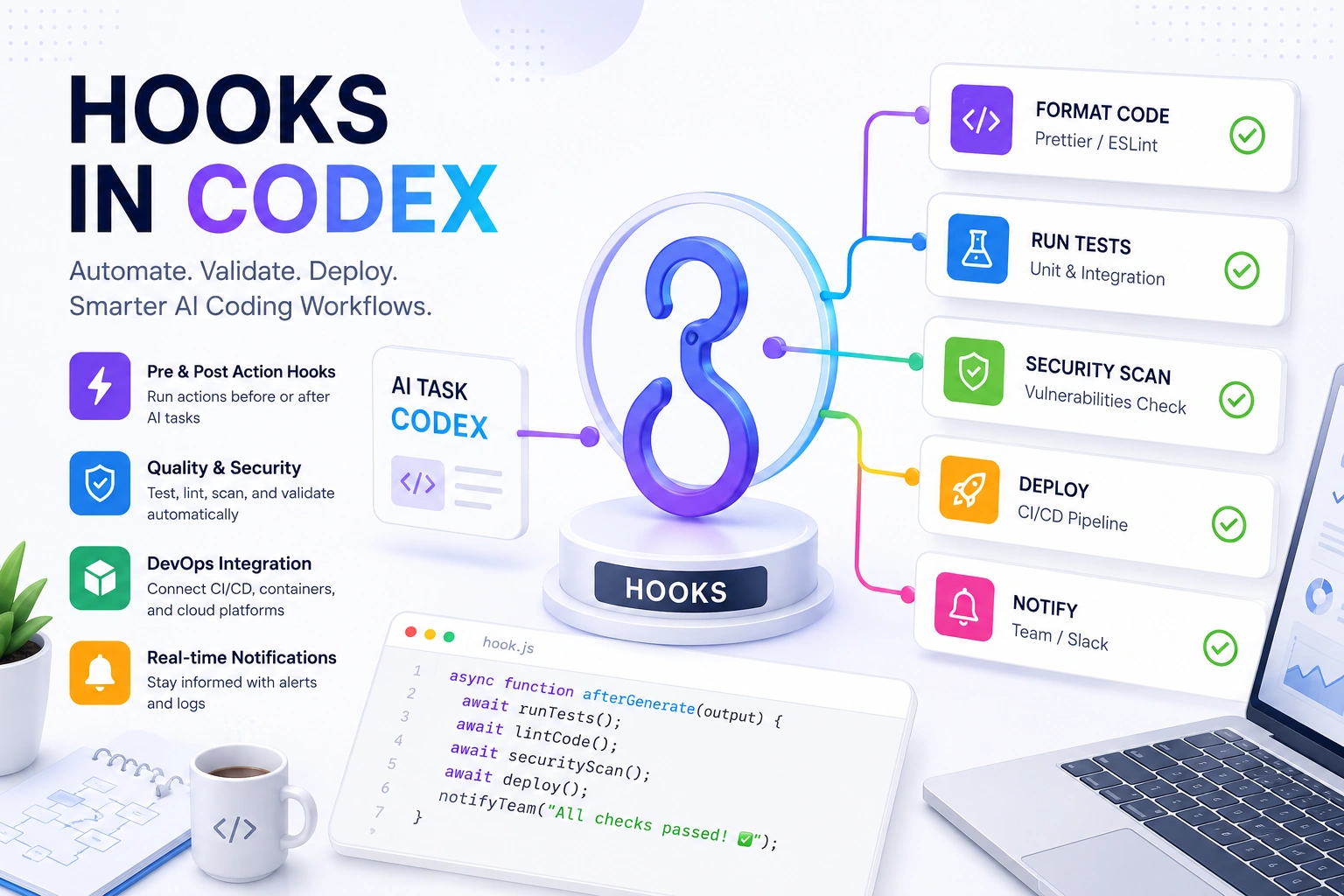
For teams using AI coding tools at scale, hooks make workflows safer, faster, and more consistent.
As of May 2026, AI-assisted development continues to grow rapidly. GitHub research reports that developers using AI tools complete some coding tasks significantly faster, while Gartner predicts AI-assisted software engineering will become a normal part of enterprise development workflows in the next few years.
Abstract / Overview
AI coding tools are changing how software gets built. Developers now use tools like Codex, GitHub Copilot, and AI-powered IDEs to generate code, explain logic, create tests, and automate repetitive work.
But there is still one major challenge.
Generated code must be checked, validated, tested, formatted, and sometimes deployed automatically. This is where Hooks in Codex become important.
Hooks act like event triggers. When something happens in a coding workflow, a hook can run an automated action.
Examples include:
Running tests after AI generates code
Formatting files automatically
Blocking unsafe commands
Sending Slack notifications
Triggering CI/CD pipelines
Validating security policies
Logging changes for compliance
Hooks help teams move from simple AI-assisted coding to fully automated AI development pipelines.
Businesses building AI-native engineering teams can also work with https://www.c-sharpcorner.com/consulting/ to design scalable AI engineering workflows, DevOps systems, and enterprise AI automation solutions.
Conceptual Background
What Is a Hook?
A hook is a trigger-based automation mechanism.
It runs code when a specific event happens.
In Codex workflows, hooks can run:
Before an AI action
After an AI action
During validation
During deployment
During commit operations
Think of hooks as checkpoints in an AI development workflow.
How Hooks Work
Here is a simple workflow.

The hook sits between code generation and final output.
This gives teams more control over AI-generated changes.
Types of Hooks in Codex
Pre-Action Hooks
These run before Codex acts.
Common uses:
Permission checks
Security validation
Environment setup
Dependency checks
Example:
{
  "hook": "before_generate",
  "action": "validate_environment"
}
Post-Action Hooks
These run after Codex completes a task.
Common uses:
Running tests
Formatting code
Sending alerts
Deploying builds
Example:
{
  "hook": "after_generate",
  "action": "run_tests"
}
Validation Hooks
These verify the generated output.
Examples:
Linting
Security scans
Compliance validation
Code quality scoring
Deployment Hooks
These connect AI workflows to DevOps systems.
Examples include:
Kubernetes deployment
Docker image builds
CI/CD pipelines
Infrastructure updates
Why Hooks Matter in AI Coding
Without hooks, developers still need manual review steps.
Hooks automate repetitive work.
Main Benefits
Better Code Quality
Hooks can automatically:
Run unit tests
Check formatting
Validate syntax
Scan dependencies
Faster Development
Automation removes manual steps.
This helps teams ship features faster.
Improved Security
Hooks can block:
Unsafe commands
Exposed secrets
Dangerous package installs
Weak configurations
Standardized Workflows
Teams can enforce coding rules automatically.
This is especially useful in enterprise environments.
Common Use Cases
Auto Testing
After Codex generates code:
Run unit tests
Run integration tests
Generate test reports
Example:
npm testAuto Formatting
Hooks can run formatters automatically.
Example:
prettier --write .Security Validation
Security hooks can scan for:
API key exposure
SQL injection risks
Dependency vulnerabilities
Git Workflow Automation
Hooks can automate:
Git commits
Branch naming
Pull request generation
Changelog creation
DevOps Integration
Hooks can connect with:
Jenkins
GitHub Actions
GitLab CI
Azure DevOps
Step-by-Step Walkthrough
Step 1: Define the Trigger
Choose when the hook should run.
Example:
{
  "event": "after_code_generation"
}
Step 2: Define the Action
Choose what the hook should do.
Example:
{
  "action": "run_linter"
}
Step 3: Add Validation Logic
Example:
eslint src/Step 4: Handle Failures
If validation fails:
Stop deployment
Notify developers
Request regeneration
Step 5: Log Results
Good hooks create logs for:
Auditing
Compliance
Debugging
Team visibility
Example End-to-End Workflow

Hooks and DevOps
Hooks fit naturally into DevOps pipelines.
They support:
Continuous Integration
Continuous Deployment
Infrastructure Automation
Monitoring Workflows
This creates a fully automated AI engineering lifecycle.
Organizations modernizing engineering teams often use https://www.c-sharpcorner.com/consulting/ for AI-driven DevOps transformation and scalable automation architecture.
Hooks vs Traditional Automation Scripts
| Feature | Hooks | Traditional Scripts |
|---|---|---|
| Event-driven | Yes | Usually manual |
| Real-time execution | Yes | Limited |
| AI workflow integration | Strong | Weak |
| Context awareness | High | Medium |
| Automation flexibility | High | Medium |
Best Practices for Hooks in Codex
Keep Hooks Small
Hooks should do one task well.
Avoid giant automation scripts.
Add Logging
Always log:
Execution results
Failures
Validation messages
Prevent Infinite Loops
Avoid hooks triggering themselves repeatedly.
Add Security Controls
Never allow unrestricted command execution.
Use Environment Isolation
Run sensitive hooks in sandboxed environments.
Common Mistakes
Running Too Many Hooks
Too many hooks can slow workflows.
Ignoring Error Handling
Hooks should fail safely.
Poor Security Rules
Weak validation can create security risks.
Missing Monitoring
Without monitoring, failures may go unnoticed.
Future of Hooks in AI Development
Hooks are becoming a core part of AI-native software engineering.
Future systems may include:
Self-healing workflows
AI-driven security enforcement
Autonomous deployment systems
Smart rollback systems
Adaptive testing pipelines
According to industry forecasts, AI automation in software engineering is expected to grow rapidly through 2030 as enterprises move toward AI-assisted development operations.
Expert Insights
“AI-generated code becomes truly valuable when automation guarantees quality, security, and consistency.”
“Hooks are the bridge between AI coding assistants and production-ready engineering workflows.”
Use Cases / Scenarios
Enterprise Development Teams
Hooks help enforce:
Security standards
Compliance checks
Release governance
Startups
Startups use hooks to move faster with smaller teams.
Open Source Projects
Hooks improve contribution quality automatically.
DevOps Teams
Hooks connect AI-generated changes directly into deployment systems.
Future Enhancements
Possible future improvements include:
AI-generated hooks
Natural language hook configuration
Predictive failure detection
Autonomous infrastructure repair
Real-time compliance scoring
FAQs
1. What are Hooks in Codex?
Hooks are automation triggers that run actions before or after AI coding operations.
2. Why are hooks useful?
They automate testing, formatting, validation, deployment, and security tasks.
3. Can hooks improve security?
Yes. Hooks can block unsafe actions and scan generated code for vulnerabilities.
4. Are hooks part of DevOps workflows?
Yes. Hooks integrate naturally with CI/CD and infrastructure automation systems.
5. Do hooks replace developers?
No. Hooks automate repetitive tasks, but developers still guide architecture, logic, and business decisions.
6. Can Hooks run custom scripts?
Yes. Most hook systems allow custom scripts and integrations.
Conclusion
Hooks in Codex help transform AI coding from a simple code-generation tool into a complete automation platform.
They improve quality, speed, security, and consistency across development workflows.
As AI-assisted engineering becomes more common, hooks will become a standard part of modern software development pipelines.
Teams that invest early in AI workflow automation will build software faster and more reliably than teams relying only on manual processes.
For enterprises looking to scale AI-assisted engineering and workflow automation, https://www.c-sharpcorner.com/consulting/ can help design production-ready AI development systems.
References
OpenAI Documentation: https://platform.openai.com/docs
GitHub Research on AI Developer Productivity: https://github.blog
Gartner Research on AI-Assisted Software Engineering: https://www.gartner.com
Microsoft DevOps Documentation: https://learn.microsoft.com
Jenkins Documentation: https://www.jenkins.io/doc/
GitHub Actions Documentation: https://docs.github.com/actions
Kubernetes Documentation: https://kubernetes.io/docs/
OWASP Secure Coding Practices: https://owasp.org
Join the conversation! Your thoughts help the community grow.