

Introduction
When creating a Lookup column in a SharePoint list, you can establish a relationship between two lists. SharePoint provides an option called Enforce relationship behavior, which helps maintain data integrity by controlling what happens when a related item in the parent (target) list is deleted.
Understanding these options is essential to prevent accidental data loss and ensure consistency across your SharePoint applications, Power Apps, and Power Automate solutions.
Create the column as lookup

Bottom of the relationship inside lookup

What is Relationship Behavior?
A lookup column creates a relationship between:
Target List (Parent List): Contains the original records.
Current List (Child List): References records from the target list using a lookup column.
When Enforce relationship behavior is enabled, SharePoint controls how deletions are handled.
The available options are:
Restrict Delete
Cascade Delete
Note: Once relationship behavior is enforced, SharePoint ensures the relationship remains valid whenever items are deleted.
Restrict Delete
What is it?
Restrict Delete prevents users from deleting a parent item if one or more child items are still referencing it.
This option protects your data by ensuring that related records are not left with broken lookup references.
Example
Consider two lists:
Departments (Parent List)
| Department ID | Department Name |
|---|---|
| 1 | HR |
| 2 | Finance |
Employees (Child List)
| Employee | Department |
|---|---|
| Ketan | HR |
| Mitesh | HR |
| Vimal | Finance |
If someone tries to delete the HR department, SharePoint will prevent the deletion because Ketan and Mitesh are still linked to it.
Result
❌ Delete operation is blocked.
The user must:
Remove related employee records
Update them to another department
before deleting the HR department.
Benefits
Prevents orphaned records
Maintains referential integrity
Protects important business data
Recommended for business-critical applications
Cascade Delete
What is it?
Cascade Delete automatically deletes all related child items when the parent item is deleted.
This ensures there are no orphaned records, but it can result in significant data loss if used without caution.
Example
Using the same lists:
Departments
| Department | |
|---|---|
| HR | |
| Finance |
Employees
| Employee | Department |
|---|---|
| Ketan | HR |
| Mitesh | HR |
| Vimal | Finance |
If the HR department is deleted:
SharePoint automatically deletes:
Ketan
Mitesh
Only Finance and David remain.
Result
✔ Parent record deleted.
✔ All related child records deleted automatically.
Benefits
Keeps related data synchronized
Eliminates orphaned lookup records
Reduces manual cleanup
Useful for temporary or dependent data
Restrict Delete vs Cascade Delete
| Feature | Restrict Delete | Cascade Delete |
|---|---|---|
| Parent item can be deleted if child items exist | ❌ No | ✔ Yes |
| Child items deleted automatically | ❌ No | ✔ Yes |
| Prevents accidental data loss | ✔ Yes | ❌ No |
| Maintains data integrity | ✔ Yes | ✔ Yes |
| Recommended for business data | ✔ Highly Recommended | Only when appropriate |
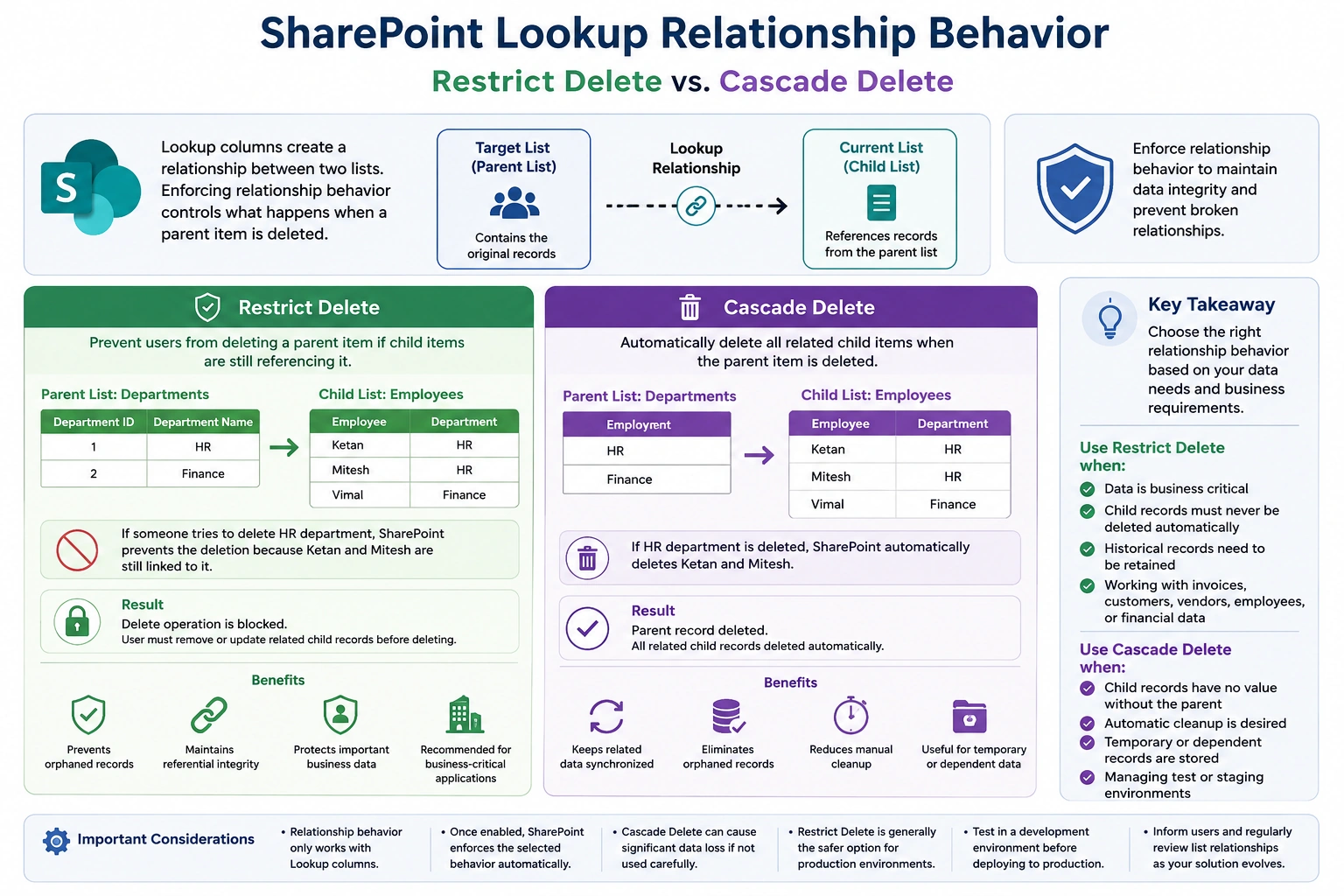
When Should You Use Each Option?
Choose Restrict Delete when:
Data is business critical.
Child records must never be deleted automatically.
Historical records need to be retained.
Working with invoices, customers, vendors, employees, or financial data.
Choose Cascade Delete when:
Child records have no value without the parent.
Automatic cleanup is desired.
Temporary or dependent records are stored.
You're managing test or staging environments.
Important Considerations
Relationship behavior only works with Lookup columns.
Once enabled, SharePoint enforces the selected delete behavior automatically.
Cascade Delete should be used carefully, as deleting one parent item can remove many related records.
Restrict Delete is generally the safer option for production environments because it helps prevent accidental deletion of important business data.
Best Practices
Use Restrict Delete for financial, HR, customer, and vendor data.
Use Cascade Delete only when child records are entirely dependent on the parent.
Test relationship behavior in a development environment before deploying to production.
Inform users about the configured delete behavior to avoid confusion.
Regularly review list relationships as your solution evolves.
Conclusion
The Enforce relationship behavior feature in SharePoint Lookup columns is a powerful way to maintain data consistency across related lists.
Restrict Delete is the safest choice for most business applications, preventing deletion of parent records while related child records exist.
Cascade Delete simplifies cleanup by automatically deleting dependent child records when the parent is removed, making it suitable for scenarios where child records have no independent value.
Choosing the appropriate relationship behavior ensures your SharePoint solutions remain reliable, consistent, and aligned with your organization's data management requirements.
Join the conversation! Your thoughts help the community grow.