

Introduction
Amazon S3 (Simple Storage Service) is a scalable storage service, while Amazon EC2 (Elastic Compute Cloud) provides virtual servers in the cloud. Linking an EC2 instance with an S3 bucket allows seamless data transfer, backups, and hosting of static files. This beginner-friendly article walks you through setting up an S3 bucket and configuring an EC2 instance to access it.
Let's get started,
Step 1. Accessing the Existing S3 Bucket.
- Navigate to the S3 service from the list of available services.
- From the list of existing buckets, locate the one you’ve previously created.
- Ensure that the bucket is in the same region as your EC2 instance.
Step 2. Access the Existing EC2 Instance, or you can create a new one.
- From the EC2 dashboard, find and select the EC2 instance.
- Make sure this instance is located in the same region as your S3 bucket.
Step 3. Grant EC2 Permission to Access S3.
Create an IAM Role
- Open IAM in AWS Console.
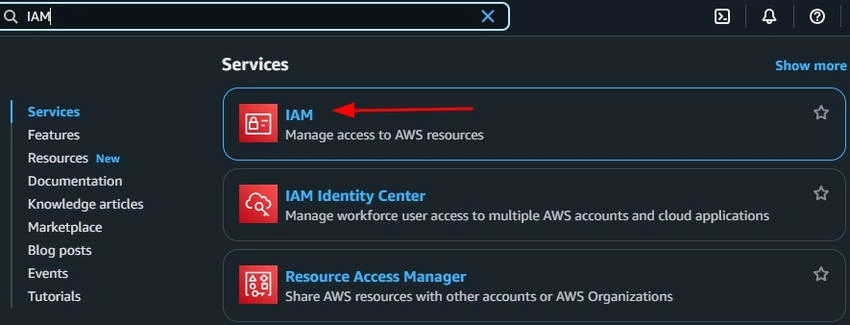
- Navigate to the Roles.
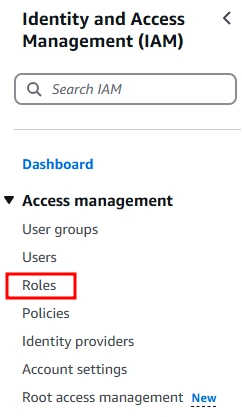
- Click on Create New Role.

- Select Trusted entity type.
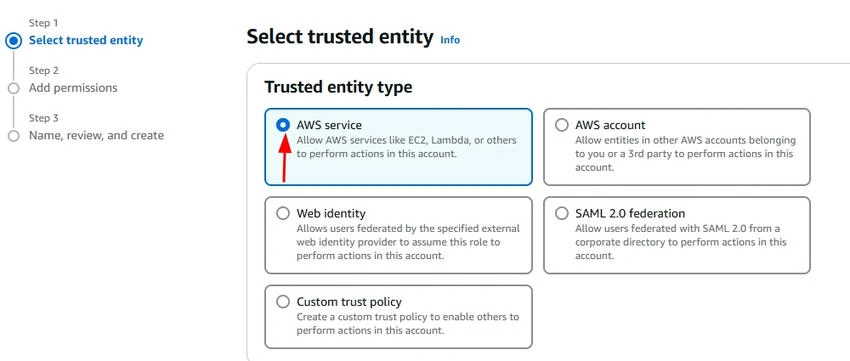
- Select AWS Service EC2.
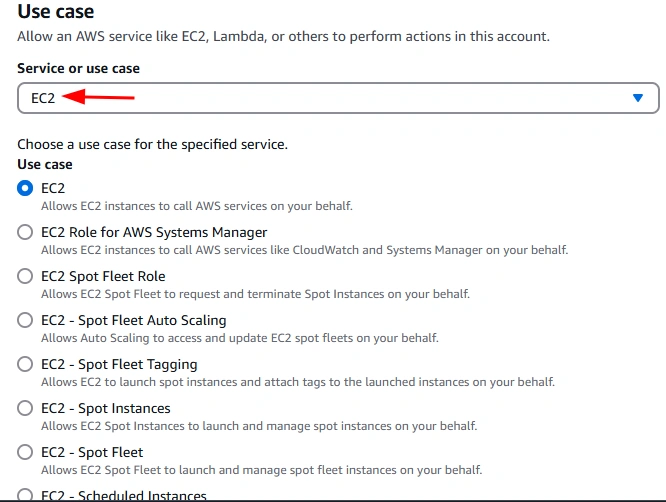
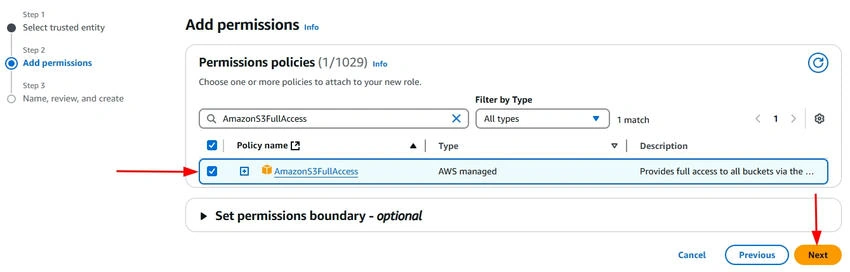
- Attach AmazonS3FullAccess policy.
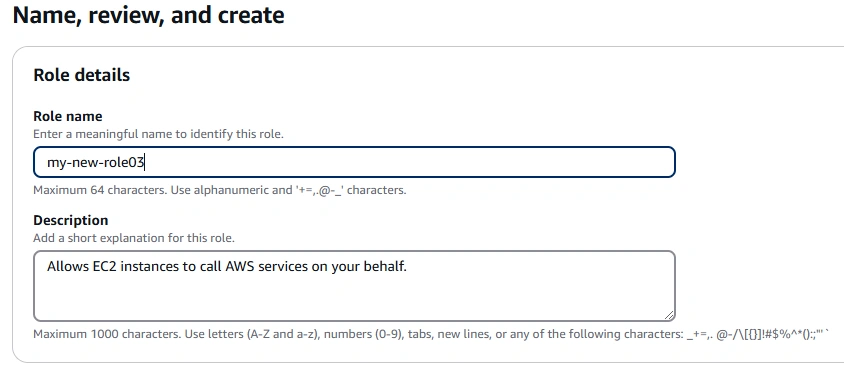
- Give the role name and click on the Create role button.
Attach the IAM Role to EC2
- Go to EC2 Dashboard.
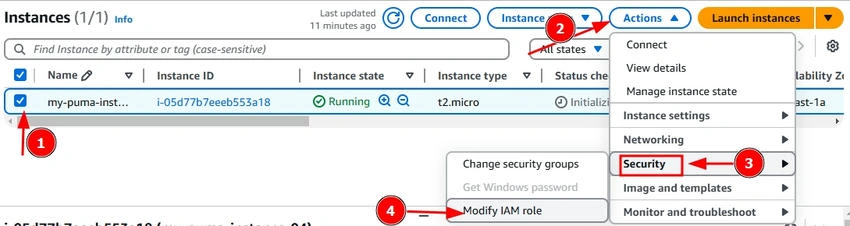
- Select your instance → Click Actions → Security → Modify IAM Role.
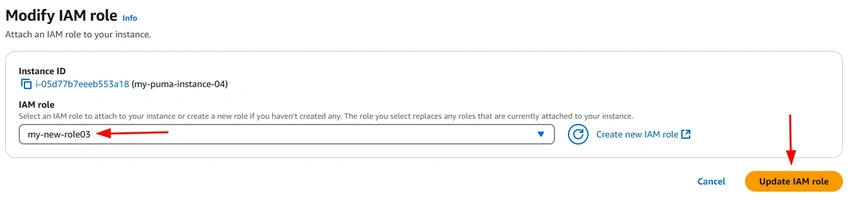
- Choose the IAM Role created earlier and attach it.
Step 4. Verify S3 Access from EC2.
Connect to Your EC2 Instance Using PowerShell in Windows and For Mac/Linux (Terminal).
Open PowerShell on your Windows machine and use the following command to connect to your EC2 instance via SSH.
ssh -i "C:\Users\ATUL GUPTA\Downloads\rocky-999.pem" [email protected]
Ensure you replace C:\path\to\your-key.pem with the actual path to your key file.
List S3 Buckets from EC2
First, check if the AWS CLI is installed. If not, install it.
sudo yum install aws-cli -y # For Amazon Linux
Once installed, verify access to your S3 bucket by running.
aws s3 ls

Upload and Download Files Between EC2 and S3
You can create a new file by the following command.
echo "Hello S3" > HelloS3.txt
After that, run ls -l HelloS3.txt to verify that the file was created successfully. Once it's confirmed, you can proceed with uploading it to your S3 bucket using the AWS S3 cp command.
aws s3 cp HelloS3.txt s3://my-puma-bucket05/

Download a File from S3
aws s3 cp s3://my-puma-bucket05/HelloS3.txt .

Here, you can see your files in the S3 bucket.

Conclusion
By linking an EC2 instance with an S3 bucket, you unlock seamless data transfer, efficient backups, and easy file storage in the cloud. With the right IAM permissions, you can securely access and manage S3 data from your EC2 instance. This setup simplifies cloud storage management, making it ideal for hosting, processing, and retrieving files effortlessly.
Join the conversation! Your thoughts help the community grow.