

Introduction
In this article, we will learn how to change the background color dynamically in Vue.js.
Prerequisites
- Basic Knowledge of Vue.js
- Visual Studio Code
- Node and NPM installed
- Bootstrap
Create VueJS Project
Create a Vue.js project by using the following command.
vue create backgroundcolorapp
Install Bootstrap (Optional)
Install bootstrap using the following command.
npm install bootstrap
Now open the main.js file and add following code.
import 'bootstrap/dist/css/bootstrap.css';
Now right click on the components folder and add a new component named 'Backgroundapp.vue'. Now open Backgroundapp.vue component and add the following code.
<template>
    <div style="margin: 20px;" class="col-sm-12 btn btn-info"> How to Change Background color dynamically in Vue.js
    </div>
    <label for="head">Background Color Change
        <input type="color" id="head" name="head" v-model="BackgroundColor"
            :style="{ backgroundColor: BackgroundColor, borderColor: BackgroundColor }">
    </label>
    <div class="full-height " :style="{ backgroundColor: BackgroundColor }">
        <h1>Hello</h1>
    </div>
</template>
<script>
export default {
    name: 'BackgroundApp',
    data() {
        return {
            BackgroundColor: '#ffffff',
        }
    },
}
</script>
    <style scoped>
</style>
In the above code, I have added a state
- BackgroundColor: BackgroundColor added in V-model to get the value of textbox, V-model is a directive used for data binding.
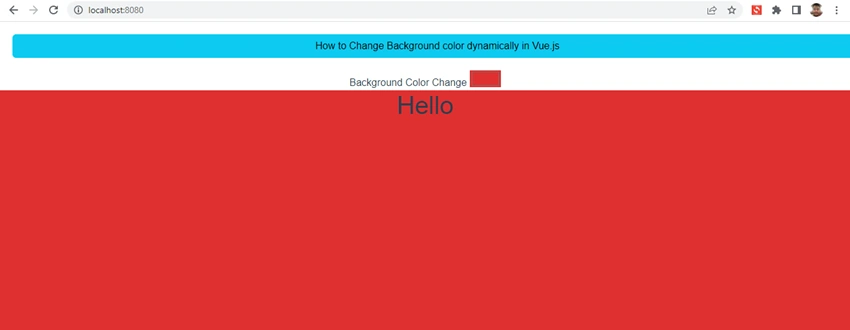
When we select a color from the textbox, the value is set in BackgroundColor and in style="{ backgroundColor: BackgroundColor }" the background color is changed for the entire div.
Now open App.vue and add following code
<template>
  <BackgroundApp />
</template>
<script>
import BackgroundApp from './components/Backgroundapp.vue'
export default {
    name: 'App',
    components: {
    BackgroundApp
  }
}
</script>
<style>
#app {
    font-family: Avenir, Helvetica, Arial, sans-serif;
    -webkit-font-smoothing: antialiased;
    -moz-osx-font-smoothing: grayscale;
    text-align: center;
    color: #2c3e50;
    margin-top: 0px;
}
</style>
In the above code, we have added the reference of Backgroundapp.vue component inside app.vue file
Now run the project using 'npm run serve' command

Now select color from the textbox and check.
Summary
In this article, we learned how to change the background color dynamically in Vue.js.
Join the conversation! Your thoughts help the community grow.