

In this guide, you will learn how to connect Dataverse as a data source in Power Apps Code Apps and use it in your application.
Prerequisites
Before you start, make sure you have:
Power Apps CLI (PAC CLI)
A Power Platform environment with Dataverse
Access to Code Apps
A Code App project created
Stepwise implementation
1 - Prepare your Dataverse table
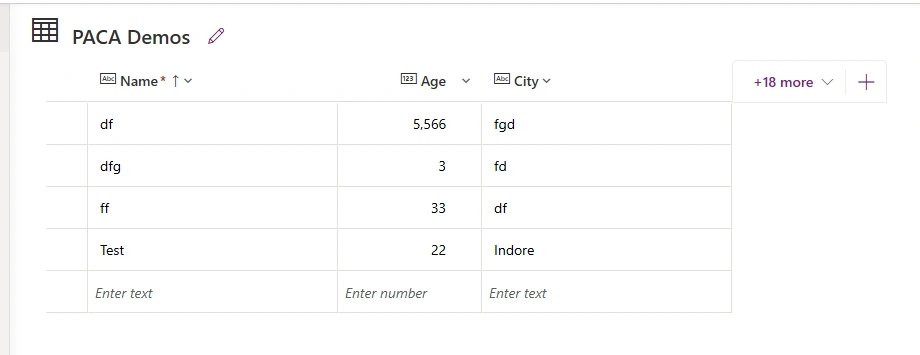
This is my Demo table.
2 - Add Dataverse as Data Source
Inside your Code App project, run this command in terminal
pac code add-data-source -a dataverse -t cr399_pacademo-a dataverse → specifies Dataverse as the data provider
-t → logical name of the table (entity) - cr399_pacademo
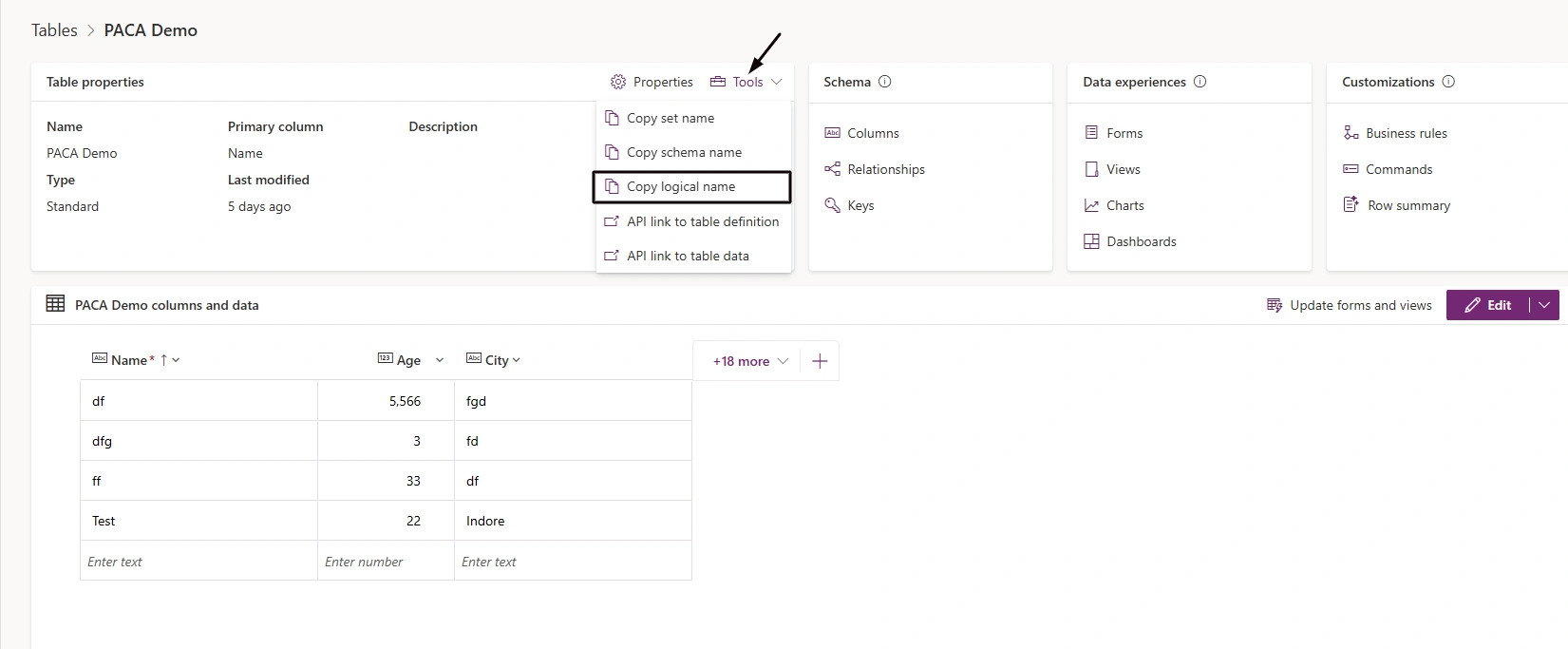
How to get logical name of table?
Go to table interface -> Click on Tools -> Copy logical name
3 - What happens after you add Dataverse
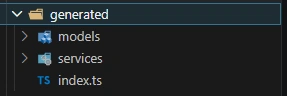
Once added, Code Apps automatically generate:
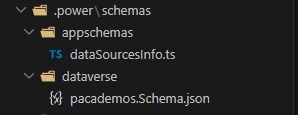
Where power folder contains schema of Dataverse table.
Where models and services are used for shaping list objects and built in methods for CRUD respectively.
Conclusion
Here, we have learnt how to add Dataverse as Datasource to Power Apps Code App using add- data-source command.
Join the conversation! Your thoughts help the community grow.