

Introduction
In this article you will see how to convert a Word document to PDF using a NINTEX workflow in SharePoint. I have a team site in which a "Shared Documents" document library is available. I will show you how to convert the Word document (.docx) to PDF by running the NINTEX workflow for the document.
Prerequisites
- Ensure the "Word Automation Service" application is configured in the Central Administration.
- Ensure the Word Automation Service is started in the Central Administration.
Workflow Design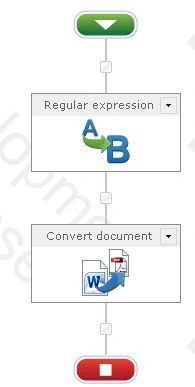
A regular expression action is used to get the item URL and replace the .docx to .pdf and store the destination URL in the workflow variable. The convert document action converts the source document to PDF.
Conversion
The following procedure will convert to a PDF workflow:
- Navigate to the Shared Documents.
- Click on the "Library" tab and then click on "Workflow Settings".
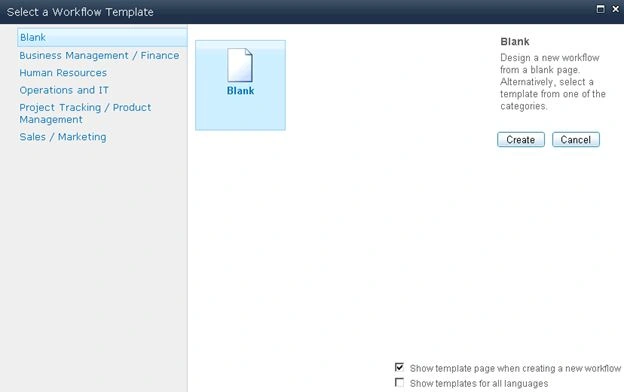
- Click on "Create a Workflow in Nintex Workflow".
- Click on "Cancel".
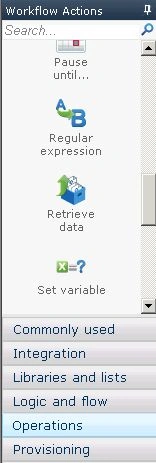
- Drag and drop the "Regular Expression" action from the "Operations" section.
- Click on "Configure" from the drop down list in the "Regular Expression" action.
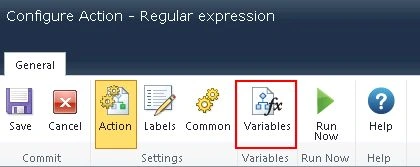
- Click on the "Variables" button.
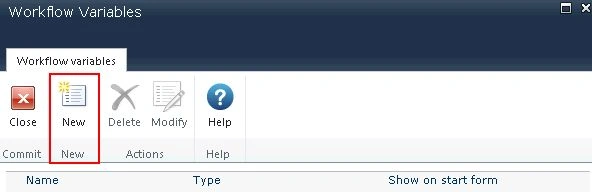
- Click on the "New" button.
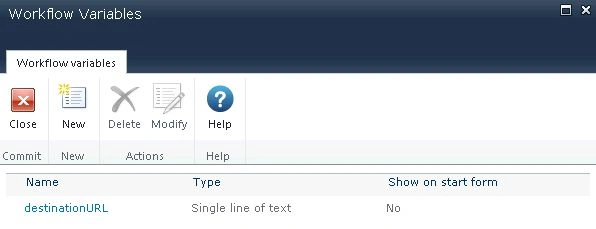
- Enter the variable name as "destinationURL" and select the variable type as "Single line of text".
- Click on "Save".
- The variable is created successfully.
- In the Regular Expression action we need to replace docx with pdf from the ItemUrl.
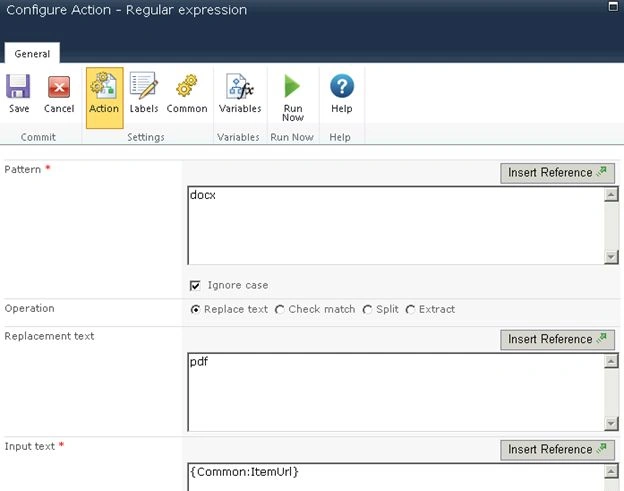
- Store the result in the workflow variable "destinationURL" that we created.

- Click on "Save".
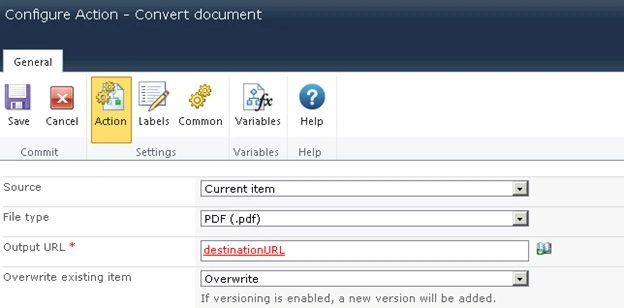
- Drag and drop the "Convert" document action from the "Libraries and lists" section.
- Click on "Configure" from the drop down list.
- Configure the values for the action as shown below
- Click on "Save".


Otto VannetelboschPosted Nov 27, 2013, 5:55 PM
Hello, I read your article and tried to apply it. But I can't find all the things you mention. Your tutorial is it compatible with Office365 (plan E3)/ SharePoint 2013 online server? I also do not find the "Word Automation Service" in my SharePoint 2013. And I also do not find the regular expression. Can you help me further? With Regards, Otto