

Introduction
In this article, we going to create Active Directory Domain Services (ADDS) In the server operating system as an easy method. Active Directory Domain Services (ADDS) is a server role in Active Directory that manages users and computers. It also allows system administrators to organize data into logical hierarchies. AD DS is the foundation of every Windows domain network.
Before that, we need to start to set the IP address for our Active Directory Domain Services (ADDS) server.
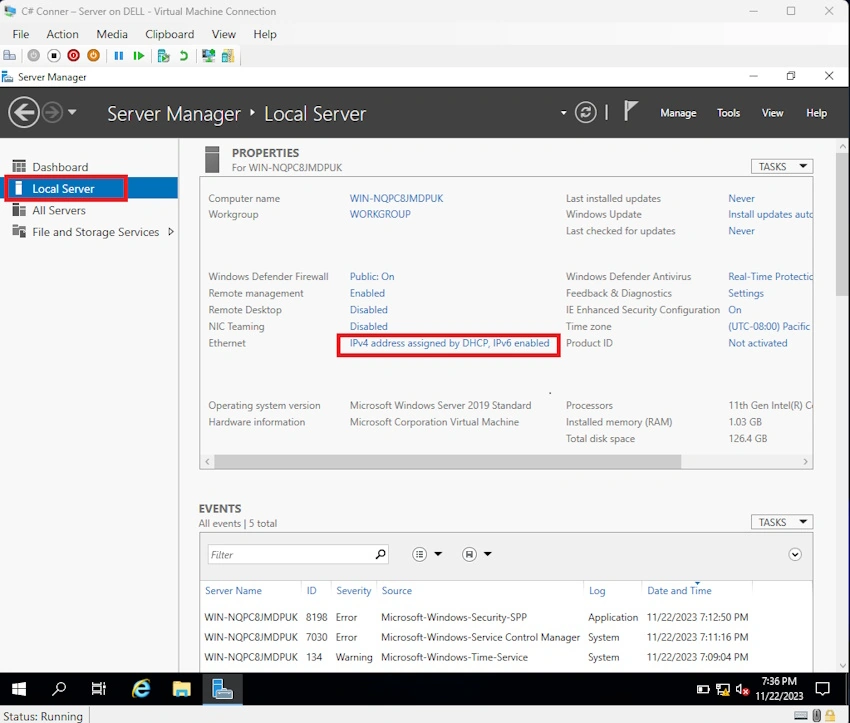
Step 1. On your server, click local server and then click IPv4 address assigned.
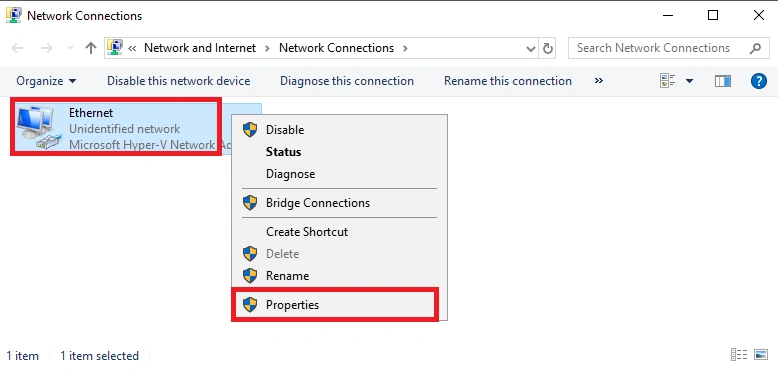
Step 2. Right-click on ethernet and click properties.
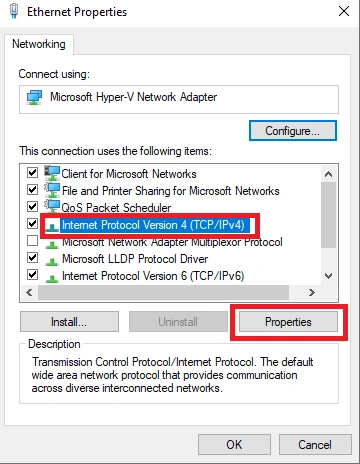
Step 3. Select TCP/IPv4, then click properties.
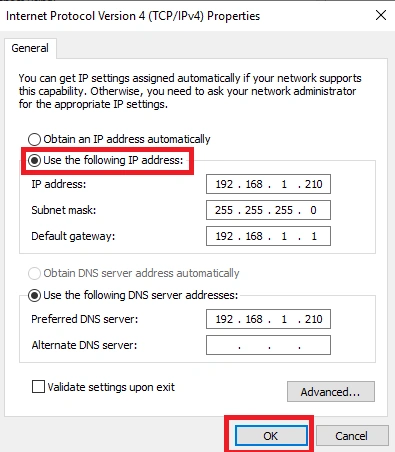
Step 4. Select “use the following IP” and set the IP, then click ok. After that, close the IP assigning setup.
Step 5. Go to your dashboard and click Add Roles and Features.
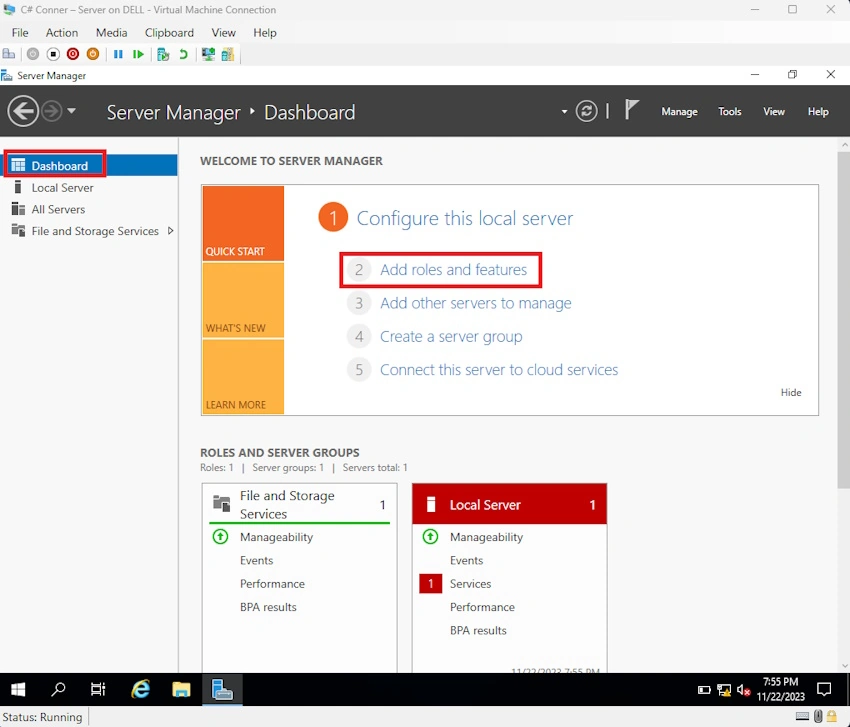
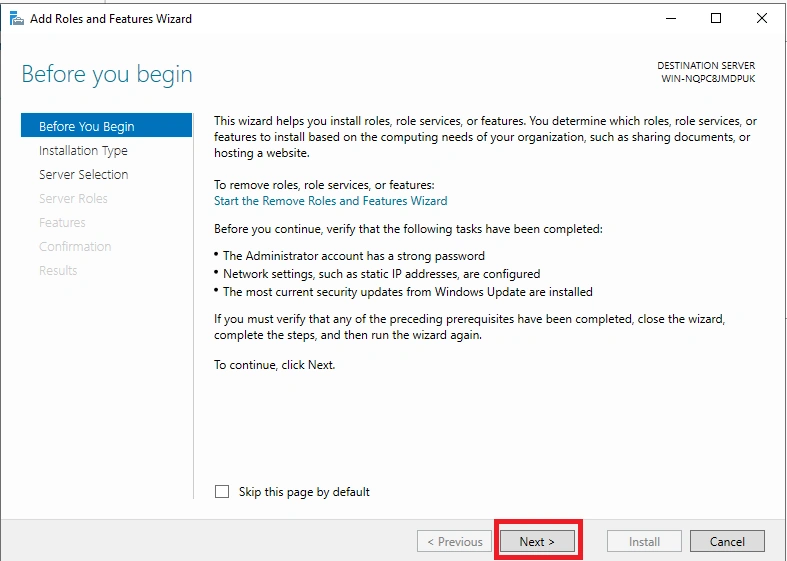
Step 6. Click next.
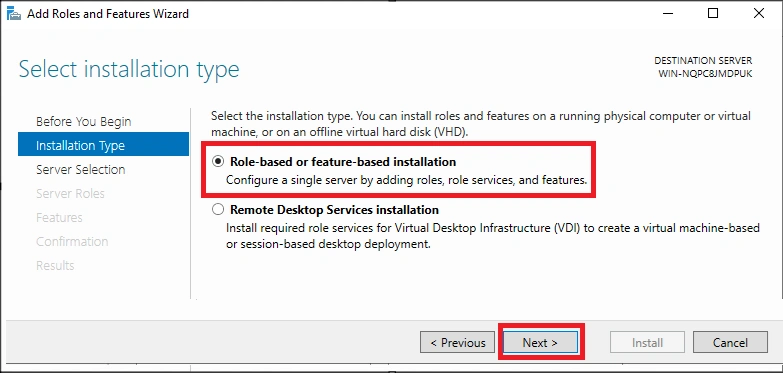
Step 7. Select role-based and click next.
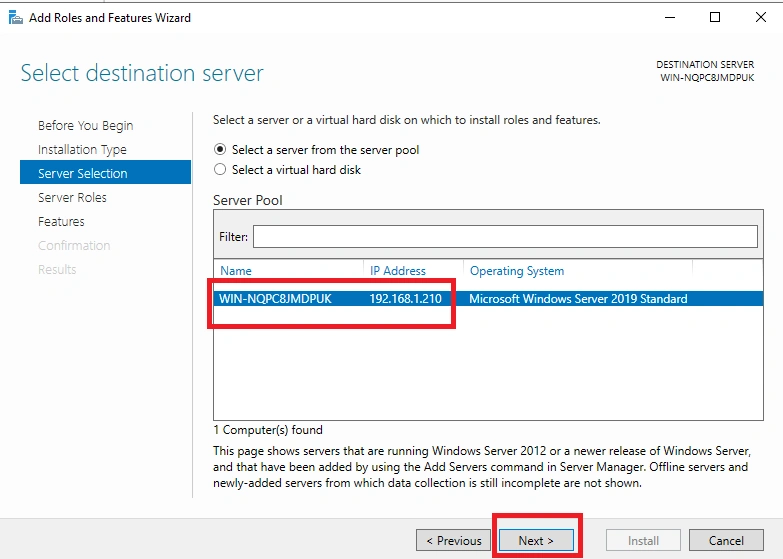
Step 8. Verify your IP address appears on your server, then click next.
Step 9. Select active directory domain services.
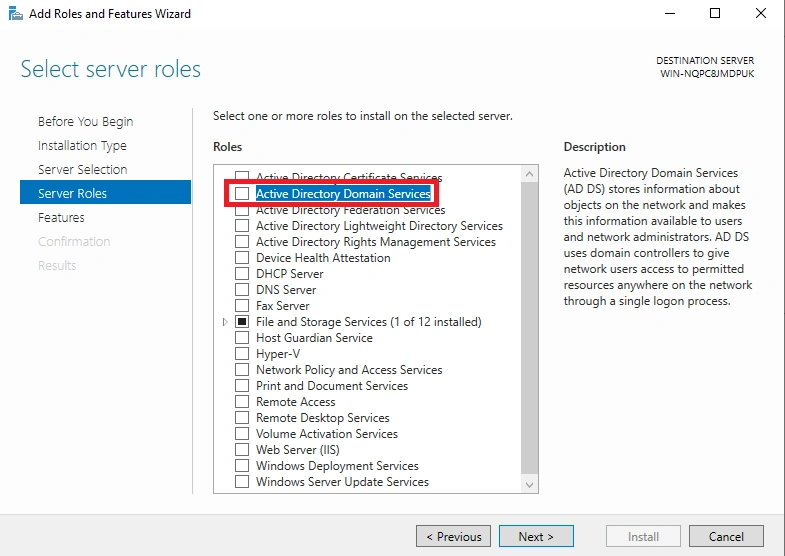
Step 10. Click add features and next.
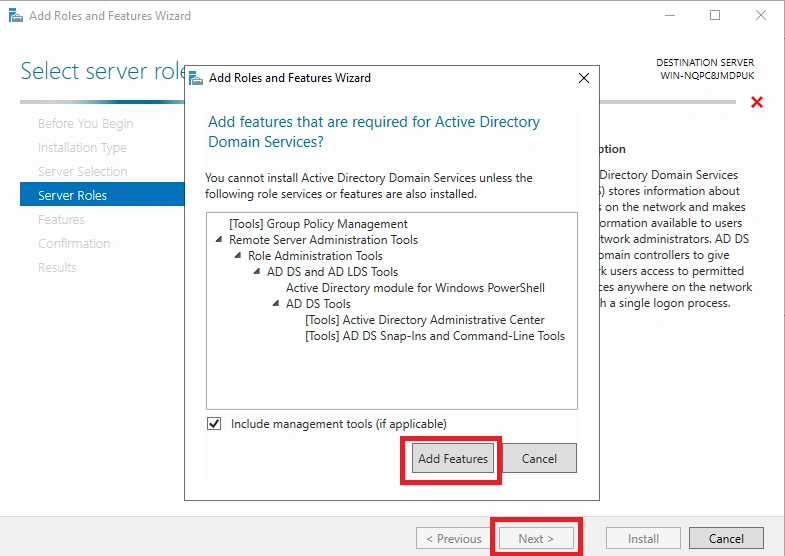
Step 11. Click next.
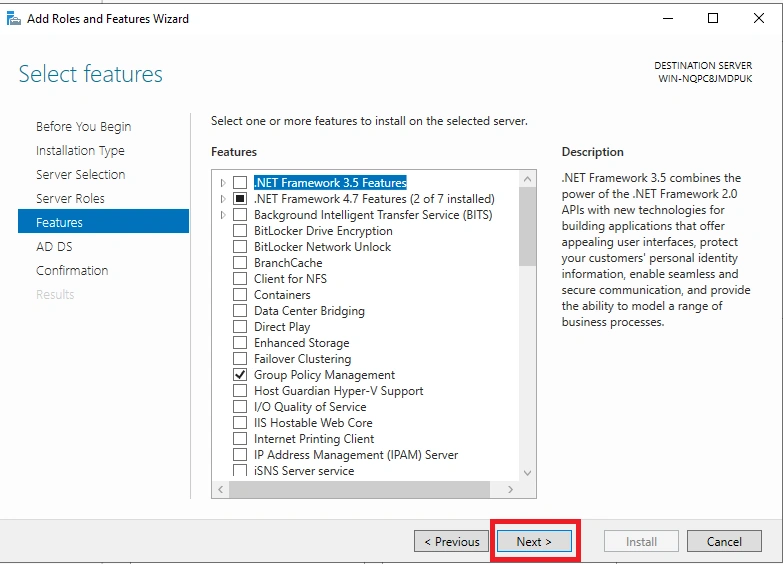
Step 12. Click next.
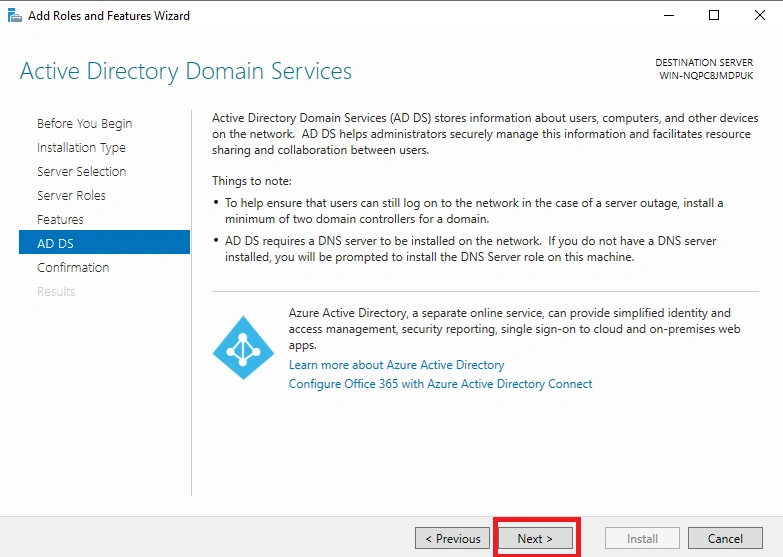
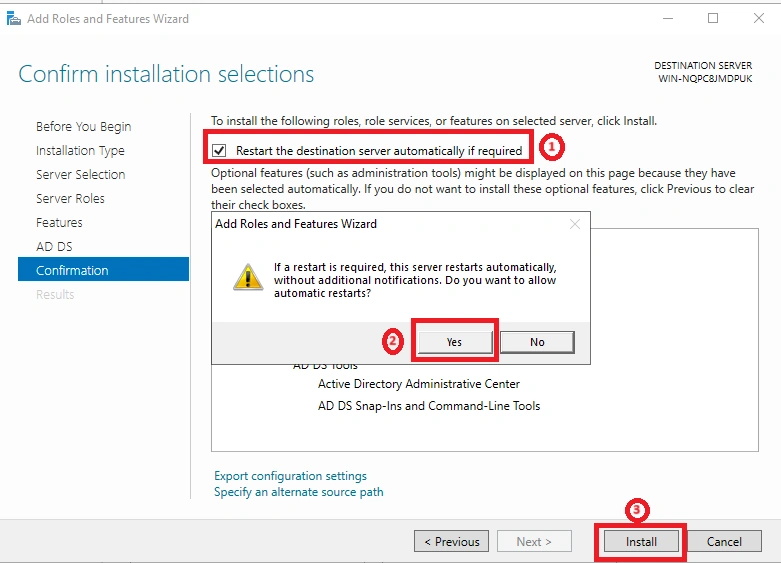
Step 13. Click “restart the destination server” After that, you get a message: click “yes” and click install.
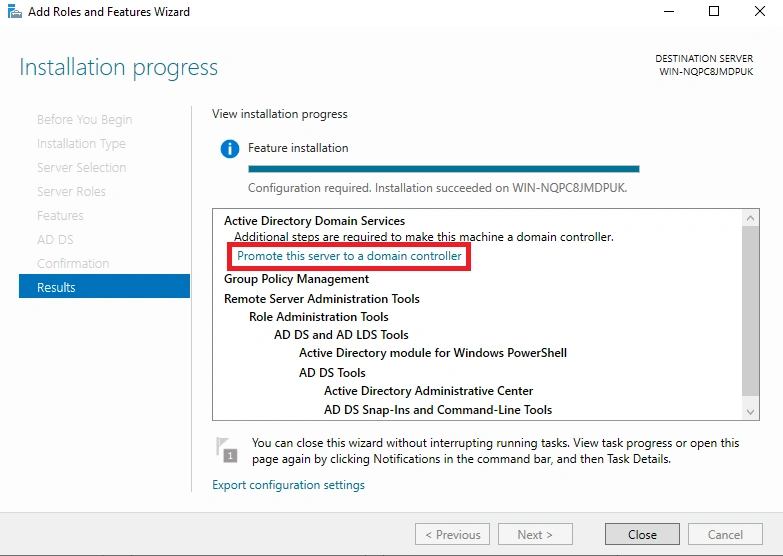
Step 14. Click “promote this server to a domain controller”.
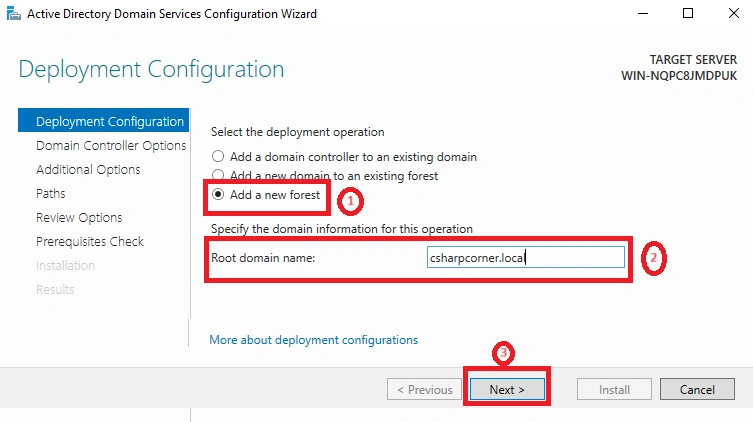
Step 15. Select “add a new forest” and after that, give a root domain name for your server and click next.
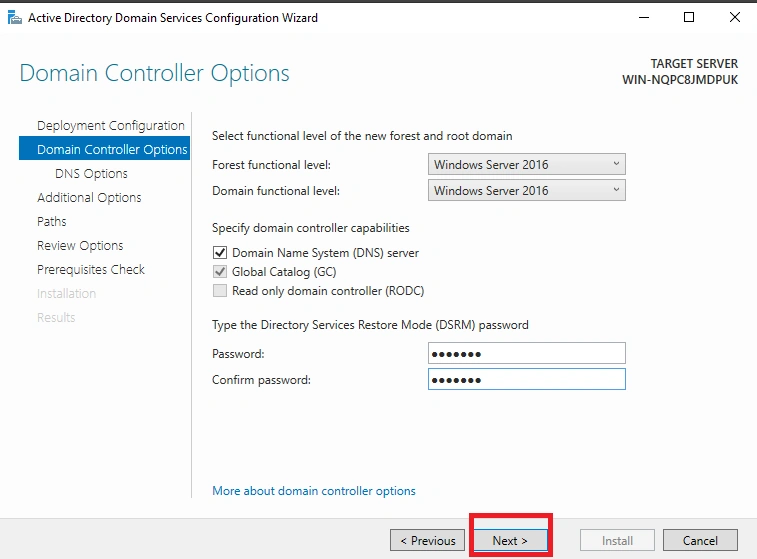
Step 16. Give DSRM password. After that, click next.
Step 17. Click next.
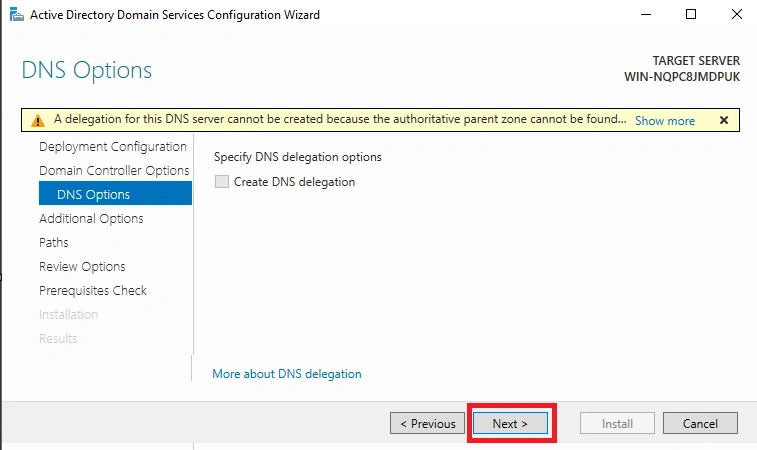
Step 18. Your given server’s domain automatically appears in “NETBIOS” After that, click next.
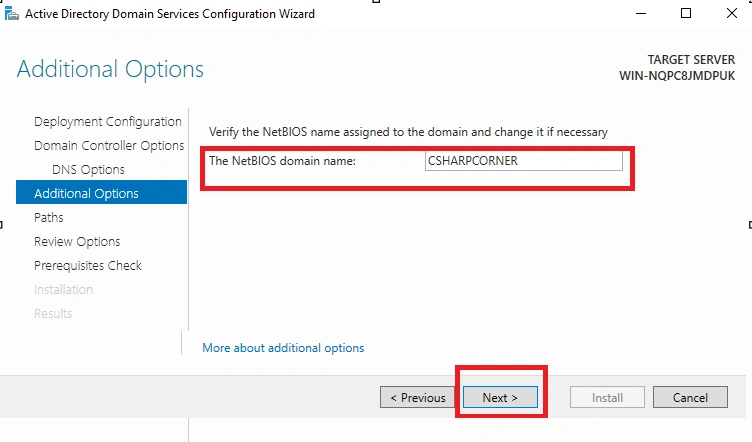
Step 19. Click next.
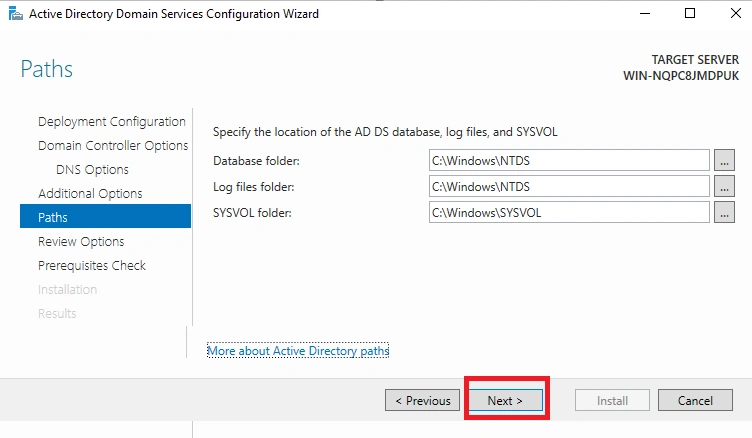
Step 20. Click next.
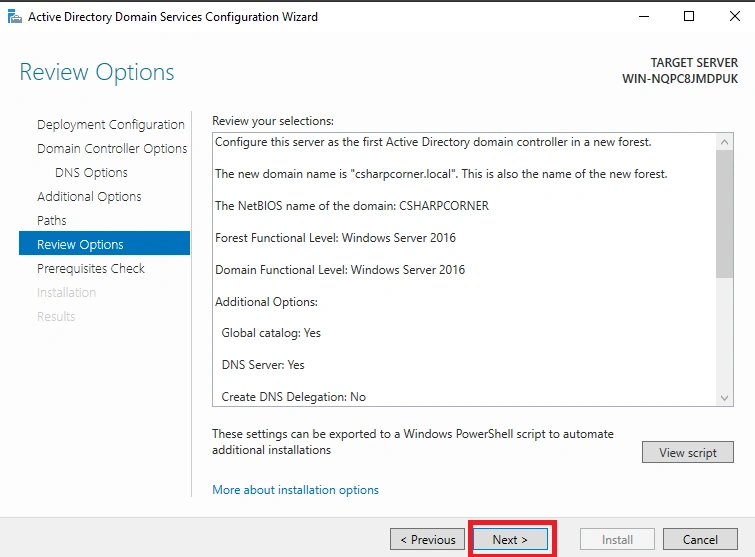
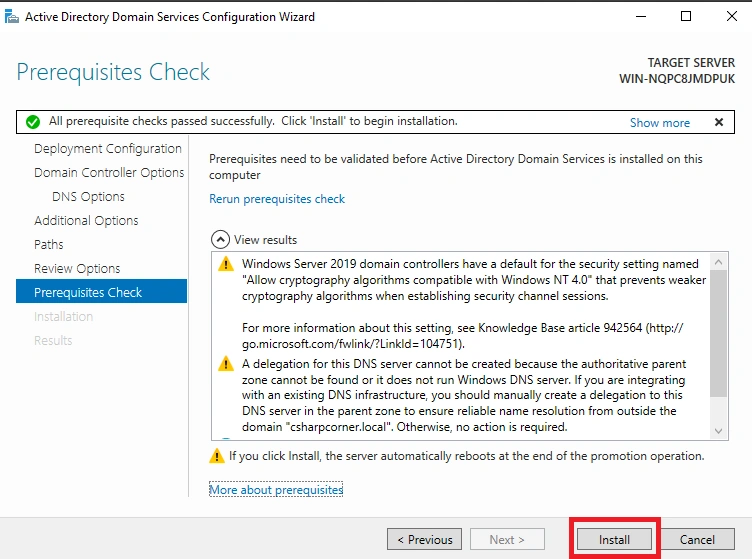
Step 21. Click install. After installing, your server will automatically restart.
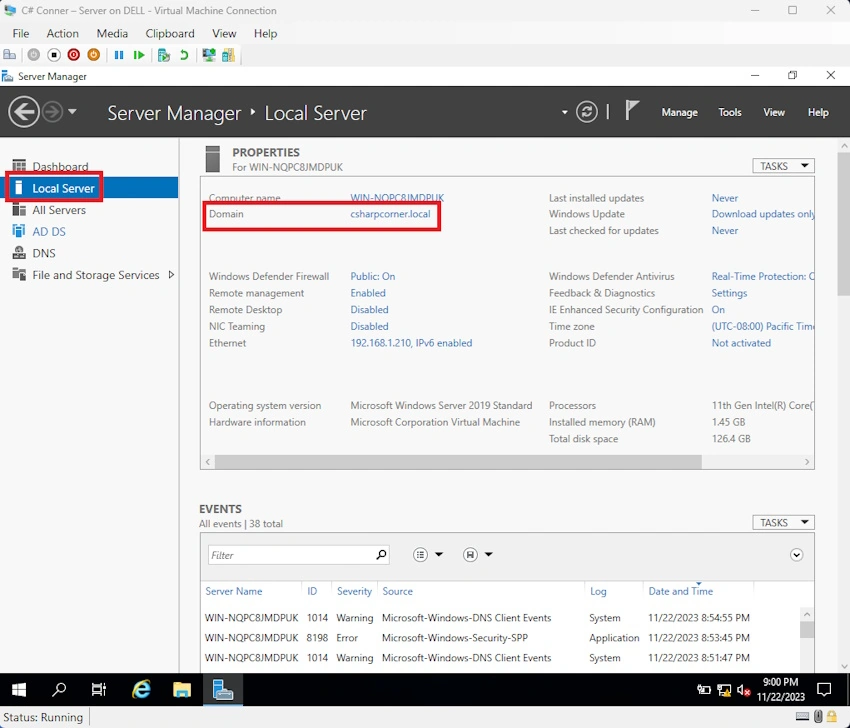
Step 22. After restarting the login, the server, and come to your server manager, click local server. After that, your domain name automatically appears under Domain opinion.
Conclusion
In this article, we all clearly understand how to create an active directory service in a proper method. If there is clarification regarding this topic, feel free to contact me.
Lambotharan SriragavanPosted Dec 1, 2023, 5:33 PM
Mr. Risni provided an exemplary step-by-step guide on creating Active Directory Domain Services in Windows Server. His instructions were clear, detailed, and made the process easily understandable. A commendable resource for anyone seeking a comprehensive understanding of setting up AD DS.