

Introduction
First allow me to say that this is my first article on c-sharpcorner.com.
In the era of smartphones and cloud throne, mobile applications now require not only beautiful interfaces and good quality but also the ability to synchronize data between devices using server-side technologies. If you have a plan to build applications like social apps, financial app.
You should care about technologies helping in building data service as soon as possible.
Currently, there are many technologies in the .NET Framework to help you build services but in this article, we will go into the details of the procedure to create a WCF REST Service that can be used on the mobile app or other client as desktop app, web app.
Create WCF REST service
In the first part we will create a WCF service that returns data in JSON format by 5 steps detailed as follows.
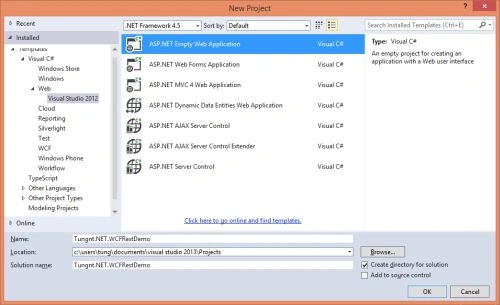
- In Visual Studio 2013 we create a new web project.
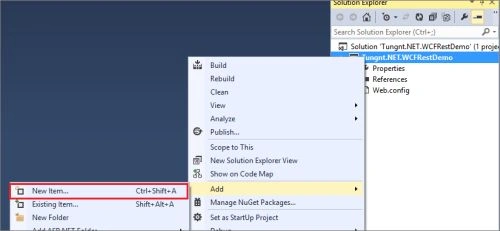
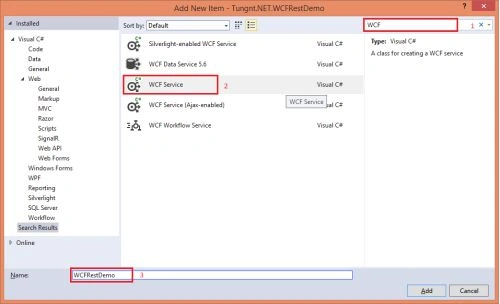
- Then add a new item to the project and select WCF Service Item.
- Delete the default generated code by Visual Studio and add two methods PostMessage, GetMessage as in the following.
- namespace Tungnt.NET.WCFRestDemo
- {
- [ServiceContract]
- public interface IWCFRestDemo
- {
- [OperationContract]
- string GetMessage();
- [OperationContract]
- string PostMessage(string userName);
- }
- }
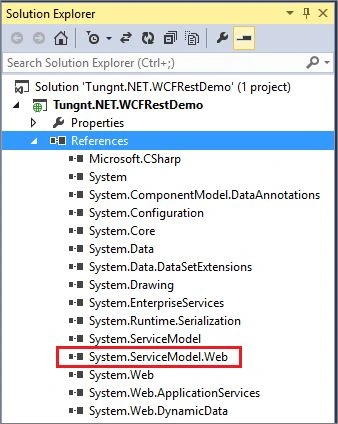
- To use the WCF service as REST return JSON data we need to change the service interface's methods that has attributes to use WebGet (GET data only) or WebInvoke (for GET/POST/PUT/DELETE data) as in the following. (Note: These attributes are members of System.ServiceModel.Web.dll so we need to add this reference before use).
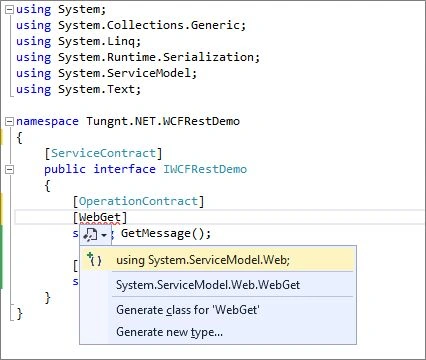
- using System;
- using System.Collections.Generic;
- using System.Linq;
- using System.Runtime.Serialization;
- using System.ServiceModel;
- using System.ServiceModel.Web;
- using System.Text;
- namespace Tungnt.NET.WCFRestDemo
- {
- [ServiceContract]
- public interface IWCFRestDemo
- {
- [OperationContract]
- [WebGet(RequestFormat=WebMessageFormat.Json, ResponseFormat=WebMessageFormat.Json)]
- //Like this: [WebInvoke(Method="GET", RequestFormat = WebMessageFormat.Json, ResponseFormat = WebMessageFormat.Json)]
- string GetMessage();
- [OperationContract]
- [WebInvoke(Method="POST", RequestFormat = WebMessageFormat.Json, ResponseFormat = WebMessageFormat.Json)]
- string PostMessage(string userName);
- }
- }
- In the final step we will implement the interface's functions GetMessage/Post Message as in the following:
- using System;
- using System.Collections.Generic;
- using System.Linq;
- using System.Runtime.Serialization;
- using System.ServiceModel;
- using System.Text;
- namespace Tungnt.NET.WCFRestDemo
- {
- public class WCFRestDemo : IWCFRestDemo
- {
- public string GetMessage()
- {
- return "Welcome to tungnt.net from GetMessage() WCF REST Service";
- }
- public string PostMessage(string userName)
- {
- return string.Format("Welcome {0} to tungnt.net from PostMessage() WCF REST Service", userName);
- }
- }
- }
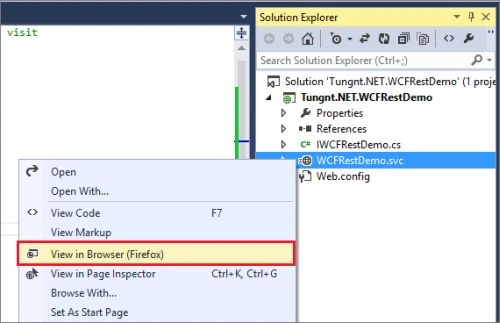
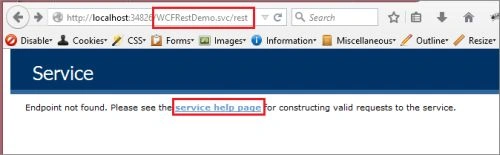
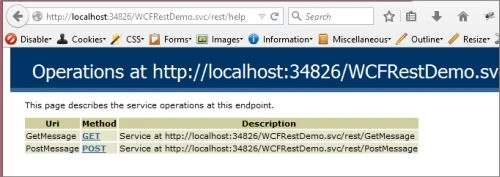
Saurabh RaiPosted May 1, 2016, 3:28 AM
Nice
Anil JainPosted Mar 2, 2016, 12:26 AM
Hello Everyone, A basic question. What is the difference between building a mobile app using Web API and WCF
Kumaresh RajalingamPosted Jan 2, 2016, 1:33 PM
Good One
Mamoon AshrafPosted Jan 1, 2016, 4:20 AM
hi i am beginer and windows phone 8.0 on ultimate vs2013 i am getting the type or namespace could not be found i am trying to call the wcf and also unable to add System.Net.Htpp namespace how to resolve this please..
Ðoàn Van Vi?tPosted Jul 2, 2015, 9:26 AM
Yeah! Thanks Mr. Thanh Tung, I hope you have more useful article to share for everyone...http://www.baithuocquy.com/
Rajendra TaradalePosted Apr 22, 2015, 11:57 PM
Good one nice Explanation
Santhakumar MunuswamyPosted Apr 13, 2015, 3:04 PM
Good work
Tom MohanPosted Mar 19, 2015, 12:30 PM
Good one
Vithal WadjePosted Mar 18, 2015, 2:12 PM
good start keep it up
Jeetendra GundPosted Mar 18, 2015, 7:44 AM
welcome
Syed ShanuPosted Mar 18, 2015, 3:16 AM
Nice and Expecting more good articles like this.
Dinesh BeniwalPosted Mar 18, 2015, 3:11 AM
Thanks for sharing, Welcome to C# Corner.