

How To Delete Record From Database Using Textbox in TypeScript
Note: This program will work only on Internet Explorer.
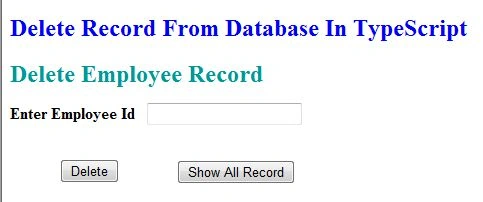
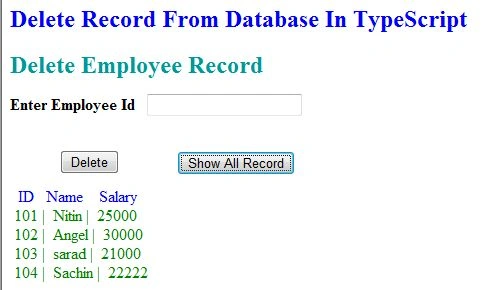
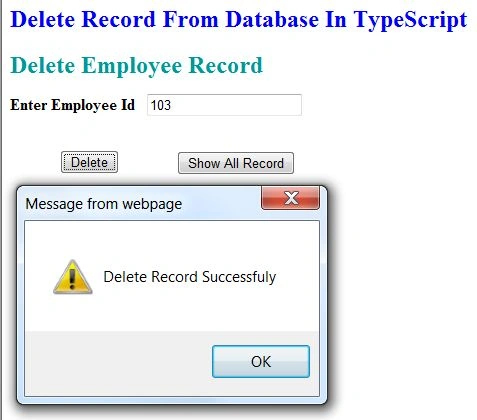
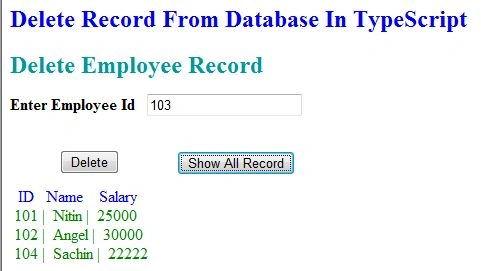
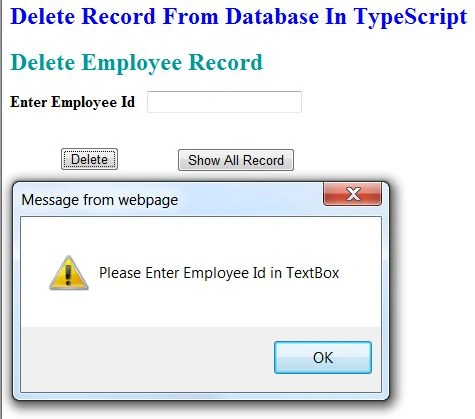
In this article, I will explain how to delete a record from a database using a TextBox in TypeScript.
First, I created a database "EmpSalary_Info". Then I created a table in this database.
Query Code
- CREATE TABLE [dbo].[EmpSalary_Info](
- [id] [int] NULL,
- [name] [varchar](50) NULL,
- [salary] [int] NULL
- ) ON [PRIMARY]
Now insert some data into the "EmpSalary_Info" table. Then use the following procedure.
Complete Program
Delete_Record.ts
- class Delete_record
- {
- ShowAllRecord()
- {
- var connection = new ActiveXObject("ADODB.Connection");
- var connectionstring = "Data Source=.;Initial Catalog=EmpDetail;Persist Security Info=True;User ID=sa;Password=password@123;Provider=SQLOLEDB";
- connection.Open(connectionstring);
- var rs = new ActiveXObject("ADODB.Recordset");
- rs.Open("select * from EmpSalary_Info ", connection);
- rs.MoveFirst();
- var span = document.createElement("span");
- span.style.color = "Blue";
- span.innerText = " ID " + " Name " + " Salary";
- document.body.appendChild(span);
- while (!rs.eof)
- {
- var span = document.createElement("span");
- span.style.color = "green";
- span.innerText = "\n " + rs.fields(0) + " | " + rs.fields(1) + " | " + rs.fields(2);
- document.body.appendChild(span);
- rs.MoveNext();
- }
- rs.close();
- connection.close();
- }
- DeleteRecord()
- {
- var txtid = ( < HTMLTextAreaElement > document.getElementById('txtid')).value;
- if (txtid.length != 0)
- {
- var connection = new ActiveXObject("ADODB.Connection");
- var connectionstring = "Data Source=.;Initial Catalog=EmpDetail;Persist Security Info=True;User ID=sa;Password=password@123;Provider=SQLOLEDB";
- connection.Open(connectionstring);
- var rs = new ActiveXObject("ADODB.Recordset");
- rs.Open("delete from EmpSalary_Info where EmpId=" + txtid, connection);
- alert("Delete Record Successfuly");
- txtid = " ";
- connection.close();
- } else
- {
- alert("Please Enter Employee Id in TextBox");
- }
- }
- }
- window.onload = () =>
- {
- var obj = new Delete_record();
- var bttndelete = document.getElementById("delete");
- var bttnshowall = document.getElementById("showall");
- bttnshowall.onclick = function()
- {
- obj.ShowAllRecord();
- }
- bttndelete.onclick = function()
- {
- obj.DeleteRecord();
- }
- };
Delete_Record_From_Database.aspx
Santhakumar MunuswamyPosted Jul 27, 2015, 2:58 PM
Thanks for nice article:)