

Introduction
A smart contract is a computer program where the parties have consent on predetermined conditions of the agreement. Smart contract stores and self-executes in the blockchain network. It runs when the predefined conditions are met. Smart Contract allows transactions to be made without the need for a middleman and those transactions are irreversible, transparent, and traceable. This article explains the differences between developing a smart contract in .NET 3.1 and .NET 6 as well as demonstrates how we can write a Smart Contract in .NET 6 Framework with an example of contract code.
There are two ways to develop Stratis Smart Contract using C# language:
- Using VS Code
- Using Visual Studio
However, in this article, we will use Visual Studio 2022 to develop the Smart Contract in .NET6. Additionally, we will see the differences in developing the Smart Contract in .NET Core 3.1 and .NET 6. Overall, you will get ideas and differences between Smart Contract coding in .NET Core and .NET 6.
In this article, we will focus on Contract development in .NET 6. To get more details about getting started with Contract development, and deployment with all tools and steps for developers you can refer to previous articles here:
- Smart Contract Development in C# with an Example
- Deploy And Interact with Smart Contract Using Cirrus Core Wallet on Stratis Blockchain
Prerequisites
- Visual Studio 2022
- Knowledge of C#
Smart Contract in .NET Core 3.1
Let’s take an example of the Stratis Hello World Contract code. Below is the code of the Hello World contract in .NET Core. In Blockchain, we store the data in key and value pairs, for that we use C# property getter and setter in Smart Contract code.
using Stratis.SmartContracts;
[Deploy]
public class HelloWorld: SmartContract {
    private string Greeting {
        get {
            return this.PersistentState.GetString("Greeting");
        }
        set {
            this.PersistentState.SetString("Greeting", value);
        }
    }
    public HelloWorld(ISmartContractState smartContractState): base(smartContractState) {
        this.Greeting = "Hello World!";
    }
    public string SayHello() {
        return this.Greeting;
    }
}
In .NET Core, we can use PersistentState to store the key-value pair. The above code validates and compiles successfully without any error or warning when we use .NET Core framework.
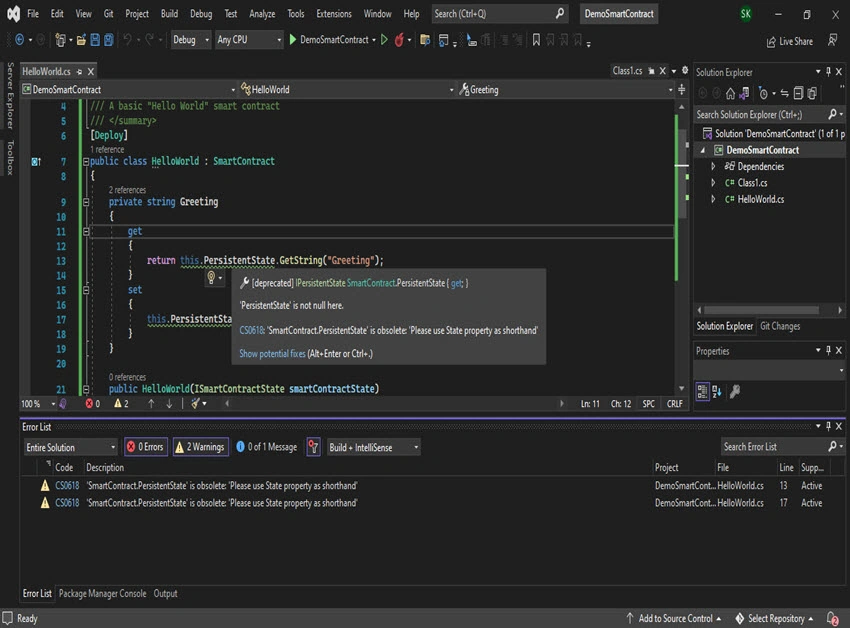
However, in .NET 6 PersistentState is obsolete. Where we must use State property. If you write the same Hello World Code in .NET 6 framework you will get the below warnings.
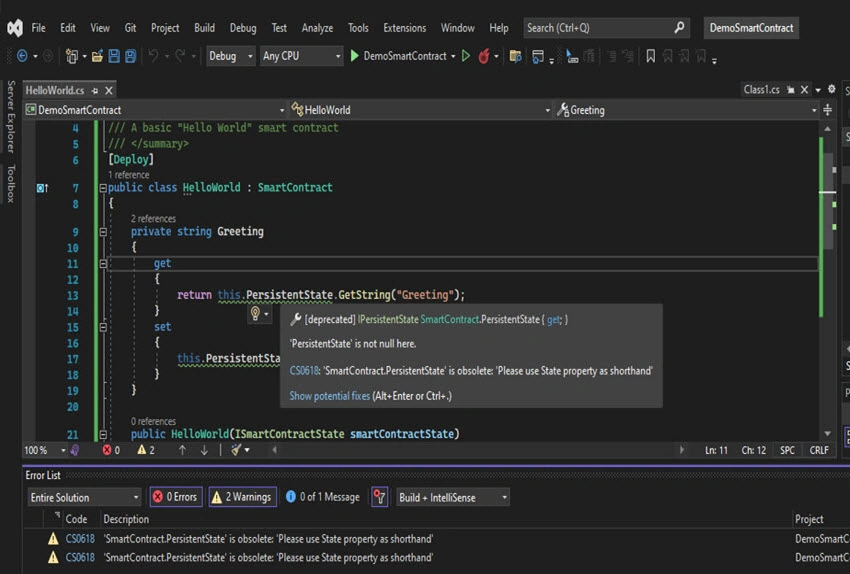
Additionally, even if you ignore and try to validate and compile the code using the Stratis Smart Contract tool, it will not be able to compile the code and you will get a compilation error as depicted below.
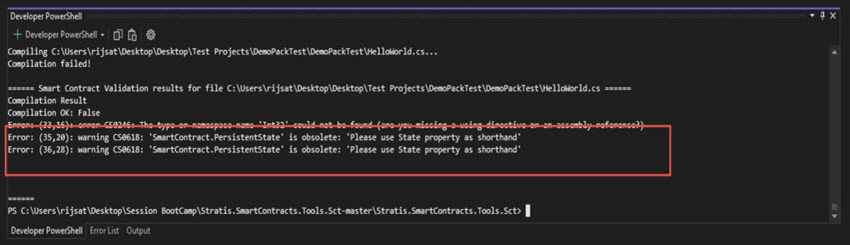
Note that, once the Smart contract code is ready, we need to validate and then compile it to the byte code and that generated byte code must be deployed on the blockchain.
Smart Contract Tool: The smart contract tool is powered by the Stratis platform which is used to validate and generate the byte code of the Smart contract. Smart Contract Tool (Sct) is used to validate for determinism and format of the contract as well as compile the Contract code. Smart Contract tool is a command line tool and it is also written in C#. You can download the Sct tool from here.
Now, let’s move to Smart Contract Development in .NET6
Getting Started with Smart Contract in .NET 6
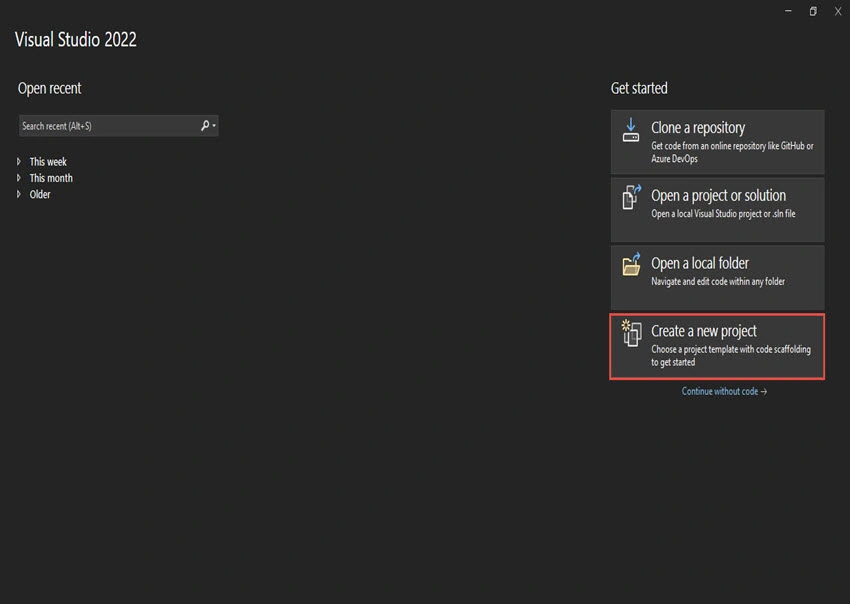
Step 1
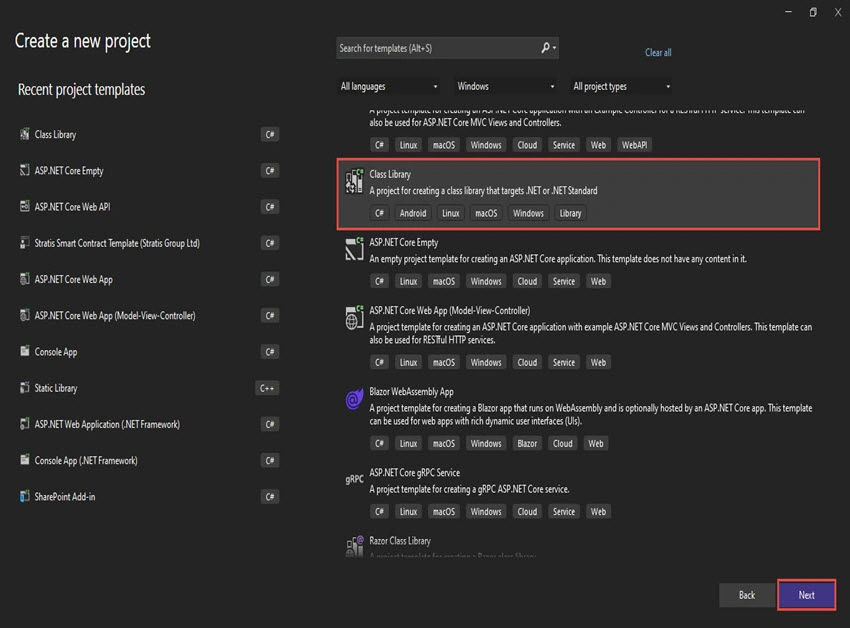
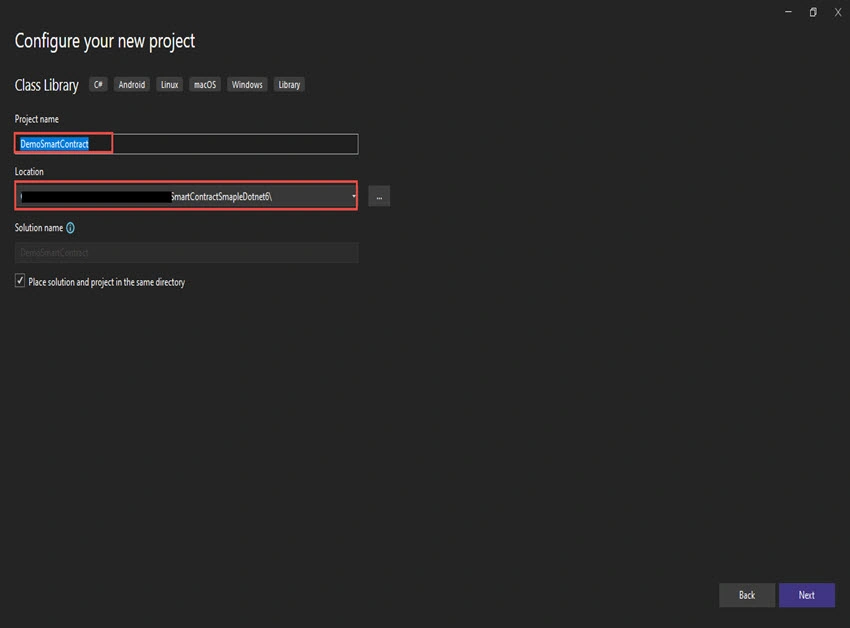
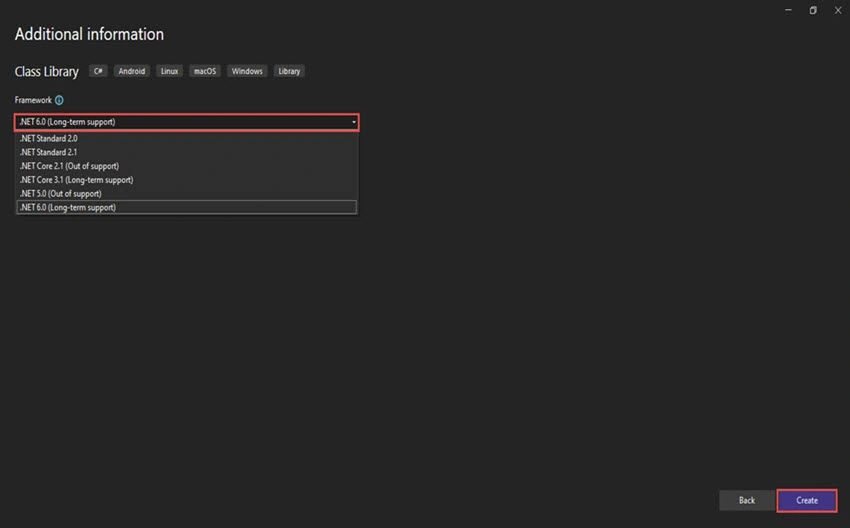
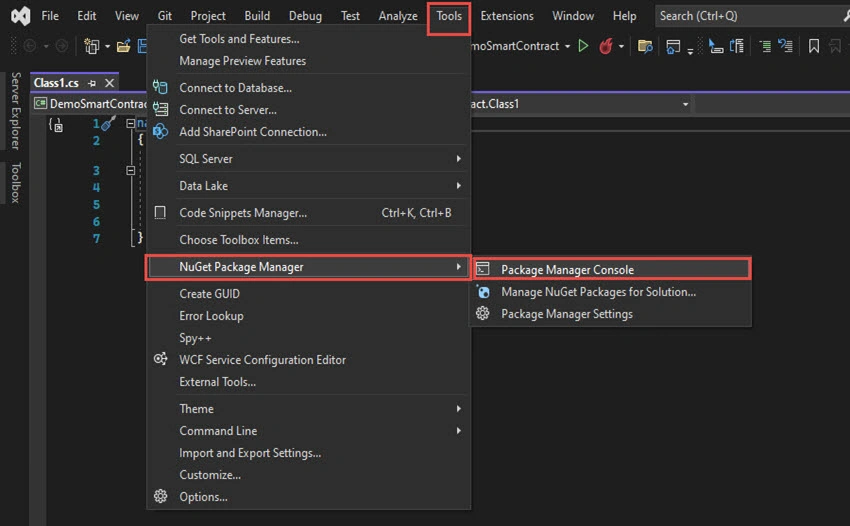
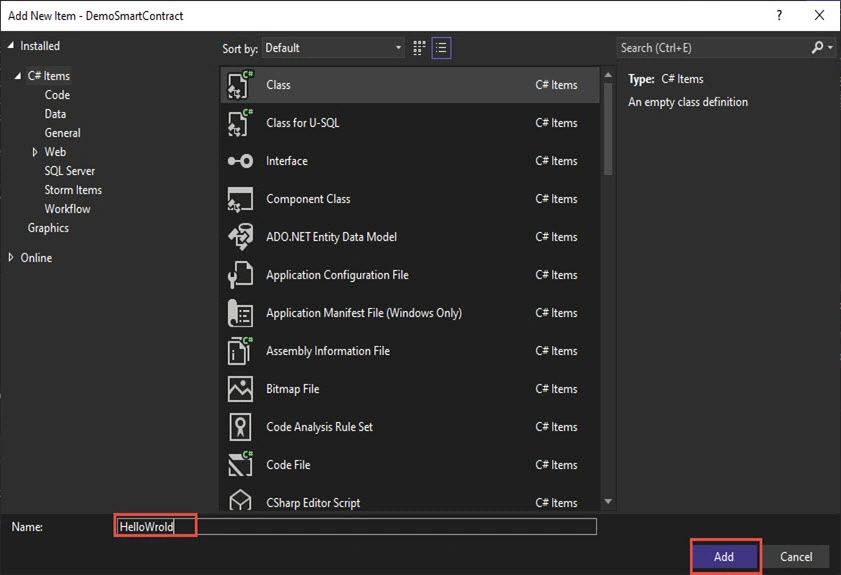
Open Visual Studio and click on create a new project.
Join the conversation! Your thoughts help the community grow.