

Introduction
In this article, I'll show you how to find a LinkedIn professional’s email ID in Microsoft Edge to apply for a job and connect with the best profiles using the proper and easiest method.
Finding a LinkedIn professional's email address can offer several benefits, primarily centered around enabling more direct and personalized communication.
- Direct Outreach: Email allows for direct communication outside the LinkedIn platform, which can be particularly useful for those who may not check their LinkedIn messages regularly. & This can be essential for sales professionals, recruiters, and those seeking to network.
- Personalized Communication: Having an email address enables you to craft highly personalized messages, which can increase the likelihood of a response. & This personalization can be crucial for building strong professional relationships.
- Lead Generation and Sales: For sales teams, access to email addresses is vital for lead generation and outreach. & It allows for targeted email campaigns and follow-ups.
- Recruitment: Recruiters can use email to contact potential candidates directly, especially passive job seekers who may not be actively searching on LinkedIn.
- Networking and Relationship Building: Email provides a more traditional and often preferred method of communication for many professionals. & It can facilitate more in-depth conversations and relationship building.
Note. It is important to remember that when gathering and utilizing email addresses, always remain respectful of people’s privacy and follow all relevant data privacy laws.
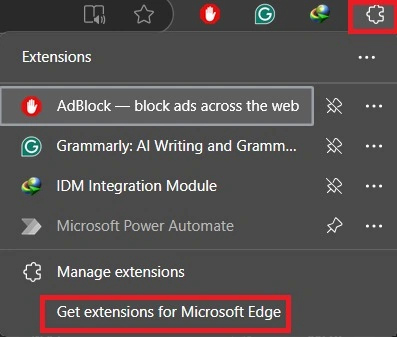
Step 1. On your browser, click get extensions for Microsoft edge.
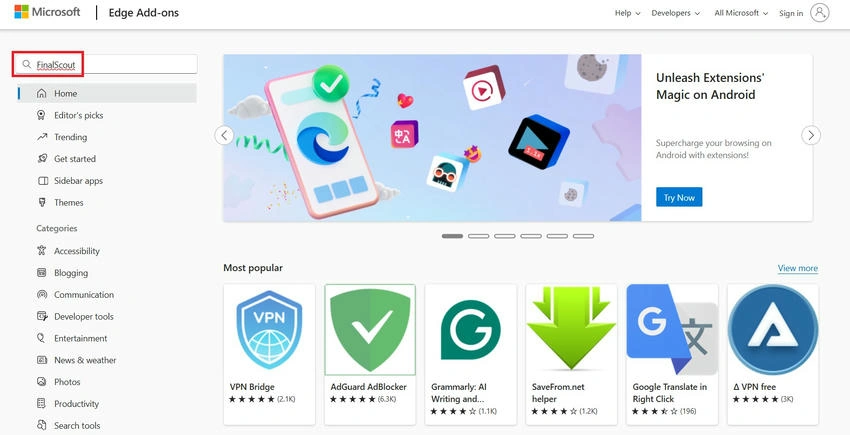
Step 2. Click the search bar and type final scout and hit enter.
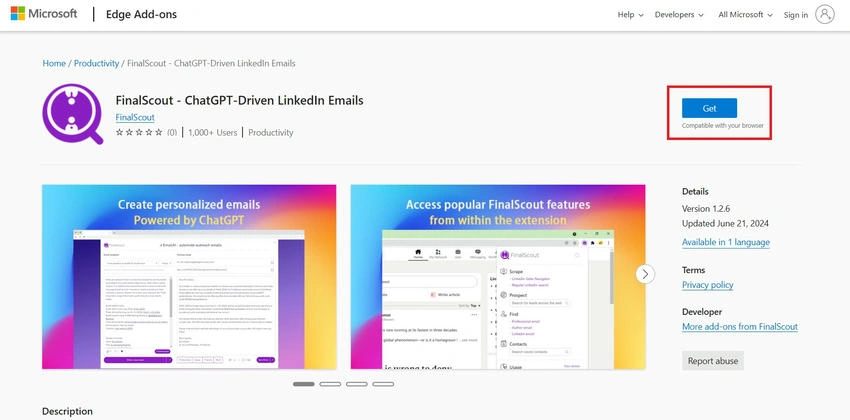
Step 3. Click get.
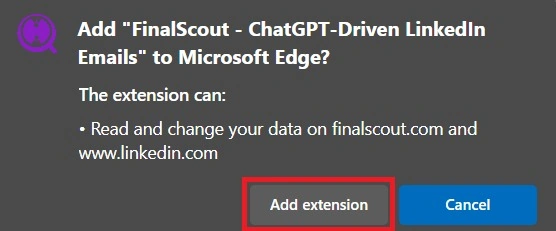
Step 4. After clicking extensions.
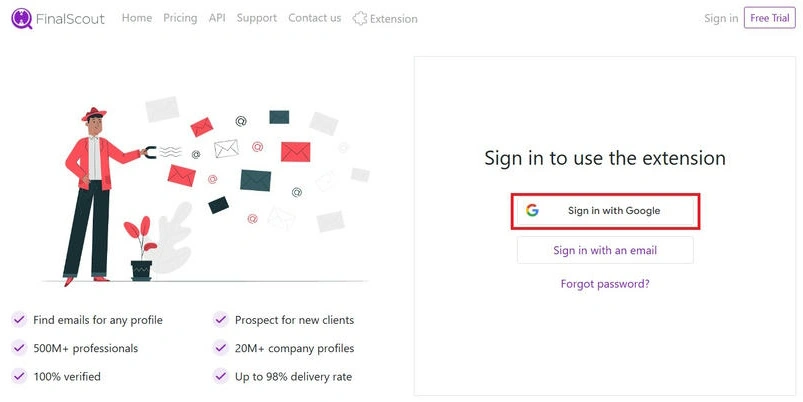
Step 5. Sign up for your account using your Gmail account.
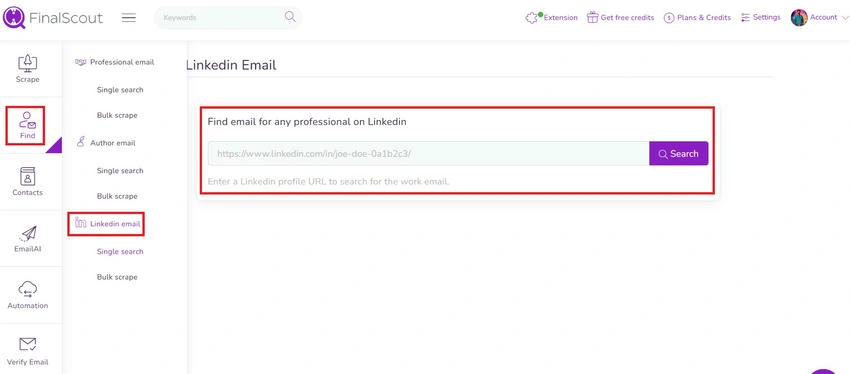
Step 6. Here, I searched LinkedIn for the official email, so click find and after click LinkedIn email, then you can past your LinkedIn professional profile like and get the email id.
Conclusion
We all clearly understand how to find a LinkedIn professional’s email ID in Microsoft Edge for applying to a job and making a connection with the best profiles using the proper and easiest method. If you need clarification regarding this topic, feel free to contact me.
Join the conversation! Your thoughts help the community grow.