

Introduction
When working with Dataverse (formerly known as Common Data Service), we encounter the usage of choice options. These options, however, are stored as numerical values in Dataverse, and often, users need to retrieve the corresponding text values for these choices. This article explains how to retrieve the text value from a Choice field in Dataverse using Power Automate.
1. Set Up Your Dataverse Table and Choice Field
Before proceeding with Power Automate, ensure that your Dataverse environment contains a table with a choice field.
Example
- Table Name: Sales Order
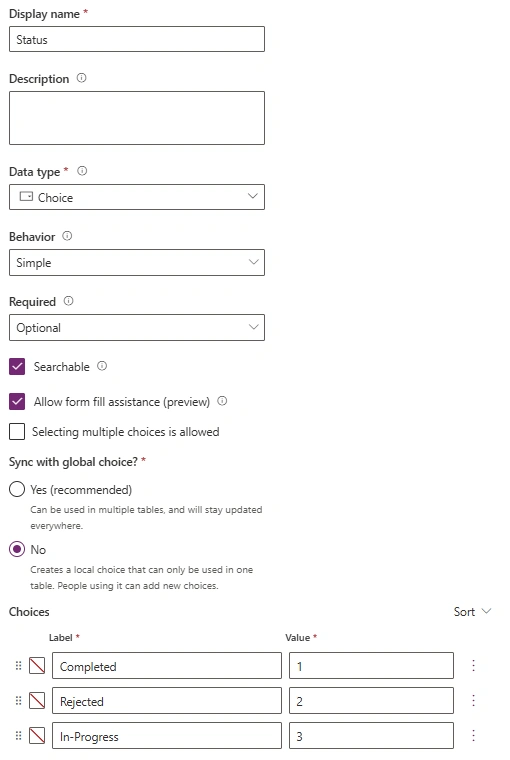
- Choice Column: Status ( Completed/ InProgress/ Rejected with numeric values 1,2,3 as shown below)
2. Create a Flow in Power Automate
Next, create a new flow in Power Automate:
- Choose Automated Flow if you want the flow to trigger based on an event, such as when a row is created or modified.
- Alternatively, choose Instant Flow if you wish to manually trigger the flow.

3. Add the 'Get a Row' Action
Once your flow is created, the next step is to retrieve the row from Dataverse. To do this:
- Add the Get a row by ID action from the Dataverse connector.
- Specify the Table Name, and the Row ID (the record from which you want to retrieve the data).
Upon successful execution, this action will return the row's details, including the Choice field, which will be represented as a numeric value.

4. Add the 'Compose' Action to Retrieve the Choice Text
Now that you’ve retrieved the row, you need to convert the numeric Choice value into its corresponding text label. To do this, you can use the Compose action along with a formula that retrieves the formatted text value.
In the Compose action, use the following expression:
outputs('Get_a_row_by_ID')?['body/[email protected]']
- Get_a_row_by_ID: Refers to the Get a row by ID action you just added.
- new_status: Replace this with the logical name of your Choice field.
- @OData.Community.Display.V1.FormattedValue: This OData property fetches the human-readable text value of the Choice field.
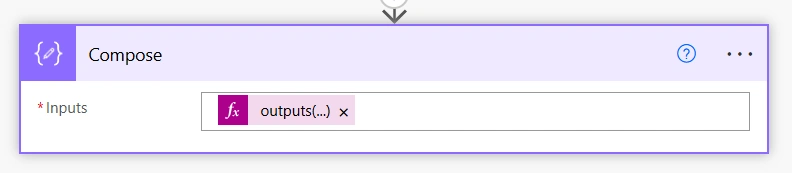
Output of Compose action can be in subsequent actions within the flow.
Summary
Retrieving the text value from a Choice field in Dataverse using Power Automate is a simple process that involves using the correct expression.
Join the conversation! Your thoughts help the community grow.