

Introduction
This article describes how to implement PHP code in the Netbeans IDE.
What is PHP
- The full form of PHP is Hypertext Preproceesor,
- It is an open source scripting language and it is currently widely used.
- The code or scripts of the language are executed on the server.
What is a PHP File
- The default extension of a PHP file is ".php".
- PHP code basically runs on the server and it returns output to the browser in the form of plain HTML text.
Features of PHP
- It allows the feature of sending and receiving cookies.
- It can create dynamic web page content.
- It can add, delete and modify data in database.
- It can run on various platforms.
- It supports a wide range of databases.
- It is compatible with nearly all servers that are currently used.
Example
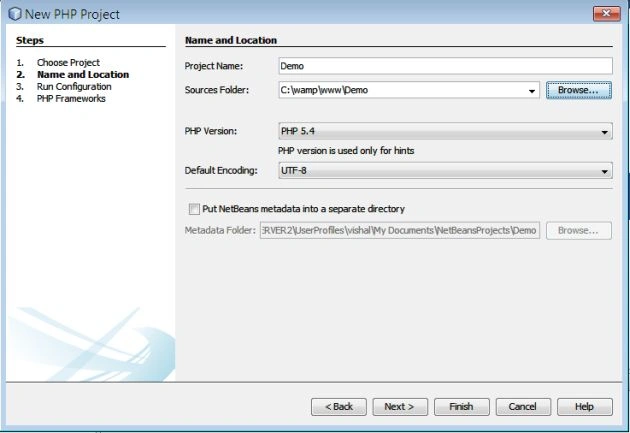
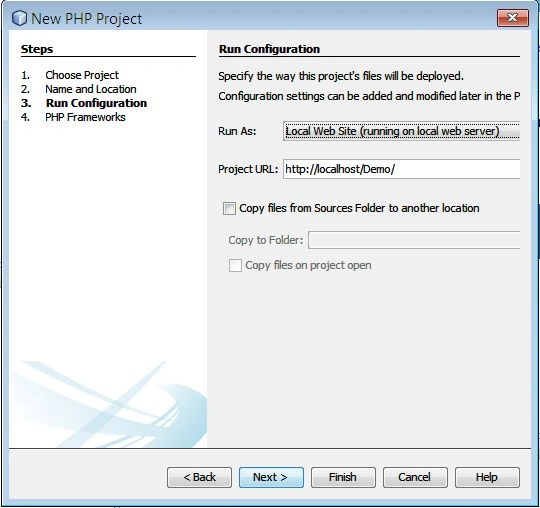
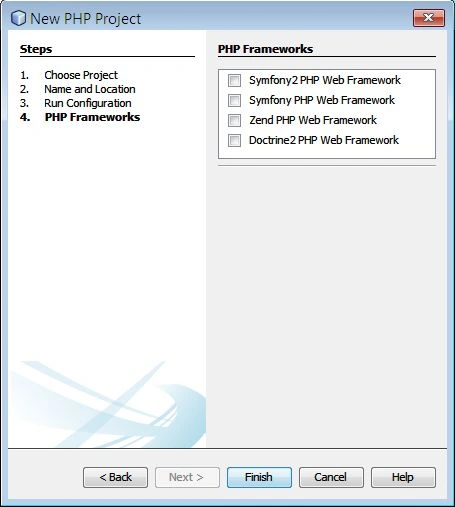
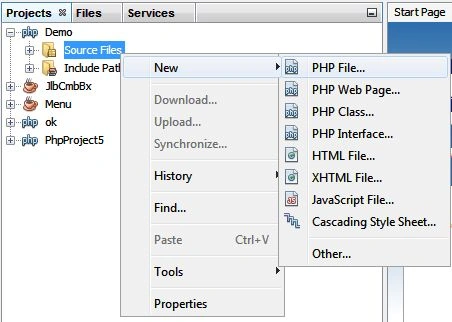
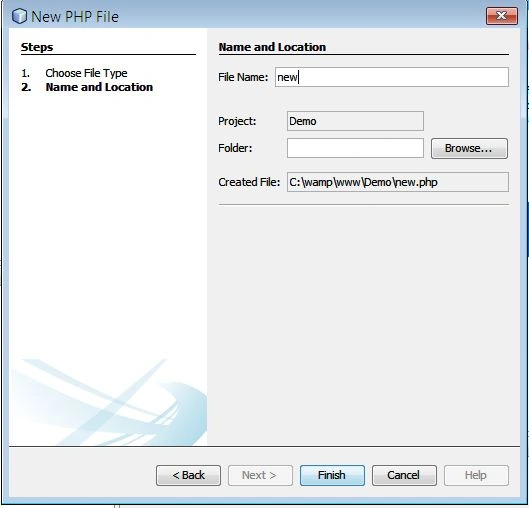
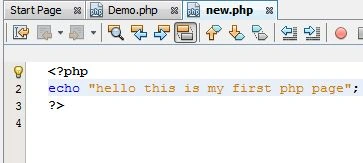
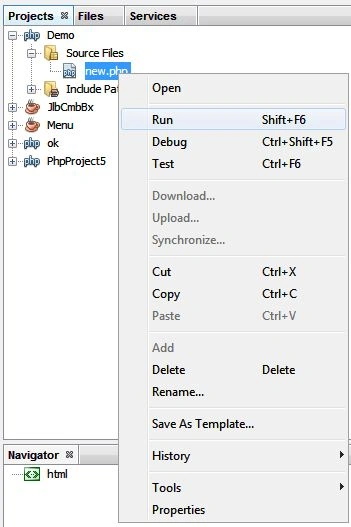
In this example; we show how to use PHP code in the Netbeans IDE. There are certain steps in the Netbeans IDE that we need to follow as explained below.
Step 1
Open the Netbeans IDE.
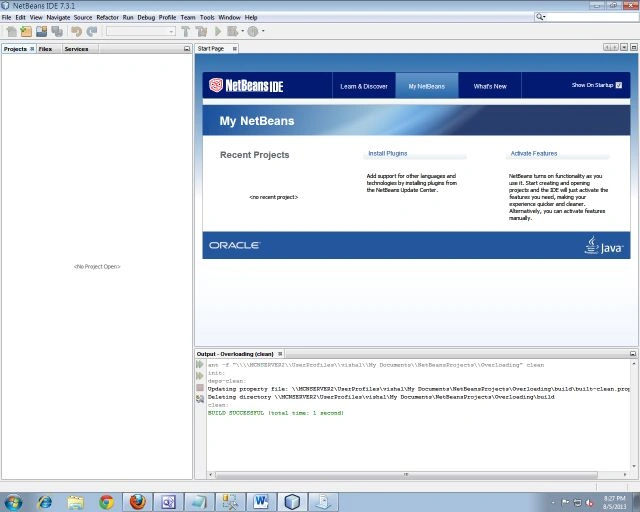
Step 2
Click on "File" from the Menu bar as in the following:
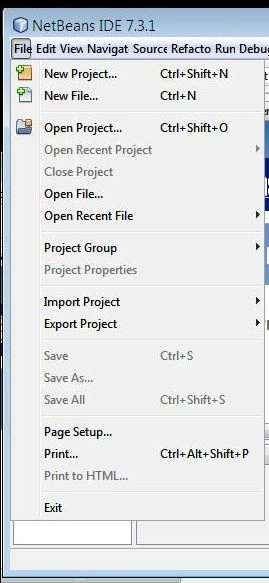
Step 3
Click on "New Project" as in the following:
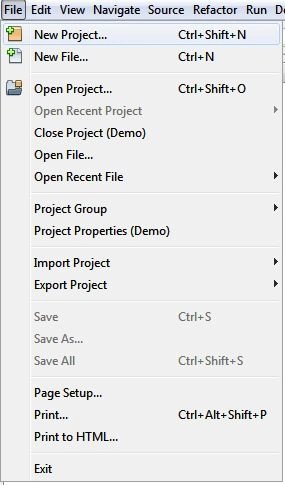
Step 4
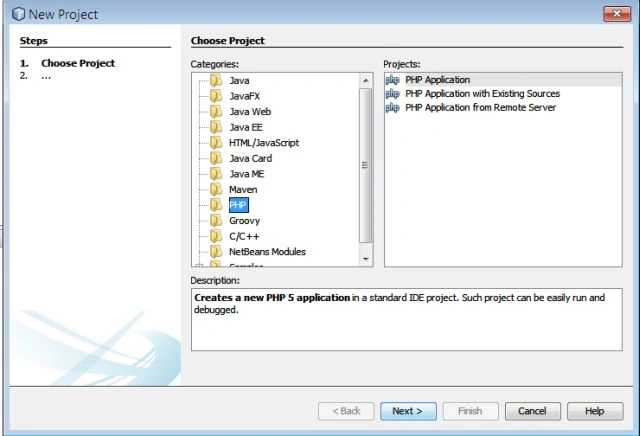
Select "PHP" and "PHP application" as in the following:
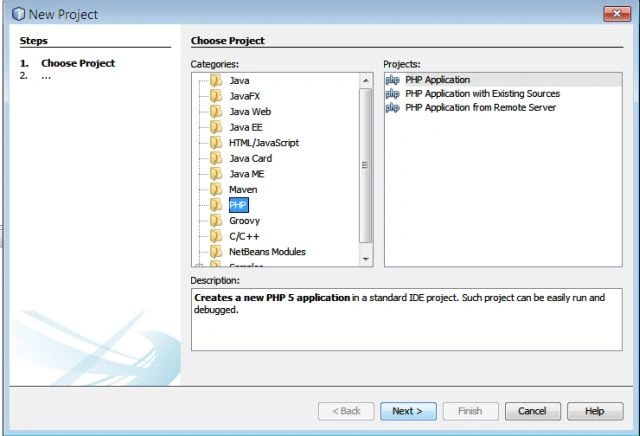
Vishal ChaturvediPosted Aug 19, 2013, 2:42 AM
thanks.....
Vinod KumarPosted Aug 19, 2013, 12:17 AM
Nice! one article.....