

Why Use a Custom AMI?
When launching an EC2 instance, you usually start with a basic Amazon Machine Image (AMI), which is like a template. However, setting up a new server each time can be time-consuming if you need to,
- Install the same software (Apache, Node.js, MySQL, etc.).
- Configure system settings, users, and security.
- Set up applications repeatedly for multiple instances.
To save time, AWS allows you to create a custom AMI with all your required configurations. This means whenever you launch a new instance, it already includes everything you need, making deployments faster and easier.
Step 1. Launch an EC2 Instance.
- Log in to AWS Console and go to EC2 Dashboard.
- Click Launch Instance, and Choose an Ubuntu AMI.
- Select Instance Type (e.g., t2.micro for free tier).
- Configure Security Group Allow SSH (port 22) and HTTP (port 80).
- Click Launch Instance and connect via SSH.
ssh -i your-key.pem ubuntu@your-instance-ip
Step 2. Install and Configure Software.
Update the System & Install Apache Web Server.
sudo apt update && sudo apt upgrade -y
sudo apt install -y apache2
sudo systemctl enable apache2
sudo systemctl start apache2
Check Apache is Running.
sudo systemctl status apache2
Test in Browser.
http://your-ec2-public-ip
You should see the Apache default page.
Step 3. Create a Custom AMI.
- Go to EC2 Dashboard, and select the running instance.
- Click Actions Image and Templates, Create Image.

- Enter a Name & Description Click Create Image.
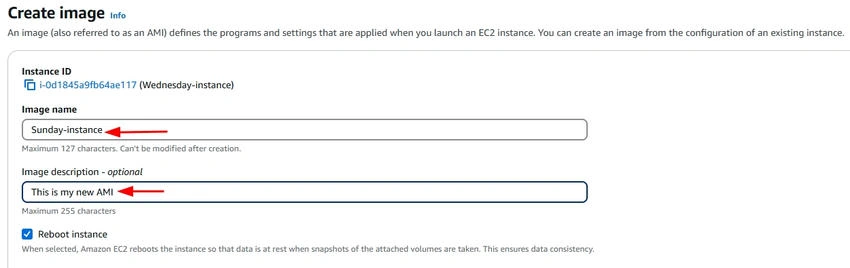
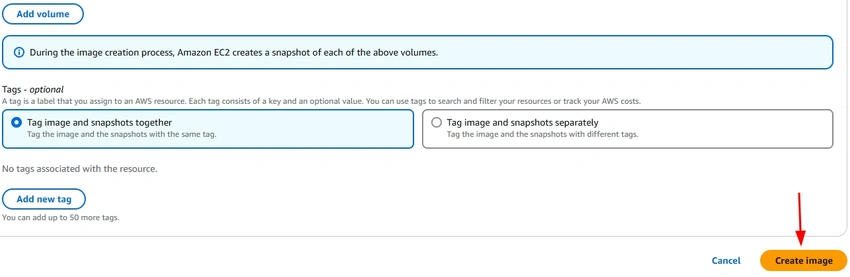
- The AMI creation will take a few minutes.
Now, your custom AMI is saved and can be used anytime.
Step 4. Launch a New Instance from the Custom AMI.
- Go to EC2 Console and click Launch Instance.

- Click My AMIs Select the AMI you created.

- Now confirm the changes.
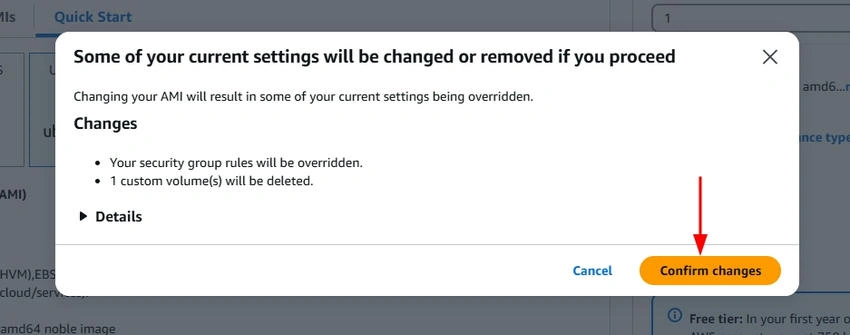
- Choose Instance Type, Security Group, and Key Pair.
- Click Launch and connect via SSH.
- Check if Apache is Pre-installed.
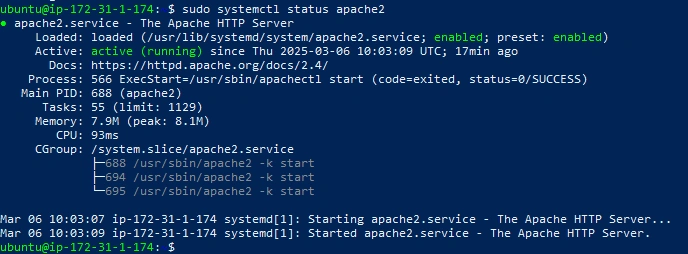
If it's running, your custom AMI works perfectly.
Conclusion
Using a custom AMI saves time and effort because every new EC2 instance you launch already includes all the software and settings you configured earlier.
- Instead of setting up everything manually each time, you can launch pre-configured instances in minutes.
- This is especially useful for scaling applications, testing environments, and creating backups.
Join the conversation! Your thoughts help the community grow.