

Part 1 - Manual testing with Fiddler
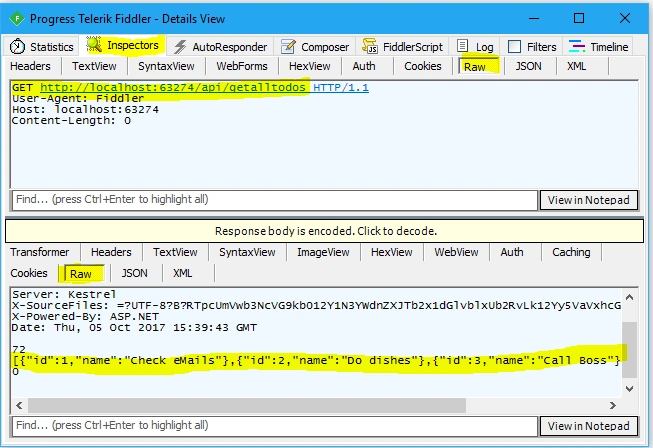
If you are a developer, tester, or manager, sometimes understanding the various methods of API can be a challenge when building and consuming the application.
Generating good documentation and help pages for your Web API, using Fiddler with .NET is as easy as making some HTTP calls.
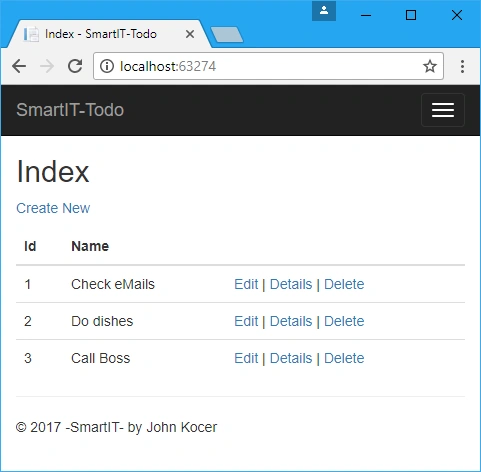
Let’s start by downloading simple To-do projects from GitHub.
Download and run the below TodoMvcSolution from the below link.
Download Fiddler
Fiddler is one of the best tools for analyzing and testing network traffic including Web API calls.
You can download and install Fiddler from the below website.
Here are the APIs we want to test; Get, Post, Put, and Delete for this application.
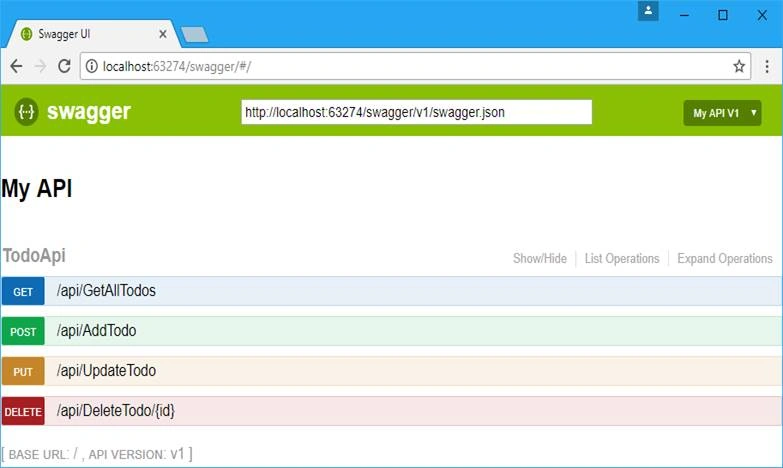
Here are the Web APIs we want to test.
// Copyright 2017 (c) SmartIT. All rights reserved.
// By John Kocer
// This file is for Swagger test, this application does not use this file

using System.Collections.Generic;
using Microsoft.AspNetCore.Mvc;
using SmartIT.Employee.MockDB;

namespace TodoAngular.Ui.Controllers
{
    [Produces("application/json")]
    [Route("api/Todo")]
    public class TodoApiController : Controller
    {
        TodoRepository _todoRepository = new TodoRepository();

        [Route("~/api/GetAllTodos")]
        [HttpGet]
        public IEnumerable<SmartIT.Employee.MockDB.Todo> GetAllTodos()
        {
            return _todoRepository.GetAll();
        }

        [Route("~/api/AddTodo")]
        [HttpPost]
        public SmartIT.Employee.MockDB.Todo AddTodo([FromBody]SmartIT.Employee.MockDB.Todo item)
        {
            return _todoRepository.Add(item);
        }

        [Route("~/api/UpdateTodo")]
        [HttpPut]
        public SmartIT.Employee.MockDB.Todo UpdateTodo([FromBody]SmartIT.Employee.MockDB.Todo item)
        {
            return  _todoRepository.Update(item);
        }

        [Route("~/api/DeleteTodo/{id}")]
        [HttpDelete]
        public void Delete(int id)
        {
            var findTodo = _todoRepository.FindById(id);
            if (findTodo != null)
                _todoRepository.Delete(findTodo);
        }
    }
}
Note
Your local port number may be different than ours use your local port number.
- http://localhost:63274/api/GetAllTodos // GET
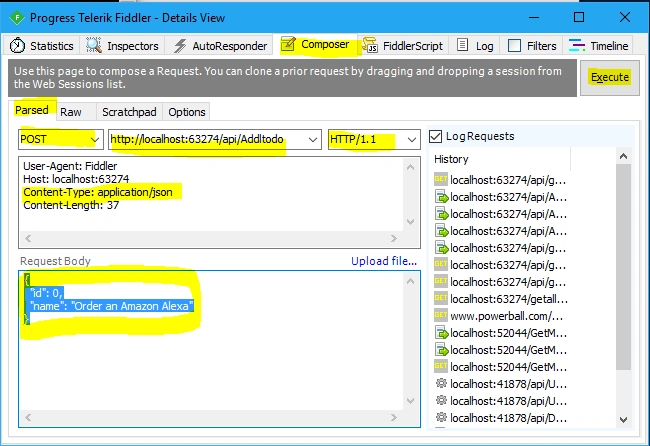
- http://localhost:63274/api/AddTodo //POST
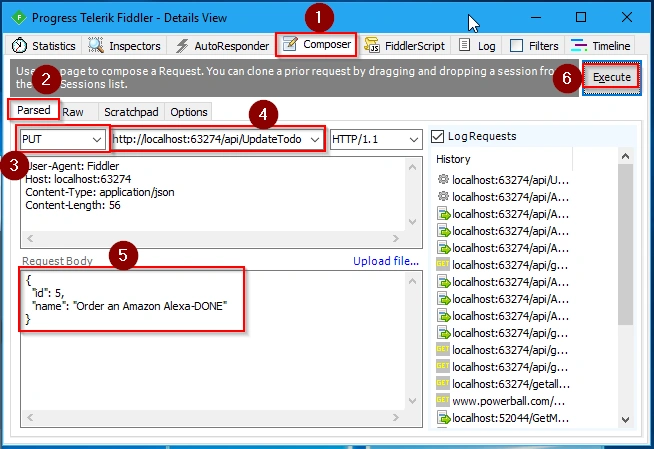
- http://localhost:63274/api/UpdateTodo //PUT
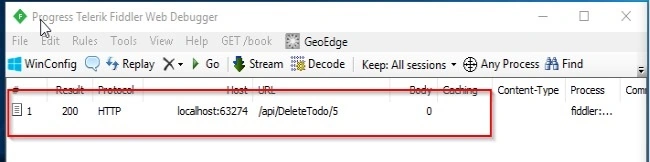
- http://localhost:63274/api/DeleteTodo/5 // DELETE
Testing GET with Fiddler
- Testing GET is very easy.
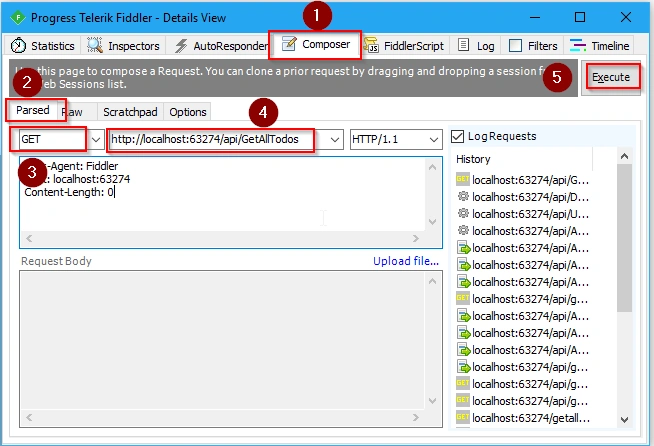
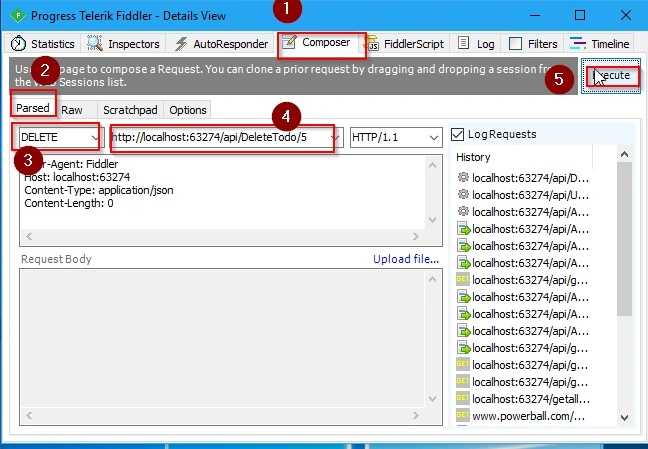
- First, we need to click the Composer tab on the Fiddler app.
- Next, select a Parsed tab below the Execute line.
- Then, set Http Action from the dropdown list as GET.
- Then, we need to type or paste it into the API URL box(http://localhost:63274/api/GetAllTodos).
- Then, click Execute.
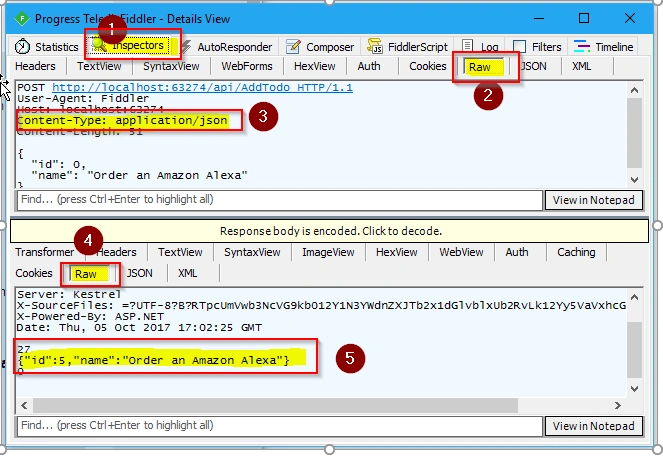
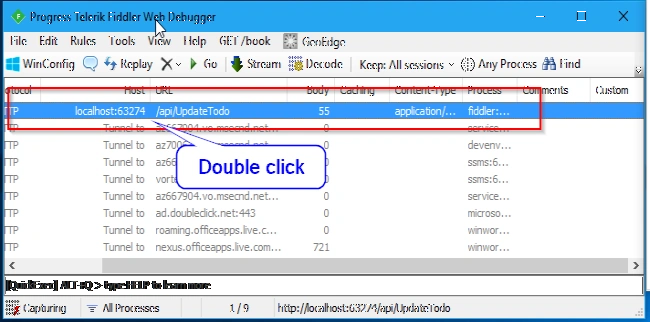
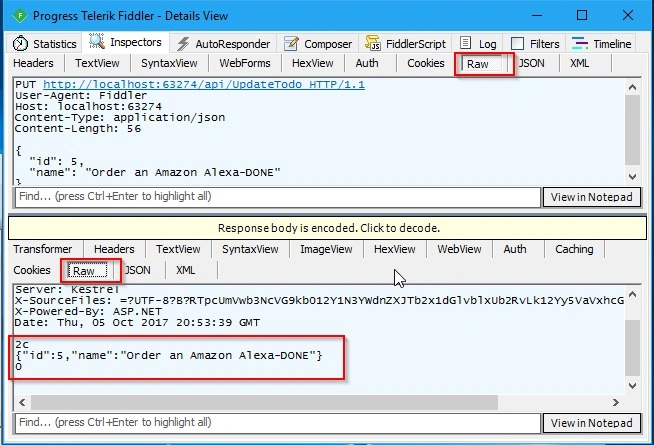
To see the resold version, we need to double-click our API link on the Progress Telerik Fiddler Web Debugger window.
If the GET is successful, we see the status: 200 OK.
Manas MohapatraPosted Oct 12, 2017, 1:05 AM
Good information about how to use Fiddler plugin...