

Introduction
In today’s cloud computing world, AWS Lambda and Amazon SQS (Simple Queue Service) are powerful services for building scalable applications. Lambda allows you to run code without managing servers, while SQS acts as a reliable message queue that stores messages until they are processed. When combined, they create an automated system where Lambda functions are triggered by messages in an SQS queue.
Step 1. Create an SQS Queue.
First, log in to your AWS Management Console, and search for SQS.
Create a Queue
- Click on Create Queue.
- Select Standard Queue (this is the free-tier option).
- Give your queue a name, like MyEventQueue.
- Leave other settings as default.
- Click Create Queue.
Now you have a queue that will store messages to be processed by Lambda.
Step 2. Set Up a Lambda Function.
- Click on the Create function.
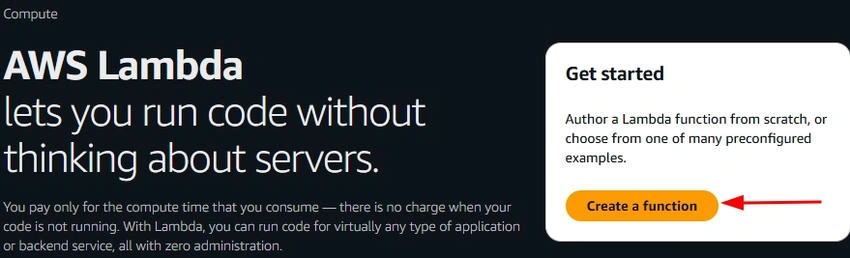
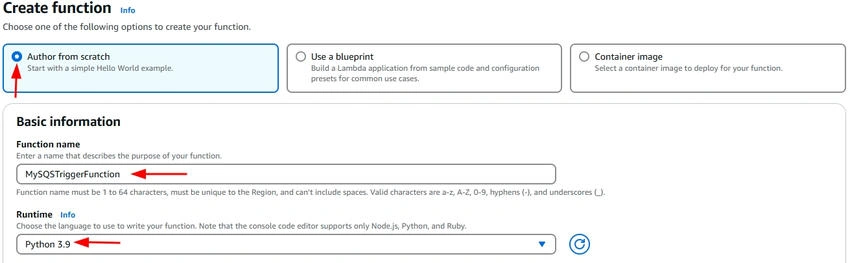
- Select the Author from scratch.
- Give your function a name, like MySQSTriggerFunction.
- Choose a runtime, such as Python 3.9.
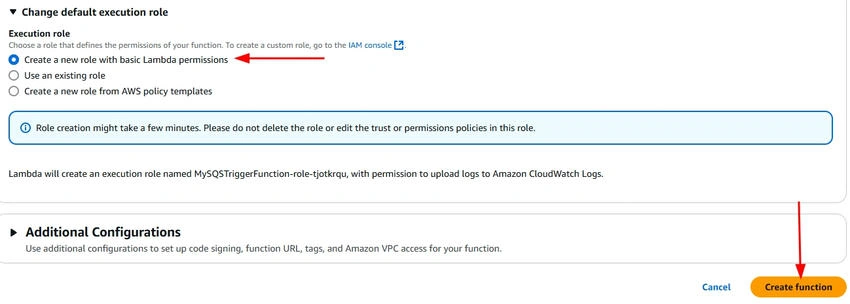
- For permissions, choose Create a new role with basic Lambda permissions.
- Click the Create function.
Your Lambda function is now set up and ready to be triggered by the SQS queue.
Step 3. Set Lambda to Trigger from SQS.
Add SQS as a Trigger
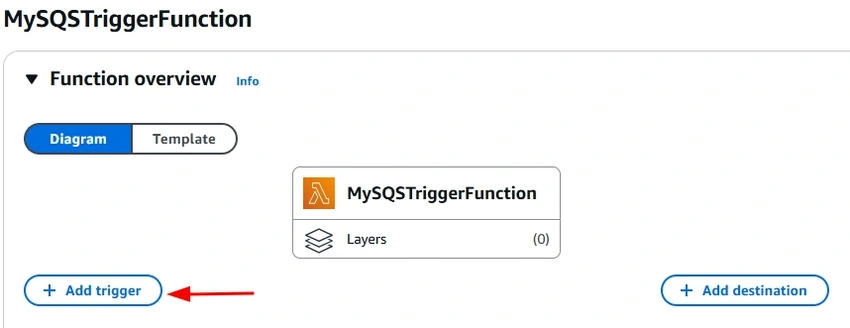
- On your Lambda function page, scroll down to the Function Overview section.
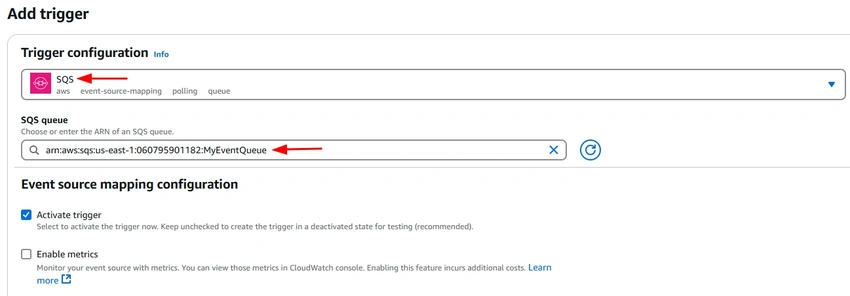
- Click on Add trigger.
- Select SQS from the options.
- Choose the SQS queue you created earlier (MyEventQueue).
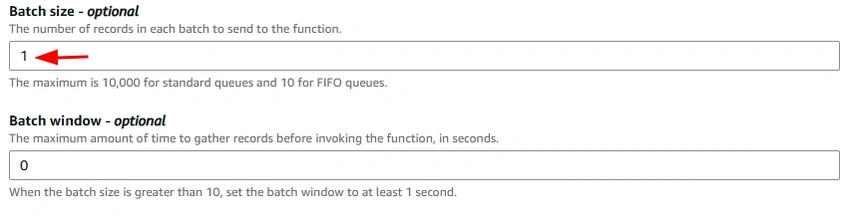
- Set the Batch size to 1 (this means Lambda will process one message at a time, ensuring messages are handled individually).
- Click Add.

Now, Lambda is connected to your SQS queue and will run whenever a new message is added to the queue.
Step 4. Give Lambda Permission to Access SQS.
- Go to the IAM Console and search for Roles.
- Attach Permission
- Find the role Lambda is using (usually named lambda-role).
- Click on Attach policies.
- Search for AmazonSQSFullAccess and check the box next to it.
- Click Attach policy.
Now, your Lambda function has permission to interact with SQS.
Step 5. Write Lambda Code to Process Messages.
Add Code to Your Lambda Function
Scroll down to the Function code section. You can use a simple Python script like this.
import json

def lambda_handler(event, context):
    for record in event['Records']:
        print(f"Processing message: {record['body']}")
        # Add any processing logic here (e.g., save to database)
    return {
        'statusCode': 200,
        'body': json.dumps('Message processed successfully')
    }
This code will print the message body to the logs whenever it is triggered.
Step 6. Test the Integration.
- Send a Test Message to SQS
- Go to your SQS Queue (MyEventQueue).
- Click on Send a message.
- Type a message in the body (e.g., {"message": "Hello Lambda!"}).
- Click Send Message.
- Check Lambda Logs
- Go back to your Lambda Console.
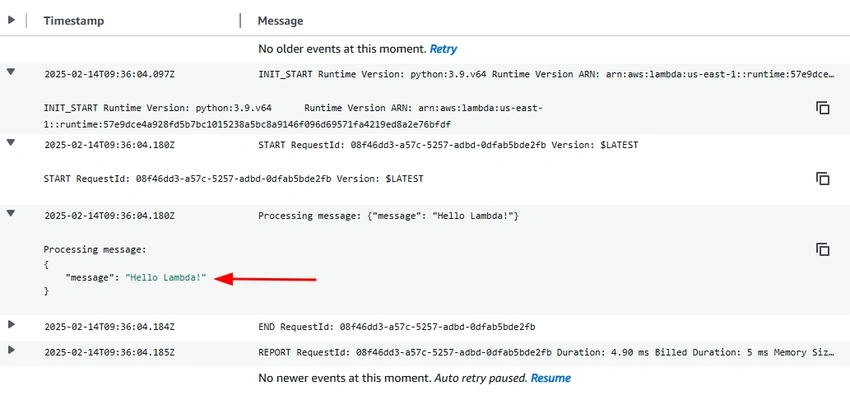
- Click on Monitor and then View logs in CloudWatch.

- In the Cloudwatch just scroll down and you will see log streams just click on a recent log.

- View the processed message. Hello Lambda.
Conclusion
By connecting AWS Lambda with Amazon SQS, you’ve set up an automated system where Lambda functions process messages from the queue without needing to manage servers. This integration makes your application more scalable and efficient, allowing you to focus on the logic while AWS handles the heavy lifting. With just a few steps, you’ve created a powerful, event-driven architecture that can handle tasks like real-time data processing and asynchronous workflows.
Join the conversation! Your thoughts help the community grow.