

Introduction
Django is a Python Web framework that is used for web development. It works on MVT design pattern. MVT stands for Model view template and at the same time we are going to know that Tailwind CSS which is the first CSS framework for developing rapid custom UI.
Features
- Django is an open-source framework
- Django allows the user to reuse their code again and again
- Django provides an inbuild CMS
- Django helps developers to develop websites faster
- Tailwind is an open-source framework
- Tailwind CSS supports all first-party plugins
- You don’t have to write your code inside your CSS file you have to mention the class inside the HTML tags while using Tailwind CSS
How to use it?
So first we are going to start a project in Django.
We are going to use Visual Studio Code for our work.
We can also use the terminal to set up our project and we have to write all these commands inside a terminal of visual studio code or in windows command Prompt.
Step 1
pip install django
In this project, we are installing Django in our System.
Step 2
django-admin startproject Tailwind
Now we have started our project so now we are going to enter inside the folder Tailwind made by Django.
Step 3
cd Tailwind
We moved to our folder and now we are going to start our first app.
Step 4
py manage.py runserver
Now we can see that our server run’s successfully.
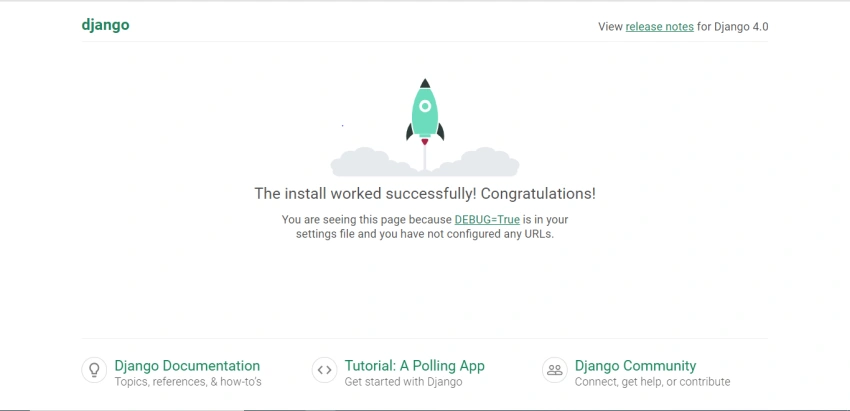
So congratulations on running your first Django project.
Now we are going to create our first app.
Step 5
py manage.py startapp harsh
In this line of code, I have started my first app in which you can see files,
- Init.py
- Apps.py
- Models.py
- Views.py
- Test.py
- Admin.py
And we are going to make a new file inside the app with the name urls.py.
Inside the urls.py we are going to write all this.
from django.contrib import admin
from django.urls import path,include
urlpatterns = [
    path('',views.index,name='index'),
]
And we also have to include this APP urls.py into project urls.py like this.
from django.contrib import admin
from django.urls import path,include
urlpatterns = [
    path('admin/', admin.site.urls),
    path('', include('harsh.urls')),
]
After this we are going to add a new folder with the name template and inside the Template we have to create a new folder with the name of our app in my case it is harsh.
Now we have to make a new folder with our project with the name of Static inside which we are going to take our all Static files like CSS and JS.
Step 6
Inside our Project Tailwind go to file Settings.py.
Add our app inside the installed app like this.
INSTALLED_APPS = [
    'django.contrib.admin',
    'django.contrib.auth',
    'django.contrib.contenttypes',
    'django.contrib.sessions',
    'django.contrib.messages',
    'django.contrib.staticfiles',
    'harsh',
]
In this step we have installed our app with all the predefined apps.
We are also adding our templates inside the settings.
TEMPLATES = [
    {
        'BACKEND': 'django.template.backends.django.DjangoTemplates',
        'DIRS': [Base_DIR/'template'],
        'APP_DIRS': True,
        'OPTIONS': {
            'context_processors': [
                'django.template.context_processors.debug',
                'django.template.context_processors.request',
                'django.contrib.auth.context_processors.auth',
                'django.contrib.messages.context_processors.messages',
            ],
        },
    },
]
Step 7
Now create a file inside your templates with the name index.html.
Step 8
After adding index.html go inside the views.html of your app, mine is harsh so I am going inside the views.html of harsh.
And then write,
from django.shortcuts import render

# Create your views here.
def index(request):
    return render(request,'harsh/index.html')
This is the code by which we can render our template.
Step 9
Now we are going to add our URL inside the urls.py of app.
from . import views
from django.contrib import admin
from django.urls import path,include
urlpatterns = [
    path('',views.index,name='index'),
]
By this we have done our URL mapping.
We are going to run our server and check if it is working or not.
So in terminal write,
py manage.py runserver
So we can see the result,

Now we are going to add tailwind CSS.
For this we have made a file inside the static with the name jstools and inside the jstools by using the command in the terminal.
cd jstools
After this, we are going to run some commands to add tailwind CSS.
Command 1
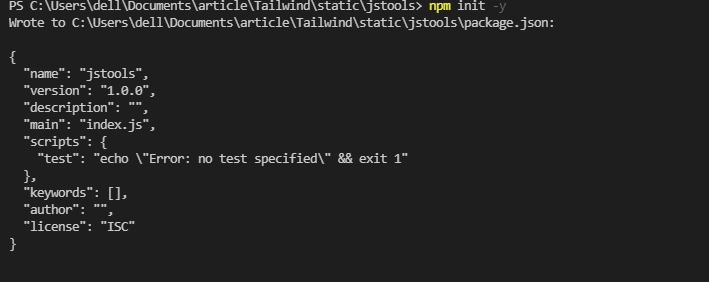
npm init -y
After this, you will see something like this,
After this, we have to run the second command,
Command 2
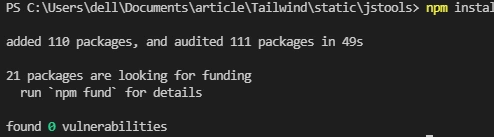
npm install tailwindcss autoprefixer clean-css-cli
after running this command in the terminal you will see the output like this,
Now we are going to the next step,
Command 3
npx tailwindcss init -p
After this command, you can see some JSON and js files inside the js tool and the output of the terminal will look’s like this,

Now go inside the package.json and replace the code inside the data with this code,
"build": "tailwind build ../static/css/tailwind.css -o ../static/css/style.css && cleancss -o ../static/css/style.min.css ../static/css/style.css"
And after this, we will go inside the tailwind.config.js.
And change the module exports with this,
future: {
        removeDeprecatedGapUtilities: true,
        purgeLayersByDefault: true,
    },
    purge: {
        enabled: false, //true for production build
        content: ['../**/templates/*.html', '../**/templates/**/*.html']
    },
    theme: {
        extend: {},
    },
    variants: {},
    plugins: [],
Now we will go inside the CSS folder of static and make a new file with the name tailwind.css.
And inside the tailwind.css write this code,
@tailwind base;
@tailwind components;
@tailwind utilities;
Now we have to go inside the jstools using terminal and run this command in terminal.
-npm run build
And now we just have to load the static inside the HTML page.
And we are ready to run tailwind CSS.
Summary
In this article, we have learned how to set up a Django project and how to use tailwind inside the Django projects.
Join the conversation! Your thoughts help the community grow.