

Introduction
In this article, I am describing how to use template parameters in Joomla. We will use a Joomla 1.5 template. This articles covers only templates, so it's assumed that I already have a Joomla 1.5 website installed. This is a quick article about the use of a Template Parameter in Joomla. You can change the functionality of a template with the use of template parameters that you can set from an admin panel. Parameters are an excellent way to make your template more flexible. In the Admin panel, default templates are included in the system and can use them. By adding code into the template file, you can retrieve the current value of the parameter. In Joomla, we can configure component display functionality from the template file using the "Get" method in index.php.
Template Parameter
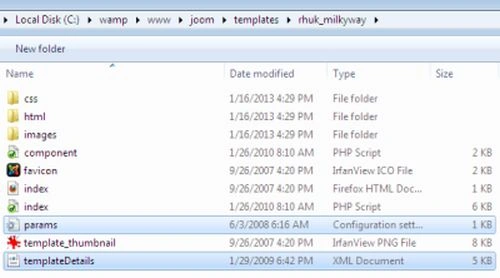
In Joomla! the template parameters are defined in the templateDetails.xml file. Whereas in 1.5 the parameters are defined as parts of the <params> section in Joomla, and each parameter is defined as a <params>, template parameters are contained in the <config> section and treated as a <field> nested within the <fieldset> and <fields> tags, as illustrated here.
<config>
<fields name="params">
<fieldset name="basic">
<field name="" type="" default="" label="" description="">
<option value="1">On</option>
<option value="0">Off</option>
</field>
<field name="" type="" default="" label="e" description="" />
Vinod KumarPosted Jan 31, 2013, 11:06 AM
Go here templatedetaile.xml file and edit this file and add new pasition of tamplate
Vineet Kumar SainiPosted Jan 31, 2013, 8:51 AM
Hi Vinod , please tell me how to add new position in Joomla template.