

Introduction
As I mentioned in my earlier articles, WCF service can be hosted in various ways. One of the ways is IIS Hosting. Do you want to understand the different ways of hosting? Please refer to this article.
Hosting WCF services in IIS is easier and it is almost like hosting ASP.NET applications and ASMX. IIS also provides the same capabilities to WCF services as like ASP.NET applications. Let’s talk about these in detail
IIS Hosting
There are several benefits in Hosting WCF Services in IIS,
- Automatic Activation
One of the most important benefits is Automatic Activation which means the service is not required to be running in advance. Whenever the service receives any message from the client, then it only launches and processes the request. We can also call it a Message Based Activation which means a message comes from the client and the server is activated to process the requests.
- Process Recycling
Process Recycling => Recycle the process every 120 minutes . Hope you are aware that for any request you made in the browser, the worker process gets created on the server side to service the request. Every 120 minutes (if you configured in such a way), the worker process will be recreated/refreshed/recycled to avoid any memory leaks/performance issues. Due to which, the performance of the server will be increased. So, if we host WCF Service in IIS, you can enjoy these benefits for your WCF server. Otherwise, you need to write custom code in order to provide these benefits to your WCF Server when you do the Self Hosting. Frequent checking keeps your system from getting into a problem
Configuration Steps
Step 1- Create a service library.
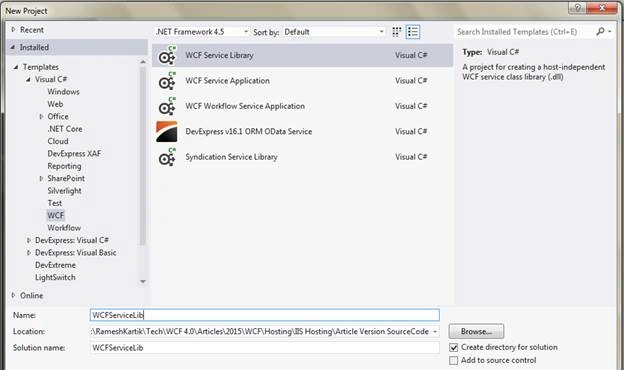
Step 2- Define the contracts and implementations.
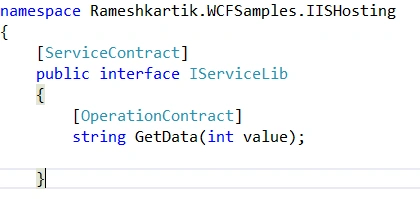
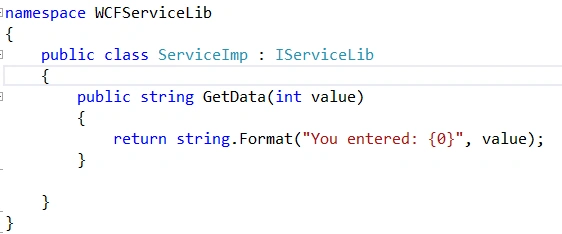
In the above snapshot, you can find that IServiceLib is the contract defined and ServiceImp is the class implemented in the IServiceLib
Step 3- Open the App.config file and define the service name, address, endpoint, binding and service behaviors. Please use the below- attached snapshot for reference.
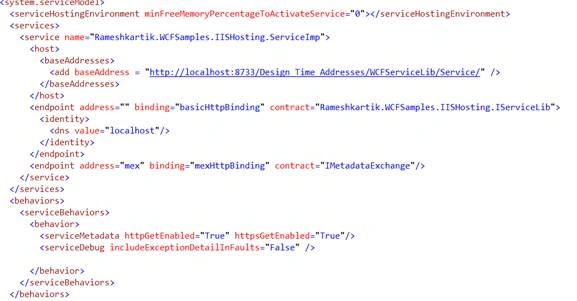
Step 4- Create WCF Service project and name it as WCFServiceApp to host it in IIS.
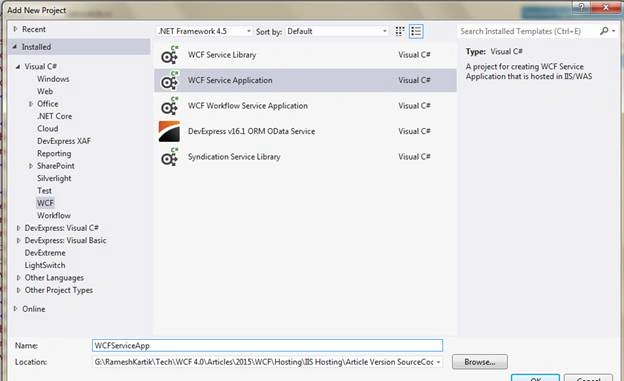
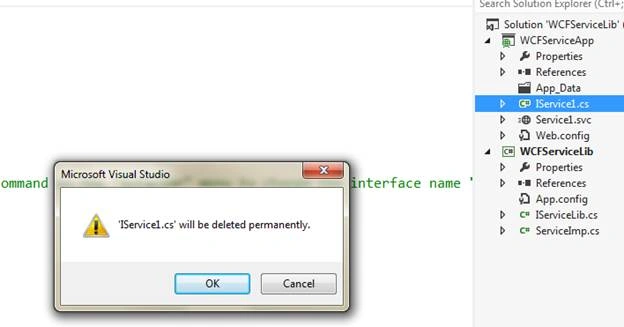
Step 5- Once you create the project, please delete the .cs files because we have already defined the contracts and implementation in another project (Step 2). Add the reference of the WCFService Library into this project.
Step 6- Open the .svc file and update the service tag into a Service implementation class details.Hope you remember that we had updated the Service name in step 2. The same name should be updated in the Service tag, as mentioned in the below snapshot

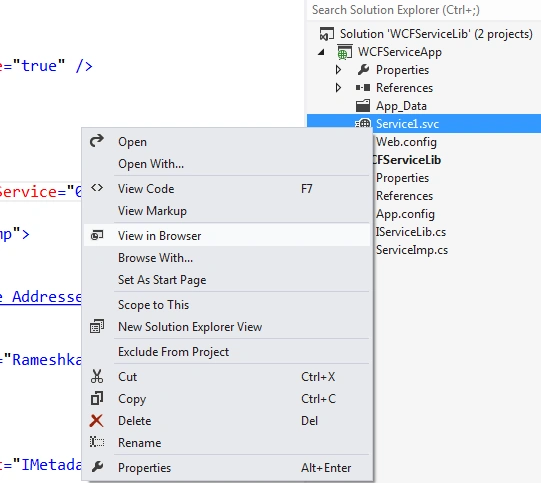
Step 7- Right click the .svc file and browse. You should be able to browse the content in browser, as you see in the following snapshots
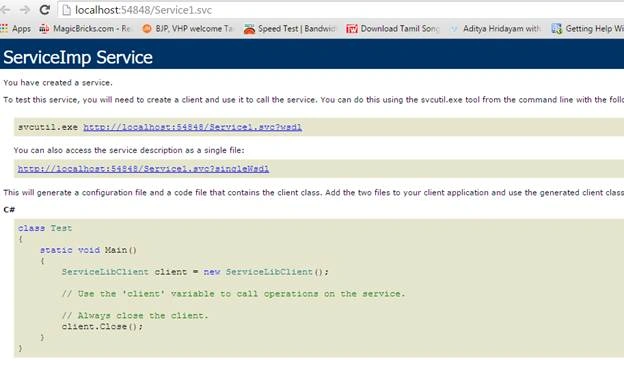
Until this point, you were able to create the library files that it referred in the service application .
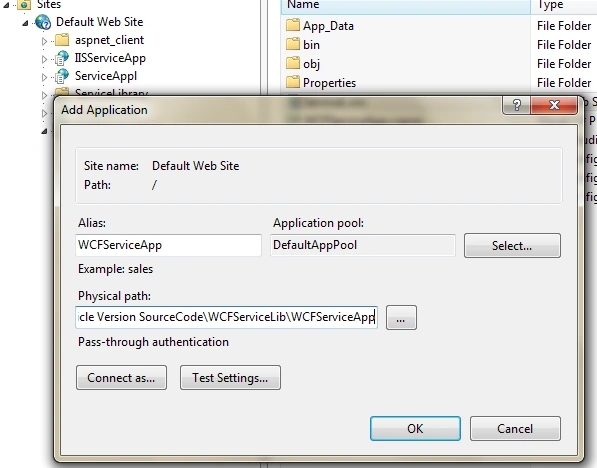
Step 8- Finally, you need to add the application to IIS. Open the IIS and right click the default website. Add the current application into IIS. Refer to the below snapshot for details.
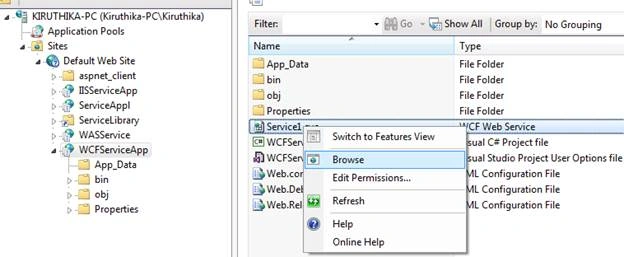
Step 9- Once it is added, select your site and right click the .svc file. You should be able to browse.
Summary
IIS Hosting is a simpler way of WCF hosting and it provides a lot of benefits, like Message based activation and Process Recycling to avoid giving the system any problems.
Humayun Kabir MamunPosted Sep 18, 2016, 12:20 AM
Nice...