

Note: this article is published on 10/21/2024.
This series of articles are to discuss a task to remove IIS Log Files. We start from doing the task manually, then make automation, and the last deploy the automation to pipelines (different servers):
- Remove IIS Log Files (1) --- Manually
- Remove IIS Log Files (2) --- Automation by Windows Task Scheduler --- this article
- Remove IIS Log Files (3) --- Deploy VBScript Automation by Pipeline
- Remove IIS Log Files (4) --- Deploy PowerShell Automation by Pipeline
Setup Windows Task Scheduler for the Automation
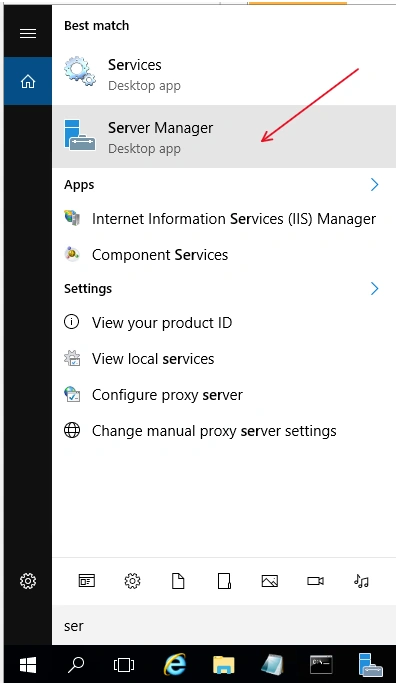
From start menu => Search 'Ser' => Click Server Manager
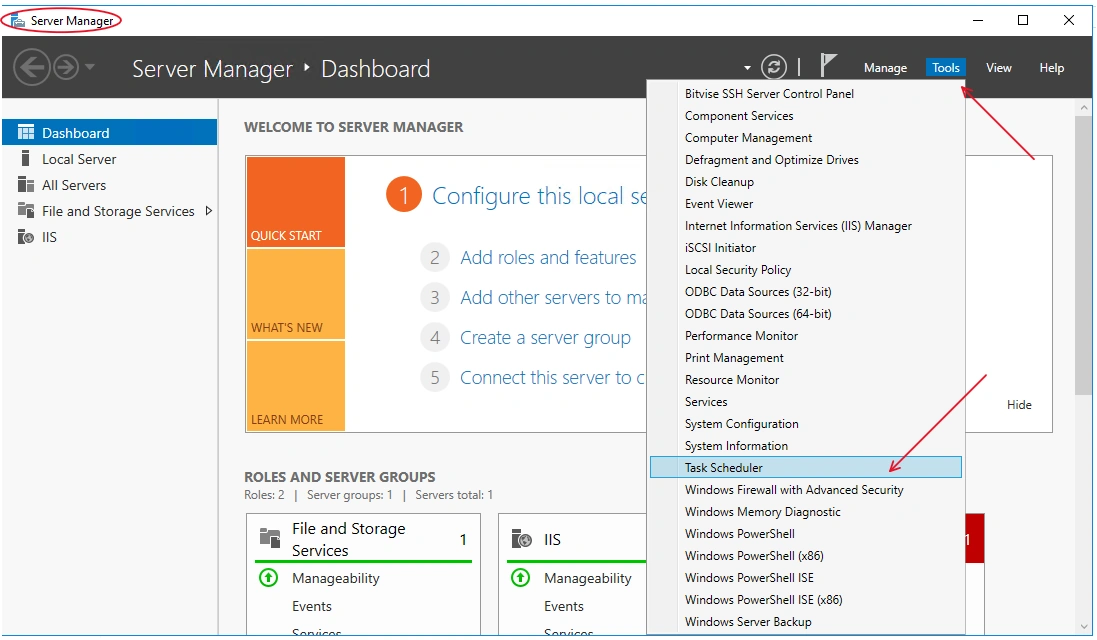
in Server Manager Window => Click Tools => Click Task Scheduler to Open the Task Scheduler Window
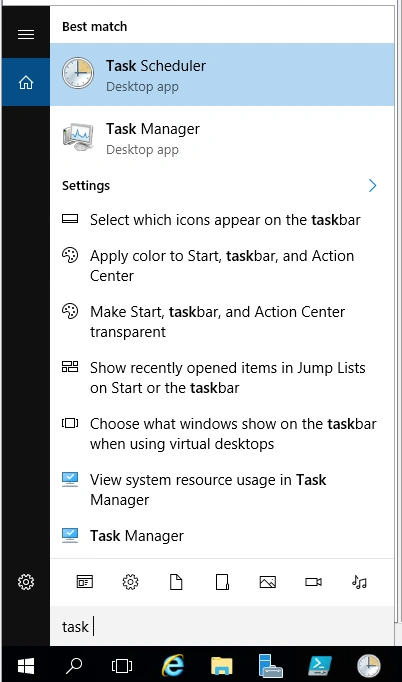
You can do this by another way: From start menu => Search 'Task' => Click Task Scheduler to Open
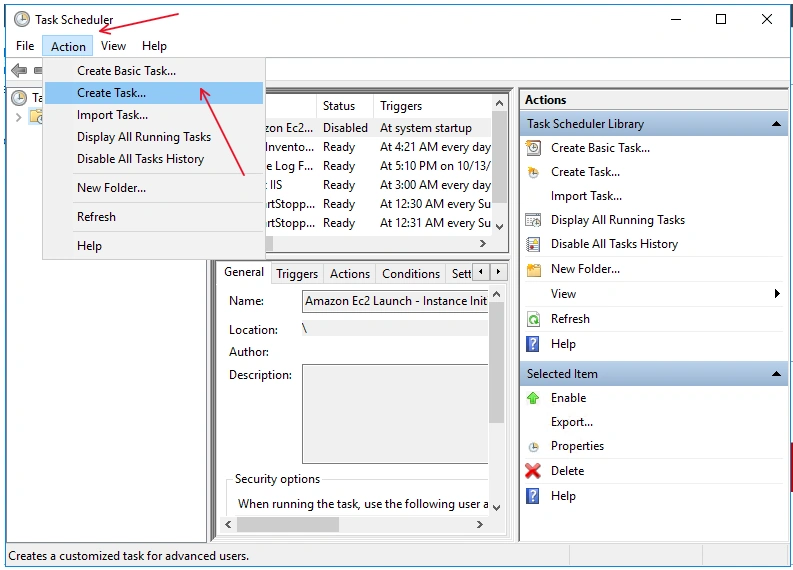
In the Task Scheduler Window => Click Action => Create Task
in Create Task window => set Name => OK
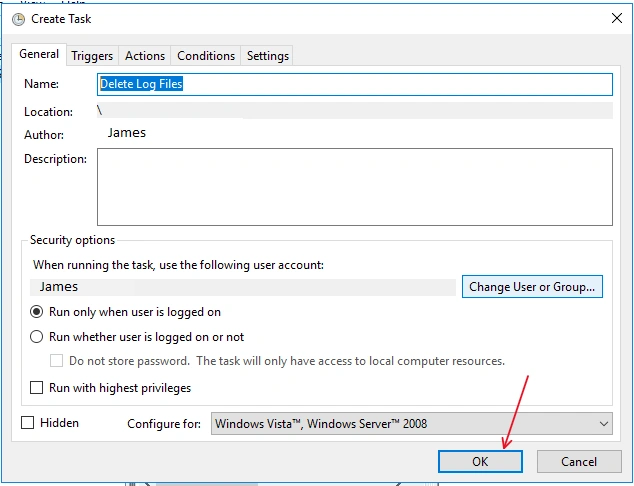
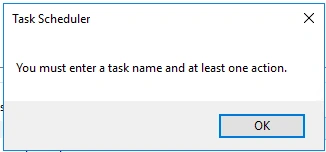
Warning:
Action tab:
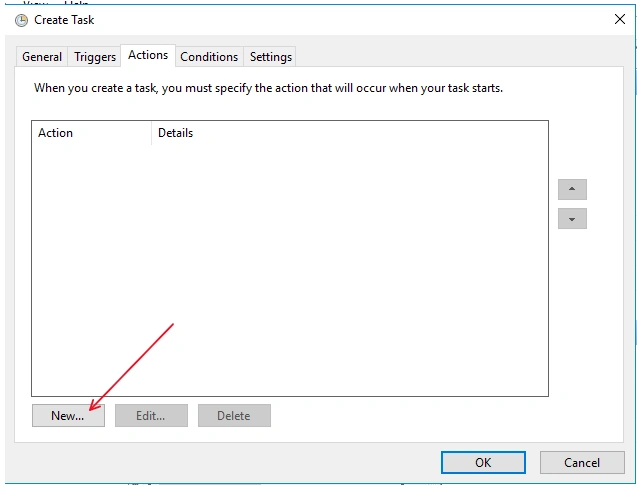
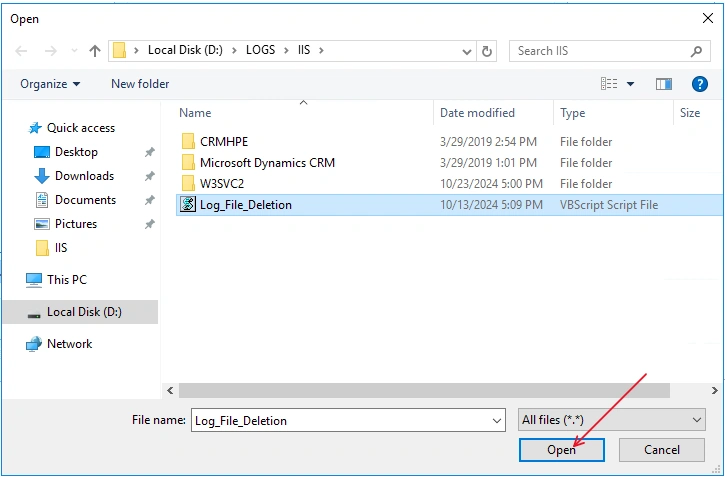
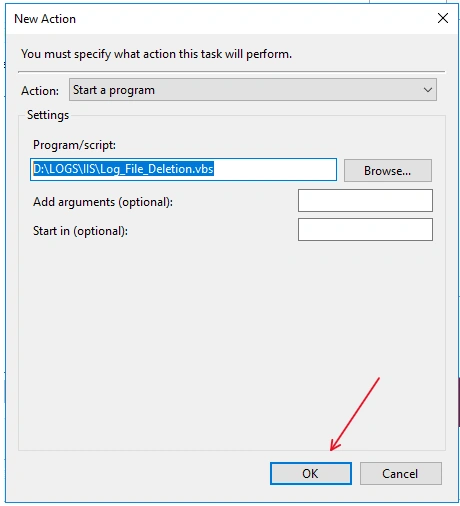
Click New button to create a new task => Browse for executable files
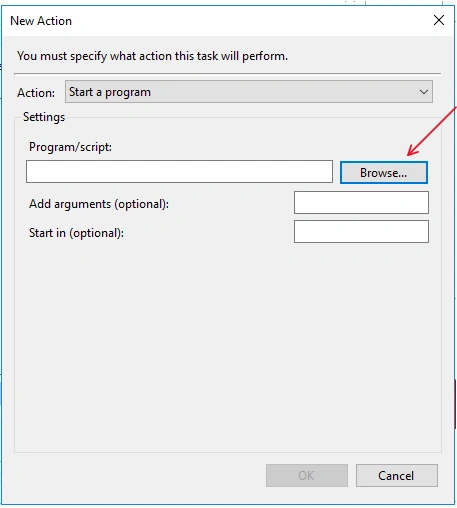
Get file => Oepn:
OK:
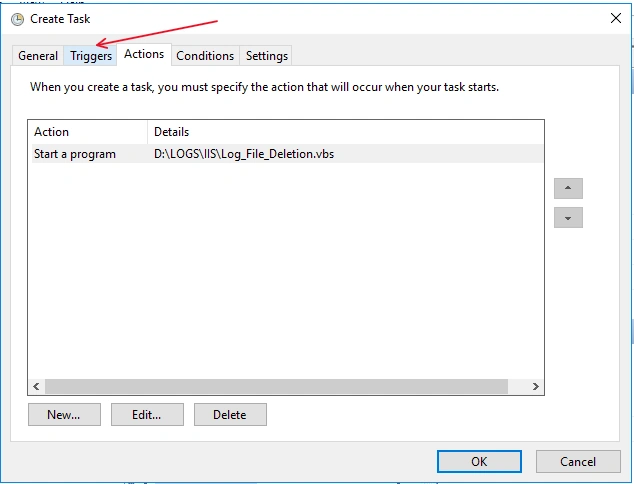
Setup Trigger:
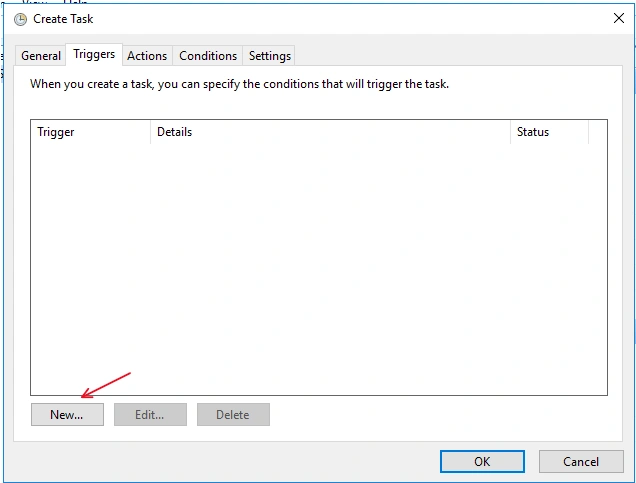
Create a New:
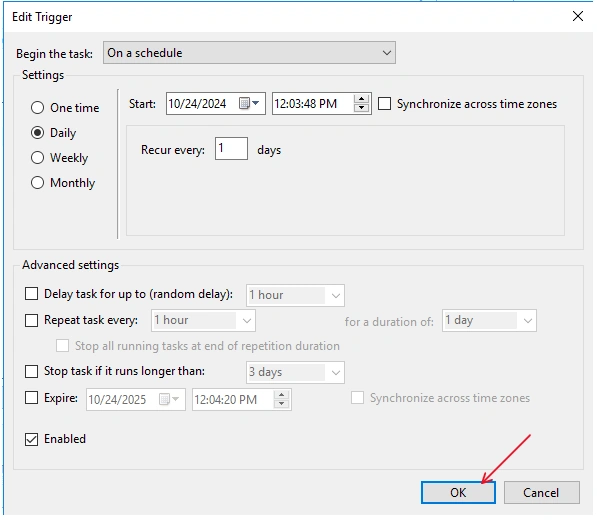
Setup the Trigger time => OK
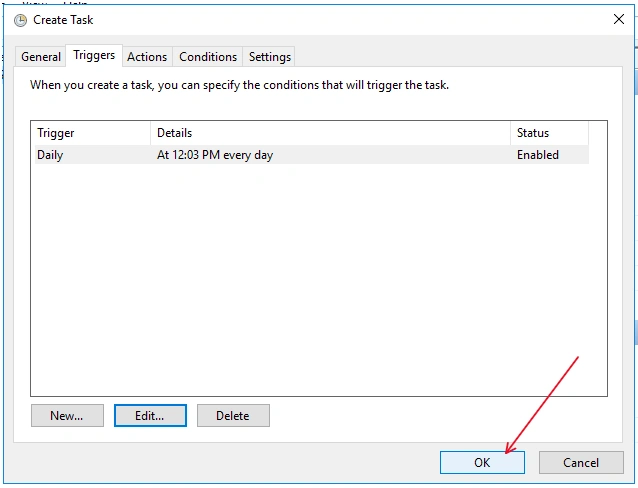
Now everyting is ready => OK
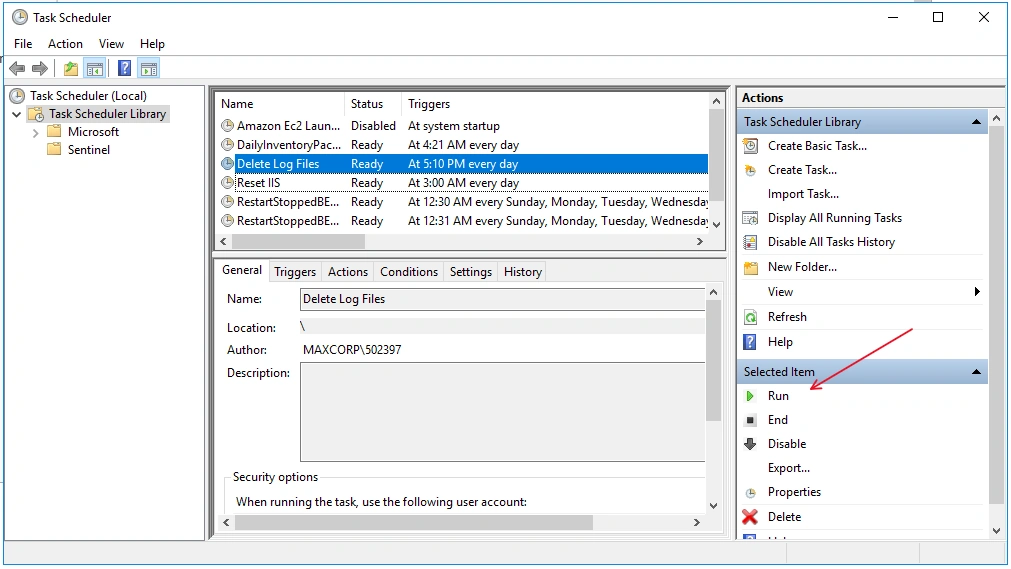
We run:
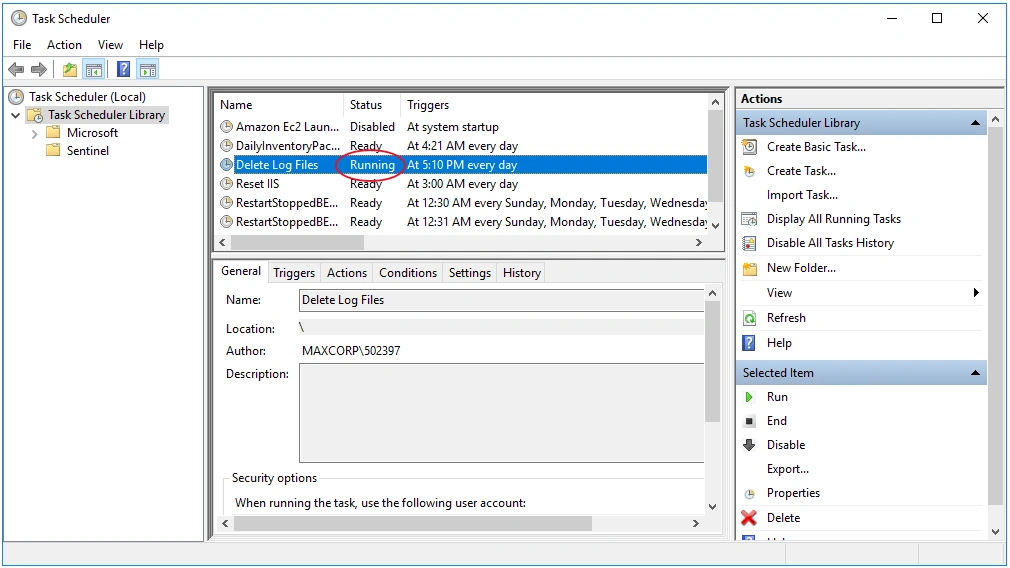
After nun: Status showing Running
Note:
Due to you have setup the trigger, so you do not need to run. The trigger will make the Task Scheduler running according to the trigger.
References:
Join the conversation! Your thoughts help the community grow.