

So far, we have been accessing all our blobs with a URL of the format blob.core.windows.net. Azure allows you to add your own domain and access the same using the custom domain you added.
In this article, we will see how to implement the same.
- Understanding Blob Storage - Part One -Creating Storage Account And Container
- Understanding Blob Storage - Part Two - Streaming Data
- Understanding Blob Storage - Part Three - Async Blob Copy
- Setting Up Blob Hierarchies - Understanding Blob Storage - Part Four
- Setting Metadata On A Container And Blobs - Understanding Blob Storage - Part Five
- Integrating Azure Storage With Azure CDN - Understanding Blob Storage - Part Six
Step 1
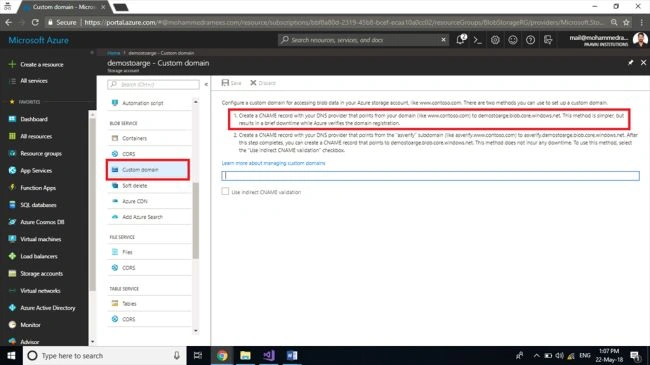
From your storage account dashboard, select Custom domain from the Blob Service section.
Step 2
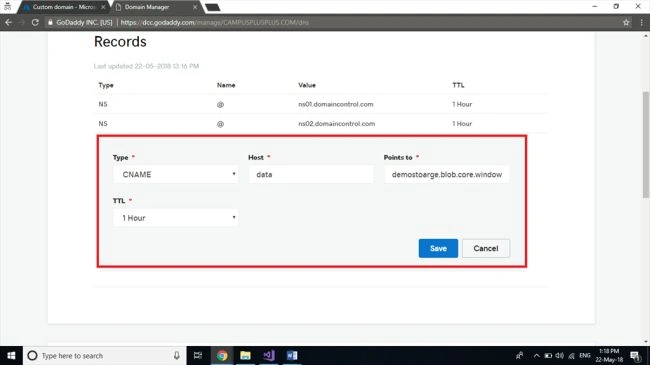
Here, we want to verify the ownership of the domain by putting a CNAME record on your DNS provider, as asked for. Here, in this demo, I am using one of my sample domains which I have bought from GoDaddy. Login to your domain provider’s account and switch the DNS settings of the domain you want to configure. Create a CNAME record with the values given here and save the settings.
Step 3
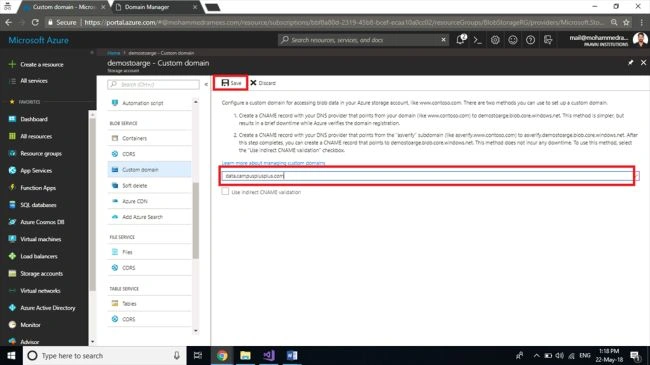
Add the domain back to the custom domain section of Azure Portal and save the settings. It may take a few minutes to reflect the changes and get it done as Microsoft wants to validate the existence of the CNAME record.
Step 4
Now, we can test our application by accessing a blob inside a container of our storage account by using this custom domain instead of the URL of the storage account.

Step 5
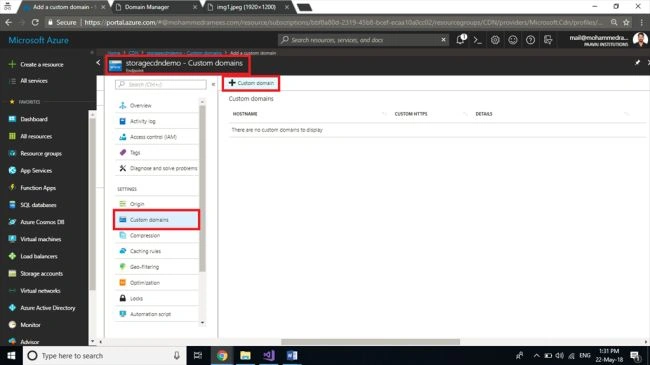
If you want to do the same with CND you can configure the custom domain to the CDN endpoint instead of the storage account. To do this select the CDN endpoint and click on the Custom domain from the settings and you can see a provision for adding custom domain.
Step 6
Add CNAME record pointing to the CDN endpoint like what we did for the storage account and verify the domain here by clicking on + Custom domain providing the domain name. Once you've proved the ownership click Add to add the custom domain to CDN endpoint.
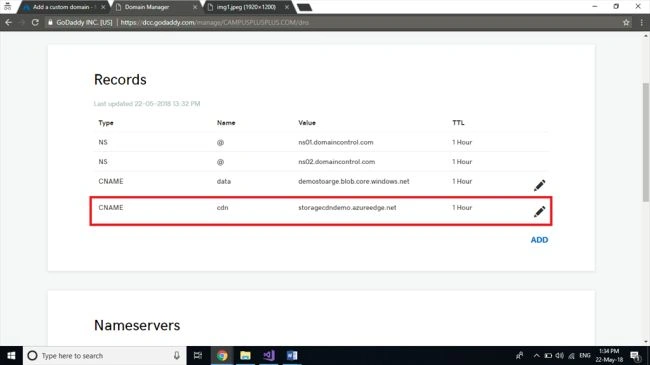
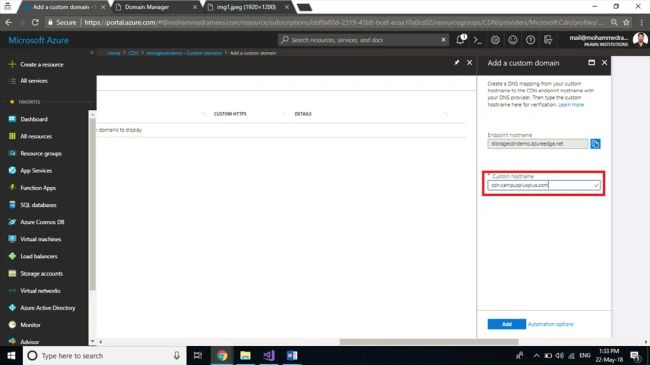
Now we can test our application by accessing a blob inside a container of our storage account through CDN by using this custom domain configured for CDN endpoint.
The format will be like customdomain/[containername]/filename.

Hadshana KamalanathanPosted Jul 15, 2018, 12:53 AM
Thank you for sharing...