

Introduction
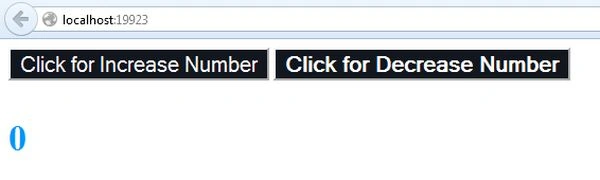
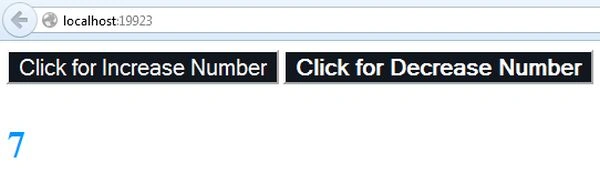
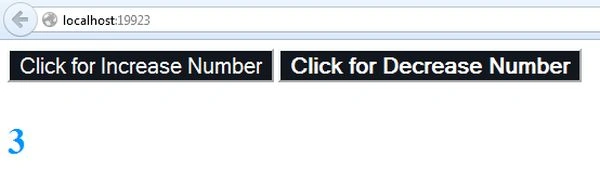
In this article, I will create an application to increase or decrease the numbers using events in backbone.js. Here, we create two buttons; one is to increment the numbers, and the other is to decrement the numbers.
We need to add these script files.
<script src="http://cdnjs.cloudflare.com/ajax/libs/jquery/1.7.1/jquery.min.js"></script>
<script src="http://cdnjs.cloudflare.com/ajax/libs/json2/20110223/json2.js"></script>
<script src="http://cdnjs.cloudflare.com/ajax/libs/underscore.js/1.3.1/underscore-min.js"></script>
<script src="http://cdnjs.cloudflare.com/ajax/libs/backbone.js/0.9.2/backbone-min.js"></script>
Now, we will create the application.
Step 1
- Start Visual Studio 2013.
- From the Start window, select "New project".
- Select "Installed" -> "Template" -> "Visual C#" -> "Web" -> "Visual Studio 2012"and select "ASP.NET" Web Application.
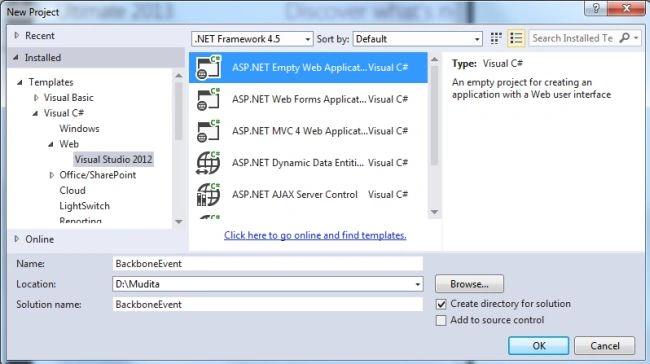
- Click on the "OK" button.
Step 2. Now, add an HTML page to the project.
- In the Solution Explorer.
- Right-click on the project and select "Add" -> "HTML page".
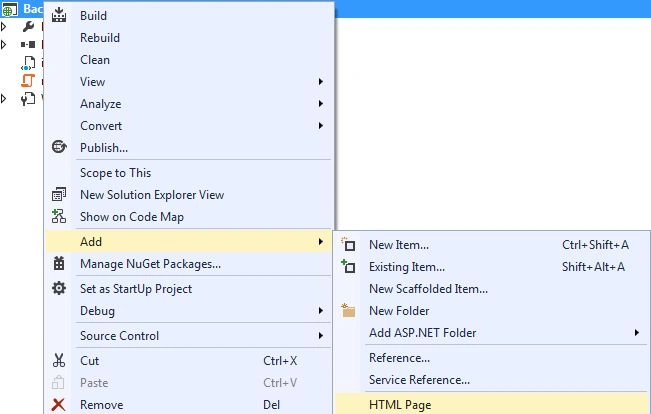
- Change the name of the page.
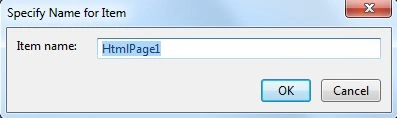
- Click on the "OK" button.
Add the following code.
<!DOCTYPE html>
<html>
<head>
    <title>BACKBONE Tutorial 2: Events</title>
    <!-- requirements. -->
    <script src="http://cdnjs.cloudflare.com/ajax/libs/jquery/1.7.1/jquery.min.js"></script>
    <script src="http://cdnjs.cloudflare.com/ajax/libs/json2/20110223/json2.js"></script>
    <script src="http://cdnjs.cloudflare.com/ajax/libs/underscore.js/1.3.1/underscore-min.js"></script>
    <script src="http://cdnjs.cloudflare.com/ajax/libs/backbone.js/0.9.2/backbone-min.js"></script>
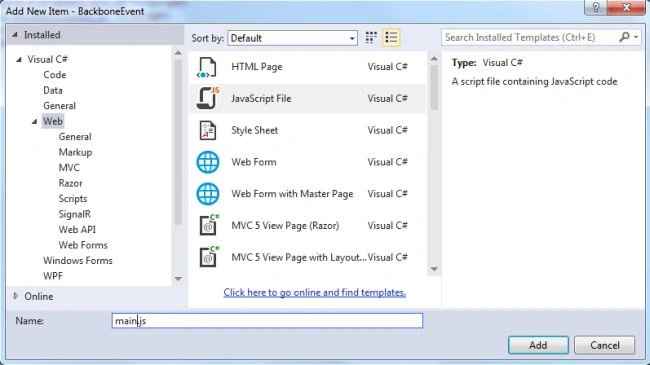
    <script src="main.js"></script>
    <style>
        p#num {
            font-size: 34px;
            font-weight: bold;
            color: #0094ff;
        }
        button#increment_button {
            background: #12161e;
            color: #fff;
            font-size: 15pt;
        }
        button#decrement_button {
            background: #12161e;
            color: #fff;
            font-size: 15pt;
            font-weight: bold;
        }
    </style>
</head>
<body>
    <div id="num_holder"></div>
    <script type="text/template" id="num-template">
        <div id="buttons">
            <button name='increment_button' id='increment_button'>Click for Increase Number</button>
            <button name='decrement_button' id='decrement_button'>Click for Decrease Number</button>
        </div>
        <p id="num"><%= num %></p>
    </script>
</body>
</html>
Join the conversation! Your thoughts help the community grow.