

Introduction
The input tag is used to collect data in web forms and send that data to the webserver or The HTML input tag is used to display control elements that allow users to input data in a form. Using the input tag, you can add controls such as text input, radio buttons, checkbox controls, submit buttons, and more.
1. Text Input Tag
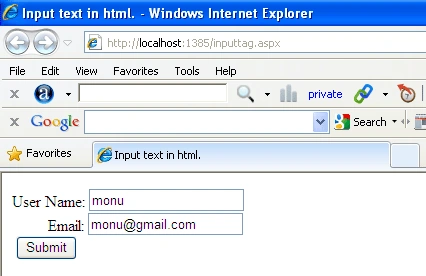
The most commonly used input tag is the text input field. This value defines a control designed for text input. This type of field allows users to input textual data (e.g., names, titles, etc).
<input type="text" name="text box">
For example
- <html>
- <head>
- <title>
- Input text in html.
- </title>
- </head>
- <body>
- User Name:
- <input type="text" name="text box">
- <br />
- Email:
- <input type="text" name="text box">
- <br />
- <input type="button" name="btn" value="Submit" />
- </body>
- <body>
OUTPUT
2. Button Input Tag
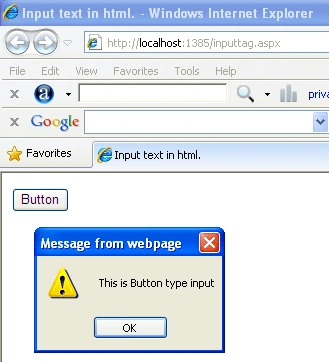
You can use the Button Input tag to create a button.
For Example
In the below example we create button type input tag and create a
JavaScript function and call it on the Button.
- <html>
- <head>
- <title>
- Input text in html.
- </title>
- <script type="text/javascript">
- function btnonclick() {
- alert('This is Button type input');
- }
- </script>
- </head>
- <body>
- <input type="button" name="btn" value="Button" onclick="javascript:btnonclick()"/>
- </body>
- </html>
OUTPUT
3. Password Input Tag
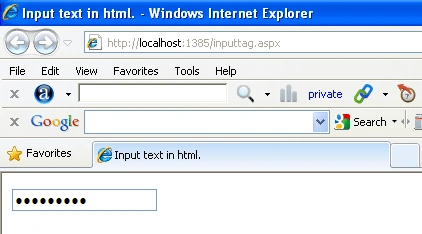
Password control is similar
to text type with a small difference password types usually, hide the characters
inputted using dots or asterisks instead.
<input type="password" name="text box">
For example
- <html>
- <head>
- <title>
- Input text in html.
- </title>
- </head>
- <body>
- <input type="password" name="text box">
- </body>
- <body>
OUTPUT
4. Checkbox Input Tag
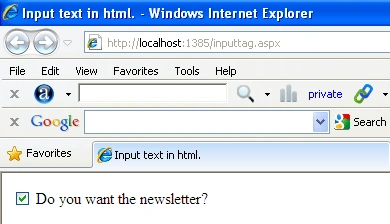
You can use the Checkbox
Input tag to create a clickable a checkbox used for check and uncheck values.
You can use as many of these in a form as you like. Use the "checked" attribute
to specify if the checkbox should be checked ("on") by default.
- <html>
- <head>
- <title>
- Input text in html.
- </title>
- </head>
- <body>
- <input type="checkbox" name="chk" value="" checked>
- Do you want the newsletter?
- </input>
- </body>
- <body>
OUTPUT
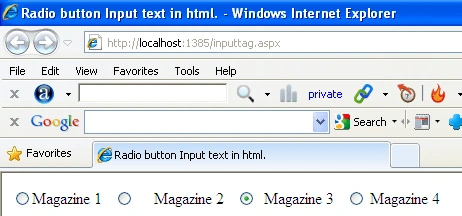
5. Radio Button Input Tag
This is similar to the
checkbox except that we can select only one Radio Button at a time from group of
Radio Button.
- <html>
- <head>
- <title>
- Radio button Input text in html.
- </title>
- </head>
- <body>
- <input type="radio" name="rd1" value="Mag1">
- Magazine 1
- </input>
- <input type="radio" name="rd1" value="Mag2">
- Magazine 2
- </input>
- <input type="radio" name="rd1" value="Mag3" checked >
- Magazine 3
- </input>
- <input type="radio" name="rd1" value="Mag4">
- Magazine 4
- </input>
- </body>
- </HTML>
OUTPUT
6. Reset Input Tag
For example
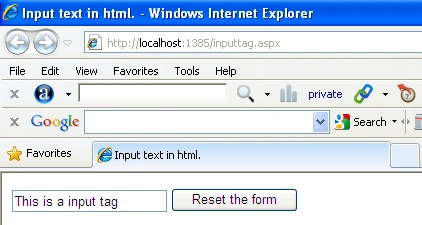
We take a text type and reset type tag when we enter input in text tag and click on the reset type to reset the input from the text tag.
- <html>
- <head>
- <title>
- Input text in html.
- </title>
- </head>
- <body>
- <input type="text" value="This is a input tag" />
- <input type="reset" value="Reset the form" />
- </body>
- </html>
OUTPUT
7. File Input Tag
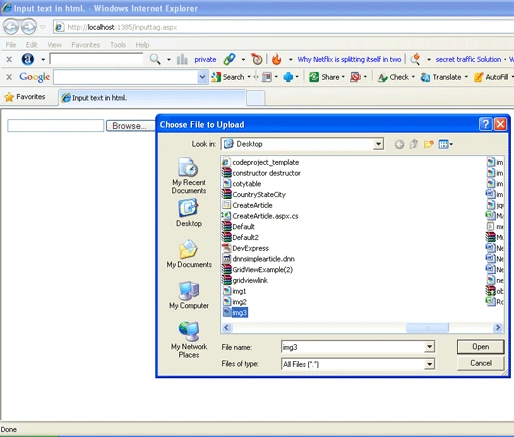
File input tag to send files on a user's computer to the server when the form is submitted. This input
tag displays a browse button to allow a user to browse to the file to upload
(send to the server).
For Example
- <html>
- <head>
- <title>
- Input text in html.
- </title>
- </head>
- <body>
- <input type="file" name="file1" />
- </body>
- </html>
OUTPUT
8. Image
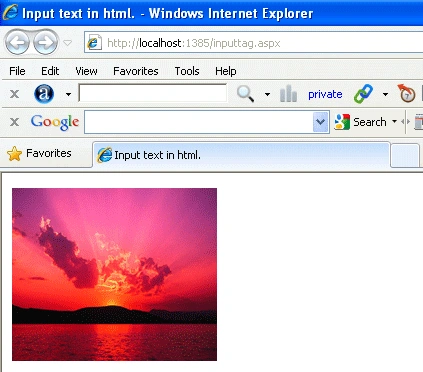
The Image input tag to use an image instead of the standard submit button.
- <html>
- <head>
- <title>
- Input text in html.
- </title>
- </head>
- <body>
- <input type="image" src="images/Sunset.jpg" style="height: 173px; width: 205px" />
- </body>
- </html>
OUTPUT
Pradip PandeyPosted Sep 23, 2011, 4:10 AM
Good to get basic knowledge about Input Tag in HTML5
Shweta KuthiPosted Sep 23, 2011, 12:43 AM
Hi Rohatash, whether this Reset input tag clearsthe values of all Control in current page.