

- Download the Ruby installer from:
http://rubyinstaller.org/downloads/ — Look for the version with x64 on it. Be sure the Ruby installer is version is 1.9x. SASS doesn't work on 2.x versions.
- Open the Command Line (CMD) by pressing the Windows Key + R and type: CMD, then press Enter.

- Type the following command in the CMD:
gem install sass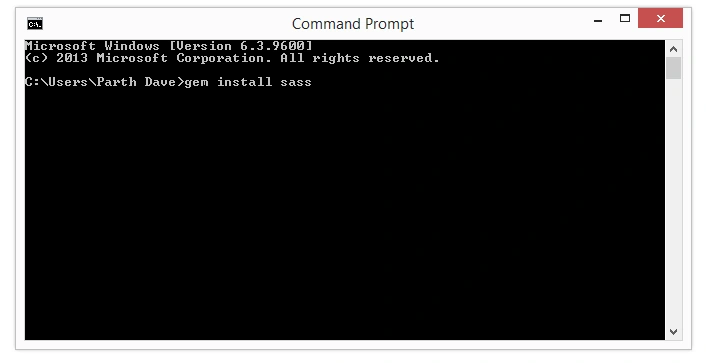
It will take a few seconds to install SASS. At the end you will see this in CMD.
That's it! SASS is now installed on your machine.
Procedure to use SASS
- Create a Demo folder anywhere on your PC.

- Inside that folder create the two sub folders /css and /scss.

- Create a .scss file.
Go into the /scss folder and create a file called: demo-styles.scss.
Notice the file extension .scss. This is your SASS file.
- Return to the CMD line. In CMD you need to go to the Demo Folder as in the following:


- Make SASS “watch” to your /scss and /css folders.

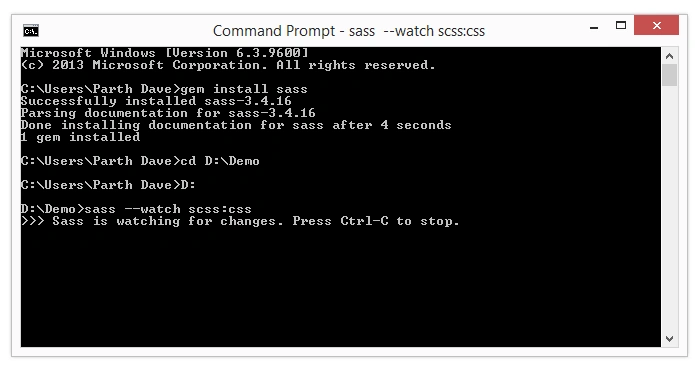
- Edit the .scss file and watch SASS compile it into a .css file.


Updated CSS File
Included 'reset.scss' File in demo-styles.scss

You have now leveled up by knowing how to use SASS.
Happy Coding Guys!
Vaikesh K PPosted Aug 20, 2015, 7:08 AM
Good One
Prasanna BhosalePosted Aug 18, 2015, 2:17 AM
Good One Bhai. . .
Parth DavePosted Aug 15, 2015, 1:48 AM
Pankaj Sir,Thanks fo inspiration
Pankaj BajajPosted Aug 15, 2015, 1:02 AM
Gud one Parth..nice to see your first article..Keep writing
Sandeep KumarPosted Aug 14, 2015, 10:09 PM
Nice Article sir :)
Santhakumar MunuswamyPosted Aug 14, 2015, 4:18 PM
Nice article. Thanks for sharing..
RakeshPosted Aug 14, 2015, 10:23 AM
Good one
Gopi ChandPosted Aug 14, 2015, 7:39 AM
Good start...welcome
Sibeesh VenuPosted Aug 14, 2015, 6:55 AM
Nice Share :)
Karthikeyan KPosted Aug 14, 2015, 4:26 AM
Good one..Thanks for sharing
Ankit BansalPosted Aug 14, 2015, 2:59 AM
nice..
Van LaiPosted Aug 14, 2015, 2:30 AM
Good start, go ahead!
Rajeesh MenothPosted Aug 14, 2015, 2:05 AM
Nice Share
Vaikesh K PPosted Aug 14, 2015, 1:53 AM
Good Work :)