

OneDrive Integration in Android Applications
OneDrive (SkyDrive) is a commonly used cloud storage developed by Microsoft. Integrating one drive into Android applications is pretty simple now. Here, I will explain the steps to integrate this.
- Create an App in Microsoft Developer Center.
- Download the Picker attached to this article.
- Integrate picker to Android Application.
The above mentioned are the main steps for integrating One Drive file picker to Android applications. Now let's move on to the first set that is creating an App in Microsoft Developer Center,
- Go to the Microsoft Developer Center.
- When prompted sign in to Microsoft account.
- Click on create application link and the page will appear like the following.
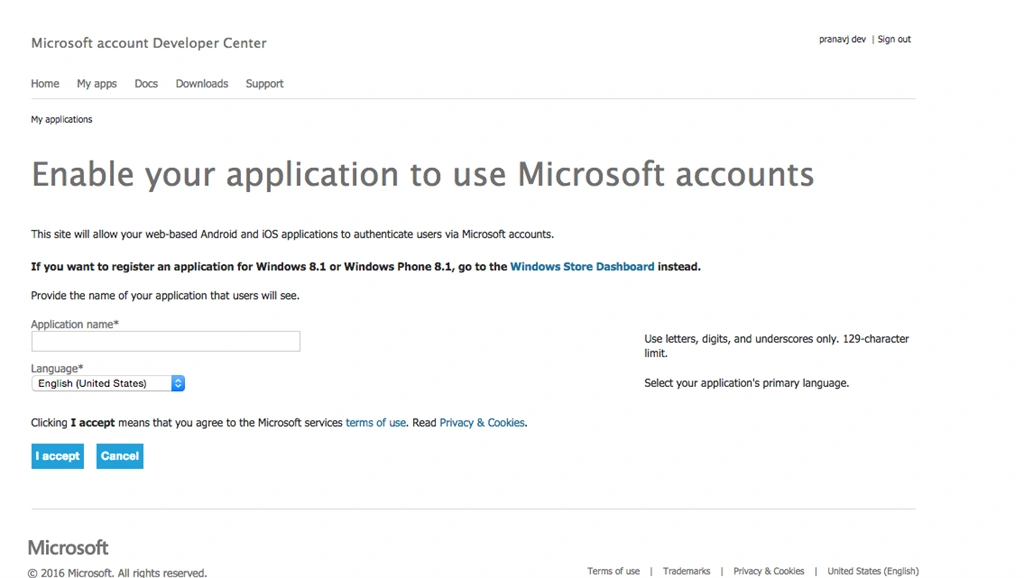
Please provide application name and click on I accept button
- Choose App Settings from the left pane and you will see a client ID and a Client Secret values.
- Please copy the client ID from there we need this value in the Android Application.
You can configure many things here like Application Icon, URL and soon. This is the end of the first step, now download the Picker library project attached to this article and move to step three.
Integrate Picker to Android Application
In this step, we will describe the configuration needed by your Android Application.
Rahul Kumar SaxenaPosted Apr 2, 2016, 12:35 PM
Nice
Pranav J.DevPosted Apr 2, 2016, 7:00 AM
Thanks all for your support
kalu singh raoPosted Apr 1, 2016, 12:45 PM
Nice...
SystemTak SistemasPosted Apr 1, 2016, 8:10 AM
Like, Like Pranav !
Vignesh ManiPosted Mar 31, 2016, 8:51 AM
good one.
Ankur MistryPosted Mar 31, 2016, 4:54 AM
Nice one
Asfend YarPosted Mar 31, 2016, 4:28 AM
Good
Gopi ChandPosted Mar 31, 2016, 4:22 AM
Good one Pranav