

What are Interstitial Video Ads
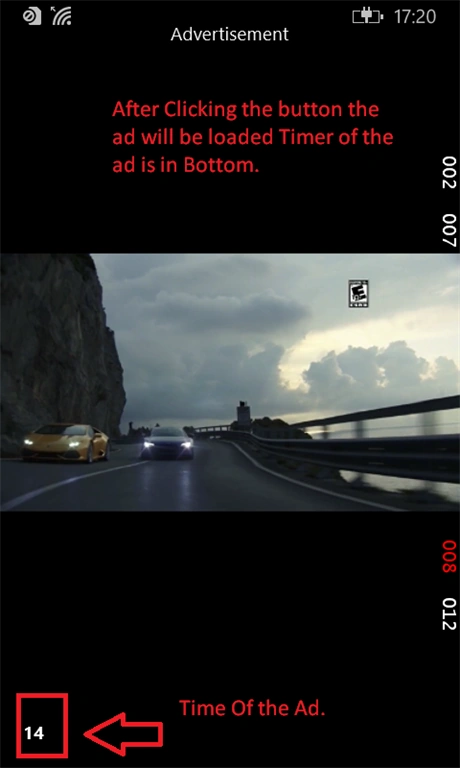
Interstitial Video Ads are full screen video ads that are displayed between two contents. Microsoft offers an Ad Client SDK that can be used to build various ad options in your Windows apps.
In this article, you will see how to use Microsoft Universal Ad Client SDK to implement Interstitial Video Ads. You can implement it separately in a Windows Phone and a Windows Store app using same methods/code.
Prerequisites:
- Install the Microsoft Universal Ad Client SDK with Visual Studio 2015 or Visual Studio 2013.
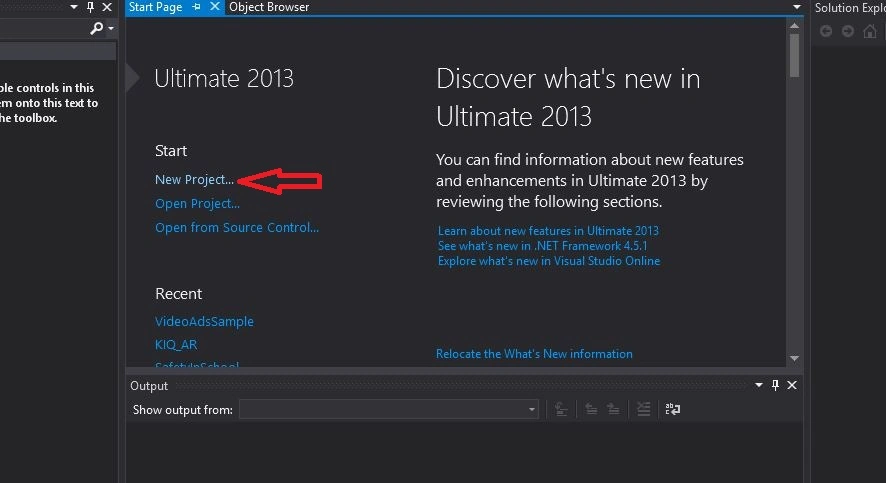
- Now Open Visual Studio and click on new project.
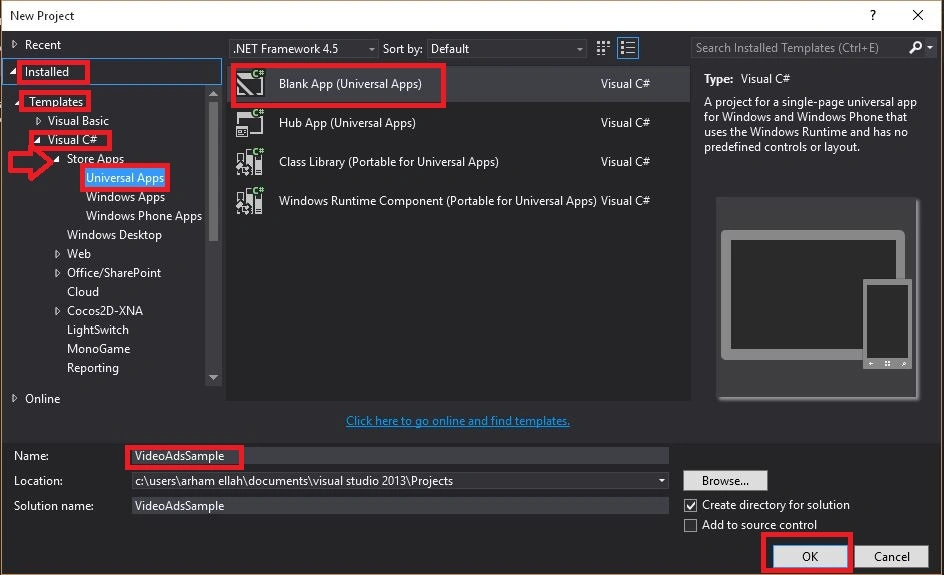
- Now Open the Dropdown of Installed, Templates, Visual C#, Store app, and select universal app.
- Select Blank App (Universal Apps) and give a name e.g. "VideoAdsSample".
- Click OK.
Working in Project
The code sample is in C#.
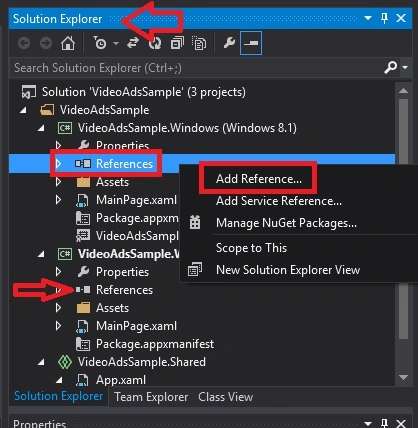
- Go to Solution Explorer and select References of both Windows project and WindowsPhone Project, One by one.
- Right click on the References and then Add reference.
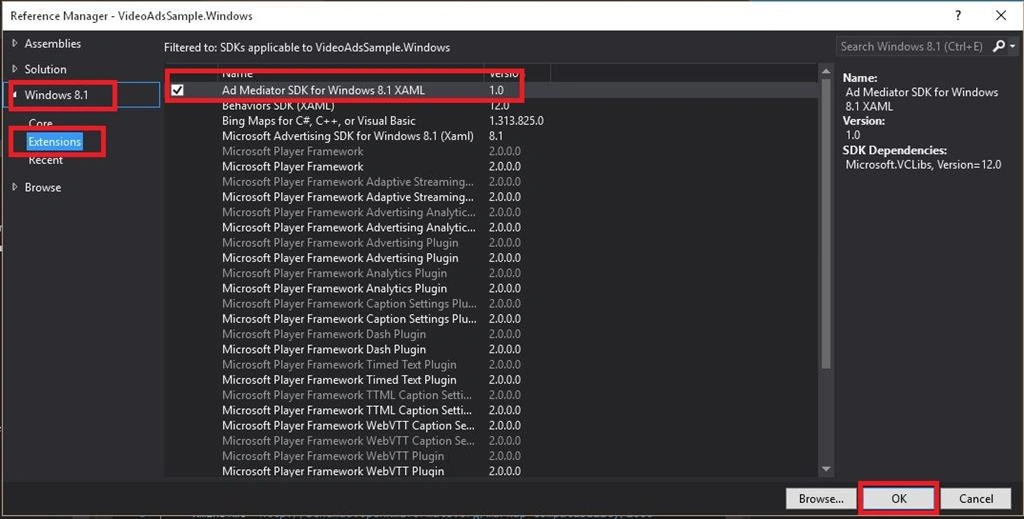
- Now select Windows 8.1 from drop down then select Extensions.
- Now select ad Mediator SDK for Windows 8.1 XAML version 1.0. Then Press Ok.
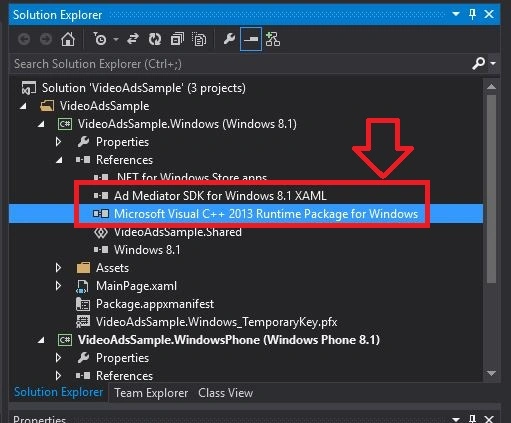
- After adding the above extension, two references will be added in the reference drop down.
- Do this in both projects, respectively.
When you will add these references, you will see a Caution sign in the start of these two references.
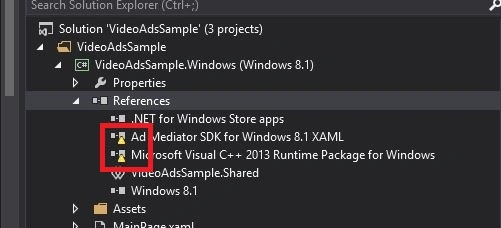
To remove these signs do the following steps:
- Select "Build" option from the menu bar.
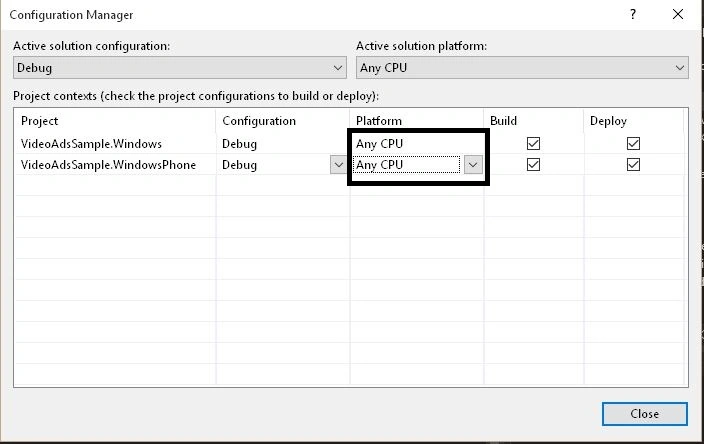
- Select "Configuration Manager".
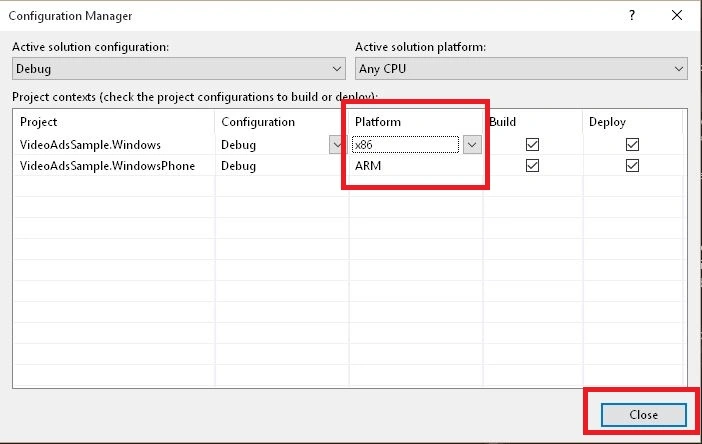
- Change the Platform of both projects, Windows & WindowsPhone from drop down from "Any CPU" to "x86" and "ARM", Respectively.
- Now close Configuration Manager window. Now you can see the Signs are removed from there.

Now open App.xaml.cs from the Shared project.
In the app code, include the following namespace reference.
using Microsoft.Advertising.WinRT.UI;
Create a object of Class InterstitialAd
public static InterstitialAd VideoAd = new InterstitialAd();
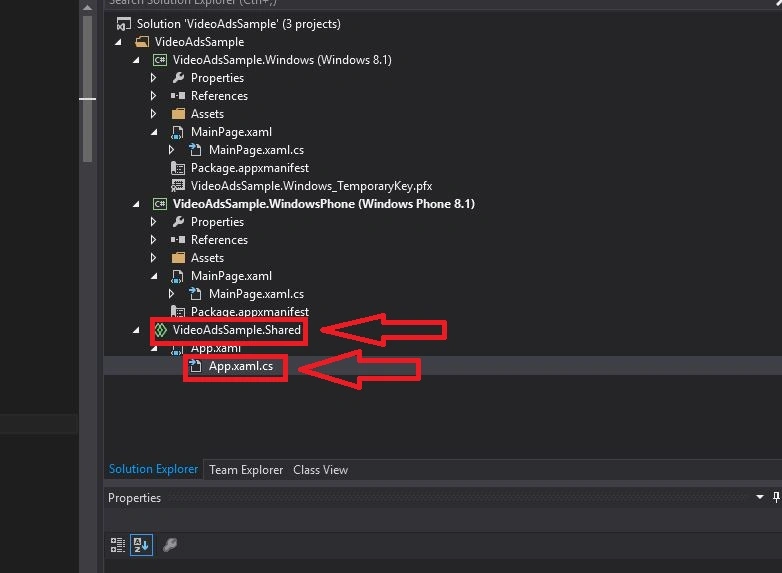

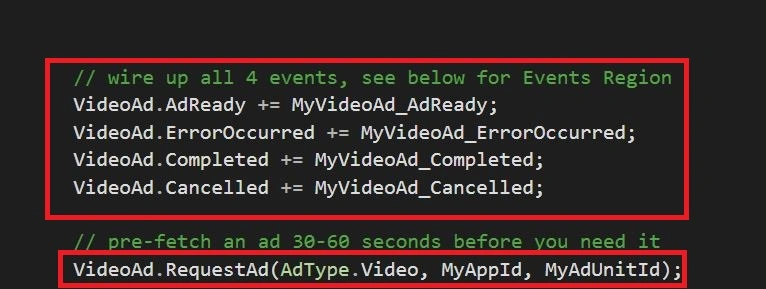
Now we will make four events.
- VideoAd.AdReady += MyVideoAd_AdReady;
- VideoAd.ErrorOccurred += MyVideoAd_ErrorOccurred;
- VideoAd.Completed += MyVideoAd_Completed;
- VideoAd.Cancelled += MyVideoAd_Cancelled;
- // Send request 30 to 60 seconds before you need the ad.
- VideoAd.RequestAd(AdType.Video, MyAppId, MyAdUnitId);#
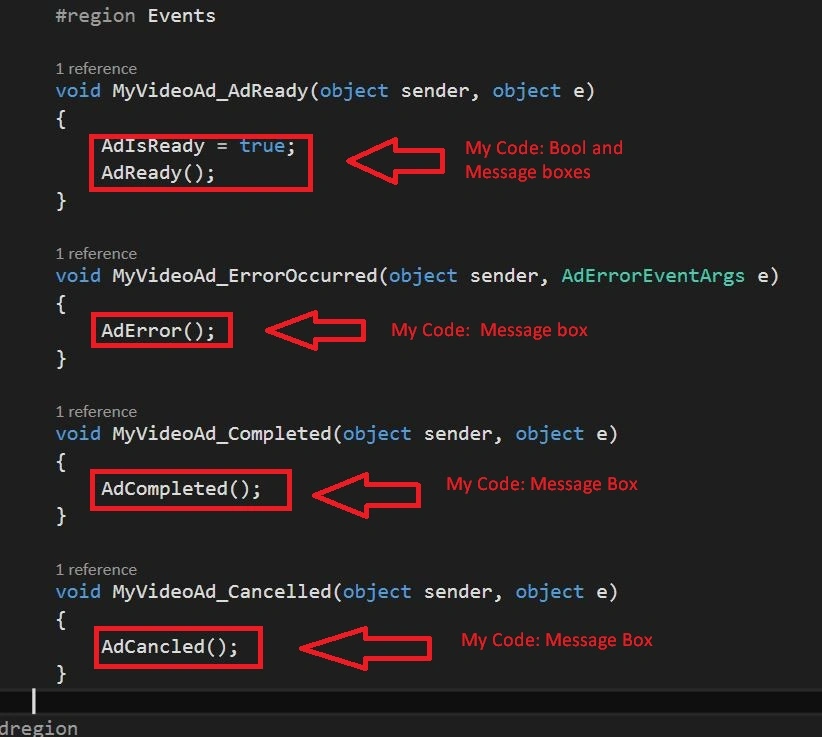
- region Events
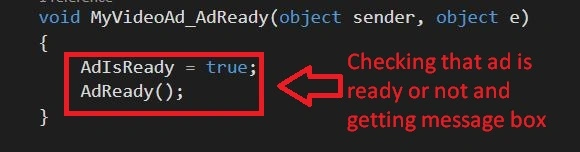
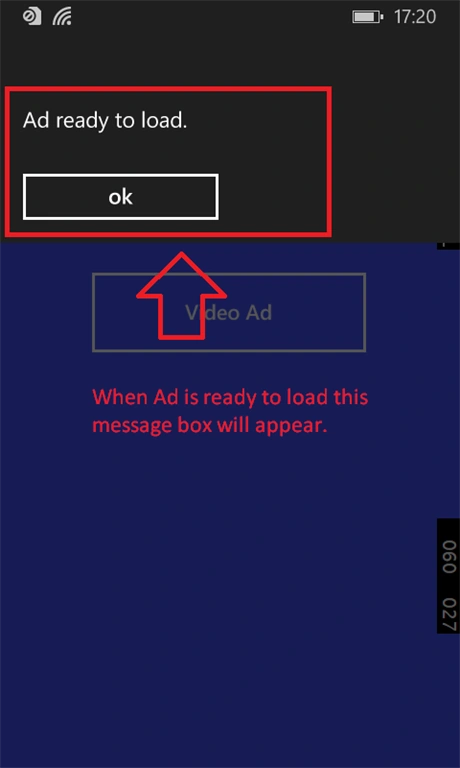
- void MyVideoAd_AdReady(object sender, object e)
- {
- //When Ad is ready this event will hit.
- //Your Code
- }
- void MyVideoAd_ErrorOccurred(object sender, AdErrorEventArgs e)
- {
- //When Some Error Occurred during loading the Ad this Event will hit.
- //Your Code
- }
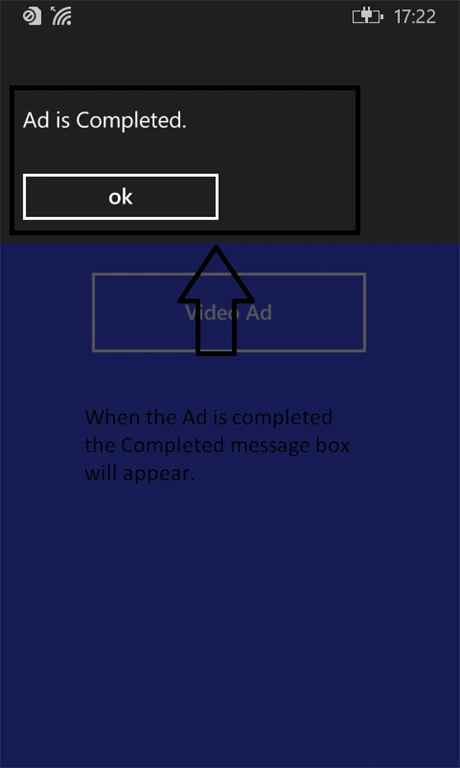
- void MyVideoAd_Completed(object sender, object e)
- {
- //When ad completes, This Event will be hit.
- //Your Code
- }
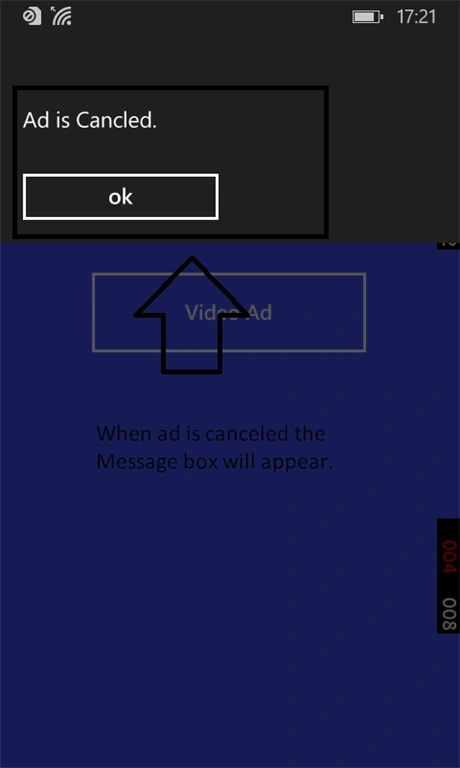
- void MyVideoAd_Cancelled(object sender, object e)
- {
- //When ad is canceled by the user this event will be hit.
- //Your Code
- }#
- endregion




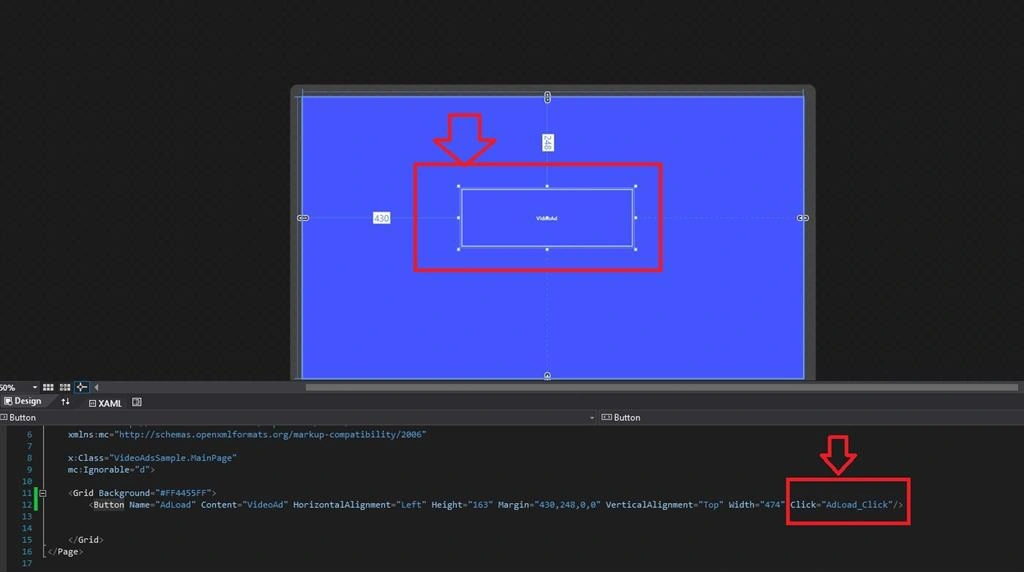

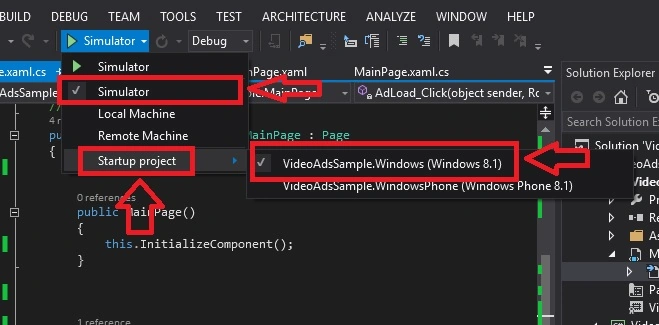

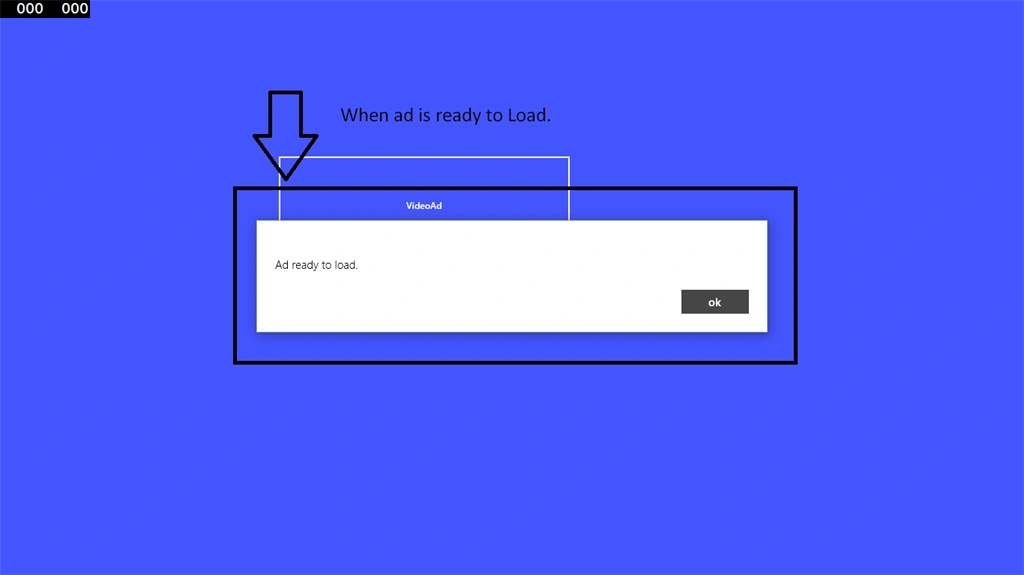



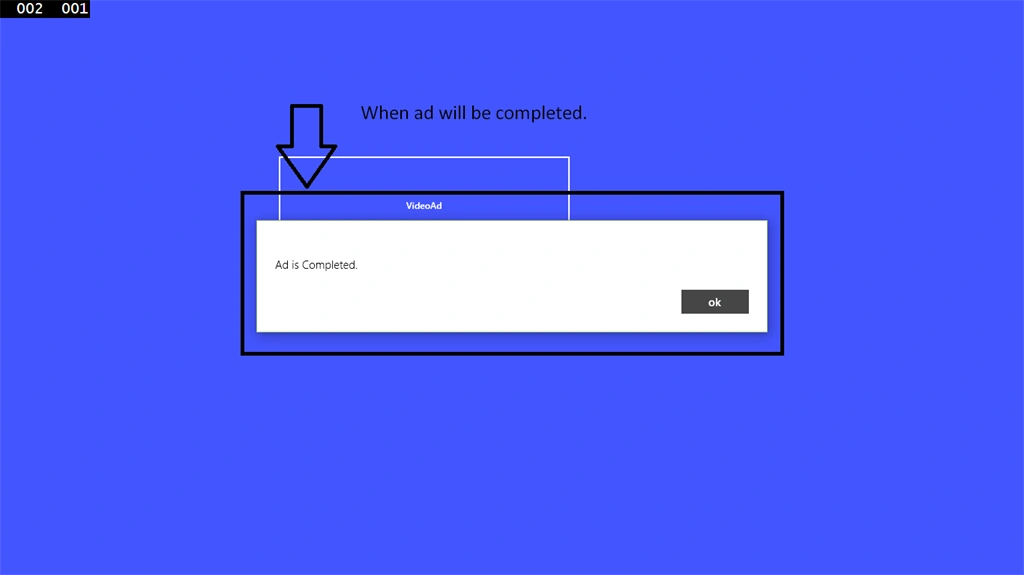
Scott JohnsonPosted Feb 2, 2016, 2:56 PM
I Just updated Microsoft Advertising SDK 2.0.4.... now getting Fail http request.... can anyone help?
Scott JohnsonPosted Feb 2, 2016, 2:54 PM
I just updated
Ankit BansalPosted Dec 7, 2015, 12:50 AM
nice one..thanks
Mahesh ChandPosted Dec 6, 2015, 7:32 AM
This is great to see Microsoft giving access to Ad SDK for developers. Do you have to create an account with Microsoft for the ads? Will the Ads be served direct from Microsoft similar to Google Adsense?