

Introduction
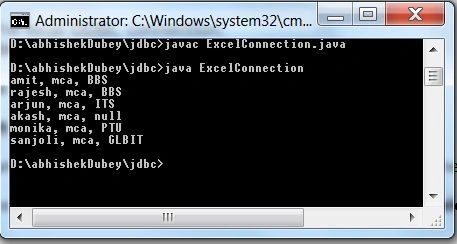
In this article, we will describe how a Java program connects to a Microsoft Excel sheet and retrieves the data from the sheet. And this connection is made with the JdbcOdbc bridge driver API provided by the SQL package in Java. You have to perform some steps to make the connection with an Excel sheet.
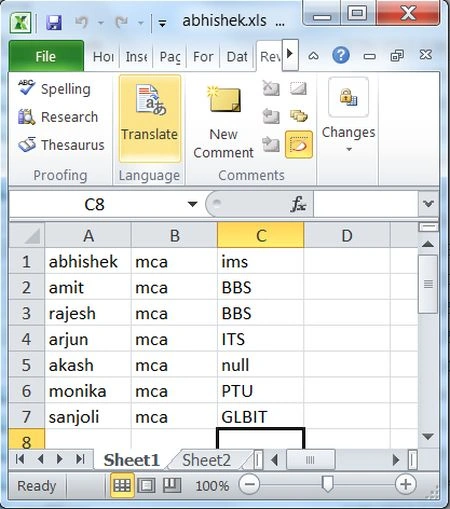
Step 1: First create the workbook (Excel sheet); if your Excel sheet is already created then there is no need to create it again.
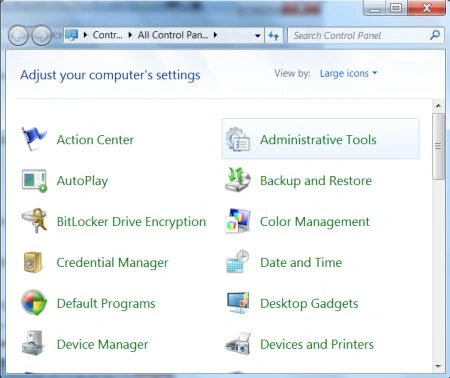
Step 2: To start, we need to setup the local ODBC connection. So select Administrative Tools in Control Panel.
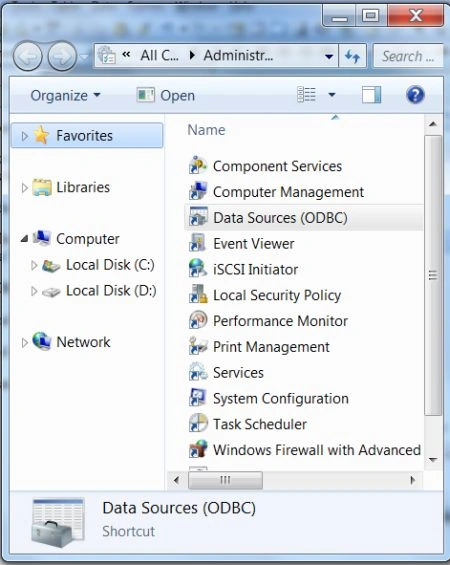
Step 3: Select Data Source (ODBC) option.
Step 5: Select System DSN and click on the Add tab.
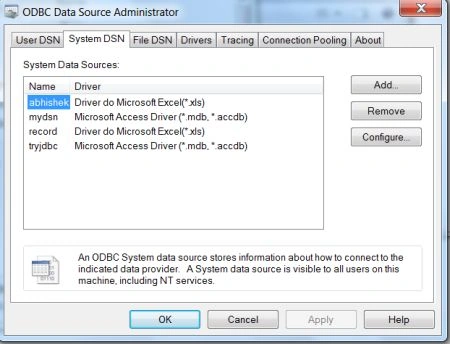
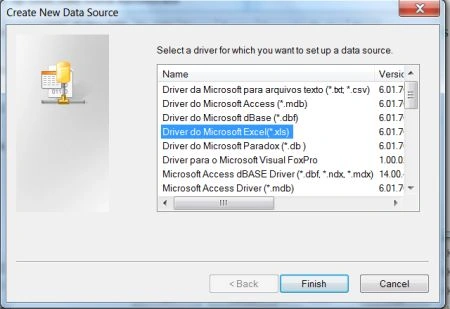
Step 6: Select the driver named as Driver do Microsoft Excel(*.xls) from the list.
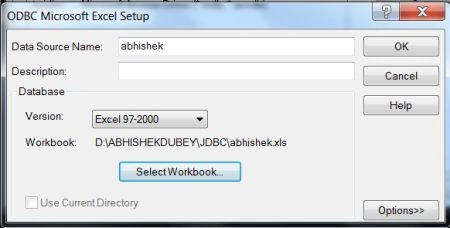
Step 7: Give the data source name and select your workbook.
Step 8: Click on the select workbook tab and then click ok.
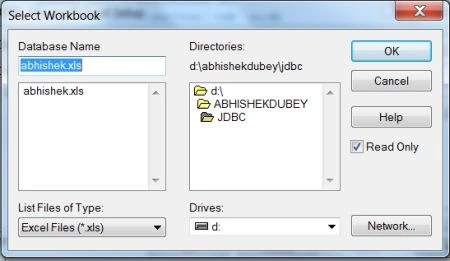
So now your DSN is created.
Java code
John RPosted Mar 31, 2014, 3:01 AM
how to connect netbeans with ms excel to update & retrieve data in excel sheet
Akash GaurPosted Feb 29, 2012, 11:04 PM
hello abhi, your article is really working well and its a good work by you thanx.