
This article is a explanation about Keystroke in F#. When we make windows form application, it provides alternates for trapping the input of the Keyboard and Mouse. In this article you can see almost any individual keystroke. Mostly you trap the standard events like KeyUp, KeyDown, KeyPress for handling Keystrokes. Steps are given below.
You will display the Header
Text For the events to show what things are going on. Below code show the
HeaderText.
// Display header text.
let headTxt =
new TextBlock();
headTxt.FontWeight <- FontWeights.Bold;
headTxt.Text <- headString;
grd.Children.Add(headTxt) |>ignore
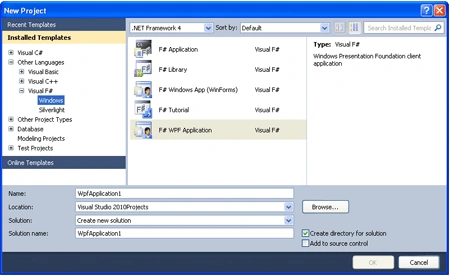
Step 1: Firstly Open a new project in F# using Visual Studio 2010. Select F# WPF Application template and give name to the Project, as shown in Below Image.
Step 2: Now add the below define refrences to your project by right clicking on project in Solution Explorer.
PresentationCore
PresentationFramework
System
System.Xaml
UIAutomationTypes
WindowsBase
Step 3: When you add all
these references your solution explorer will look like below.

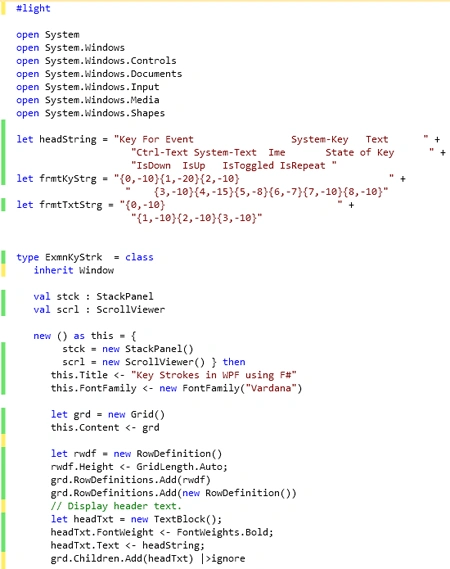
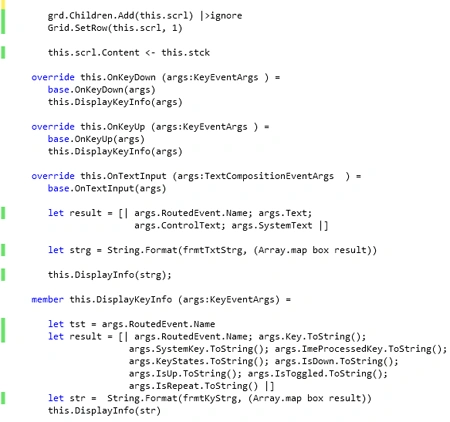
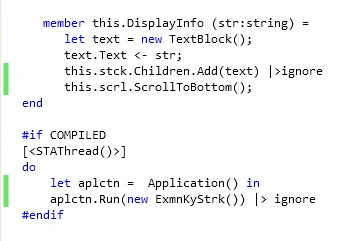
Step 4: Then Click on Program.fs file in solution Explorer and write below
code in Program.fs window. Your Window will look like below.
#light
open System
open
System.Windows
open
System.Windows.Controls
open
System.Windows.Documents
open
System.Windows.Input
open
System.Windows.Media
open
System.Windows.Shapes
let
headString = "Key For Event System-Key Text
" + "Ctrl-Text System-Text Ime
State of Key " +
" IsDown
IsUp IsToggled IsRepeat "
let
frmtKyStrg = "{0,-10} {1,-20} {2,-10}
" + "{3,-10}
{4,-15} {5,-8} {6,-7} {7,-10} {8,-10} "
let
frmtTxtStrg = "
{0,-10} " +
" {1,-10}
{2,-10} {3,-10}"
type ExmnKyStrk
= class
inherit Window
val stck : StackPanel
val scrl : ScrollViewer
new () as
this = {
stck = new StackPanel()
scrl = new ScrollViewer() }
then
this.Title <- "Key Strokes in WPF using
F#"
this.FontFamily <- new FontFamily("Vardana")
let grd = new
Grid()
this.Content <- grd
let rwdf = new
RowDefinition()
rwdf.Height <- GridLength.Auto;
grd.RowDefinitions.Add(rwdf)
grd.RowDefinitions.Add(new RowDefinition())
// Display header text.
let headTxt =
new TextBlock();
headTxt.FontWeight <- FontWeights.Bold;
headTxt.Text <- headString;
grd.Children.Add(headTxt) |>ignore
grd.Children.Add(this.scrl) |>ignore
Grid.SetRow(this.scrl, 1)
this.scrl.Content <- this.stck
override this.OnKeyDown (args:KeyEventArgs )
=
base.OnKeyDown(args)
this.DisplayKeyInfo(args)
override this.OnKeyUp (args:KeyEventArgs ) =
base.OnKeyUp(args)
this.DisplayKeyInfo(args)
override this.OnTextInput (args:TextCompositionEventArgs
) =
base.OnTextInput(args)
let result = [| args.RoutedEvent.Name;
args.Text;
args.ControlText; args.SystemText |]
let strg = String.Format(frmtTxtStrg, (Array.map
box result))
this.DisplayInfo(strg);
member this.DisplayKeyInfo (args:KeyEventArgs)
=
let tst = args.RoutedEvent.Name
let result = [| args.RoutedEvent.Name;
args.Key.ToString();
args.SystemKey.ToString(); args.ImeProcessedKey.ToString();
args.KeyStates.ToString(); args.IsDown.ToString();
args.IsUp.ToString(); args.IsToggled.ToString();
args.IsRepeat.ToString() |]
let str = String.Format(frmtKyStrg, (Array.map
box result))
this.DisplayInfo(str)
member this.DisplayInfo (str:string) =
let text = new
TextBlock();
text.Text <- str;
this.stck.Children.Add(text) |>ignore
this.scrl.ScrollToBottom();
end
#if
COMPILED
[<STAThread()>]
do
let aplctn = Application()
in
aplctn.Run(new ExmnKyStrk()) |>
ignore
#endif
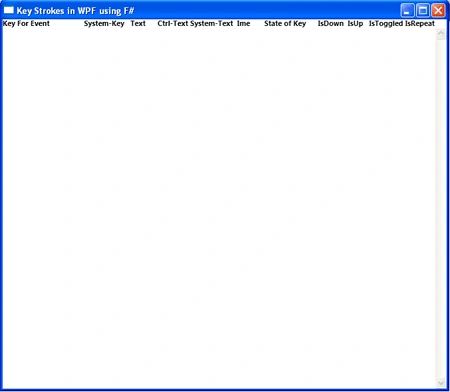
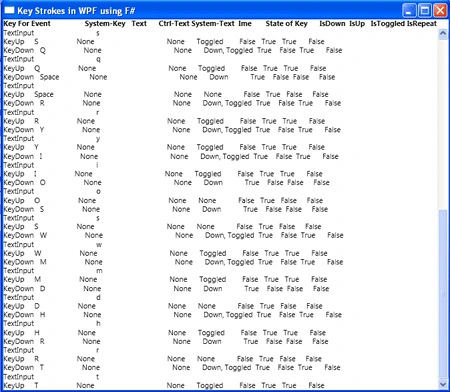
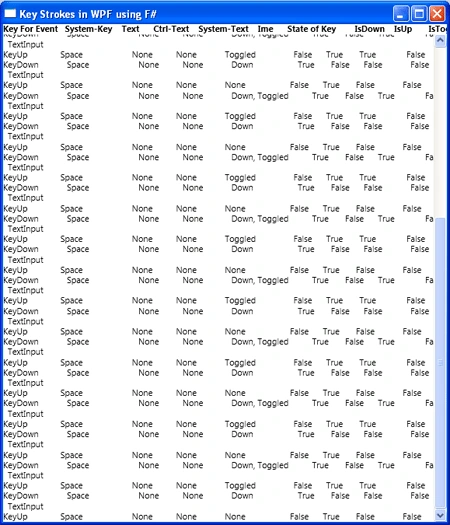
Step 5: Now press F5 to execute the code.
Output
Summary
In this article I have discussed that how to implement Keystroke Event in WPF using F#.
Join the conversation! Your thoughts help the community grow.