

Basic of TypeScript
TypeScript is a syntactic enhancement for JavaScript. The TypeScript syntax is a superset of Ecmascript 5 (ES5) syntax. Every JavaScript program is also a TypeScript program. The TypeScript compiler performs only file-local transformations on TypeScript programs and does not re-order variables declared in TypeScript.
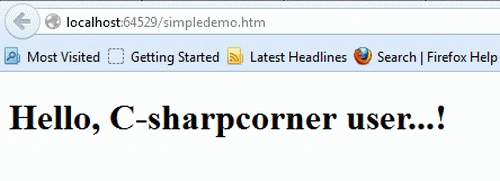
The following example shows how to create a simple TypeScript program. The example just prints "Hello" in the HTML document using TypeScript.
Create a project in Visual Studio. Make sure your Visual Studio is set up for TS. See here: Setting Up Visual Studio 2012 for TypeScript
Add a TypeScript file and call it from HTML.
Coding
simpledemo.ts
- class simpledemo {
- constructor(public greeting: string) {}
- greet() {
- return "<h1>" + this.greeting + "</h1>";
- }
- };
- var simple = new simpledemo("Hello, C-sharpcorner user....!");
- var str = simple.greet();
- document.body.innerHTML = str;
simpledemo.html
- <!DOCTYPEhtml>
- <html>
- <head>
- <title> TypeScript simpledemo </title>
- </head>
- <body>
- <scriptsrcscriptsrc="app.js">
- </script>
- </body>
- </html>
- app.js
- var simpledemo = (function () {
- function simpledemo(greeting) {
- this.greeting = greeting;
- }
- simpledemo.prototype.greet = function () {
- return"
- <h1>" + this.greeting + "</h1>";
- };
- return simpledemo;
- })();
- ; ;
- var simpledemo = new simpledemo("Hello, C-sharpcorner user...!");
- var str = simpledemo.greet();
- document.body.innerHTML = str;
Output
Abhijeet GuptaPosted Feb 21, 2017, 1:22 PM
You are not using ts file in this example