

This article explains Managed Metadata Services in SharePoint 2013.
Let's see how to configure a managed metadata service application in SharePoint 2013.
Open SharePoint Central Administration.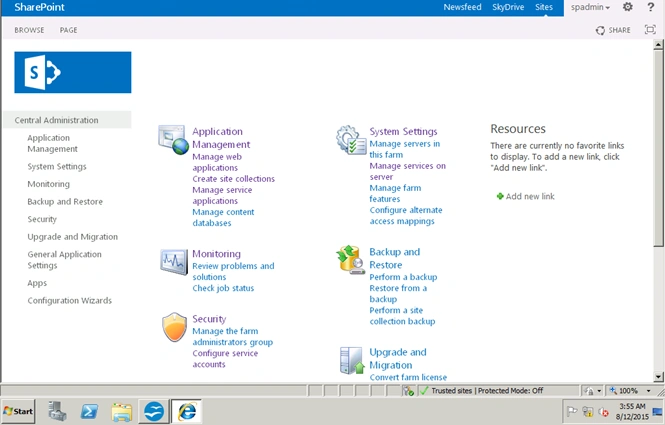
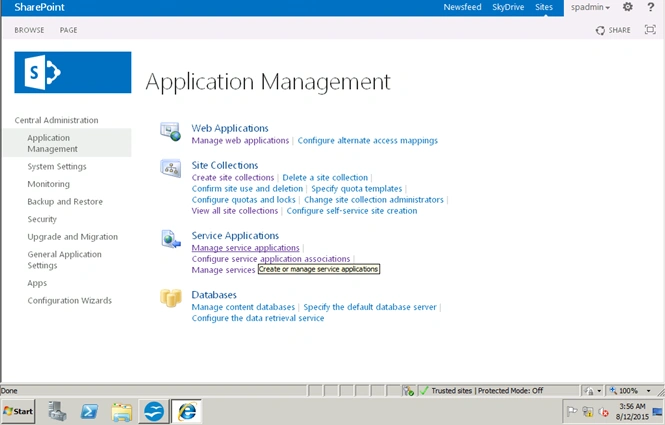
Click on Manage service applications.
On the page click New -> Managed metadata service.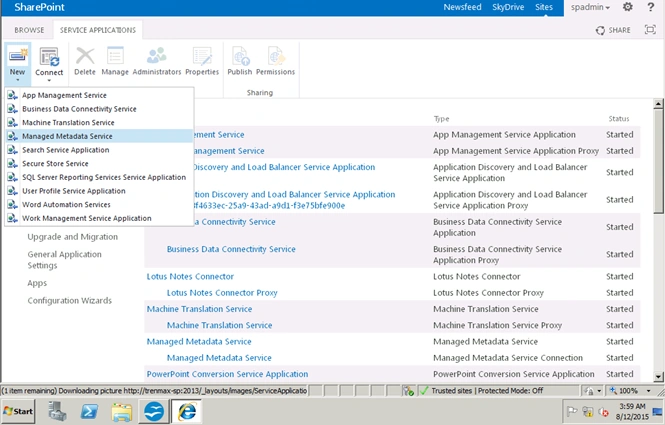
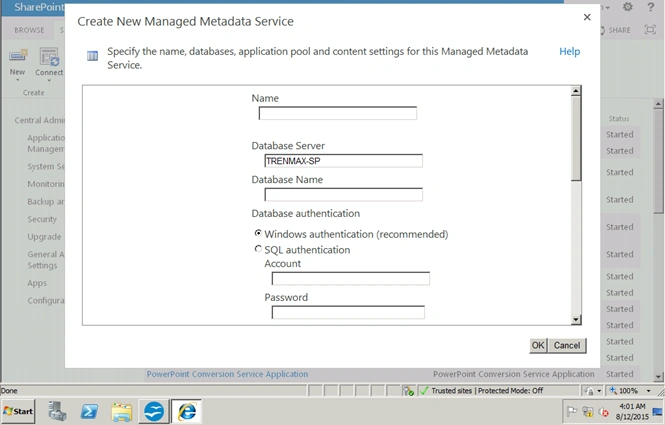
On this window, enter the name of the service application.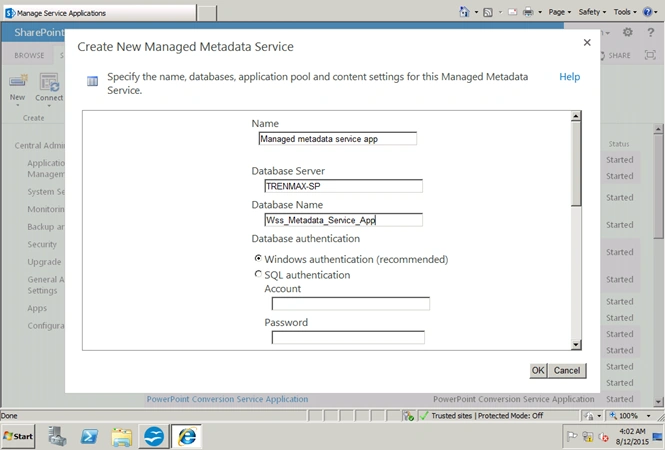
Enter the database name.
I am using WSS_Metadata_Service_App.
Create a new application pool “Metadata_Apppool”.
The configurable account will be “CRAZYSHAREPOINT\Spfarm”.
Click OK to complete.
Now see that the Managed metadata service application has been configured successfully.
Click on managed metadata service application.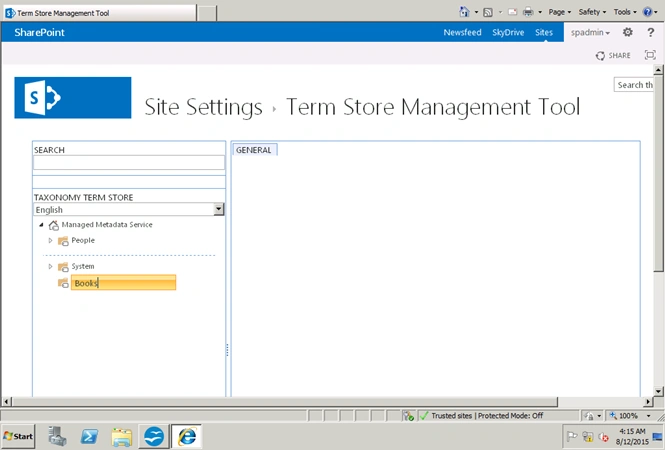
Add users under term store administrators and grant a permission to create a term and term sets.
Added CRAZYSHAREPOINT\Spadmin.
Click Save.
Click on New Group.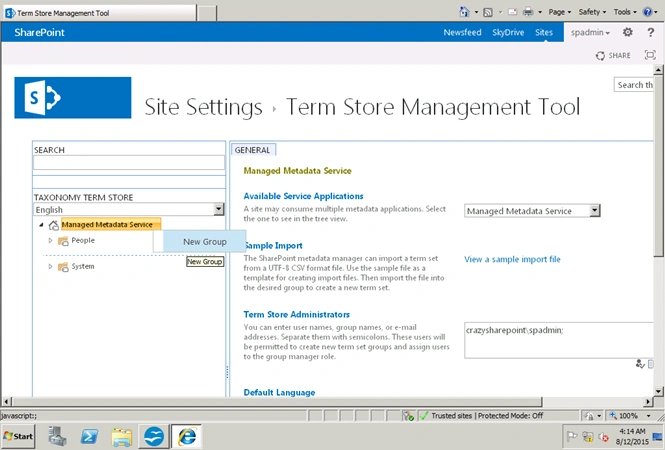
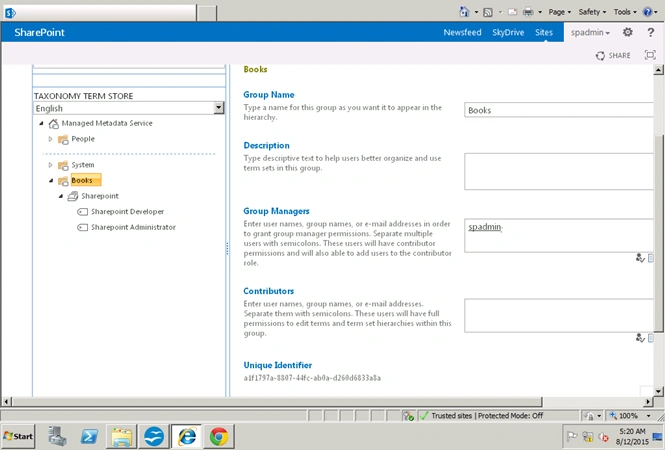
Create a group named books.
Click under the new group to create a new term set.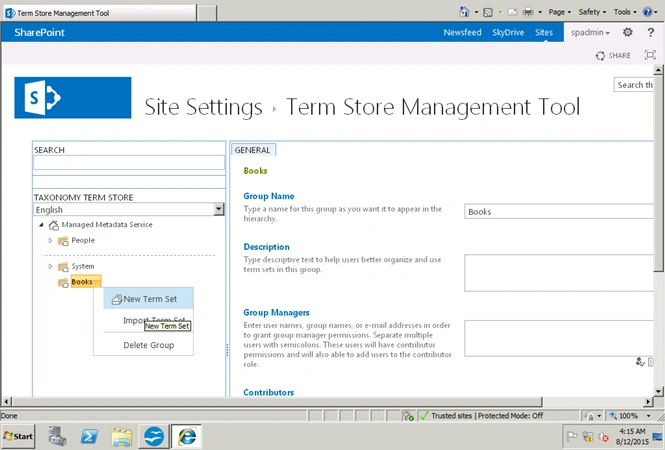
Enter SPAdmin as a group manager permissions.
Now I will create a new term set under books.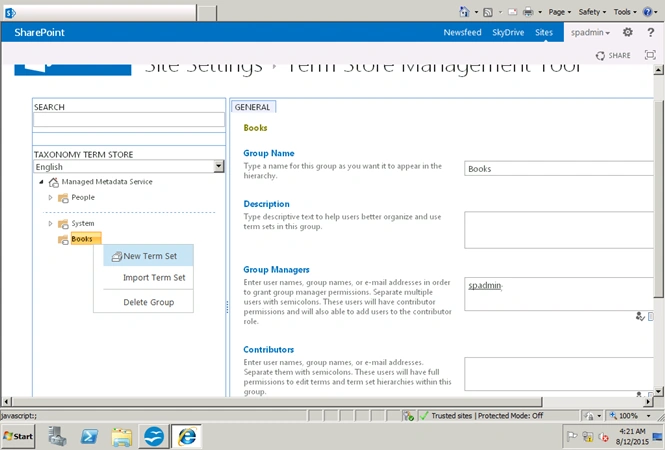
Create a new group named “Books".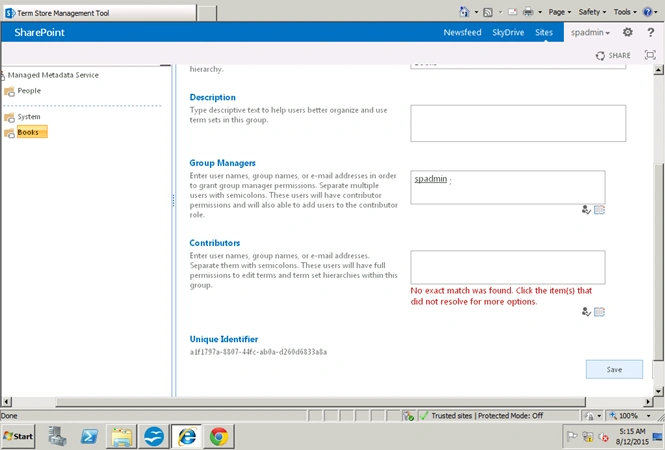
Create a term set named “Sharepoint'.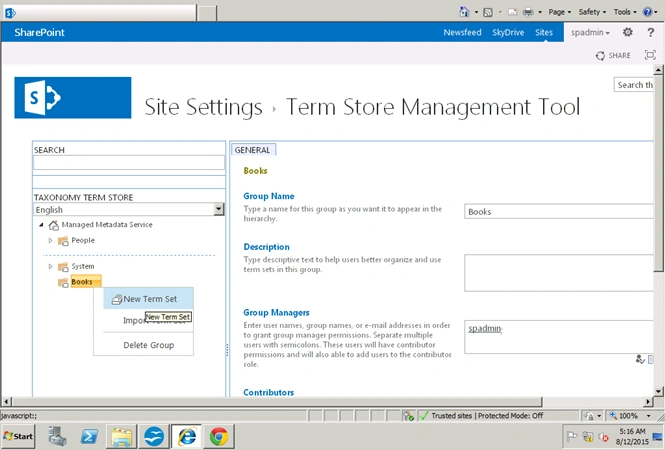
Create a terms.
SharePoint Developer
SharePoint Administrator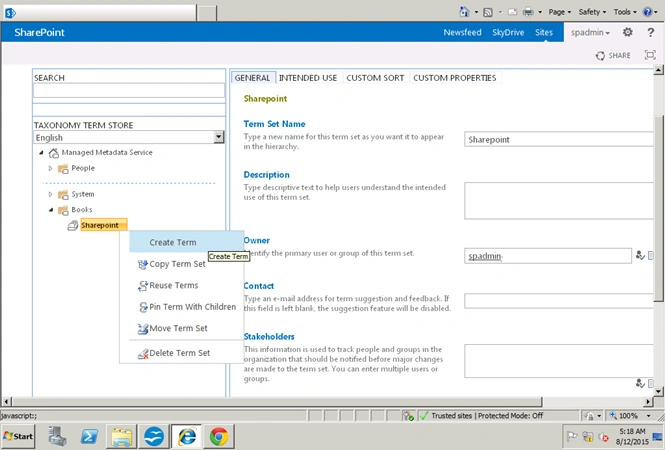
Now open a team site.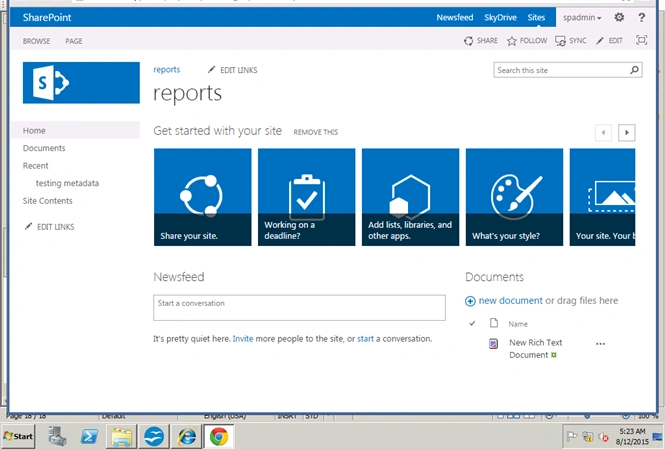
Create a Document Library.
Create a new column named Category → Column type: Managed Metadata.
Select your term set.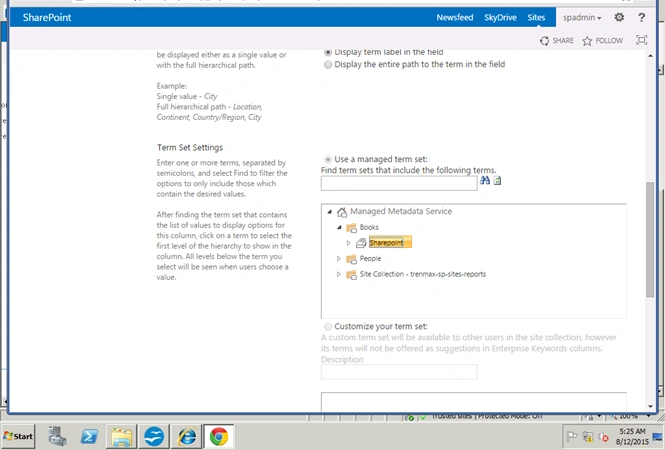
Now your Document Library looks like this.
Now upload a new document.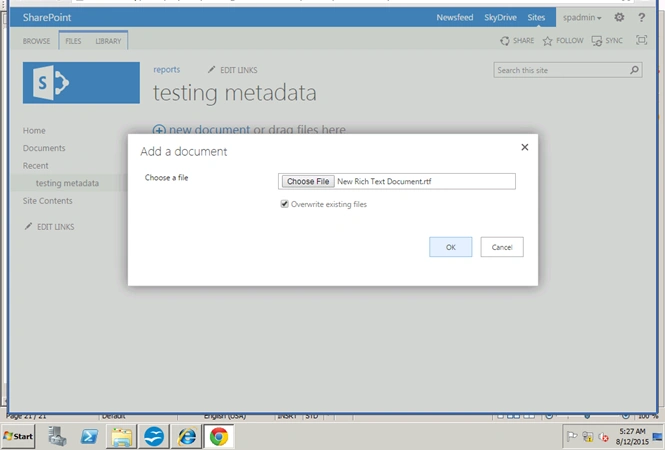

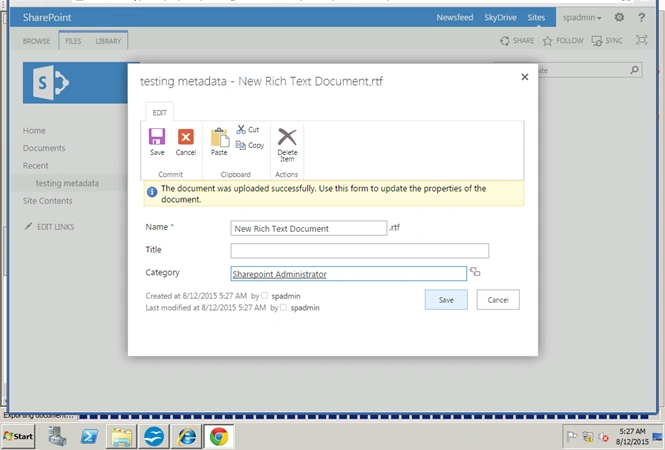
Click Save.
Now the new terms have been added to the documents.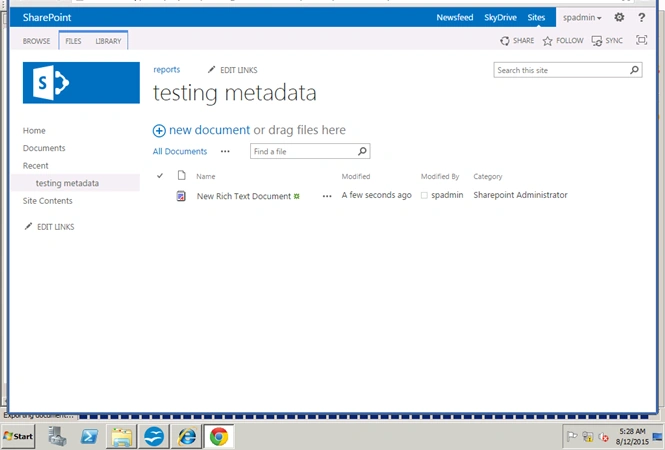
Happy SharePoint
Regards: Vinodh.N(Sharepoint Developer\Administrator).
Rajkiran SwainPosted Nov 6, 2015, 8:21 AM
nice one
Yashwanth MuthineniPosted Aug 19, 2015, 6:03 AM
Good one
Santhakumar MunuswamyPosted Aug 16, 2015, 2:33 AM
Nice Article. Thanks for sharing
Pankaj Kumar ChoudharyPosted Aug 14, 2015, 9:01 PM
Nice Explain sir.........
keera chinnuPosted Aug 14, 2015, 7:56 AM
Thanks for sharing..Good One. Can U please give Some Overview on People Picker how it works and all.
Vinodh NarayananPosted Aug 14, 2015, 7:02 AM
Thanks a lot guys
Sibeesh VenuPosted Aug 14, 2015, 6:56 AM
Nice Share :)
Ankit BansalPosted Aug 14, 2015, 3:00 AM
nice..
Vaikesh K PPosted Aug 14, 2015, 1:24 AM
Nice
RakeshPosted Aug 14, 2015, 12:09 AM
Good one
Karthikeyan KPosted Aug 13, 2015, 11:34 PM
Good one..Thanks for sharing
Vinodh NarayananPosted Aug 13, 2015, 11:33 PM
Thank u
Gopi ChandPosted Aug 13, 2015, 11:08 PM
Good work