

Dynamic Menu means reading menu and their sub-menus from the database table. I have the following SQL Server data table where you can see the Menu Information:
MENU table in Design Mode: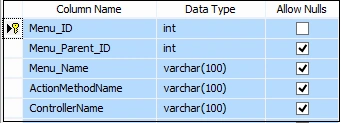
Figure 1
Script of this Table:
- CREATE TABLE [dbo].[Menu](
- [Menu_ID] [int] IDENTITY(1,1) NOT NULL,
- [Menu_Parent_ID] [int] NULL,
- [Menu_Name] [varchar](100) NULL,
- [ActionMethodName] [varchar](100) NULL,
- [ControllerName] [varchar](100) NULL,
- CONSTRAINT [PK_Menu] PRIMARY KEY CLUSTERED
- (
- [Menu_ID] ASC
- )WITH (PAD_INDEX = OFF, STATISTICS_NORECOMPUTE = OFF, IGNORE_DUP_KEY = OFF, ALLOW_ROW_LOCKS = ON, ALLOW_PAGE_LOCKS = ON) ON [PRIMARY]
- ) ON [PRIMARY]
- GO
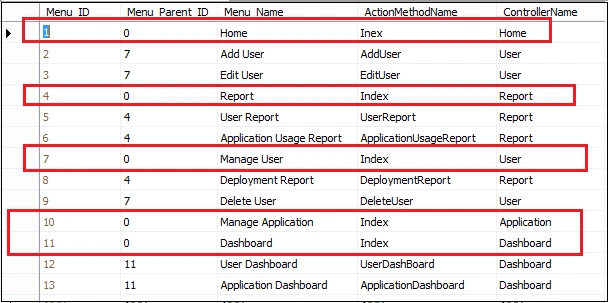
Figure 2
Here in this table I have record with Menu_ID & Menu_Parent_ID relation. From here we can identify which menu has submenu.
Queries
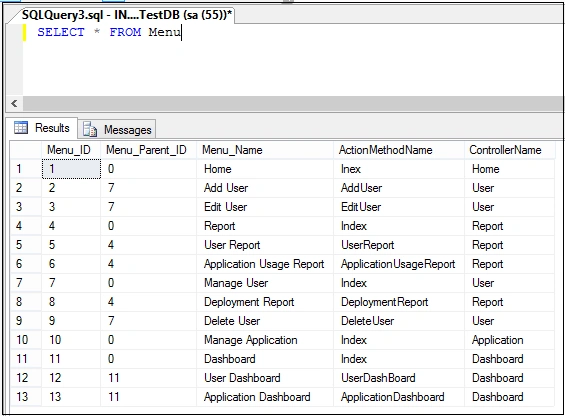
Figure 3
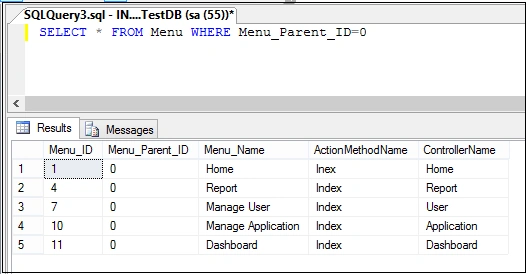
Figure 4
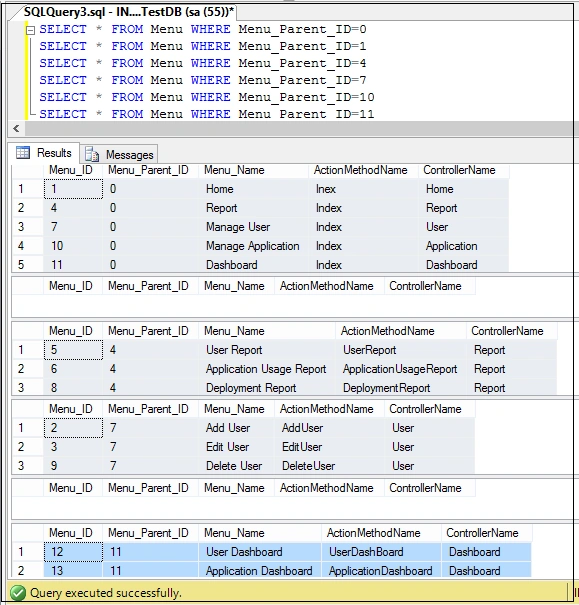
Figure 5
Above queries will help you to understand Menu Structure in the database table.
Now time to create a Visual Studio Application. Here I will use WCF REST and AngularJS.
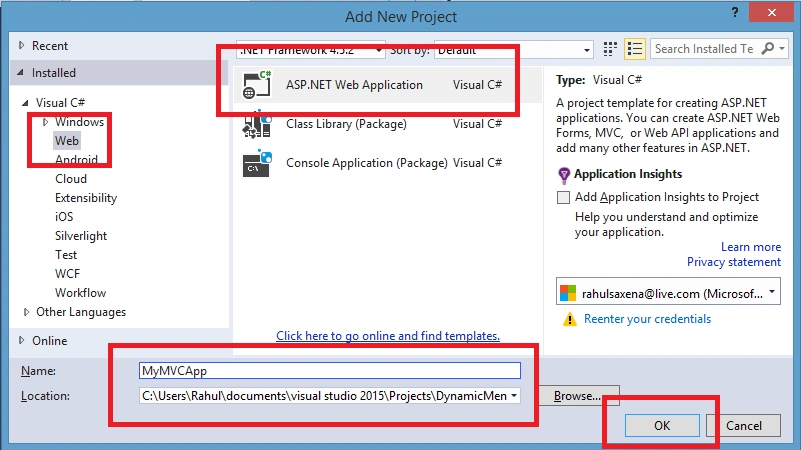
Open Visual Studio, then New and go to Project. Add a WCF Service Application project like the following:
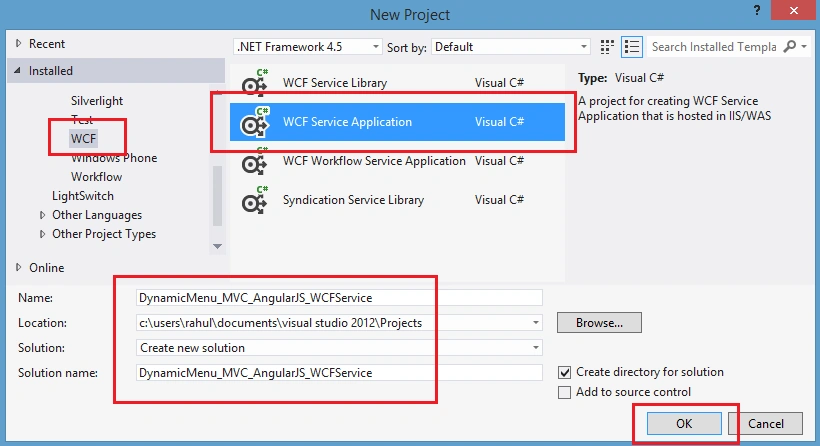
Figure 6
Remove Service.svc and IService.cs. Right click on Project Solution Explorer, then add WCF Service:
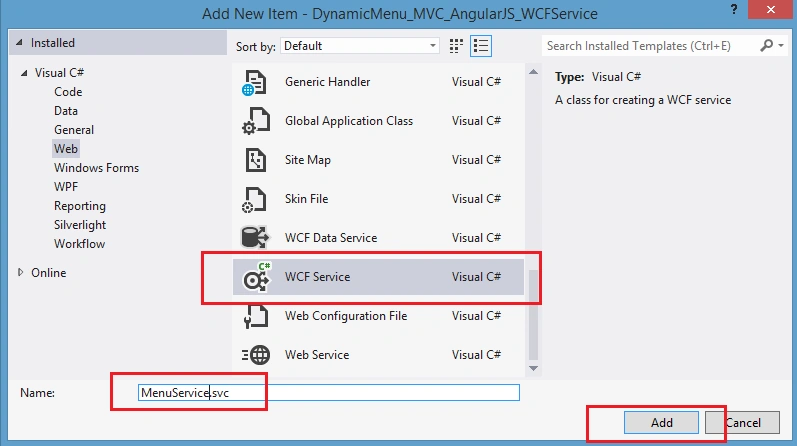
Figure 7
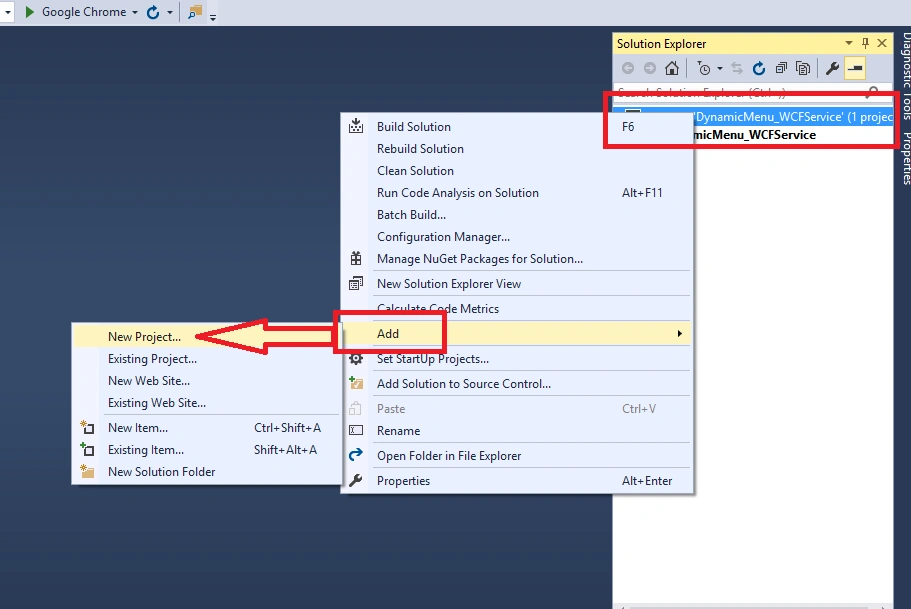
Now again right click on Project Solution Explore.
(DynamicMenu_MVC_AngularJS_WCFService) - Add New Item
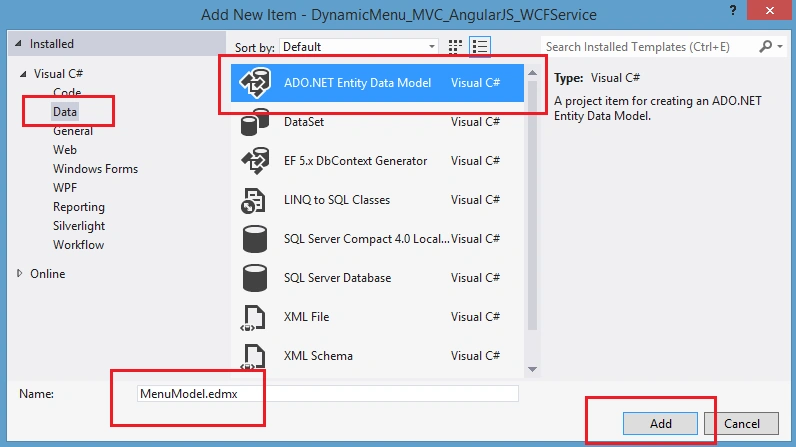
Figure 8
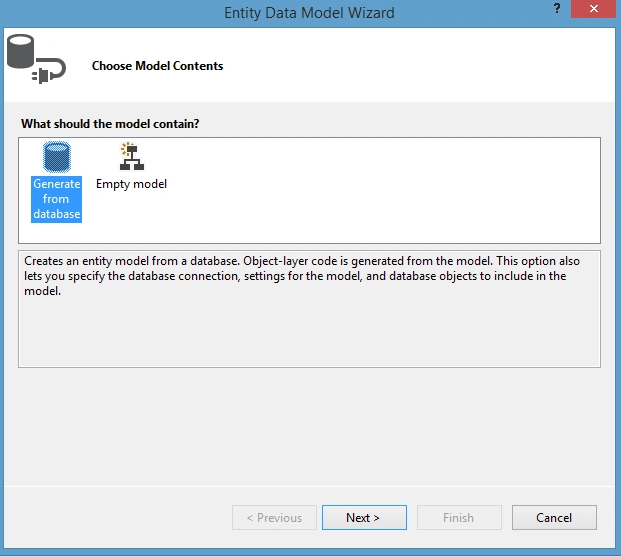
Figure 9
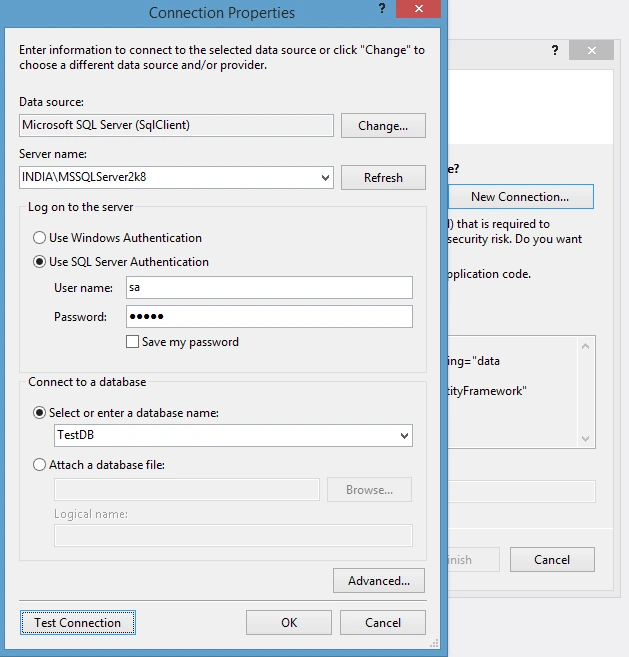
Figure 10
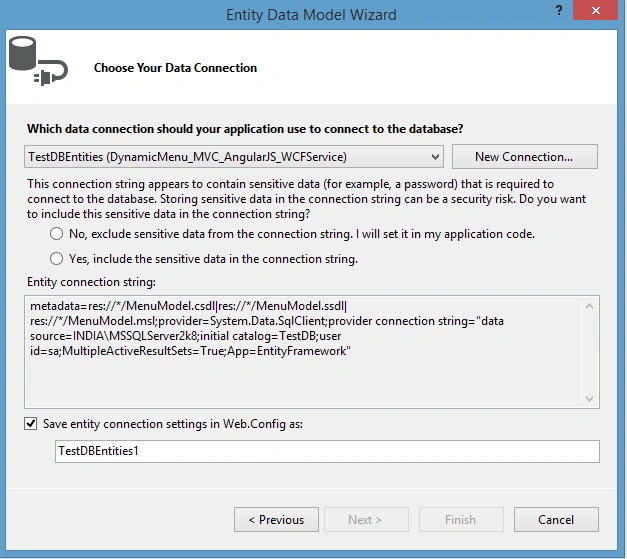
Figure 11
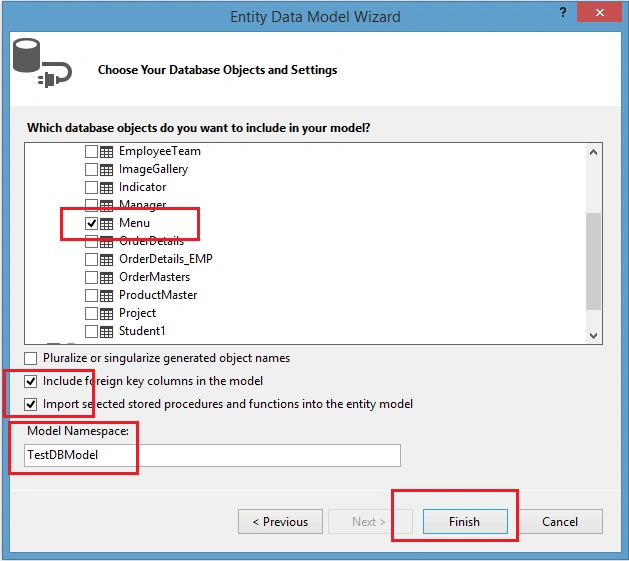
Figure 12
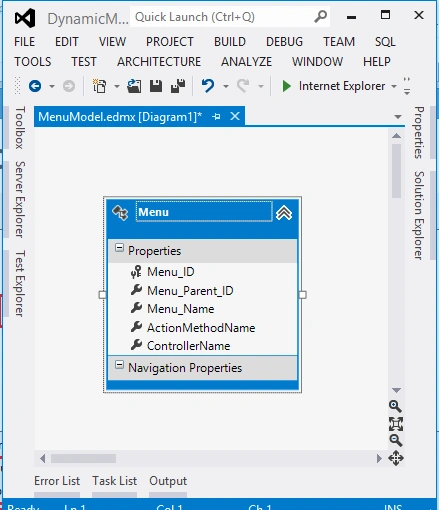
Figure 13
Now add a new class MenuItem.cs to define DataContract.
- using System;
- using System.Collections.Generic;
- using System.Linq;
- using System.Web;
- using System.Runtime.Serialization;
- using System.ServiceModel;
- namespace DynamicMenu_MVC_AngularJS_WCFService
- {
- public class MenuItem
- {
- [DataContract]
- public class MenuDetailDataContract
- {
- [DataMember]
- public string Menu_ID { get; set; }
- [DataMember]
- public string Menu_Parent_ID { get; set; }
- [DataMember]
- public string Menu_Name { get; set; }
- [DataMember]
- public string ActionMethodName { get; set; }
- [DataMember]
- public string ControllerName { get; set; }
- }
- }
- }
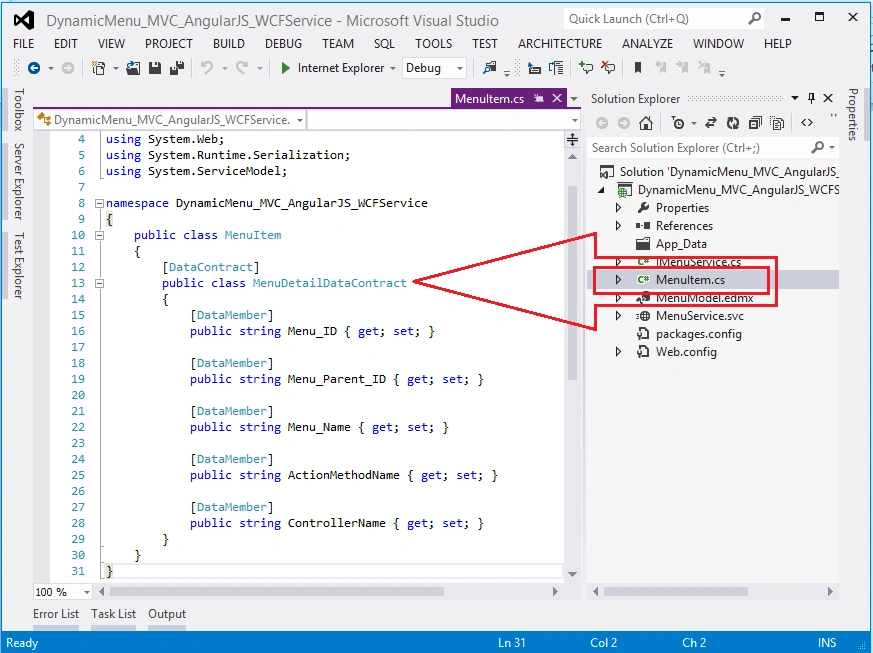
Figure 14
Now open IMenuService.cs:
- using System;
- using System.Collections.Generic;
- using System.Linq;
- using System.Runtime.Serialization;
- using System.ServiceModel;
- using System.ServiceModel.Web;
- using System.Text;
- namespace DynamicMenu_MVC_AngularJS_WCFService
- {
- // NOTE: You can use the "Rename" command on the "Refactor" menu to change the interface name "IMenuService" in both code and config file together.
- [ServiceContract]
- public interface IMenuService
- {
- [OperationContract]
- [WebInvoke(Method = "GET",
- RequestFormat = WebMessageFormat.Json,
- ResponseFormat = WebMessageFormat.Json,
- UriTemplate = "/GetMenuDetails/")]
- List<MenuItem.MenuDetailDataContract> GetMenuDetails();
- }
- }
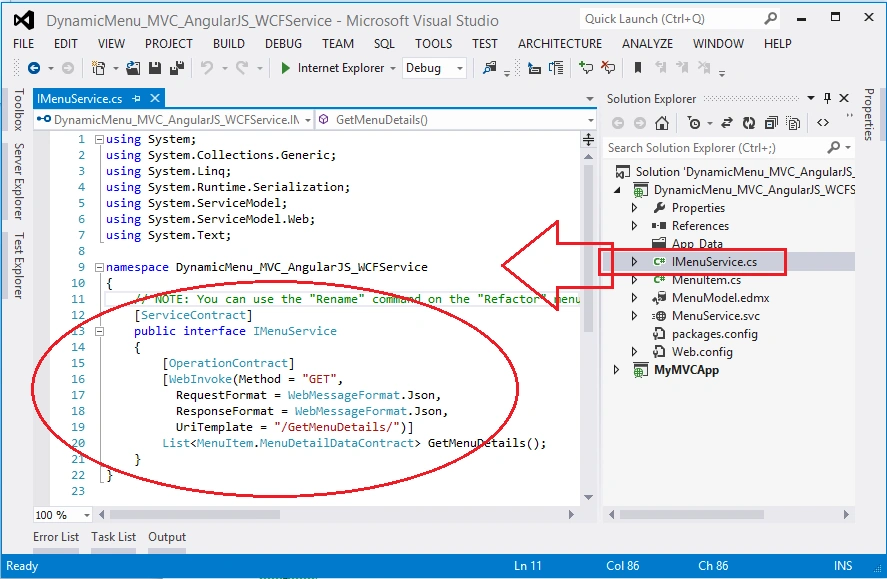
Figure 15
Now open MenuService.svc:
- using System.Collections.Generic;
- using System.Linq;
- using System.Runtime.Serialization;
- using System.ServiceModel;
- using System.ServiceModel.Web;
- using System.Text;
- namespace DynamicMenu_MVC_AngularJS_WCFService
- {
- // NOTE: You can use the "Rename" command on the "Refactor" menu to change the class name "MenuService" in code, svc and config file together.
- // NOTE: In order to launch WCF Test Client for testing this service, please select MenuService.svc or MenuService.svc.cs at the Solution Explorer and start debugging.
- public class MenuService : IMenuService
- {
- DynamicMenu_MVC_AngularJS_WCFService.TestDBEntities1 OME;
- public MenuService()
- {
- OME = new DynamicMenu_MVC_AngularJS_WCFService.TestDBEntities1();
- }
- public List<MenuItem.MenuDetailDataContract> GetMenuDetails()
- {
- var query = (from A in OME.Menu
- select new
- {
- A.Menu_ID,
- A.Menu_Parent_ID,
- A.Menu_Name,
- A.ActionMethodName,
- A.ControllerName
- }).ToList();
- List<MenuItem.MenuDetailDataContract> MenuList = new List<MenuItem.MenuDetailDataContract>();
- query.ToList().ForEach(rec =>
- {
- MenuList.Add(new MenuItem.MenuDetailDataContract
- {
- Menu_ID = Convert.ToString(rec.Menu_ID),
- Menu_Parent_ID = rec.Menu_Parent_ID.ToString(),
- Menu_Name = rec.Menu_Name.ToString(),
- ActionMethodName = rec.ActionMethodName,
- ControllerName = rec.ControllerName
- });
- });
- return MenuList;
- }
- }
- }
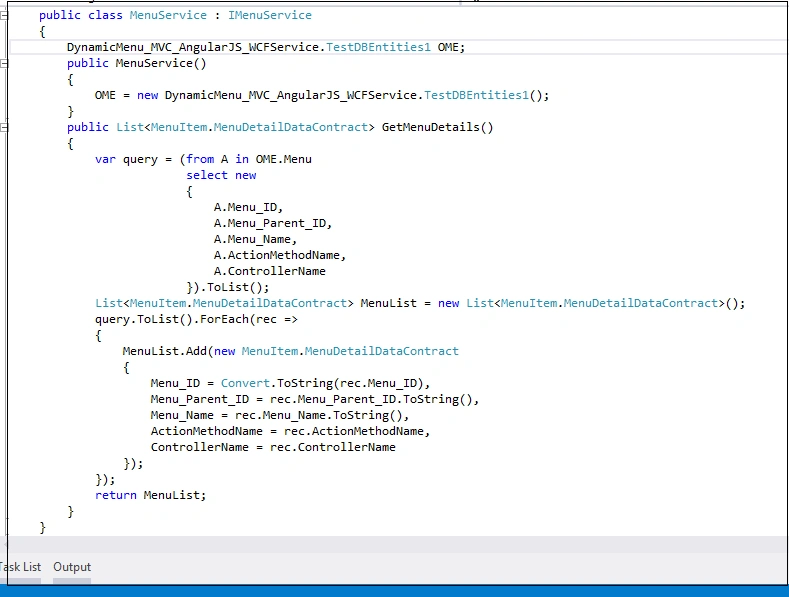
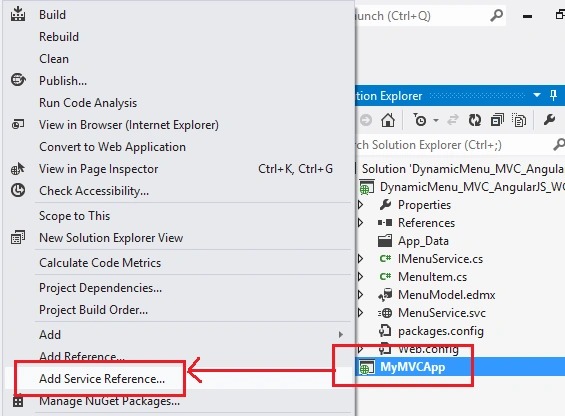
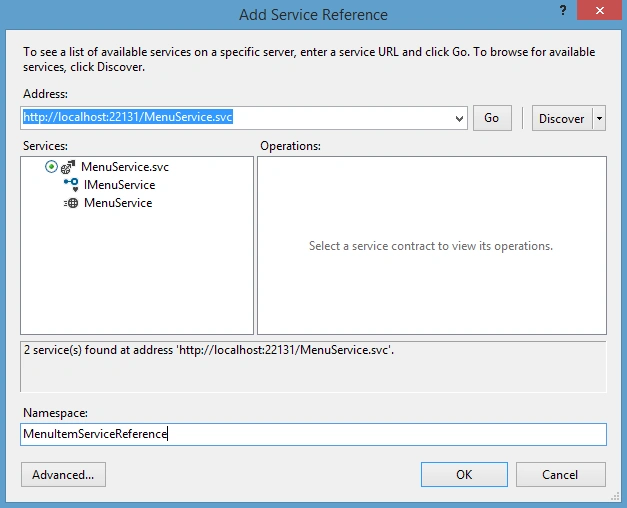
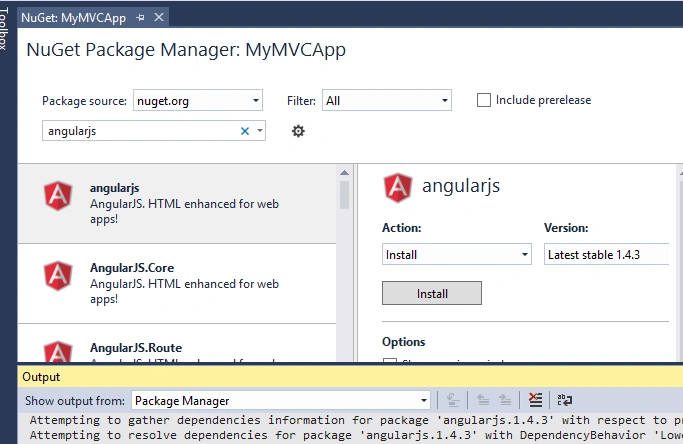
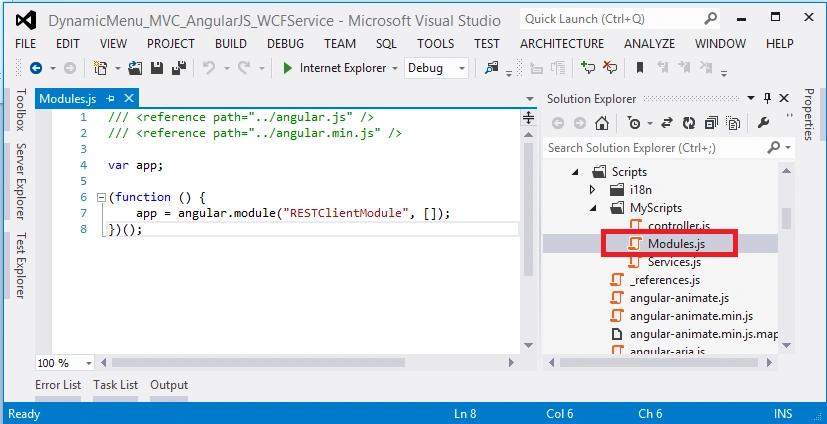
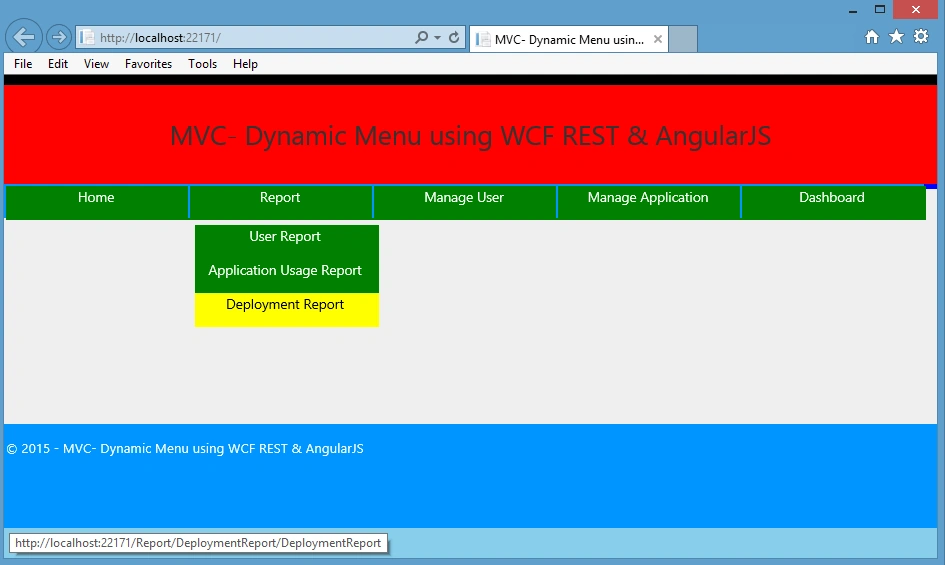
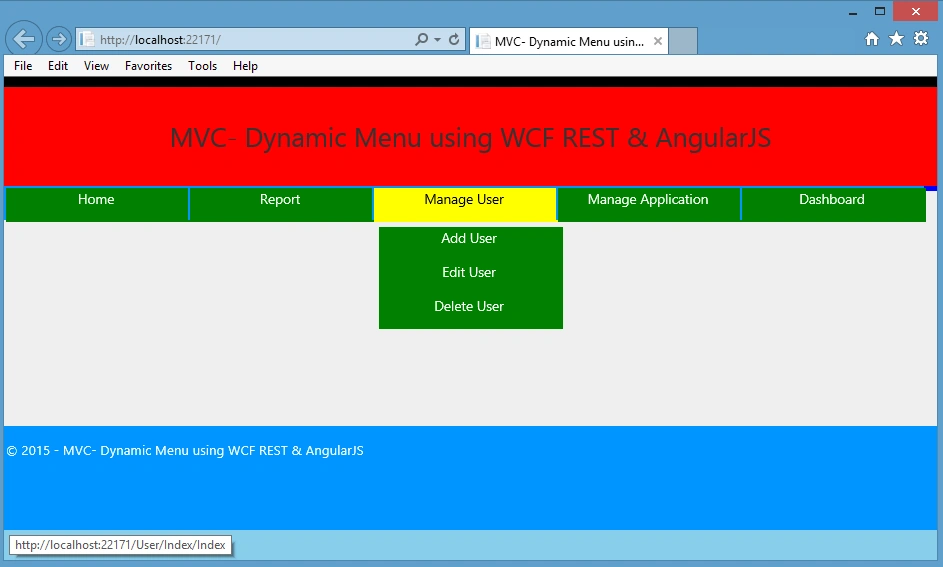
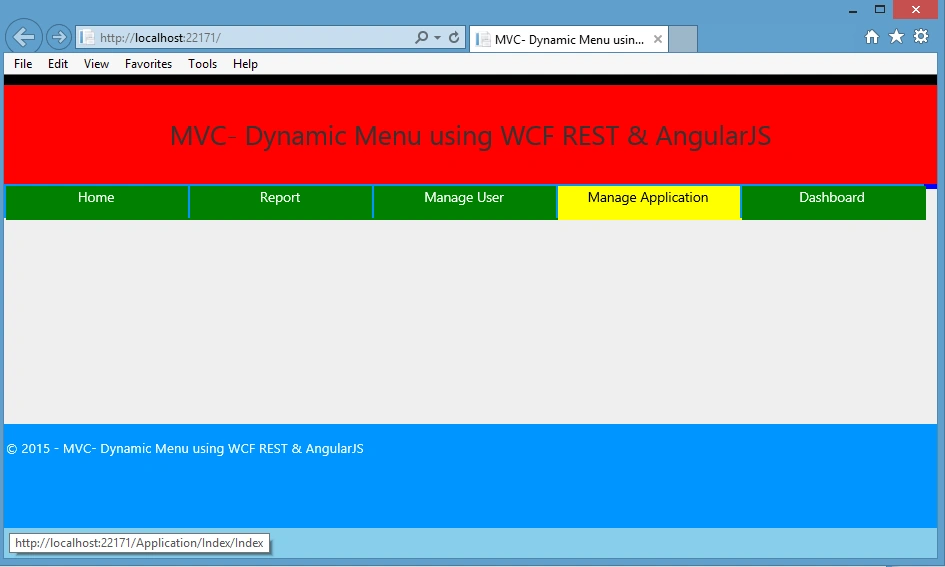

Delpin Susai RajPosted Aug 28, 2016, 6:50 AM
Nice article
Rahul Kumar SaxenaPosted Apr 1, 2016, 9:31 PM
Thanks to all
Rahul Kumar SaxenaPosted Apr 1, 2016, 9:31 PM
Thanks Luis Cortes.... I will ask Source Code
Rahul Kumar SaxenaPosted Apr 1, 2016, 9:30 PM
Yes Muhammad Irfan I will check for Source Code
Luis CortesPosted Apr 1, 2016, 5:36 PM
Too bad that is not the source code :P
Luis CortesPosted Apr 1, 2016, 5:34 PM
Rahul, great article!!!
Leonardo RodrigoPosted Oct 1, 2015, 6:58 PM
El extremo de 'http://localhost:61024/MenuService.svc' no tiene ning?n enlace con None MessageVersion. 'System.ServiceModel.Description.WebHttpBehavior' solo es compatible con WebHttpBinding o enlaces similares.
Leonardo RodrigoPosted Oct 1, 2015, 6:58 PM
why to show
Muhammad IrfanPosted Sep 30, 2015, 1:32 AM
yes its not showing. :) Its will be me more helpful for beginners if the complete source is available too. :)
Rahul Kumar SaxenaPosted Sep 29, 2015, 2:50 AM
I have uploaded the Source Code also for this project... but you are right it's not showing here...Team Please assist...
Muhammad IrfanPosted Sep 29, 2015, 1:28 AM
Can i get complete project of this tutorial???
Rahul Kumar SaxenaPosted Sep 18, 2015, 2:56 AM
Thanks Ankit Bansal...
Ankit BansalPosted Sep 18, 2015, 12:49 AM
great one...
Rahul Kumar SaxenaPosted Sep 10, 2015, 1:00 AM
Ilker E In HomeController/ Index no need to write any code because you can see my Index.cshtml I am using AngularJS here which will call Data directly...
Ilker EPosted Sep 7, 2015, 6:51 AM
I think, Code in HomeController/Index is missing in article
Rahul Kumar SaxenaPosted Sep 5, 2015, 5:11 AM
Amol I uploaded the source code but you are right it's not showing here.. Let me confirm...Soon I will update you...
Rahul Kumar SaxenaPosted Sep 5, 2015, 5:11 AM
Thanks Amol
Rahul Kumar SaxenaPosted Sep 5, 2015, 5:11 AM
Thanks Shashi Kiran Singh
AmitPosted Sep 5, 2015, 1:59 AM
can you mail me this application on [email protected]
AmitPosted Sep 5, 2015, 1:57 AM
Hi Rahul
Rahul Kumar SaxenaPosted Sep 3, 2015, 8:23 AM
Thanks Ravi Patel
Rahul Kumar SaxenaPosted Sep 3, 2015, 8:23 AM
Thanks Musab AlRiani
Ravi PatelPosted Sep 3, 2015, 6:56 AM
good work
Musab AlRianiPosted Sep 3, 2015, 6:54 AM
Very Intersting work,keep going.
Rahul Kumar SaxenaPosted Sep 3, 2015, 3:11 AM
Thanks Vaikesh K P
Vaikesh K PPosted Sep 3, 2015, 2:08 AM
Nice work :)
Rahul Kumar SaxenaPosted Sep 3, 2015, 1:42 AM
Thanks Pankaj Kumar Choudhary
Rahul Kumar SaxenaPosted Sep 3, 2015, 1:41 AM
Thanks Shridhar Sharma
Rahul Kumar SaxenaPosted Sep 3, 2015, 1:41 AM
Thanks Santhakumar Munuswamy
Pankaj Kumar ChoudharyPosted Sep 2, 2015, 8:57 PM
As usual Nice content and Explanation Sir.........
Shridhar SharmaPosted Sep 2, 2015, 7:20 PM
very nice article Rahul sir.
Santhakumar MunuswamyPosted Sep 2, 2015, 2:40 PM
Good article. Thanks for sharing
Rahul Kumar SaxenaPosted Sep 2, 2015, 1:17 PM
Thanks Rajeesh Menoth
Rahul Kumar SaxenaPosted Sep 2, 2015, 1:17 PM
Thanks Rakesh Chavda
Rahul Kumar SaxenaPosted Sep 2, 2015, 1:17 PM
Thanks Sibeesh Venu
Rahul Kumar SaxenaPosted Sep 2, 2015, 1:17 PM
Thanks Karthikeyan K
Rahul Kumar SaxenaPosted Sep 2, 2015, 1:17 PM
Thank u Syed Shanu bro...
Rajeesh MenothPosted Sep 2, 2015, 7:23 AM
Good One..
RakeshPosted Sep 2, 2015, 7:01 AM
Very nice sir
Sibeesh VenuPosted Sep 2, 2015, 6:44 AM
Nice Share
Karthikeyan KPosted Sep 2, 2015, 6:23 AM
Good one sir...Thanks for sharing
Syed ShanuPosted Sep 2, 2015, 5:44 AM
Good One