Introduction
DNN (formerly DotNetNuke) is a web Content Management System that uses Microsoft. NET. The Community Edition is open-source. DotNetNuke was written in VB.NET, though the developer has shifted to C# beginning with DNN version 6.0.[4]. It is distributed under both a Community Edition MIT license and commercial proprietary licenses as the Professional and Enterprise Editions.
DNN (formerly DotNetNuke) is a program that runs on Microsoft ASP.NET. It is also a framework, meaning, it is a program that is designed to be extended. One of the ways you extend the framework is to create modules. These modules are installed inside a DotNetNuke installation and when they run in that DotNetNuke installation they extend the framework to create a DotNetNuke website also called a portal. Click Here to learn more about DNN.
Installation Process
Step 1. Download the .rar file from the following web page.
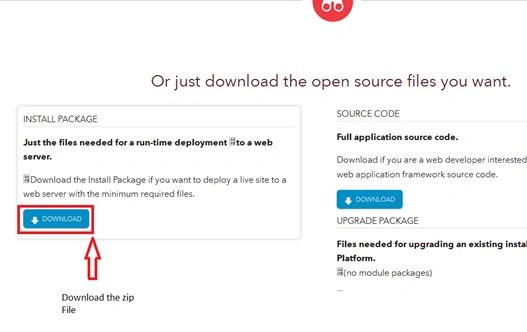
Step 2. Extract the downloaded file.

Step 3. Add Full Control access to the Network Service account user.

Step 4. Open IIS.
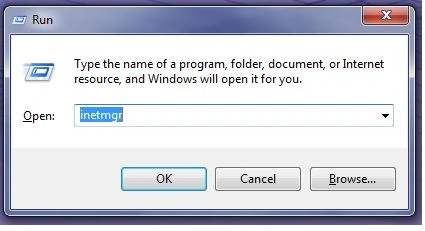
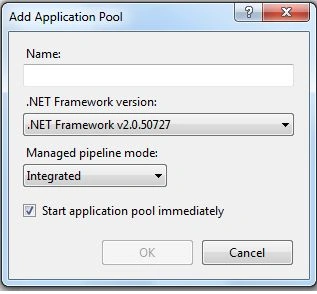
Step 5. Create a new Application Pool for your DNN website. Set .NET Framework versions accordingly. Then set the identity with a specific user account from advanced settings as follows.
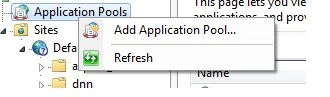
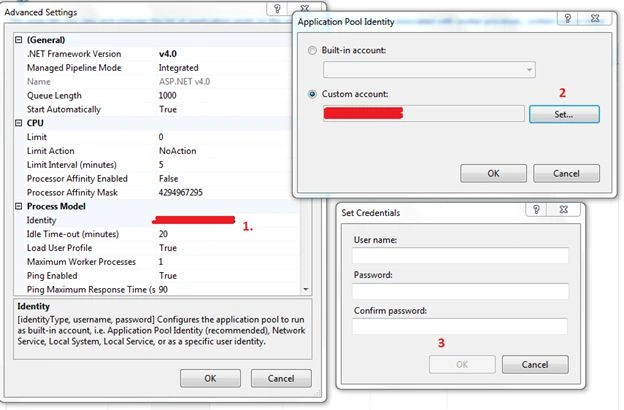
Step 6. Add a new application to the default application. (Right-click then select Add new application).
- Provide an Alias Name
- Select the Application pool
- Select the folder path(Folder path, where extracted files are kept).
- Select Connect as an Application Pool user.
See the following.
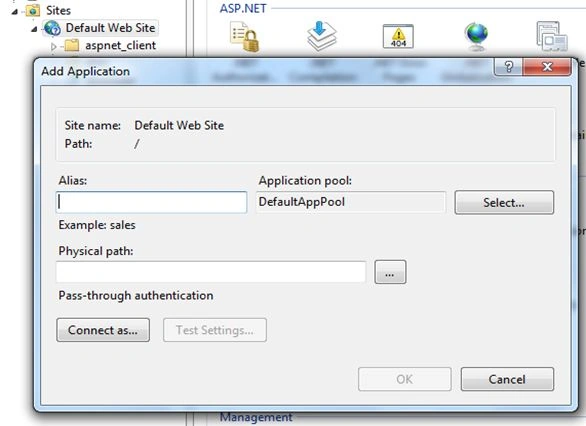
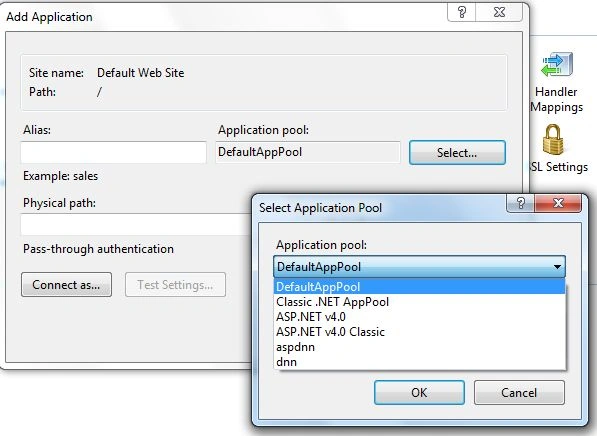
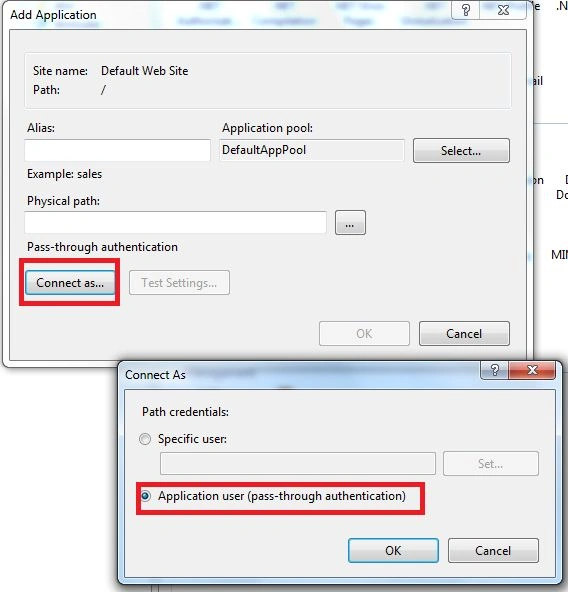
Step 7. Now your DNN Site has been hosted in IIS.
Open the Web. config file and edit the connections string “SiteSqlServer” and app Settings Key “SiteSqlServer” with your SQL Server credentials. Then browse your website from IIS.
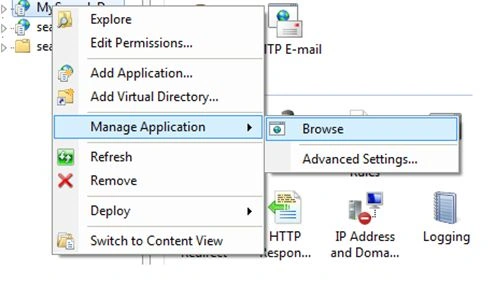
Step 8. Now you can see the installation wizard for DNN.
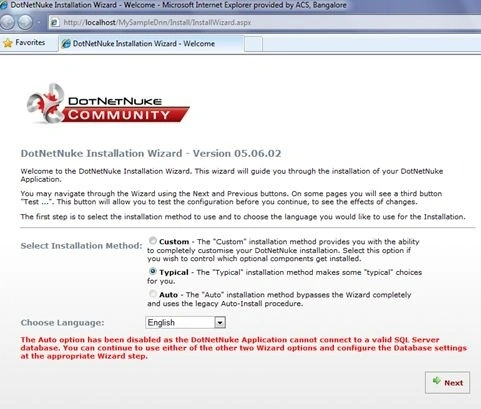
Step 9. Select Custom Option and click Next. Always before clicking Next please read all the instructions carefully.
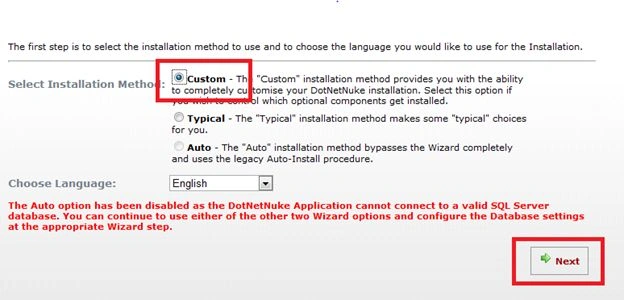
Step 10. Click Next.
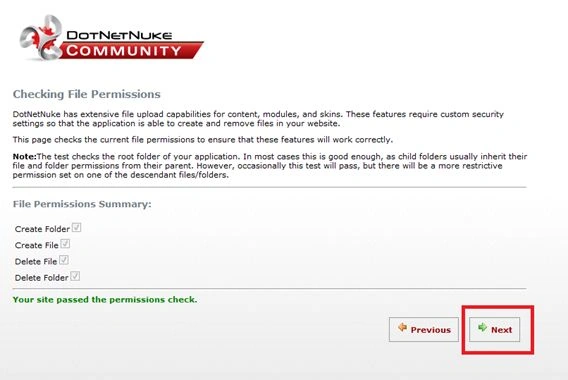
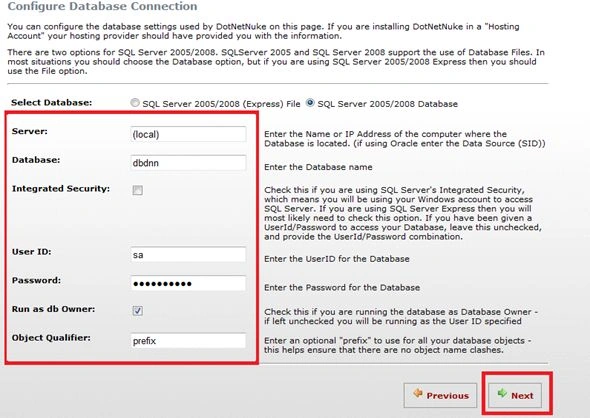
Step 11. Provide the database credentials and click Next then the database update process will happen.
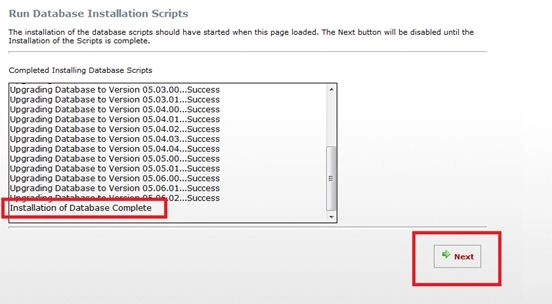
If the database update process is successfully completed, you will get the preceding message. Click Next.
Step 12. Host Account Configuration. This will be your host username and password. Fill in the necessary fields and click Next.

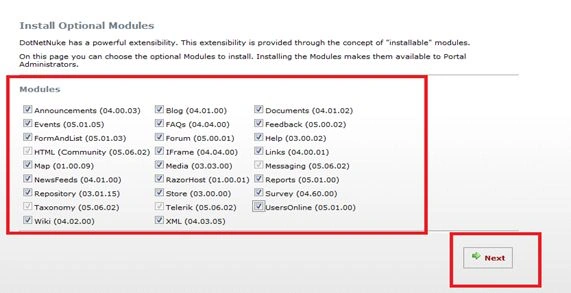
Step 13. Install the optional Modules, Skins, Language Pack, Authentication System, and Providers.
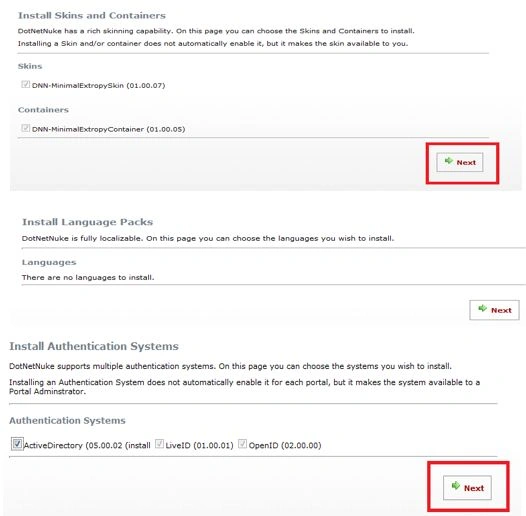
The Active Directory provider is to be used when we create an intranet portal or such an application.
Step 14. Portal Title. Here we set the Portal title and admin username and password to this portal. Click Next, then you will get a screen to build your website.

Step 15

Click on Start Building your new site. You can see your website and try to log in with your host login and admin login.

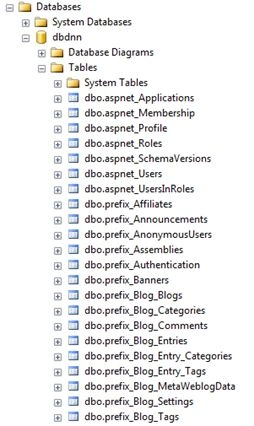
On the other side, you can see many tables have been created in the database to manage our user profiles, page configuration, and so on.
Advantages
- Simple Content Editing and creation.
- The ability to change or update the look and feel of your site completely, without affecting the content.
- Reduced time-to-market since the content and design can be prepared and implemented concurrently.
- Reduced cost.
- Unmatched security.
Reference


Shiju JosephPosted Aug 18, 2015, 4:29 AM
Good one Teddy ....
Narasimha Reddy ChennupalliPosted Jul 10, 2015, 9:58 AM
Good to know about one of CMS's
Syed ShanuPosted Jul 8, 2015, 9:58 PM
Good to see article for DNN. Hope to see more article related to DNN .DNN is simple and easy to use with more options Few tips as how to change Skin of DNN ,What is role in DNN,How to add role and display menu by role.How to create page .How to add existing Module to our dnn website,How to develop our own Custom(User control) Module in DNN and etc.
Neeraj KumarPosted Jul 8, 2015, 9:10 AM
Good
Sibeesh VenuPosted Jul 8, 2015, 9:09 AM
Good One! Thanks for sharing
Nilesh JadavPosted Jul 8, 2015, 8:39 AM
Nice article sir
Prasham SabadraPosted Jul 8, 2015, 8:08 AM
Thanks for sharing. Nice Article!!!
Gopi ChandPosted Jul 7, 2015, 4:04 PM
Nice intro
Santhakumar MunuswamyPosted Jul 7, 2015, 3:11 PM
Thanks for sharing
Debasis SahaPosted Jul 7, 2015, 11:26 AM
Good
Vipul MalhotraPosted Jul 7, 2015, 11:20 AM
Nice