

There is a common requirement to filter subgrids based on the lookup field, but there is no easy way to implement it without writing code. In this post, I am going to discuss a quick workaround to implement this requirement. Let’s see how we can implement this.
Requirement
We want to show the marketing list for accounts in contact form based on the account lookup.
Solution
We can implement this requirement with the help of the quick view form using the following steps.
- Open default solutions by Navigating to Settings->Customizations->Customize the Systems or create your custom solution and add Account and Contact entity to your custom solution.
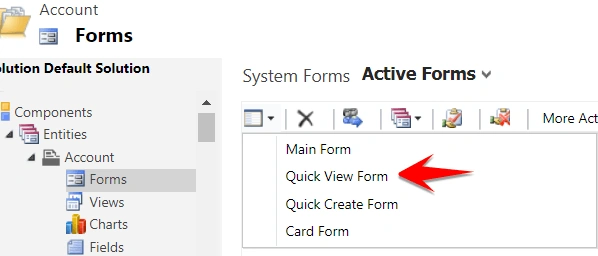
- Navigate to Forms under Account entity.
- Create a New Quick View form and change form name “AccountMarketingListQuickViewForm” using Form Property button on the top.
- Click on Insert and add a subgrid and set the following options.
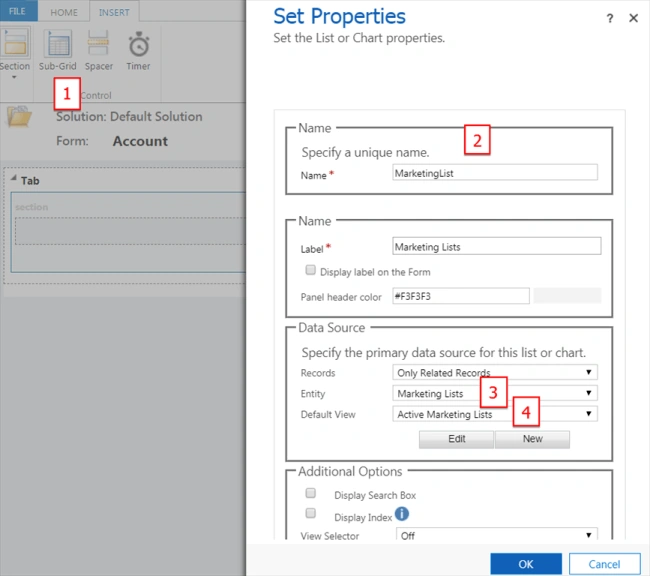
- Save and Publish your changes.
- Open Contact form and insert a Quick View form by navigating to Insert->Quick View Form, we need to set the following properties.
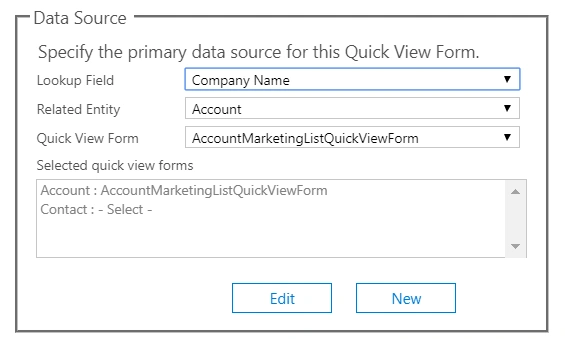
- Save and Publish your changes.
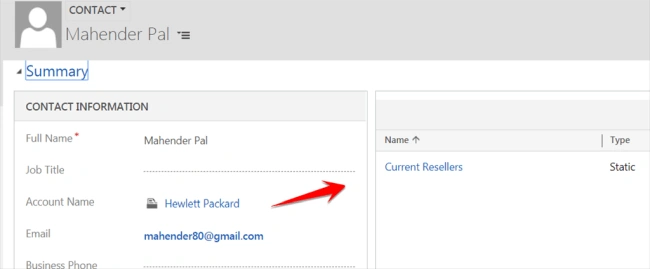
Now, let’s say we have one marketing list, Current Resellers, who have a “Hewlett Packard” account.
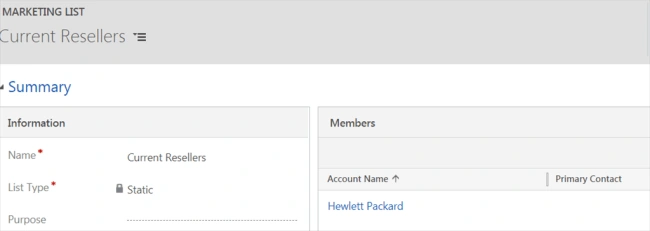
Now, open the contact with Hewlett Packard in the company name lookup and you will be able to see a related marketing list like below.
I hope it will help someone!!
I hope it will help someone!!
Bernard VixseboxsePosted Jan 25, 2019, 7:51 AM
Really nice to have a no-code solution for this, thanks a lot!
Hadshana KamalanathanPosted Jul 19, 2018, 4:58 AM
Thanks for sharing