

Abstract / Overview
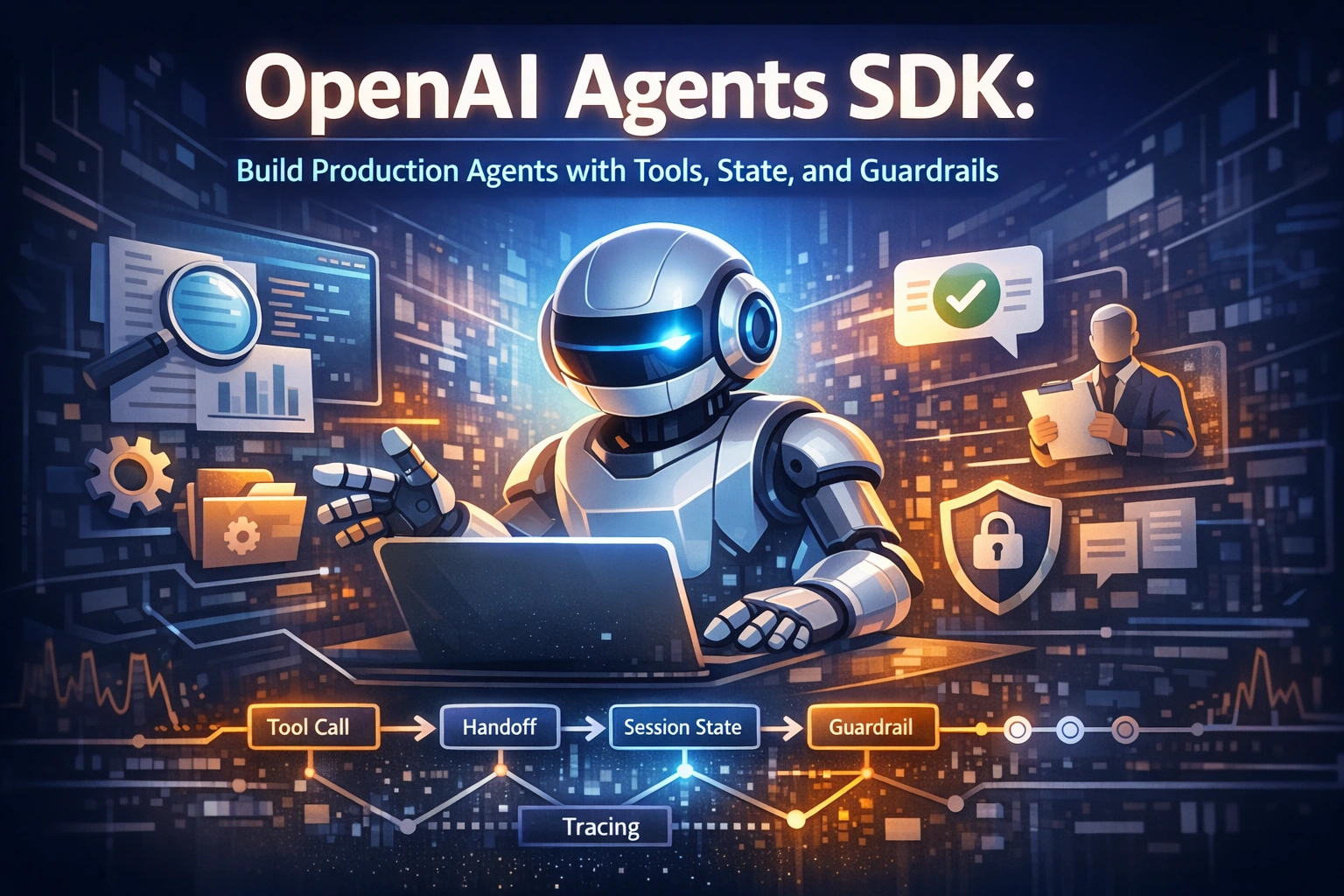
The OpenAI Agents SDK helps developers build agent apps in code. In simple terms, an agent is an app workflow where the model can think through a task, use tools, pass work to a specialist, and keep enough memory to finish multi-step work. OpenAI describes agents as applications that plan, call tools, collaborate across specialists, and keep enough state to complete multi-step work.
The official docs make an important split. Use the normal OpenAI client libraries when you just want direct model requests. Use the Agents SDK when your app owns orchestration, tool execution, approvals, and state. Use Agent Builder only when you want the hosted workflow editor and ChatKit path.
This matters because many teams jump into “multi-agent” work too early. The docs repeatedly push a simpler pattern: start with one focused agent, then grow only when the workflow becomes clearly bigger. That advice saves time, cost, and confusion.
A few simple numbers from the official docs explain the design well:
The tool-calling flow has five high-level steps.
There are two main orchestration styles: let the model decide, or orchestrate in code.
The quickstart shows three common ways to carry state into the next turn, plus a resume path for paused runs.
For teams building customer support, research, document workflows, or internal copilots, this guide is a practical roadmap. It also helps your content perform better in search and AI answers because clear docs, clean examples, and structured sections are easier for both people and AI systems to understand.
Conceptual Background
What the Agents SDK really is
The Agents SDK is not a different model. It is a developer layer for building workflows around models. The underlying platform still uses the OpenAI Responses path for many advanced features. OpenAI’s Responses API is described as its most advanced interface for generating model responses, with support for stateful interactions, built-in tools, and function calling.
That means the mental model is simple:
The model handles language and reasoning.
Tools let it reach outside the prompt.
The SDK gives structure to the loop.
Your app still owns the business rules.
The core building blocks
The official guide centers on a few core ideas.
A focused agent is the starting point. OpenAI’s own advice is, “Start with one focused agent.” The docs say to define the smallest agent that can own a clear task, and add more agents only when you need different ownership, instructions, tools, or approval rules.
Tools extend the agent’s reach. OpenAI’s tools guide says agents and model responses can use built-in tools, function calling, tool search, and remote MCP servers. These let a model search the web, retrieve from files, load deferred tool definitions, call your own code, or connect to third-party systems. Only gpt-5.4 and later models support tool_search.
Handoffs let one agent give control to another. In the quickstart, OpenAI shows a triage agent handing work to a history or math tutor. In the orchestration guide, OpenAI says handoffs are best when a specialist should take over the conversation, while “agents as tools” are best when a manager should stay in control.
State keeps a conversation moving across turns. The quickstart says the first run result tells you what state to use next. The docs list keeping full history yourself, using a session, or using a server-managed continuation ID. They also show a resume path for paused runs using returned state and interruptions.
Guardrails and approvals control risk. OpenAI says guardrails validate input, output, or tool behavior automatically, while human review pauses a run so a person or policy can approve or reject a sensitive action.
Tracing shows what actually happened. OpenAI says tracing is built into the Agents SDK and is enabled by default in the normal server-side SDK path, with records for model calls, tool calls, handoffs, guardrails, and custom spans.

Two short expert takeaways from the docs
OpenAI’s best short advice is: “Start with one focused agent.” That line alone can prevent a lot of bad architecture.
Another key line is: “Keep local context separate from model context.” The docs explain that your app can pass state and dependencies into a run without sending them to the model. That is important for user info, database clients, loggers, and helper functions.
Step-by-Step Walkthrough
Start with the official install path
The quickstart gives the shortest setup path.
For TypeScript:
npm install @openai/agents zodFor Python:
pip install openai-agents
This is a good sign for adoption. The SDK is meant to get you to a working run fast, not trap you inside a large framework. The quickstart says the first examples use the same high-level concepts in both TypeScript and Python: define an agent, run it, then add tools and specialist agents as the workflow grows.
Create one small agent first
The quickstart example creates a simple history tutor with a name, instructions, and a model, then runs it on a single prompt. The returned result includes the final output.
A minimal Python example looks like this:
import asyncio
from agents import Agent, Runner

agent = Agent(
    name="History tutor",
    instructions="You answer history questions clearly and concisely.",
    model="gpt-5.4",
)

async def main():
    result = await Runner.run(agent, "When did the Roman Empire fall?")
    print(result.final_output)

asyncio.run(main())
This is the right first milestone. Not “multi-agent.” Not “tools everywhere.” Just one agent doing one job well. That matches the official guidance exactly.
Add tools when the model needs outside help
OpenAI’s tools docs explain that agents can use built-in tools like web search and file search, plus function calling and remote MCP servers. The platform also describes tool calling as a five-step flow: send tools, receive a tool call, execute code, send tool output back, then get a final answer or more tool calls.
That means a tool is not just “extra code.” It is part of a conversation loop between your app and the model. Use tools when the agent must look up fresh information, fetch private data, take an action, or run code outside the prompt.
A small Python function tool pattern looks like this:
import asyncio
from agents import Agent, Runner, function_tool

@function_tool
def history_fun_fact() -> str:
    """Return a short history fact."""
    return "Sharks are older than trees."

agent = Agent(
    name="History tutor",
    instructions="Answer history questions clearly. Use history_fun_fact when it helps.",
    tools=[history_fun_fact],
)

async def main():
    result = await Runner.run(agent, "Tell me something surprising about ancient life on Earth.")
    print(result.final_output)

asyncio.run(main())
That pattern follows the quickstart closely. The big lesson is to add tools because the task needs them, not because tools look impressive in a demo.
Decide when to split into specialists
The quickstart says a common next step is to split the workflow into specialists and let a router delegate with handoffs. The official example routes homework questions to either a history tutor or a math tutor.
The define-agents guide explains when to split an agent. Do it when a specialist needs a different tool or MCP surface, a different approval policy, a different model or output style, or when you want explicit routing in traces.
OpenAI’s orchestration guidance is very practical:
Use handoffs when a specialist should own the next user-facing reply.
Use agents as tools when a manager should stay in control, and just call specialists as bound helpers.
This is one of the most important design choices in the whole system.
Choose a state strategy early
The quickstart and running-agents guide make it clear that the state is not an afterthought. It is a first-class design choice. OpenAI shows these main paths:
Keep the full history in your app.
Let the SDK load and save history for you with a session.
Let OpenAI manage the continuation state with a server-managed continuation ID.
Resume paused work with returned state and interruptions.
OpenAI also says sessions are the best default when you want durable memory, resumable approval flows, or storage for your application controls. That is a strong default for real apps.
A good rule is simple. For a toy demo, local history is fine. For a real user-facing product, sessions are often the safer starting point. For advanced platform-managed continuation, use the server-managed path.
Keep runtime-only data out of the model
This is a subtle but very important idea. The define-agents guide says the SDK lets you pass application state and dependencies into a run without sending them to the model. The docs call this local context. It is meant for things like authenticated user info, database clients, loggers, and helper functions.
The rule from the docs is clean: if the model needs a fact, put it in instructions, input, retrieval, or a tool. If only your runtime needs it, keep it in the local context.
This separation helps with privacy, cost, and clarity. It also makes prompts smaller and easier to debug.
Use structured output when downstream code depends on the answer
The define-agents guide highlights three configuration choices that need extra care: instructions, handoff descriptions, and output type. It specifically says to use outputType when downstream code needs typed data instead of free-form prose.
That is a strong signal for real apps. If your next step is a database write, ticket update, calendar entry, or workflow branch, do not leave it to loose text. Ask for structured output.
Add guardrails before sensitive actions
The guardrails guide is one of the most practical pages in the set. OpenAI says:
Input guardrails block bad requests before the main model runs.
Output guardrails validate or redact the final output.
Tool guardrails check arguments or results around a tool call.
Human approvals pause before side effects like cancellations, edits, shell commands, or sensitive MCP actions.
This is the difference between a fun demo and a system you can trust. If an agent can refund, edit records, run shell commands, or touch private systems, guardrails and approvals are not optional.
Turn on observability from day one
OpenAI’s integrations and observability guide says tracing is built into the Agents SDK and enabled by default in the normal server-side path. The default trace can show the overall workflow, each model call, tool calls and outputs, handoffs, guardrails, and custom spans.
This is valuable for three reasons:
It helps you debug wrong answers.
It helps you see slow or costly steps.
It helps you explain system behavior to product, security, and support teams.
Use sandboxes only when the work needs a workspace
The new sandbox docs add an important idea. Sandbox agents are currently available only in the Python Agents SDK. OpenAI says to use a sandbox when the answer depends on work done in a workspace, not just reasoning over prompt context. Examples include large document directories, file creation, commands, packages, previews on ports, screenshots, and resumable workspace state.
The docs also say that if you only need a short model response and no persistent workspace, call the Responses API directly or use the basic Agents SDK runtime without a sandbox. If shell access is only an occasional tool, start with the hosted shell tool instead.
That is exactly the right boundary. Use sandboxes for file-heavy or command-heavy workflows. Do not use them just to make the architecture look advanced.
Pick models on purpose
The model's guide says to prefer explicit model choice in production instead of relying on whatever default your SDK release ships with. It also says that for most new SDK workflows, start with gpt-5.4 and move to a smaller variant only when latency or cost matters enough to justify it.
The same page shows a clean pattern:
Set
modelon an agent when that specialist needs its own quality, speed, or cost profile.Set a run-level default when one workflow should override several agents.
Set
OPENAI_DEFAULT_MODELwhen you want a process-wide fallback.
This is simple, readable, and easy to maintain.
Use Cases / Scenarios
Customer support triage
A support system is a natural fit for the Agents SDK. A triage agent can receive the user message, decide whether it is billing, refunds, account access, or product help, and then hand control to the right specialist. If a refund or account change is requested, a human approval step can pause the run before the action happens. Sessions can keep the conversation steady across turns, and traces can show exactly why the system routed the case the way it did.
Research assistant with live sources
A research workflow can use built-in tools like web search and file search, plus function tools for internal systems. This is where the Responses API and tools docs connect tightly with the Agents SDK. The model handles synthesis, tools fetch the current or private context, and tracing gives visibility into every step.
Internal business workflows
If the job is “read a request, classify it, extract fields, route it, and write a result,” the SDK fits well. Structured output is especially helpful here because the next system often needs typed data, not a paragraph. Guardrails and approvals are useful for actions that touch money, records, or regulated data.
Developer tools and code or document jobs
If the work depends on a directory of files, generated artifacts, scripts, or a preview running on a port, sandbox agents are the better fit. OpenAI’s sandbox docs describe exactly these cases. This makes them useful for report generation, data cleanup, notebook-style work, website previews, or artifact-producing agent jobs.
Mixed-provider or transport-heavy systems
The models guide says standard SDK runs should start on the default OpenAI provider path. If you have many repeated responses round-trip over a socket, the SDK supports a Responses WebSocket transport. If you need non-OpenAI models or a mixed stack, OpenAI points you to the provider or adapter surface in the language-specific SDK docs.
Fixes
Mistake: starting with many agents
Fix: start with one focused agent. Only split when ownership, tools, approval rules, model choice, or trace clarity clearly demand it. This is one of the clearest recommendations in the docs.
Mistake: putting runtime secrets into prompts
Fix: keep local context separate from model context. Pass app-only data through the runtime context instead of sending it to the model.
Mistake: using free-form text for machine steps
Fix: Use structured output when the next step is code, storage, routing, or automation. OpenAI explicitly recommends outputType when downstream code needs typed data.
Mistake: using handoffs when a manager should still own the reply
Fix: choose between handoffs and agents-as-tools on purpose. Handoffs move control to the specialist. Agents-as-tools let the manager keep control.
Mistake: skipping guardrails until later
Fix: add input, output, tool, and human review controls before risky actions go live. The docs are clear that approvals are for side effects such as edits, cancellations, shell commands, and sensitive MCP actions.
Mistake: using a sandbox for everything
Fix: Use sandboxes only when a live workspace is part of the job. Otherwise, stick with the standard runtime or the Responses API.
Mistake: debugging blind
Fix: Use built-in tracing from the start. It is already on by default in the normal server-side path and shows the important workflow steps.
FAQs
1. What is the OpenAI Agents SDK?
It is the official OpenAI SDK path for building agent apps in code. These apps can plan, call tools, collaborate across specialists, and keep a state for multi-step work.
2. Should developers use the Agents SDK or the Responses API?
Use the client libraries or Responses API when you mainly want direct model requests and tool-enabled responses. Use the Agents SDK when your app needs orchestration, tool execution, approvals, and state within a larger workflow.
3. Does the SDK support Python and TypeScript?
Yes. The official quickstart says the first agent examples are available in both TypeScript and Python.
4. When should a team add more than one agent?
Add more agents when specialists need separate ownership, tools, models, output styles, approval policies, or clearer routing in traces. Otherwise, keep one focused agent.
5. What is the difference between handoffs and agents-as-tools?
Handoffs let a specialist take over the next part of the conversation. Agents-as-tools let a manager keep control while calling specialists for bounded help.
6. What is the best default for multi-turn memory?
OpenAI says sessions are the best default when you want durable memory, resumable approval flows, or application-controlled storage.
7. Can an agent use web search and file search?
Yes. OpenAI’s tools docs say built-in tools can extend a model or agent with web search, file search, remote MCP servers, function calling, and more.
8. When should a team use sandbox agents?
Use sandbox agents when the work needs a real workspace with files, commands, packages, previews, artifacts, or resumable state. As of the current docs, sandbox agents are available in the Python Agents SDK.
9. Is tracing included?
Yes. OpenAI says tracing is built into the Agents SDK and enabled by default in the normal server-side SDK path.
10. Which model should a new workflow start with?
The current models guide says most new SDK workflows should start with gpt-5.4 and move smaller only when latency or cost matters enough.
References
OpenAI API Docs, Agents SDK overview. (OpenAI Developers)
OpenAI API Docs, Quickstart. (OpenAI Developers)
OpenAI API Docs, Agent definitions. (OpenAI Developers)
OpenAI API Docs, Running agents. (OpenAI Developers)
OpenAI API Docs, Orchestration, and handoffs. (OpenAI Developers)
OpenAI Agents SDK Docs, Agent orchestration. (OpenAI GitHub Pages)
OpenAI API Docs, Using tools. (OpenAI Developers)
OpenAI API Docs, Function calling. (OpenAI Developers)
OpenAI API Reference, Responses Overview. (OpenAI Developers)
OpenAI API Docs, Guardrails, and human review. (OpenAI Developers)
OpenAI API Docs, Integrations, and Observability. (OpenAI Developers)
OpenAI API Docs, Models, and providers. (OpenAI Developers)
OpenAI API Docs, Sandbox agents. (OpenAI Developers)
Conclusion
The OpenAI Agents SDK is best understood as a clean way to build real model workflows, not just single prompts. Start with one agent. Add tools when the task needs outside data or actions. Add handoffs when specialists should own parts of the job. Add sessions when memory matters. Add guardrails before risky actions. Add tracing before you need to debug under pressure. Add sandboxes only when the work truly needs a workspace.
For growth, a smart next step is to publish this knowledge in more than one format: docs, code samples, diagrams, short videos, and repo READMEs. That improves developer adoption and helps AI systems understand and cite your work more easily. Track simple visibility signals such as Share of Answer, impressions, coverage, and sentiment so you can see whether your technical content is actually being discovered and trusted.
The strong call to action is simple: do not wait for the “perfect” agent platform. Build one focused agent this week, trace every run, and add safety before scale. Teams that want help turning the official guide into a production roadmap can work with C# Corner Consulting on architecture, tooling, review flows, and rollout planning.
Join the conversation! Your thoughts help the community grow.