

Abstract / Overview
OpenClaw software is free to download and run. The real operating cost comes from what powers it: the AI model you choose, where you host it (your device or a cloud server), and how heavily you use it. Source: OpenClaw GitHub + OpenClaw Docs (As of Feb 2026).
If you use OpenClaw lightly for chat and simple tasks, many people can keep it in the “small subscription” range each month. If you use it heavily for research, browsing, screenshots, or always-on automation, costs can rise fast. Source: OpenClaw pricing pages and recent usage reports (As of Feb 2026).
Conceptual Background
What OpenClaw is (in plain words)
OpenClaw is a personal AI assistant you run on your own machine or a server. It connects to chat apps (like Telegram, WhatsApp, Slack, Discord, and more) and can help you get things done from those chats.
What “operating cost” means here
Operating cost = what you pay every month to keep OpenClaw working, such as:
AI model usage (the highest cost for most people)
Hosting (if you run it on a paid cloud server)
Power and internet (if you run it at home)
Optional safety tools (backups, monitoring, security)
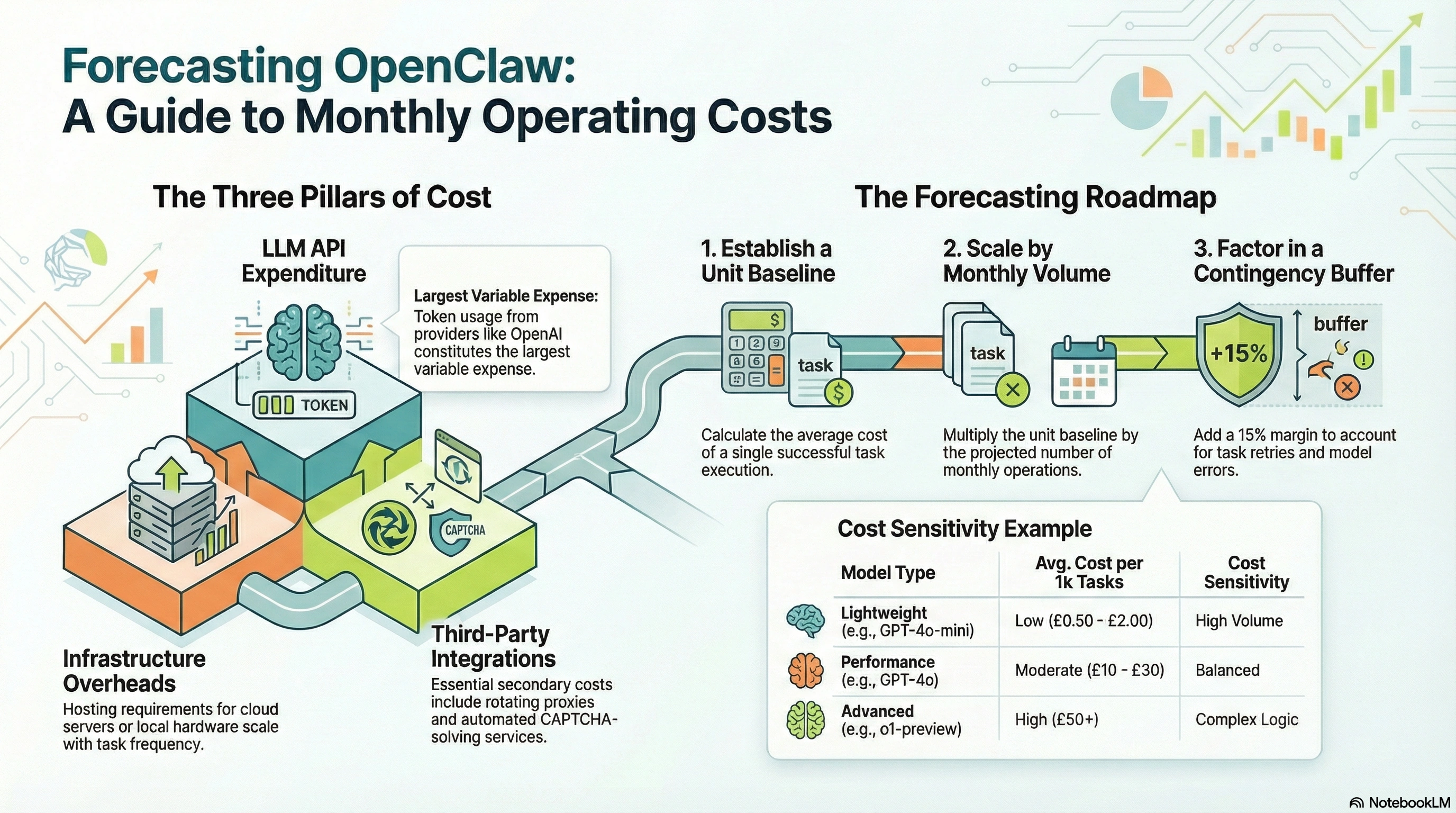
The 3 main cost buckets
Quick scan:
AI cost (pay-per-use): You pay each time the AI “thinks” or “sees” (like reading a screenshot).
Host cost (fixed): You pay for the computer/server that stays on.
Extras (small but real): Storage, logs, backups, and security tools.
Step-by-Step Walkthrough
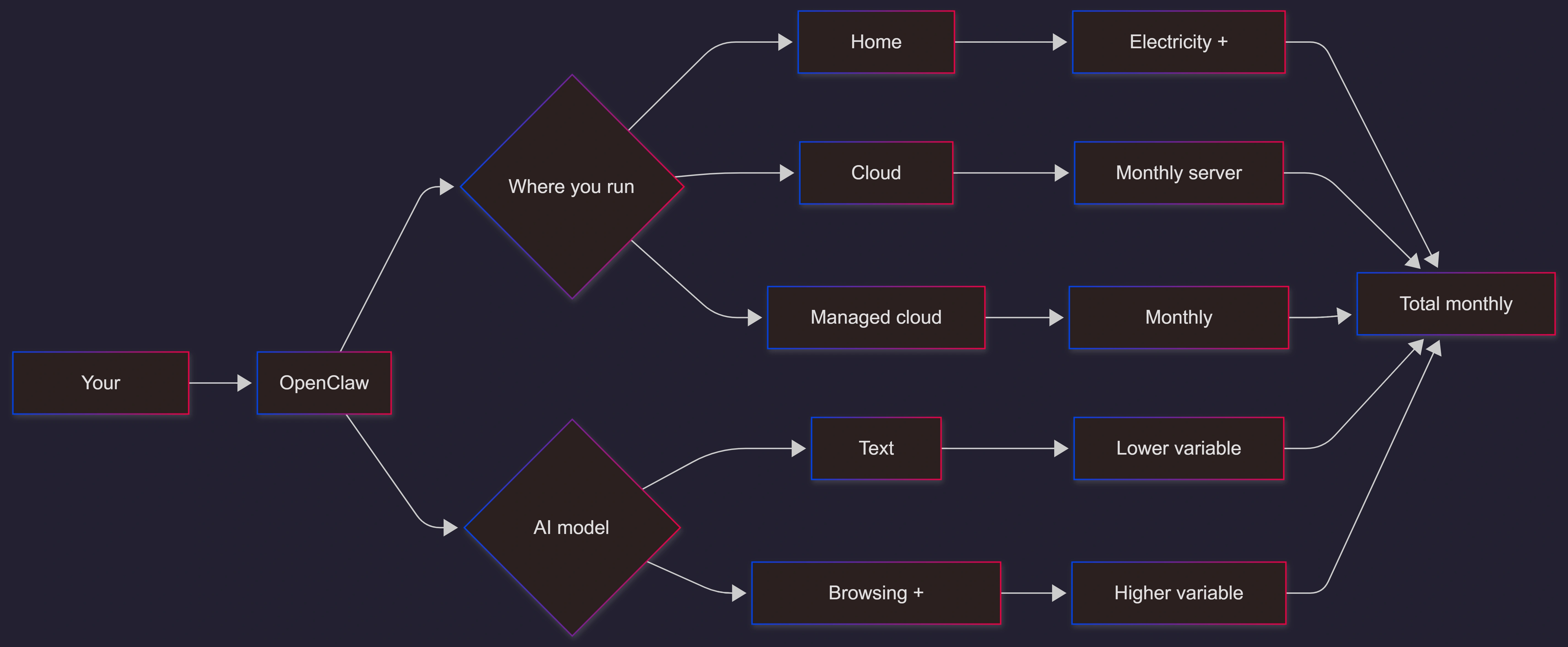
Step 1: Pick the way you will run OpenClaw
You usually have 3 choices:
Option A: Run it on a device you already own (lowest fixed cost)
Your laptop, desktop, or a small always-on computer
Fixed cost: near $0/month (but you still have electricity + internet)
Variable cost: AI usage
Option B: Run it on a cloud server (simple “monthly rent”)
Fixed cost: monthly server rental (VPS)
Variable cost: AI usage
Good if you want it always on without relying on your home power/internet
Option C: Use a managed “OpenClaw Cloud” plan (predictable bill)
Fixed subscription price
Often includes some credits or limits
Least hassle, but you pay for convenience
Step 2: Estimate your AI usage (the biggest driver)
Think of AI usage like a taxi meter:
More chats, longer chats = more cost
More “heavy work” (web research, screenshots, big documents) = much more cost
Important note (non-technical version):
“Vision” tasks (the AI looking at images/screenshots) can be expensive compared to normal text chat.
Real users report high cost jumps when OpenClaw uses screenshots during browsing/research.
Step 3: Add hosting + extras
Add:
Hosting bill (if any)
Storage/backups (usually small)
Safety overhead (optional, but recommended)
Operating Cost Drivers (What Makes the Bill Go Up)
Here’s the “why did my cost spike?” checklist:
Usage behavior (biggest impact)
Lots of back-and-forth chatting
Long messages and long outputs
Many daily tasks running automatically
Web browsing with screenshots / “seeing the screen”
Model choice (huge impact)
Different AI models cost different amounts per use.
Budget models: good for simple tasks
Premium models: better quality, but can be much more expensive
Always-on vs sometimes-on
Always-on assistant (24/7) can create more “background” usage if you enable automated behaviors.
Sometimes-on (only when you message it) usually costs less.
Where do you host it?
Home device: lower fixed cost, but it depends on your electricity and internet stability
Cloud server: fixed monthly cost, typically small to moderate
Cost Scenarios (Predictions You Can Copy)
These are practical “budget buckets” you can use.
Scenario Table: Monthly Operating Cost Examples
All numbers below are typical ranges, not guarantees. Your real cost depends mostly on AI usage volume and whether you use “vision/screenshot” browsing.
| Scenario | Who it fits | Hosting choice | AI usage style | Predicted monthly operating cost |
|---|---|---|---|---|
| Starter / Casual | One person, a few chats a day | Home device | Mostly text chat | $5–$20/month |
| Personal Power User | One person, many tasks daily | Home device or small VPS | Text + some research | $25–$100/month |
| Heavy Research Mode | Deep web research, lots of screenshots | VPS or home device | Frequent browsing + screenshots | $100–$400+/month |
| Small Team Helper | Shared assistant for a small team | VPS | Many users, mixed tasks | $150–$800+/month |
| “Managed Cloud” Predictability | Want a fixed bill | Managed plan | Within plan limits | $9–$79/month (plan-dependent) |
Where these ranges come from (quick sources):
“OpenClaw is free; cost is mainly model API usage” (official/first-party style messaging and docs).
Typical personal usage ranges like $5–$20/month are commonly stated by OpenClaw-oriented pricing guidance pages.
Managed plans show published tiers like Starter/Pro/Business.
VPS rental examples exist across providers and marketplaces.
Real user tests show weeks where costs can jump (example reports of ~$47 in under a week, and larger totals in heavy testing) driven by browsing + screenshots.
Simple “Back of Napkin” Calculator
Use this if you want a quick forecast without math stress.
Pick one usage level:
Light: $5–$20/month
Medium: $25–$100/month
Heavy (lots of browsing/screenshots): $100–$400+/month
Then add hosting:
Home device: add $0–$10/month (electricity varies)
Small VPS: add ~$4–$25/month depending on provider and size
Managed cloud plan: use the plan price (example tiers published)
Use Cases / Scenarios
Best low-cost use cases
These usually stay in the low range:
Quick Q&A and reminders
Drafting messages and emails
Summaries of short notes
Simple daily checklists
Why: mostly text, short prompts.
“Cost can spike” use cases
These often push you into higher ranges:
Research that opens many webpages
Any workflow that takes lots of screenshots
Long document processing
Always-on automation with frequent triggers
Why: more AI calls, and “vision” tasks can cost more
Limitations / Considerations
Security and safety can add small costs (but may save you big losses)
OpenClaw has had security warnings around third-party “skills/extensions” in recent news coverage. That does not automatically mean you should not use it, but it does mean you should be careful with add-ons and permissions.
Practical non-technical advice:
Only install skills from sources you trust
Avoid running random commands someone tells you to paste
Keep accounts protected (strong passwords, 2FA where possible)
Your bill can be “smooth” or “spiky”
Smooth: mostly chat-based use
Spiky: Research days with screenshots can create a surprise bill
Predictability tip
If you hate surprises, pick:
A managed plan with clear limits, or
A budget AI model for everyday tasks, and only use premium models when needed
Fixes (only if needed)
“My costs are higher than expected”
Try these quick fixes:
Use a cheaper model for everyday chat; keep premium models for special tasks.
Reduce browsing with screenshots (use text-only research where possible).
Set a monthly spend cap or alerts in your AI provider account (many providers support usage limits).
Turn off always-on automations you don’t really need.
Keep conversations shorter (avoid huge copy-pastes unless necessary).
Mermaid Diagram
FAQs
1. Is OpenClaw free?
The software is free and open-source, but running it usually costs money because the AI model usage is typically paid.
2. What is the highest monthly cost?
For most people, it’s the AI model usage (especially heavy research and screenshot-based browsing).
3. Can I keep it under $20/month?
Yes, if you use it lightly and stick to mostly text-based tasks.
4. Why do screenshots make it more expensive?
Because “vision” (AI looking at images) can cost more than plain text usage, and research sessions can trigger many calls.
5. Is hosting in the cloud expensive?
It can be modest for a basic server, but prices vary by provider and size.
6. What if I want a predictable monthly bill?
Use a managed cloud plan with published pricing tiers, or set strict usage limits with your AI provider.
7. Is OpenClaw safe?
Open-source tools can be safe, but you must be careful with third-party skills/extensions and permissions. Recent reporting highlighted risks with malicious extensions in the ecosystem.
Call to Action (If You Want This Done Right)
If you want OpenClaw running with predictable costs, safe settings, and simple dashboards (so you don’t get surprised by bills), use an expert team. C# Corner Consulting can help you choose the right hosting option, set spending controls, and build a clean “cost forecast” based on your real usage patterns.
References
OpenClaw GitHub organization (As of Feb 2026) (GitHub)
OpenClaw repository overview (As of Feb 2026) (GitHub)
OpenClaw Documentation (As of Feb 2026) (OpenClaw)
DigitalOcean Marketplace: OpenClaw (As of Jan 2026) (DigitalOcean Docs)
Contabo OpenClaw hosting page (As of Feb 2026) (Contabo)
OpenClaw Cloud pricing (As of Feb 2026) (OpenClaw Cloud)
OpenClaw pricing guidance page (As of Feb 2026) (OpenClaw Guide)
User report: “I Spent $47 testing OpenClaw for a week…” (As of Feb 2026) (Medium)
User report: “I Spent $400 Testing OpenClaw.ai — An Honest Review” (As of Feb 2026) (Sword Software)
Reuters: China warning on OpenClaw security risks (As of Feb 5, 2026) (Reuters)
The Verge: OpenClaw skill extensions security issues (As of Feb 2026) (The Verge)
C# Corner Consulting (As of Feb 2026): https://www.c-sharpcorner.com/consulting/
Conclusion
OpenClaw itself is free. Your monthly operating cost mainly depends on how much AI you use and whether you do heavy browsing with screenshots. If you keep it mostly text-based, many users can stay in a modest monthly range. If you push into research-heavy and always-on workflows, the bill can climb quickly.
The safest way to predict your cost is to:
choose a hosting style (home, VPS, or managed),
pick a “light/medium/heavy” usage bucket,
and set spend alerts so you never get surprised.
Join the conversation! Your thoughts help the community grow.