

In continuation of my previous article Oracle Operators (Part 1) let’s start with Set Operators.
5. Set Operator
In Oracle, to join the result of two or more select statements we use the set operator. The queries that contain set operators are known as Compound Queries. Set Operators include:
- UNION
- UNION ALL
- INTERSECT
- MINUS.
a) UNION Operator
In case there are multiple SELECT queries and they all are joined using a UNION operator, Oracle shows the result after removing all the duplicate queries in ascending order (by default) without ignoring the NULL value. It is one of the most widely used SET operators.
Diagram
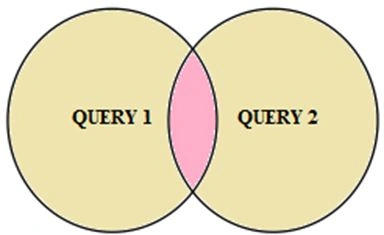
Note: The UNION operator returns results from both queries after eliminating duplicates.
Syntax
SELECT <Column_Name>
FROM Table1;
UNION
SELECT <Column_Name>
FROM Table2;
UNION
SELECT <Column_Name>
FROM Table3;
Example
Note: Assume the following two Employees tables to understand the examples.
Table Employees1
| Emp_Id | Emp_Name | Designation |
| 1001 | ABC | Tech. Lead |
| 1002 | ASD | Software Developer |
| 1003 | QWE | Software Developer |
| 1004 | RST | Project Manager |
| 1005 | PQR | Tech. Lead |
| 1006 | BCD | Director |
| 1007 | LMN | Receptionist |
Table Employees2
| Emp_Id | Emp_Name | Designation |
| 1111 | AAA | Software Developer |
| 1112 | RRR | Project Manager |
| 1113 | BBB | Sr.Software Developer |
| 1114 | HHH | Tech. Lead |
| 1115 | GGG | HR |
Query
SELECT Designation
FROM Employees1;
UNION
SELECT Designation
FROM Employees2;
Output
| Designation |
| Tech. Lead |
| Software Developer |
| Project Manager |
| Sr.Software Developer |
| HR |
| Director |
| Receptionist |
b) UNION ALL Operator
The UNION ALL operator is very much similar to the UNION operator but the only difference is that, the UNION ALL operator merges the result sets of two or more queries. Here the output does not remove the duplicate records and the sorting of the data items.
Diagram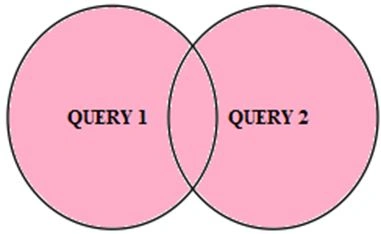
Note: The UNION ALL operator returns results from both queries, including all duplicates.
Syntax
SELECT <Column_Name>
FROM Table1;
UNION ALL
SELECT <Column_Name>
FROM Table2;
UNION ALL

Nipun TomarPosted Jan 23, 2014, 12:32 AM
All these articles are Oracle specified, here some of the operators work on other DBMS also but not all like: MINUS Operator, SQL server does not have a built-in minus operator but we use EXCEPT or NOT EXISTS.
Mahesh ChandPosted Jan 17, 2014, 10:04 AM
Are they Oracle? I think all these articles are SQL articles? Do they work on any DBMS? This looks like all SQL.